Create WOL Schedule
This page allows you to create a schedule based on which the added computers will wake up from sleep mode. To create the schedule, follow these steps:
- Click the Create WOL Schedule button. The following page will appear.
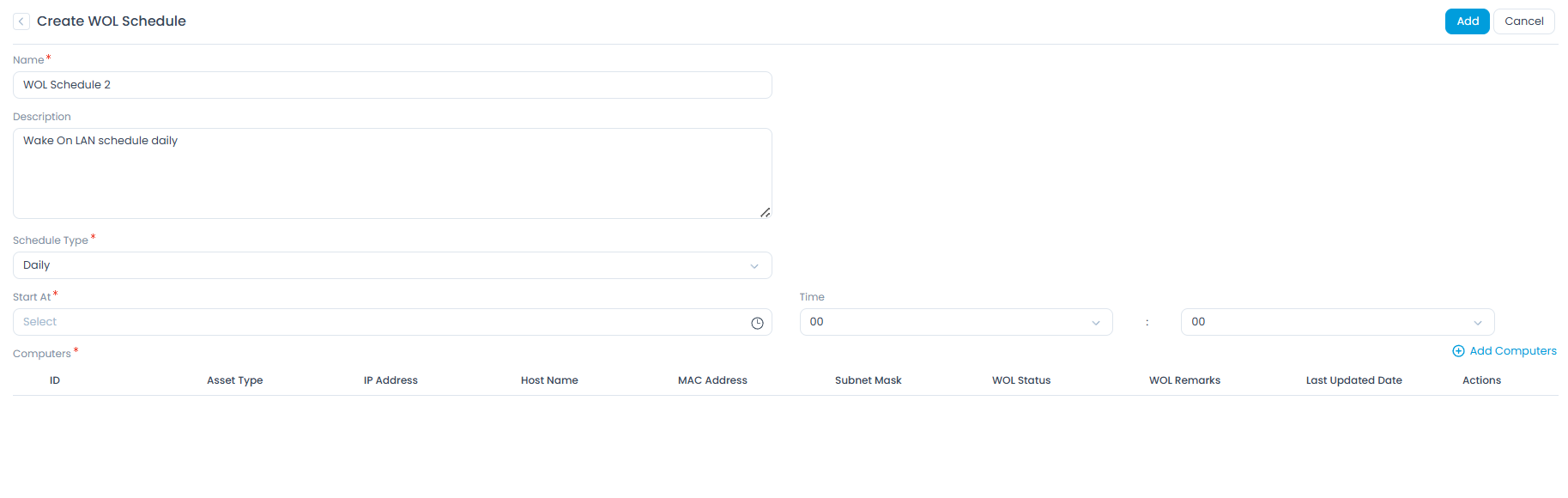
- Enter the following details:
- Name: Enter a name for the schedule.
- Description: Enter a short description of the schedule.
- Schedule Type: Select the type of schedule. Options include:
- Once: If selected, the schedule will run only once, as per the time set in the Start At field.
- Daily: If selected, the schedule will be applied as per the selected Start At field and will run daily at the selected Time.
- Weekly: If selected, the schedule will run once a week, as per the selected Day and Time.
- Monthly: If selected, choose when the scheduler should run:
- On Specific Date: Allows you to select the Date and Month for the schedule to run.
- On Specific Day: Allows you to select the Occurrence (e.g., first, second) and Weekday (e.g., Monday, Tuesday) for the schedule to run, along with the Month.
- Cron: Allows you to set a custom schedule using a cron expression. For example, "0 0 * * *" runs the schedule at midnight every day.
- Computers: Select and add the computers you want to wake up using the Add Computers link.
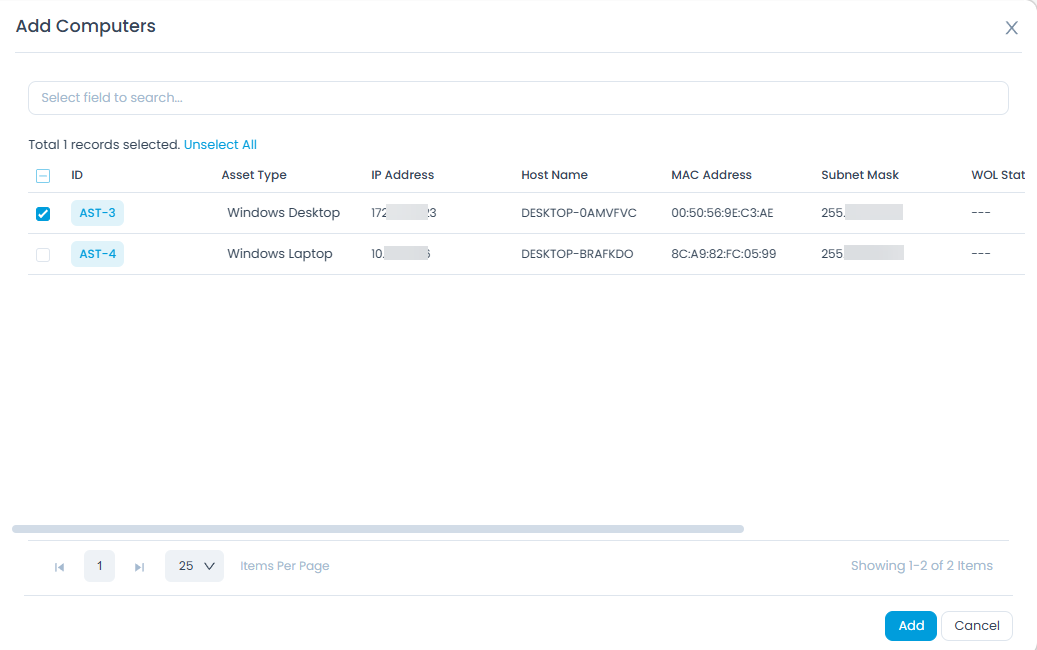
- Once the computers are added, click Add. The WOL schedule will then be created.