Software Categories
Categories enable you to group similar software, helping technicians quickly and easily filter the required software from a large list. They define the software type and its category. By default, no categories are defined in the system.
To view the Software Categories page, navigate to Admin > Asset Management > Software Categories.
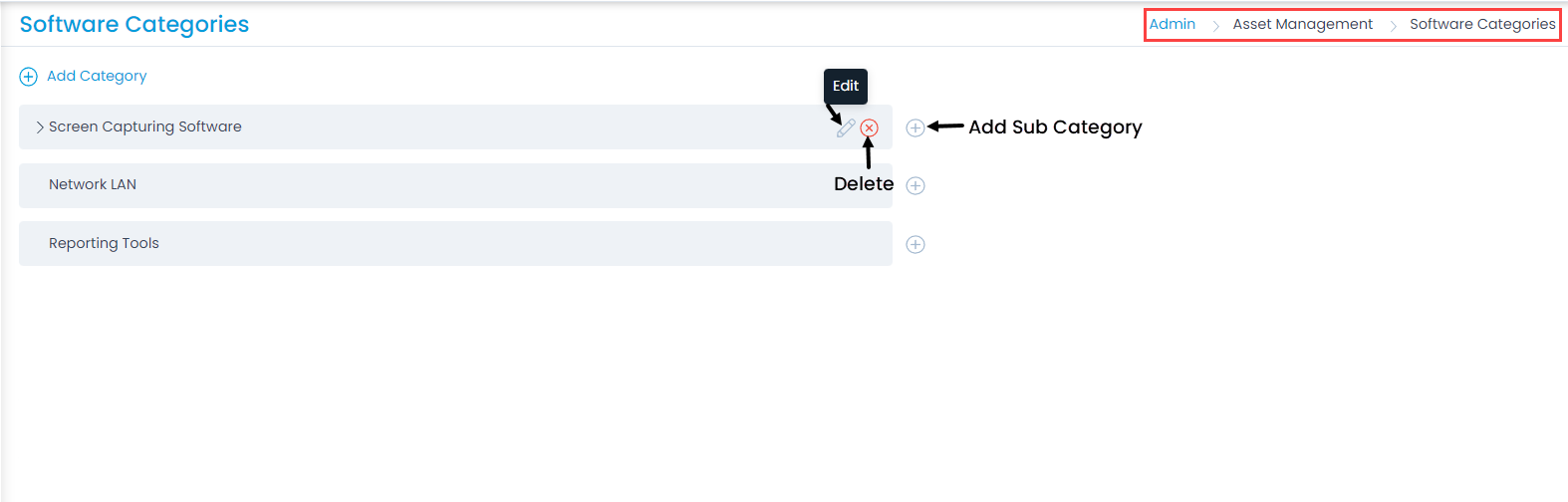
Here, you have the following options:
- Add Category: Adds a category.
- Add Sub Category: Adds a subcategory.
- Edit: You can edit the category name.
- Delete: Deletes the category if it is no longer required. A confirmation message appears. Click Yes to continue or Cancel to stop the process.
Add Category
To add a category, follow these steps:
- Click Add Category. A popup window appears.
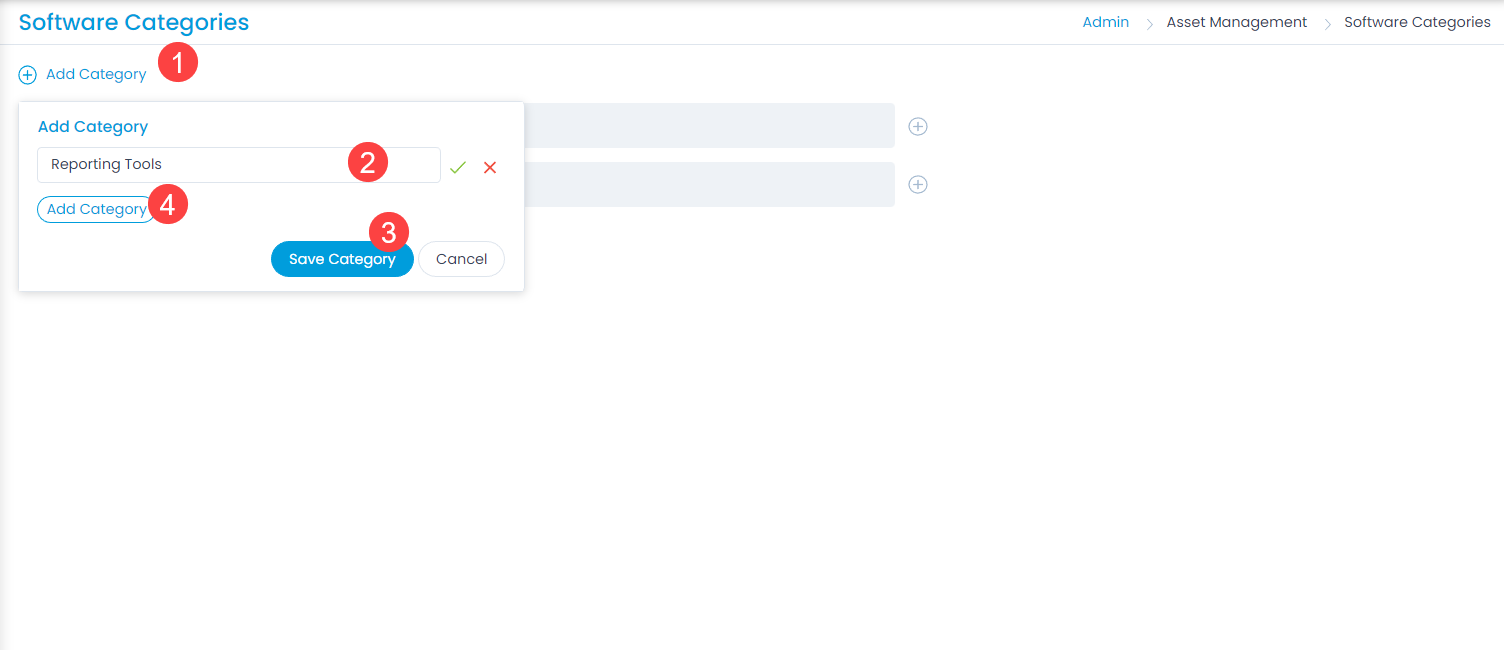
- Enter the Name of the category (maximum 150 characters allowed).
- Click Save Category. To add another category,click Add Category below the name field. Once the category is added, you can assign it to the required software asset from its details page.

Add Sub Category
To add a sub category, follow these steps:
- Click the Add Sub Category icon next to the required category. A popup window appears.
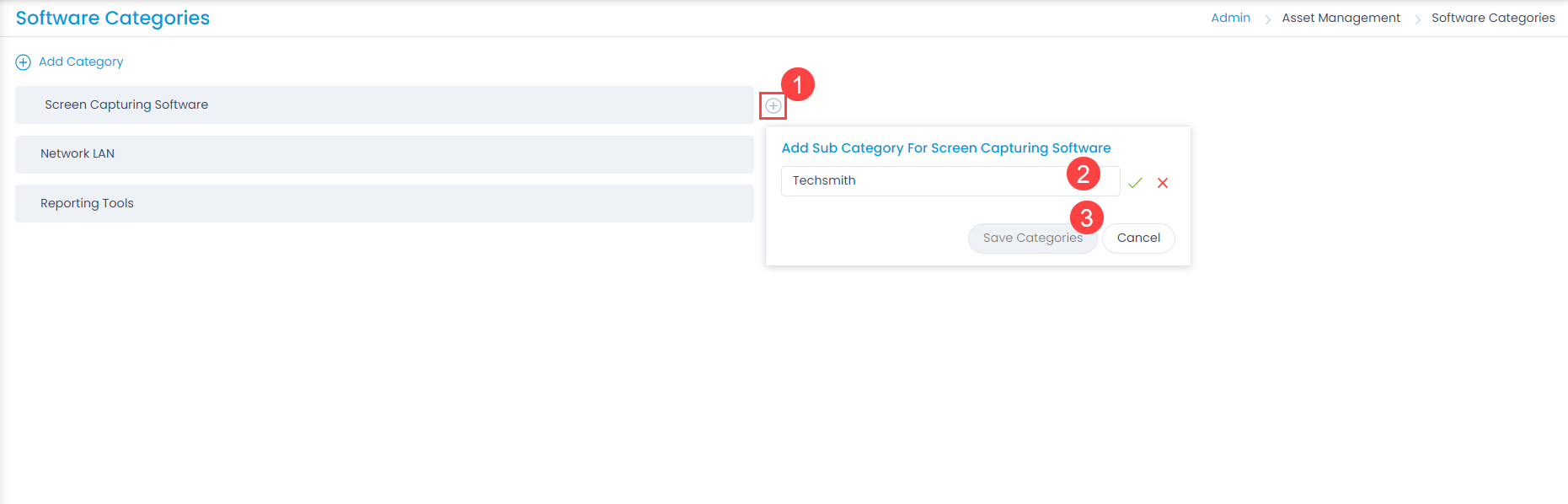
- Enter the Name of the subcategory.
- Click Save Sub Category. You can add subcategories up to 5 levels.