Software Types
A software type defines the nature of a software asset.
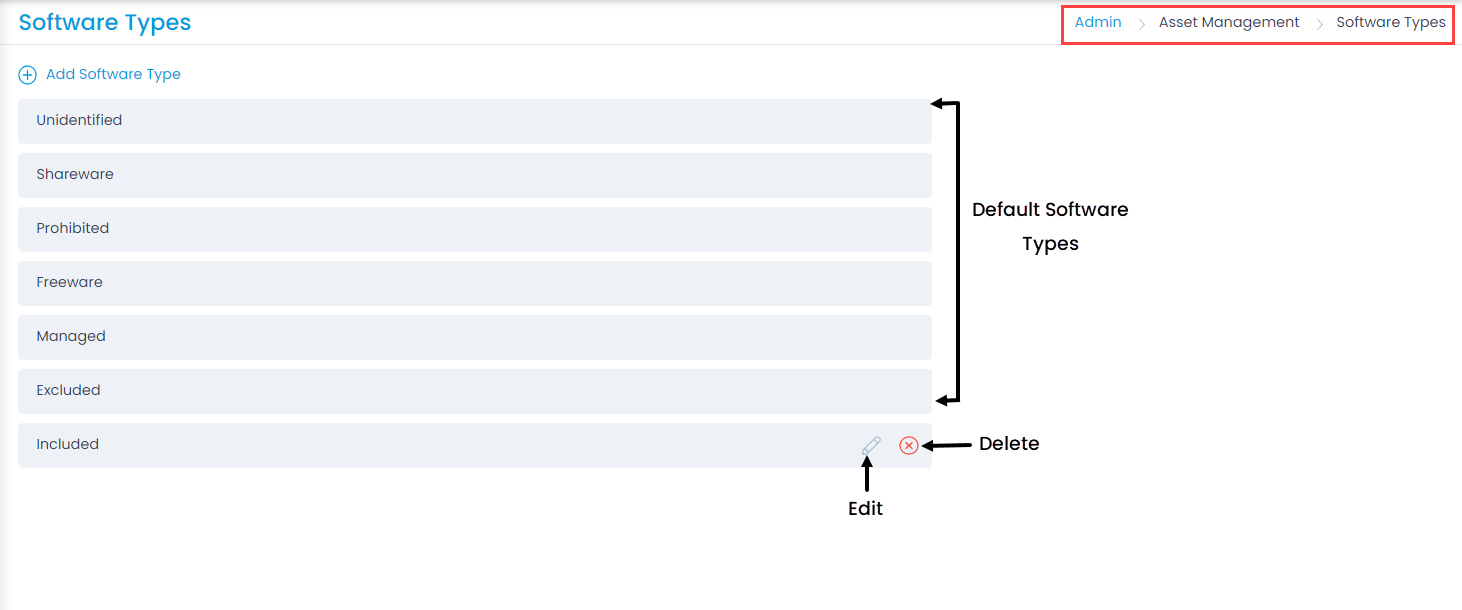
To view the Software Types page, navigate to Admin > Asset Management > Software Types.
Here, you can view the default software types and add custom ones. Motadata provides six out-of-the-box software types by default:
- Unidentified: Software with unknown sources.
- Shareware: Software that runs on a free trial.
- Prohibited: Software that is not allowed to be used.
- Freeware: Software that is free to use.
- Managed: Software that requires license and compliance management.
- Excluded: Software that does not require management.
Add a Software Type
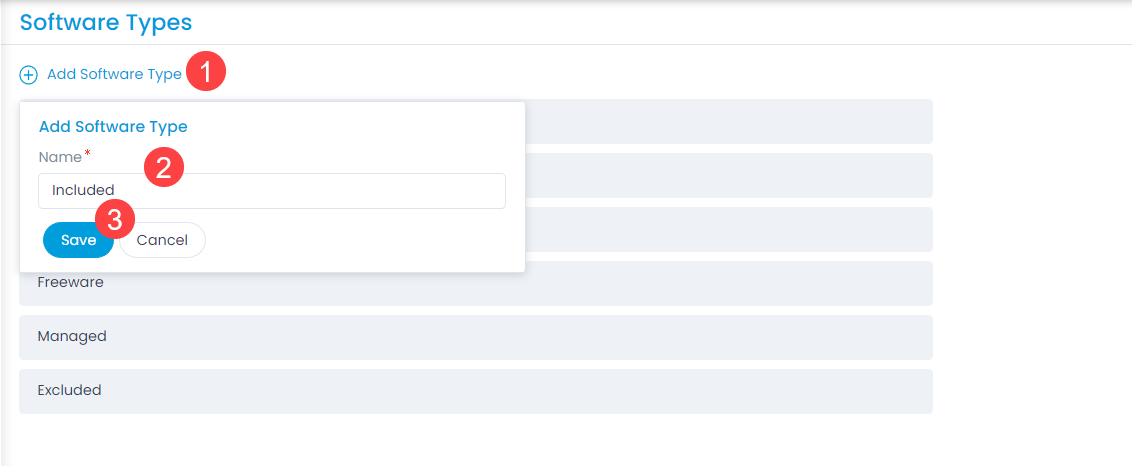
To add a software type, follow these steps:
- Click Add Software Type. A pop-up window appears.
- Enter a Name for the software type.
- Click Save. The software type is added to the list. After you add it, you can edit or delete the software type as needed. You can edit default software types,but you cannot delete them.
note
This operation requires administrative rights.