Asset Management
Motadata provides a unified experience for managing and tracking IT and Non-IT assets. It includes features like Asset Discovery and Bulk Asset Import for easy creation of an Asset Repository (CMDB), and it also offers a manual upload option for more complex assets.
Our Asset Management supports an extended Asset Type Hierarchy and related properties, allowing you to manage almost all assets in the system. The Asset Type Hierarchy provides a visual representation of an asset's placement. Another powerful visual aid is the Relationship Mapper, which builds a diagram showing all relationships originating from an asset.
The Asset Management group includes options specific to customizing the asset module. It offers the following features:
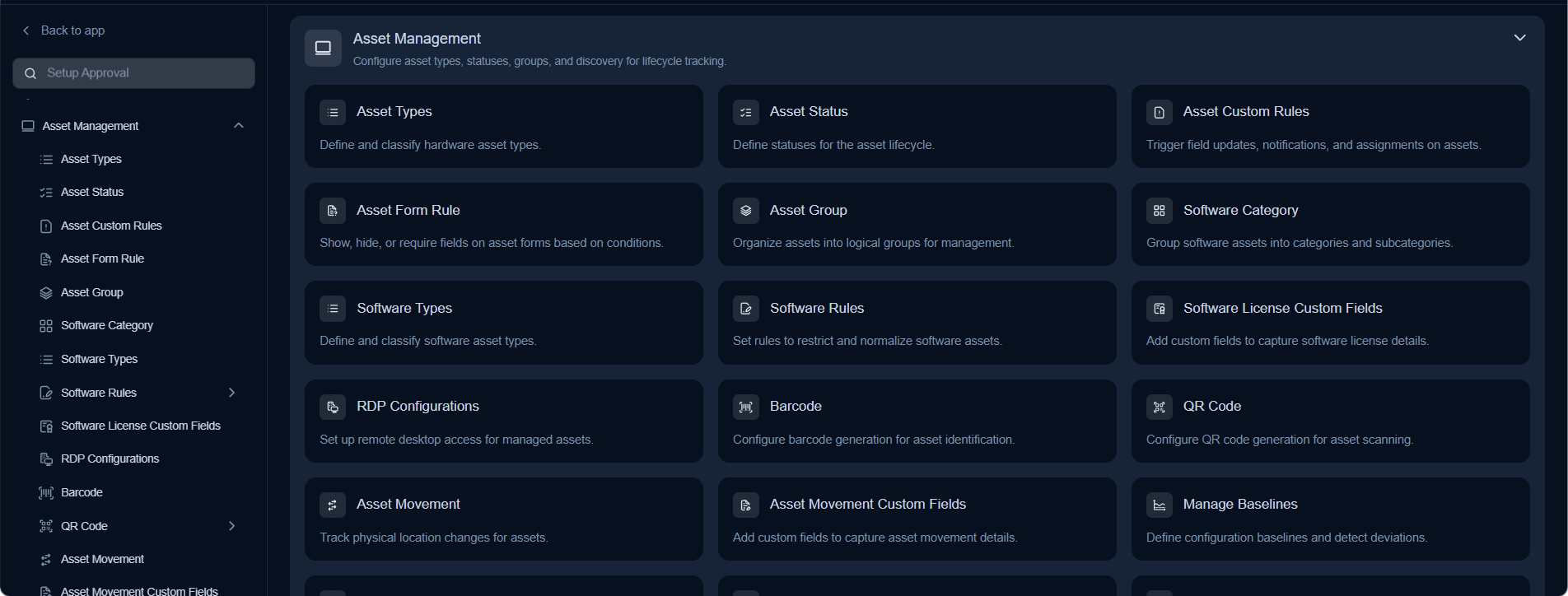
Asset TypesManage the values for asset types used to classify IT and non-IT assets within Asset Management.Asset StatusManage the values available in the status dropdown to track the lifecycle state of each asset.Asset Custom RulesConfigure custom rules for asset processing to ensure compliance with your organization's policies.Asset Form RuleManage rules that control the behavior and visibility of fields on the asset form.Asset GroupsManage Asset Group values to categorize and organize assets in the CMDB into logical groups.Software CategoriesManage software asset categories to enable better classification and reporting of software in the CMDB.Software TypesManage the values in the Software Type dropdown to classify software assets by their license or deployment type.Software RulesDefine custom rules and predefined regulations governing all software asset management in ServiceOps.Software License Custom FieldsCustomize the software license form by adding and managing fields to capture additional license details.RDP ConfigurationsConfigure Remote Desktop Protocol settings to manage and establish remote connections with servers and assets.BarcodeConfigure barcode generation settings and format to label and identify assets in the field.QR CodeEnable QR code support and configure label templates for scanning and identifying assets in the field.Asset MovementTrack and view the movement history of assets across locations, users, and departments.Asset Movement Custom FieldsCustomize the asset movement form by adding fields to capture additional details during asset transfers.Manage BaselinesDefine and track the correct known-good state of an asset to detect configuration drift over time.Wake On LANConfigure the ability to remotely power on computers by sending a network wake-up message.Asset ConfigurationConfigure settings to control USB device access and other hardware-level asset configuration policies.GeolocationConfigure geolocation settings to track and locate assets based on their physical or network position.Print TemplateCreate and manage custom print templates for generating formatted asset record documents.Asset CategoriesManage the Asset Category dropdown values to further classify and organize assets within Asset Management.