Overview
Motadata ServiceOps allows you to control access to USB devices. You can block or unblock USB ports on computers for users, preventing them from connecting devices such as printers and USB drives to company machines. This helps an organization prevent data from leaving the premises and reduces the risk of data loss or corruption. Once the settings are configured, you can push them to the desired assets using the deployment policy, saving time by implementing configurations on multiple machines remotely. Currently, only USB device configurations are supported.
For example: If an organization needs to block USB ports on certain computers, it can do so by creating USB configuration deployment requests. Once created, the settings will be applied to the selected systems, and access permissions will be updated accordingly.
- The Motadata ServiceOps Agent must be installed on the target computers.
- USB Configuration is supported only on Windows machines.
To view the USB Configuration page, navigate to Admin > Asset Management > Asset Configuration. The USB Configuration tab appears as shown below.
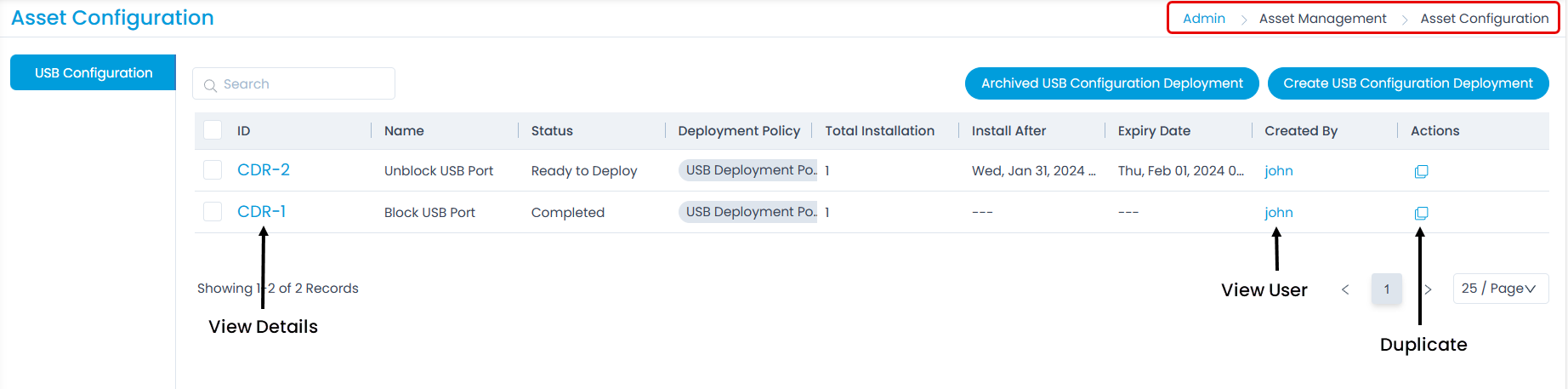
On this page, you have the following options:
- Search: Search for deployment requests by name. For example, if you type "USB" in the search bar, all deployment requests containing "USB" in their names appear.
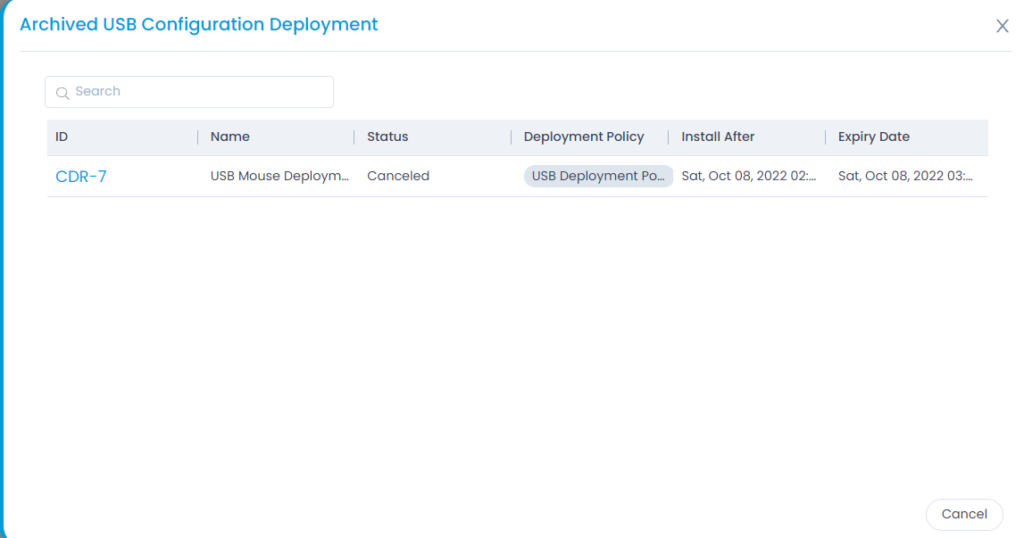
- Archived USB Configuration Deployments: View the list of archived USB configuration deployments, as shown below.
- Create USB Configuration Deployment: Create a deployment request for a USB configuration.
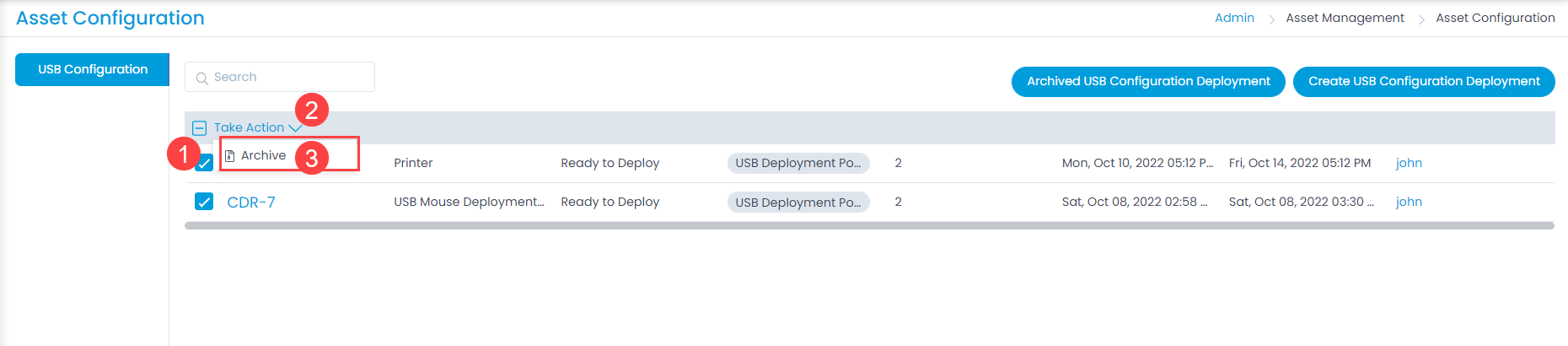
- Bulk Operations: Archive deployment requests in bulk by selecting them, clicking the Take Action drop-down, and selecting Archive, as shown below.
- Duplicate: Clone a USB configuration deployment request. When cloning, all details except for the computers will be pre-populated.