Automation
The automation group has features that act to perform some activities based on the pre-defined conditions. It includes workflow, SLA, notifications, schedules, etc. In this system, you can automate the following things:
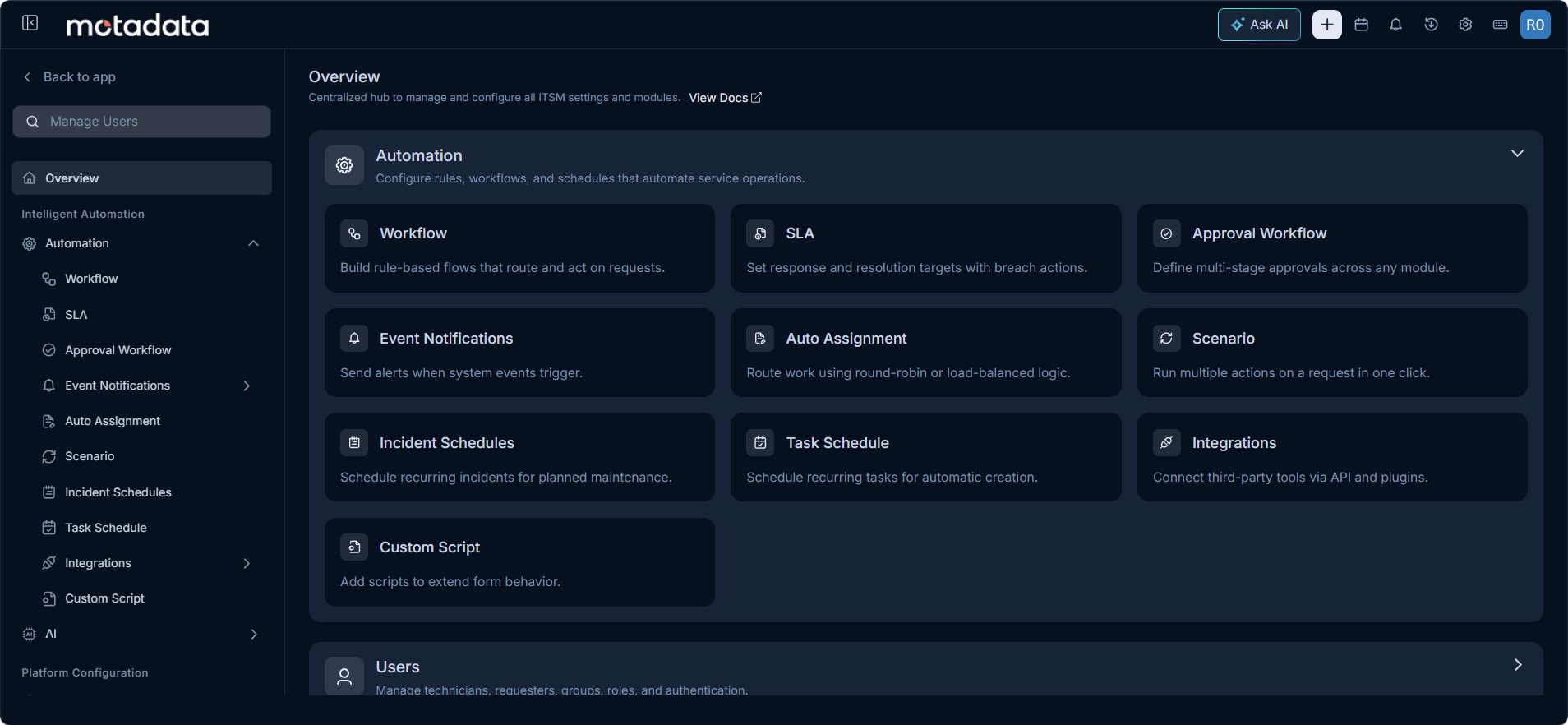
WorkflowEvaluate conditions and automatically perform the actions assigned against them across requests, problems, and changes.SLADefine timelines for closing request, problem, and change tickets to meet your service level commitments.Approval WorkflowAutomatically trigger approval requests when a technician seeks approval, using conditions to determine which workflow fires.Event NotificationsManage templates for all automatic system notifications. Customize the content sent to users for each event type.Auto AssignmentAutomatically assign incoming requests to the appropriate technicians based on configured assignment rules.ScenarioDefine manual workflows that a technician can trigger on demand by clicking the Execute button on a ticket.Incident SchedulesConfigure the system to automatically create new requests at a defined periodic interval without manual intervention.Task ScheduleConfigure the system to automatically create new tasks at a defined periodic interval without manual intervention.IntegrationsConnect ServiceOps with third-party tools and services using REST API and plugin-based integrations.Custom ScriptCreate custom scripts to perform actions on the Request or Change form when a record is created or edited.