Vulnerability Management in ServiceOps
Welcome to the Vulnerability Management section of ServiceOps documentation. This section provides comprehensive guides and references for configuring and managing the vulnerability management module within your IT environment.
Here, you'll find everything you need to:
- Update the vulnerability database manually or on a daily schedule.
- Configure proxy servers for routing vulnerability database updates.
- Set up email notifications for database update events.
- Review audit logs of all vulnerability database update activities.
Vulnerability Management requires ServiceOps v8.7.5 or later. The module does not function on v8.7.4 or earlier.
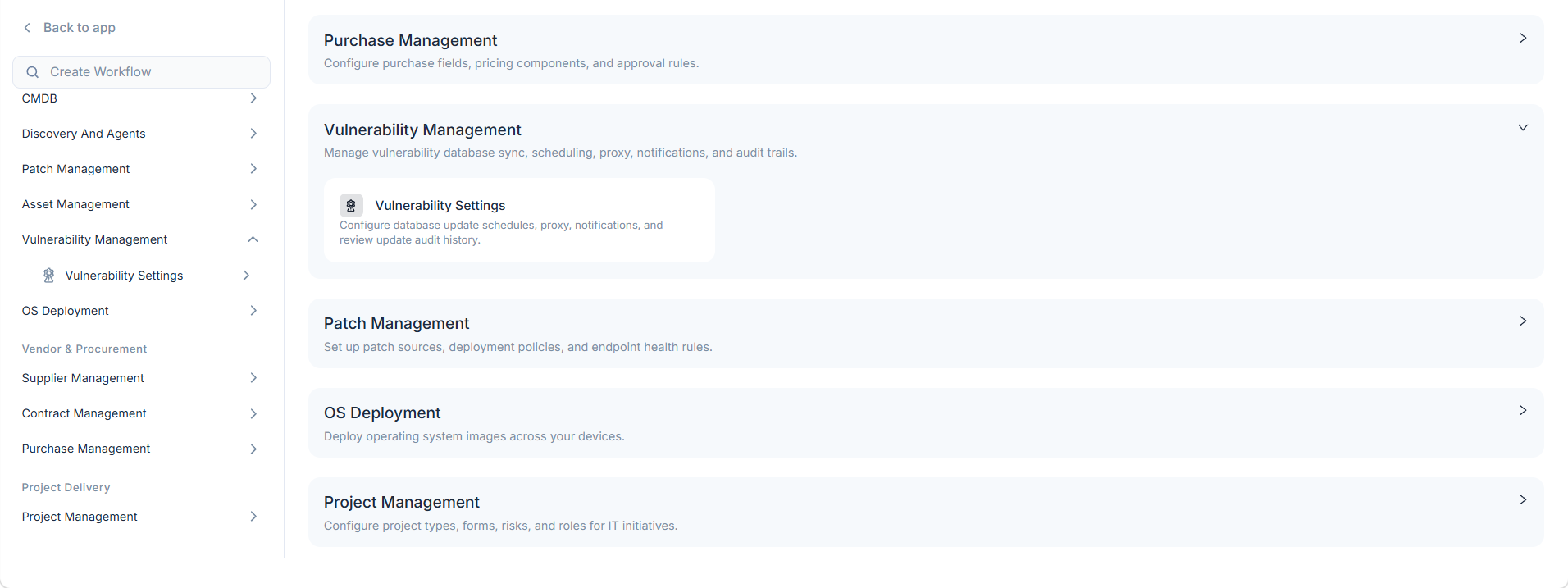
To access this section, navigate to Admin > Vulnerability Management and the following section appears.
How Does Vulnerability Management Work?
ServiceOps connects to the Motadata central repository to download the latest vulnerability data. You can trigger this update manually or set a daily schedule to run automatically. When the update runs, ServiceOps logs the event in the Vulnerability Audit page with the timestamp, user, and change summary. You can configure email notifications so the right technicians know when each update completes. If your network requires a proxy, ServiceOps routes all update traffic through the proxy server you select.
The following diagram shows how the components connect across the vulnerability management lifecycle.
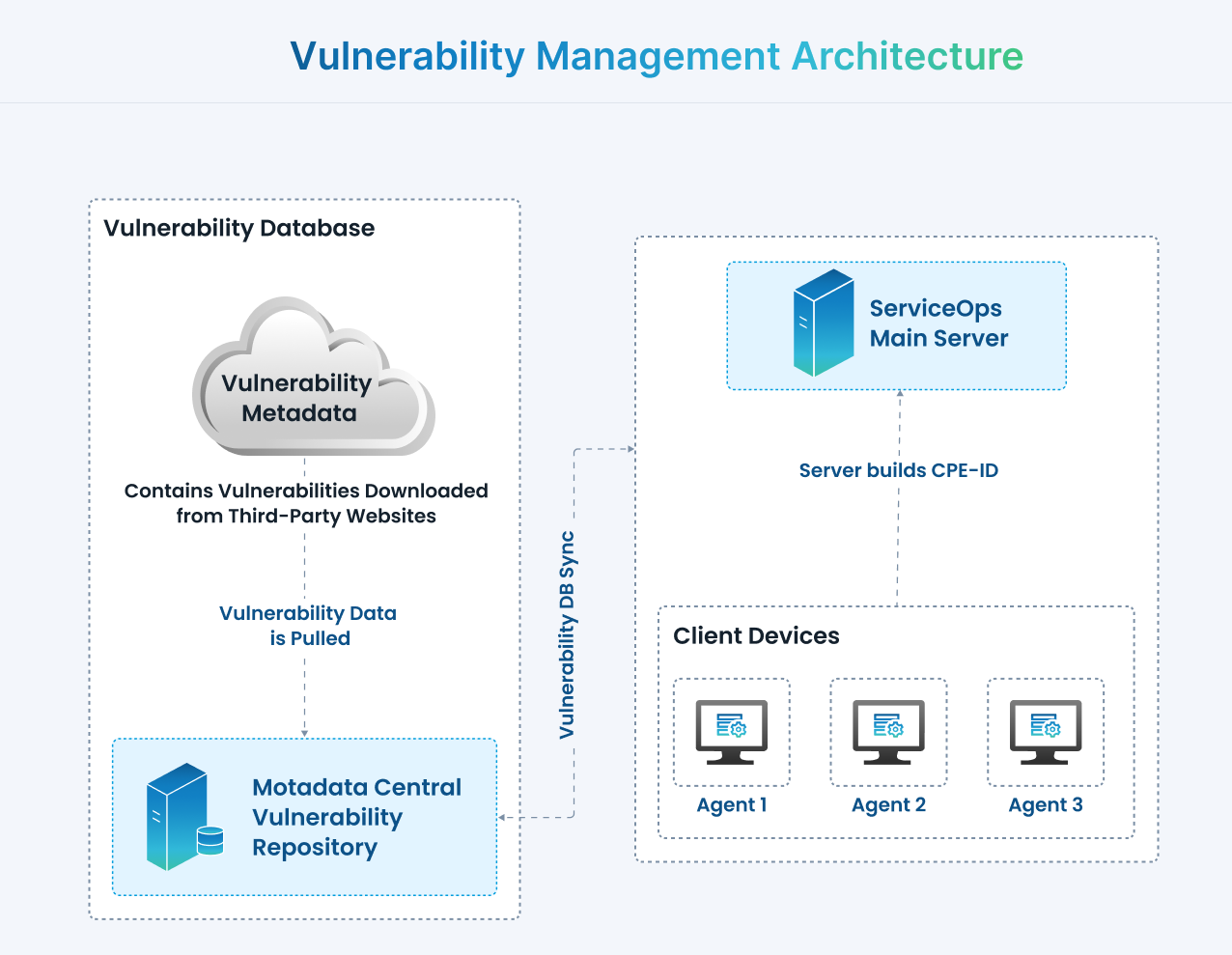
The ServiceOps agent on each enrolled Windows endpoint collects installed OS and software inventory and sends it to the ServiceOps server. The server syncs the latest CVE records from the Motadata central repository on a configurable daily schedule. It then compares the software inventory against the local CVE database and generates vulnerability records for every match. Technicians review findings on the Vulnerability Dashboard and list pages. Vulnerabilities with a patch available feed directly into Patch Management for remediation.
Pages in This Section
| Page | Description |
|---|---|
| Vulnerability Settings | Configure vulnerability database updates, schedules, proxy settings, notifications, and review audit logs. |
Best Practices for Vulnerability Management
To run an effective vulnerability management program, follow these practices:
- Update the Vulnerability Database Regularly: Keep your vulnerability database current to detect the latest known threats accurately.
- Schedule Daily Updates: Set a daily update schedule so ServiceOps maintains current threat data without manual steps.
- Configure Proxy Settings: Route update requests through an approved proxy server to meet your network security policy.
- Set Up Notifications: Configure email alerts so relevant technicians know when each database update completes.
- Review Audit Logs: Check vulnerability audit logs regularly to track update history and maintain accountability.
- Integrate with Patch Management: Combine vulnerability management with patch management for a complete remediation workflow.