Variance Detection
Hardware Asset Variance is the contrast or difference observed in the hardware properties of the most recent asset baseline data. Asset attributes are defined in a baseline. If there is a variance from the specified baseline, the captured variance details are sent to the technicians specified in the baseline configuration.
Using Hardware Variance, Asset Managers can verify the latest Asset Discovery Data against the Asset Management Data and update the Asset Management Data or identify unauthorized Hardware upgrades or additions. Only variances in Hardware Asset Attributes are considered.
Advantages
- Identifies unauthorized hardware devices.
- Avoids discrepancies and updates Asset Management Data accurately.
- Helps configuration managers take appropriate actions, such as updating or removing hardware.
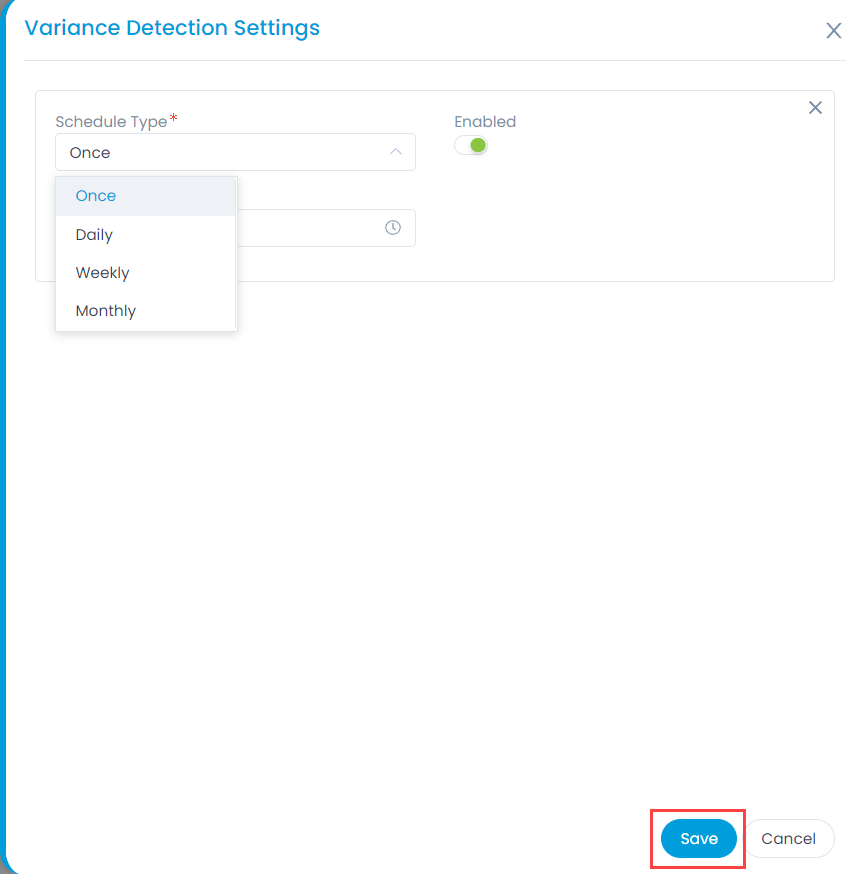
When you click Variance Detection Settings, you can schedule a detection session with a schedule type of Once, Daily, Weekly, or Monthly. The fields are:
Schedule Type: Choose a schedule type. Options include:
- Once: If selected, the schedule runs only once.
- Daily: If selected, the schedule runs daily as per the selected Time.
- Weekly: If selected, the schedule runs once a week as per the selected Day and Time.
- Monthly: If selected choose when the scheduler should run:
- On Specific Date: Allows you to select the Date and Month for the schedule to run.
- On Specific Day: Allows you to select the Occurrence (e.g., first, second) and Weekday (e.g., Monday, Tuesday) for the schedule to run, along with the Month.
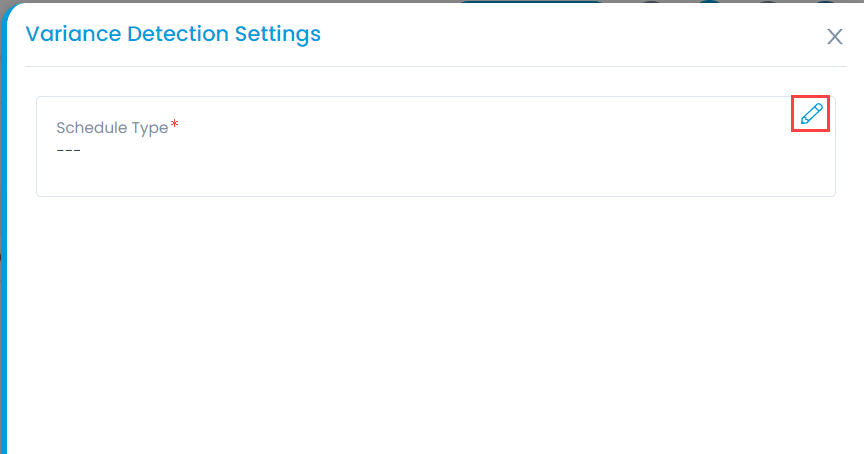
Enabled: Choose to Enable or Disable the scheduler. Once done, click Save. The Variance Detection schedule can be edited by clicking on the edit icon as shown below:
Variance Detection Notifications
A system-generated email is sent to the technicians specified in the baseline configuration settings when a variance is detected.The email includes the relevant asset details and variance attributes.