Geolocation
This page allows you to enable the Geolocation feature and set its history preferences.
To view the Geolocation page, navigate to Admin > Asset Management > Geolocation. The following page will appear.
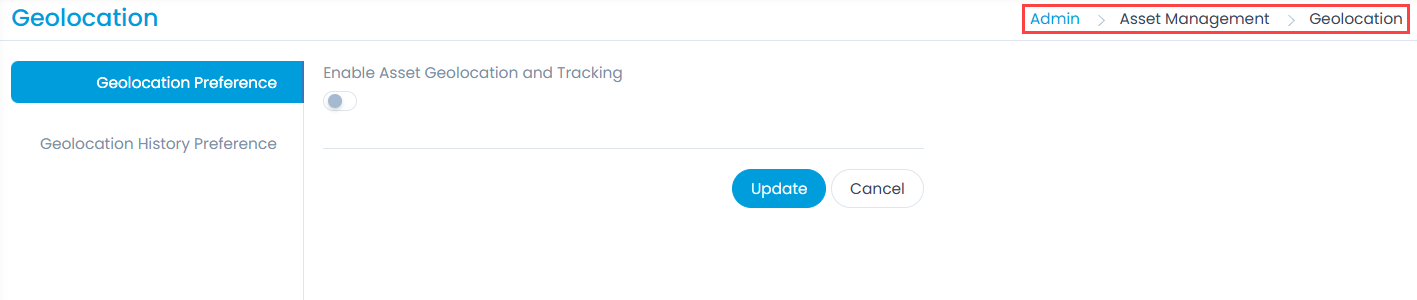
It consists of two tabs:
Geolocation Preference
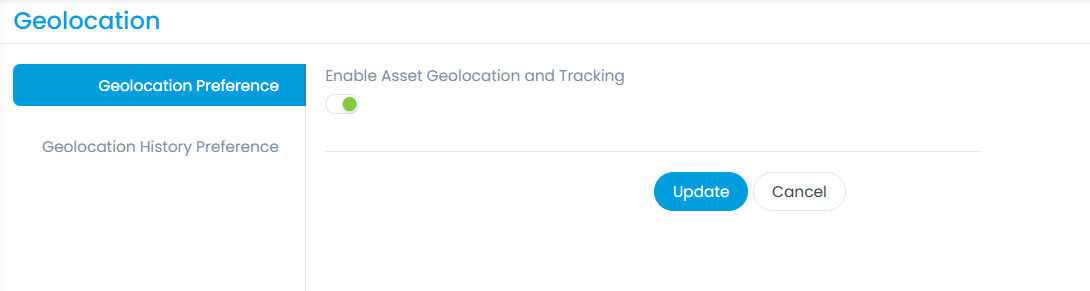
The user can enable or disable the Geolocation features globally for supported assets. If enabled, the Geolocation features will be available for assets. Additionally, the Geolocation tab will be available on the Asset Details page for viewing the asset's location.
Geolocation History Preference
The user can configure the asset location preference based on which details will be fetched for the selected asset type. The history of the location will also be logged accordingly and displayed in the Geolocation History on the Asset Details page.
If the preference is not configured for the Asset Type, Geolocation will be fetched in 30 minutes by default.
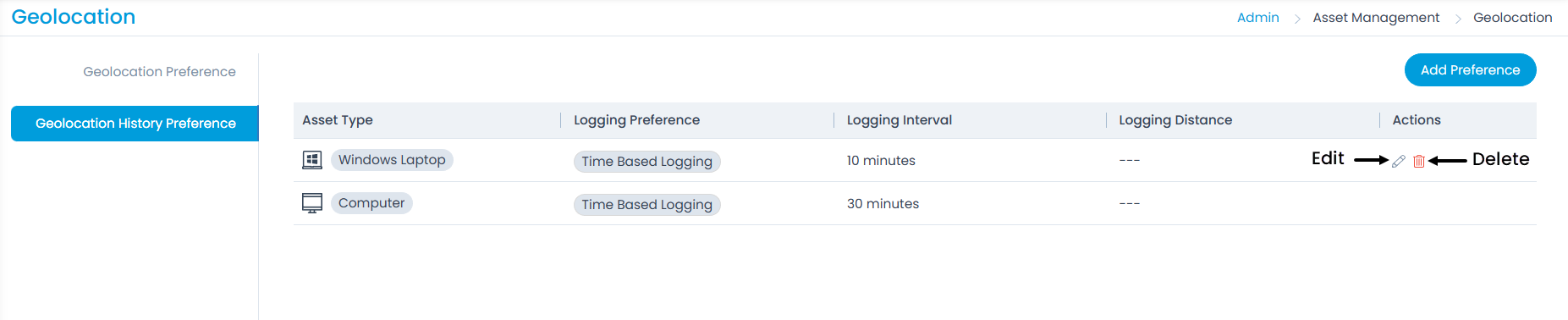
Here, you can view the default preference set for computer assets, and add, edit, and delete the required Geolocation History Preference.
Add Preference
To add a preference, follow these steps:
- Click the Add Preference button. A popup will appear.
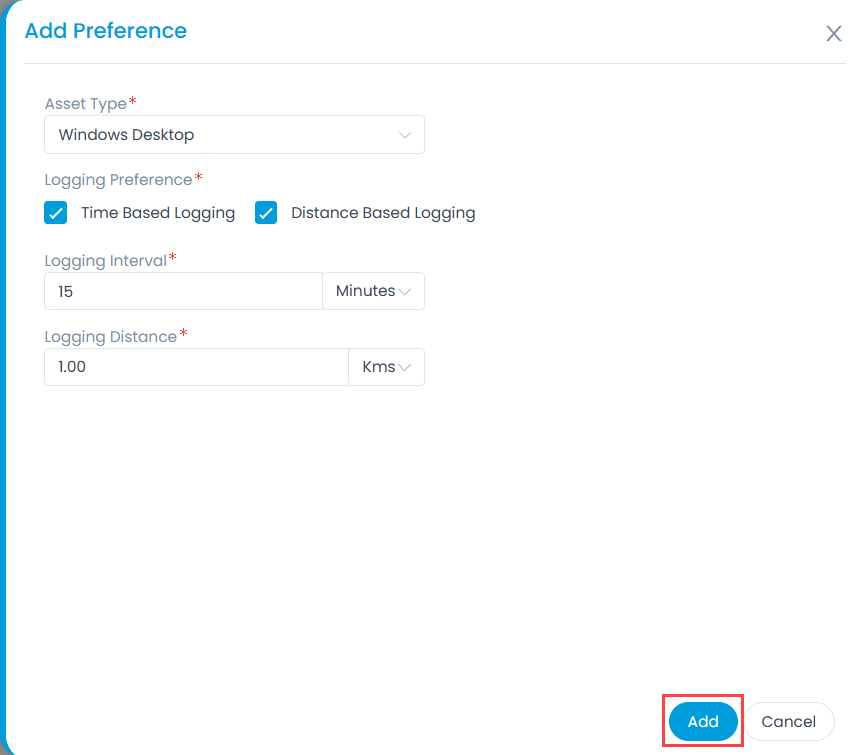
Fill in the details:
Asset Type: Select the asset type for which you want to view the location history.
Logging Preference: Select the preference based on which the location history of the selected asset types will be logged. The options are:
Time-Based Logging: Select if you want to view data in the Geolocation history based on the configured time interval. Once selected, enter the Logging Interval in minutes, hours, or days. For example: If '15 minutes' is entered, the agent will collect and display logs on the Geolocation history page after every 15 minutes.
The minimum interval can be 10 minutes and the maximum is 10 days.
Distance-Based Logging: Select if you want to view data in the Geolocation history based on the configured logging distance. Once selected, enter the Logging Distance in kilometers or miles. For example: If '1 km' is entered, the agent will collect and display logs on the Geolocation history page when the asset moves 1 km beyond the previous location.
The minimum range can be 0.1 and the maximum is 100 Kms/Miles.
Once completed, click Add. The preference will be added. You can later edit or delete it from the list page if required. Geolocation details will be fetched based on this preference.