Discovery Preference Rule
Control whether ServiceOps creates discovered devices as Assets or Configuration Items (CIs) by setting a global preference and creating override rules.
Each time a discovery scan completes, ServiceOps evaluates the Discovery Preference Rule to decide how to classify each discovered device. You can set a single global preference that applies to all scan types, and create additional rules to override it for specific asset or CI types.
Discovery Preference Rule Page
To access the Discovery Preference Rule, navigate to Admin > Discovery and Agents > Discovery > Discovery Preference Rule.
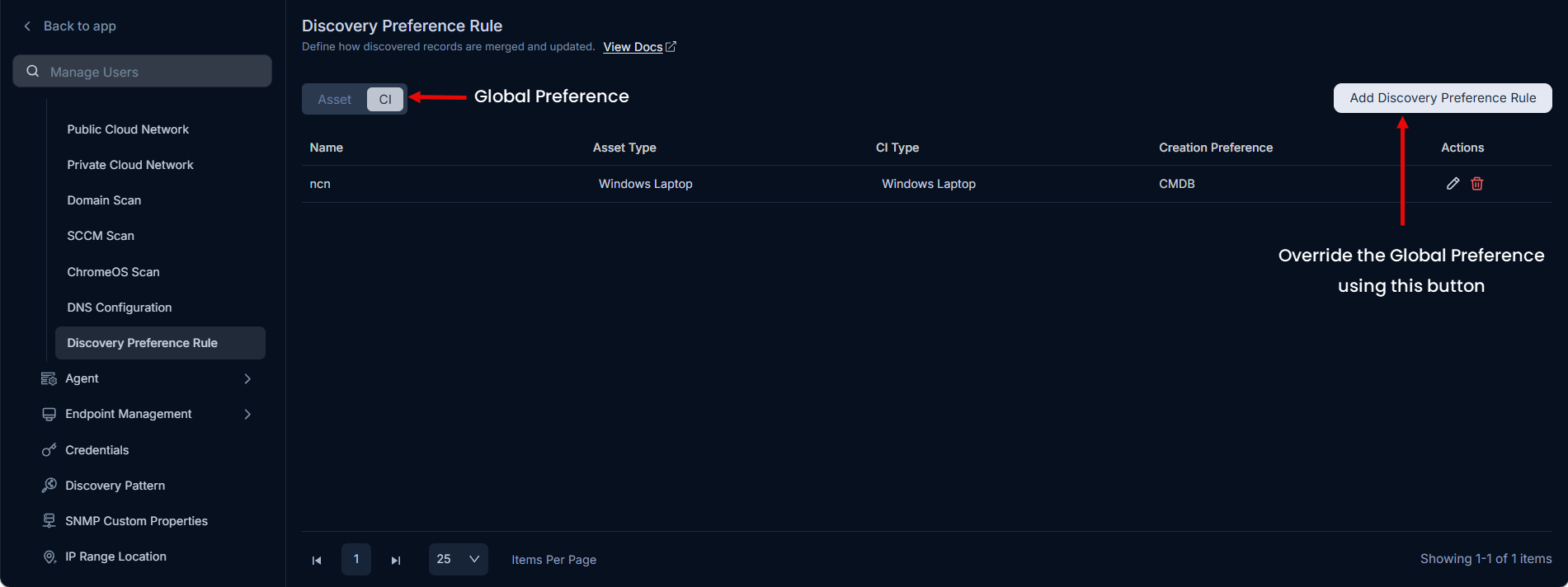
The page provides two options:
- Set the global preference: Set the default creation type as Asset or CI. Every discovered item uses this preference unless an override rule applies.
- Override the global preference: Create a separate rule for a specific asset type or CI type. The rule applies instead of the global preference when a match is found.
For example, if the global preference is CI but you want S3 buckets to be created as Assets, create an override rule scoped to the S3 asset type with a creation preference of Asset.
Add a Discovery Preference Rule
To create an override rule:
- Click Add Discovery Preference Rule. The following popup appears.
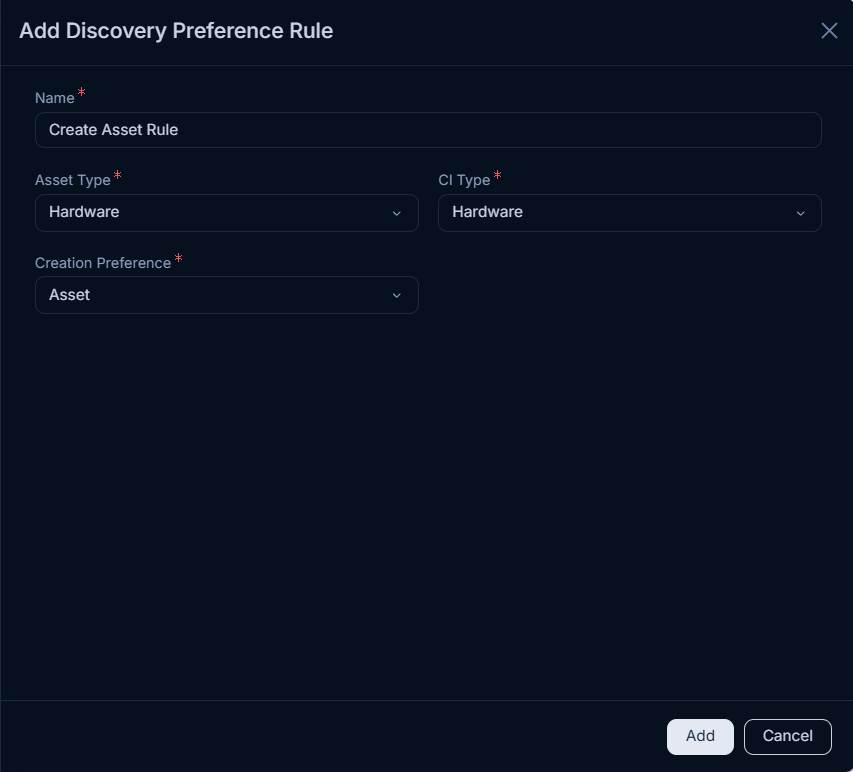
Enter the following details:
Field Description Name Enter a name for the rule. Asset Type Select the asset type that this rule applies to. CI Type Select the CI type that this rule applies to. Creation Preference Select Asset or CI to define how matching discovered items are created. Click Add. The rule appears on the list page.
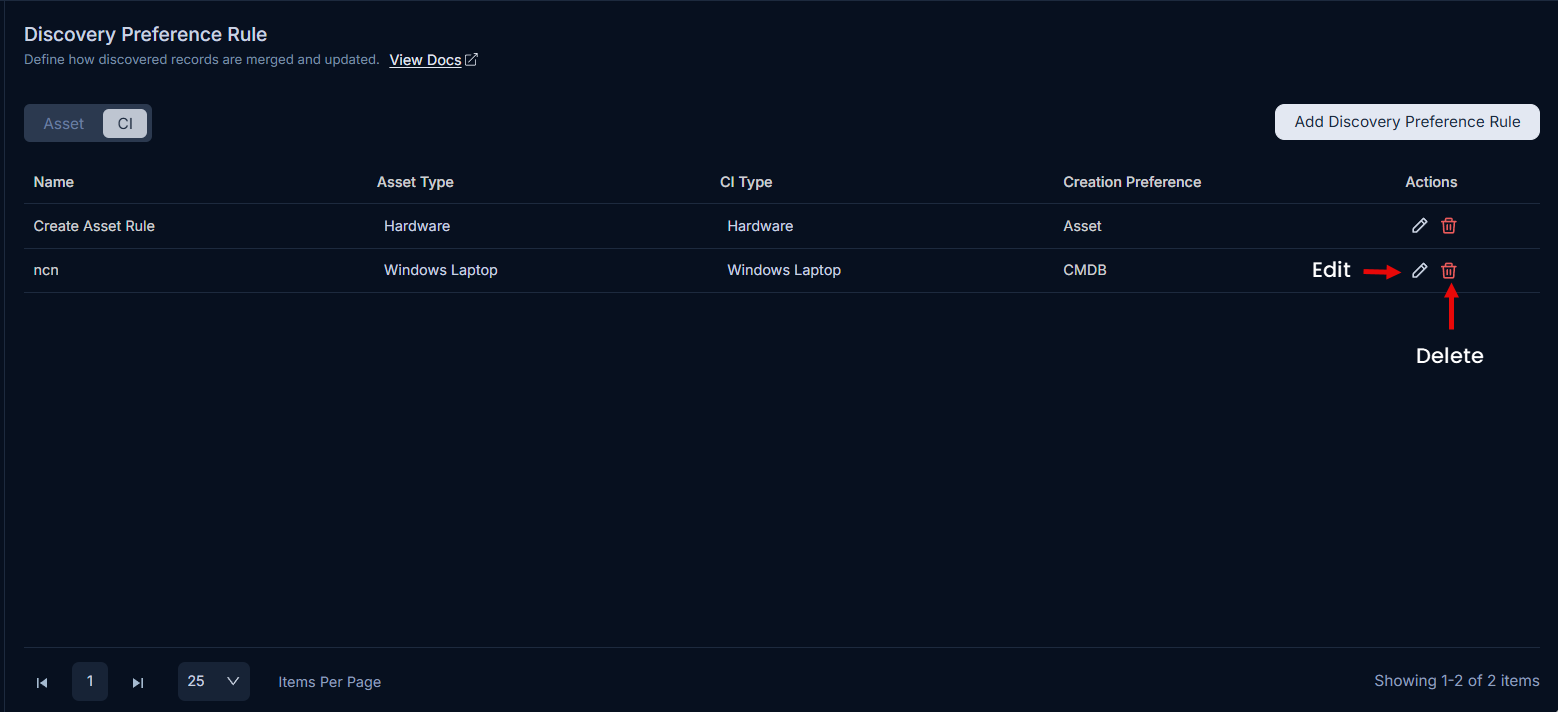
You can edit or delete any rule from the list page.