Application Updates
The Application Updates page lets you enable third-party application patching and control which supported applications are included in patch management.
To view the Application Updates page, navigate to Admin > Patch Management > Patch Administration > Application Updates.
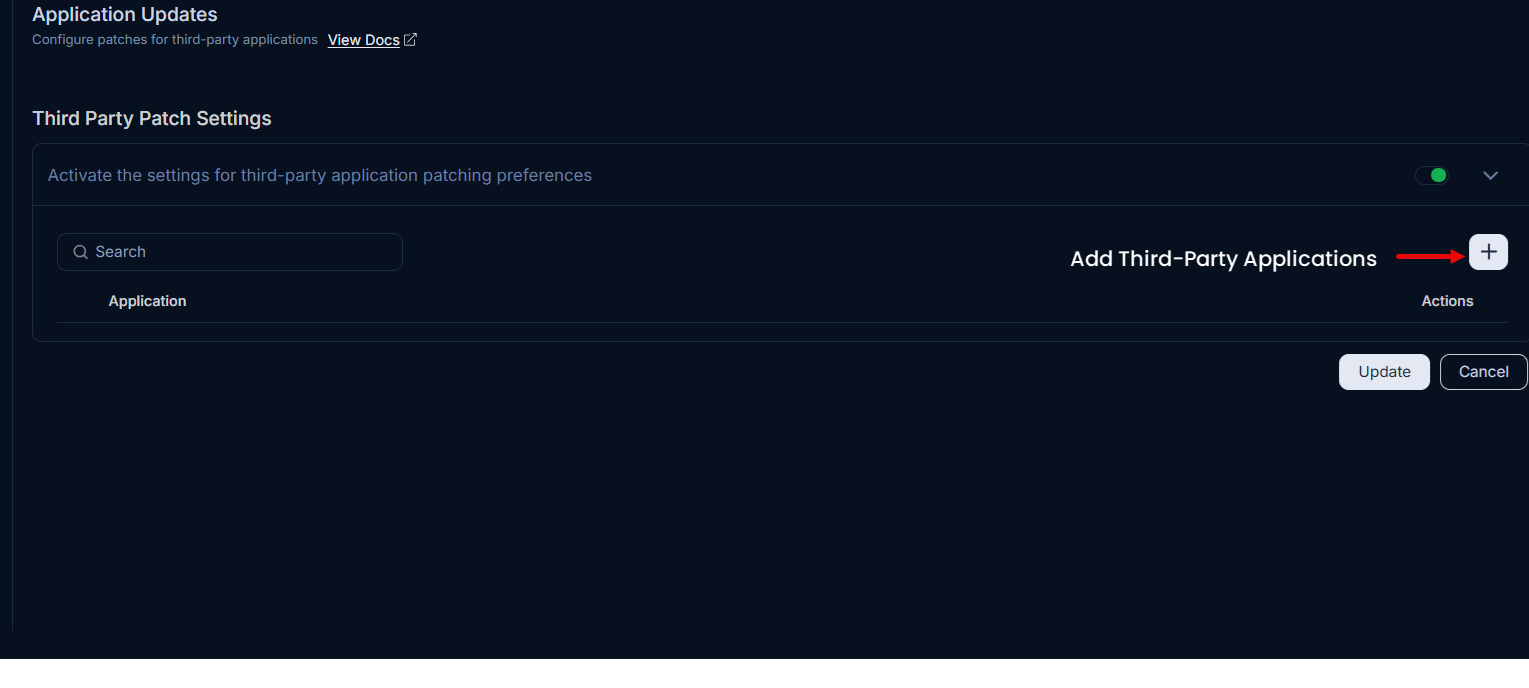
Third Party Patch Settings
This section allows you to enable and manage patching for external applications directly from the ServiceOps interface.
Activate the Third Party Patch Settings toggle.
Add third party applications by clicking the Plus (+) icon and the Add Third Party Application page will appear:
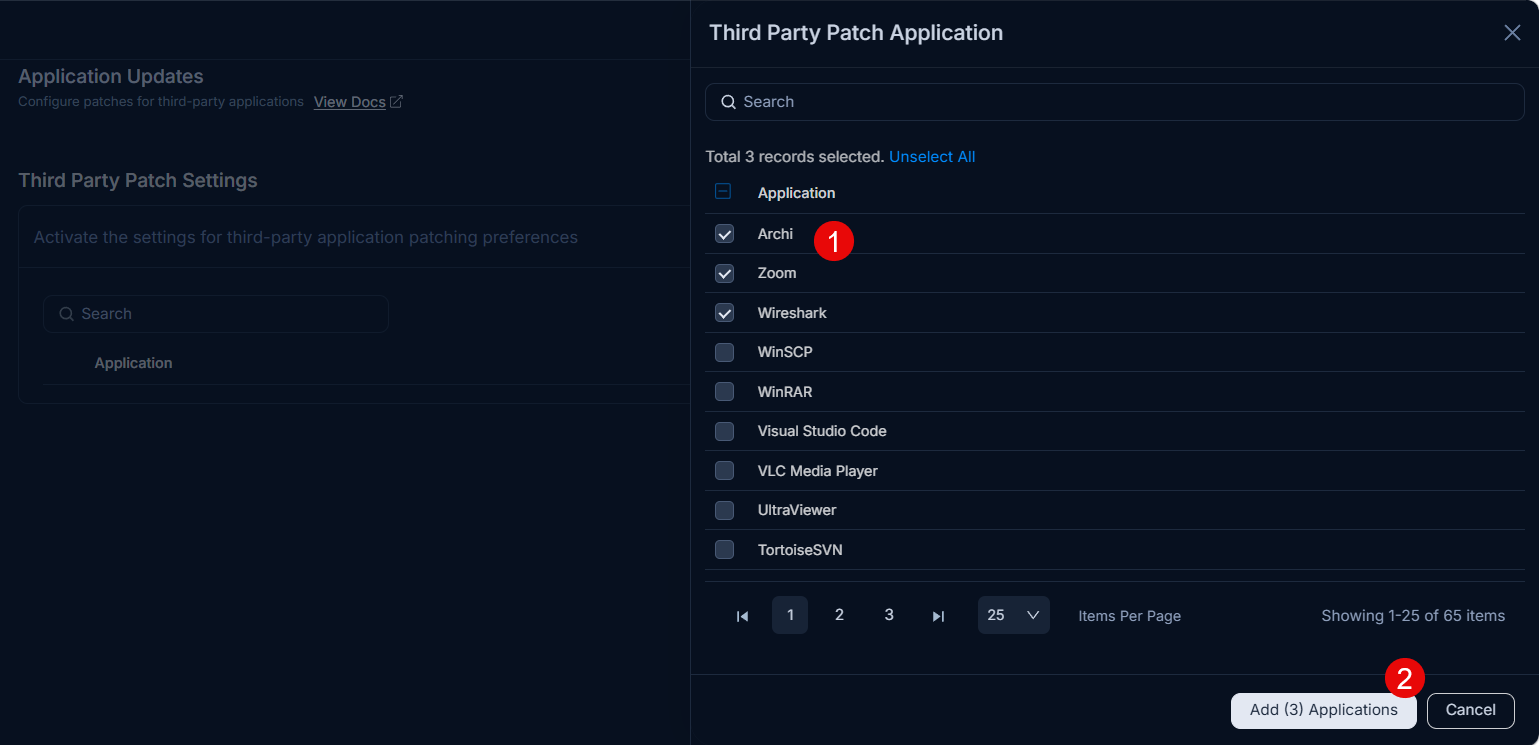
In the Third Party Patch Application selector:
- (Optional) Use Search to filter the list.
- Select the required applications using the checkboxes.
- Click Add (n) Applications button to add the selected applications.
Supported applicationsFor the list of patchable applications, see supported third-party applications.
Click Update to save your changes. Once the settings are saved, patches for the selected third party applications will be available for deployment.
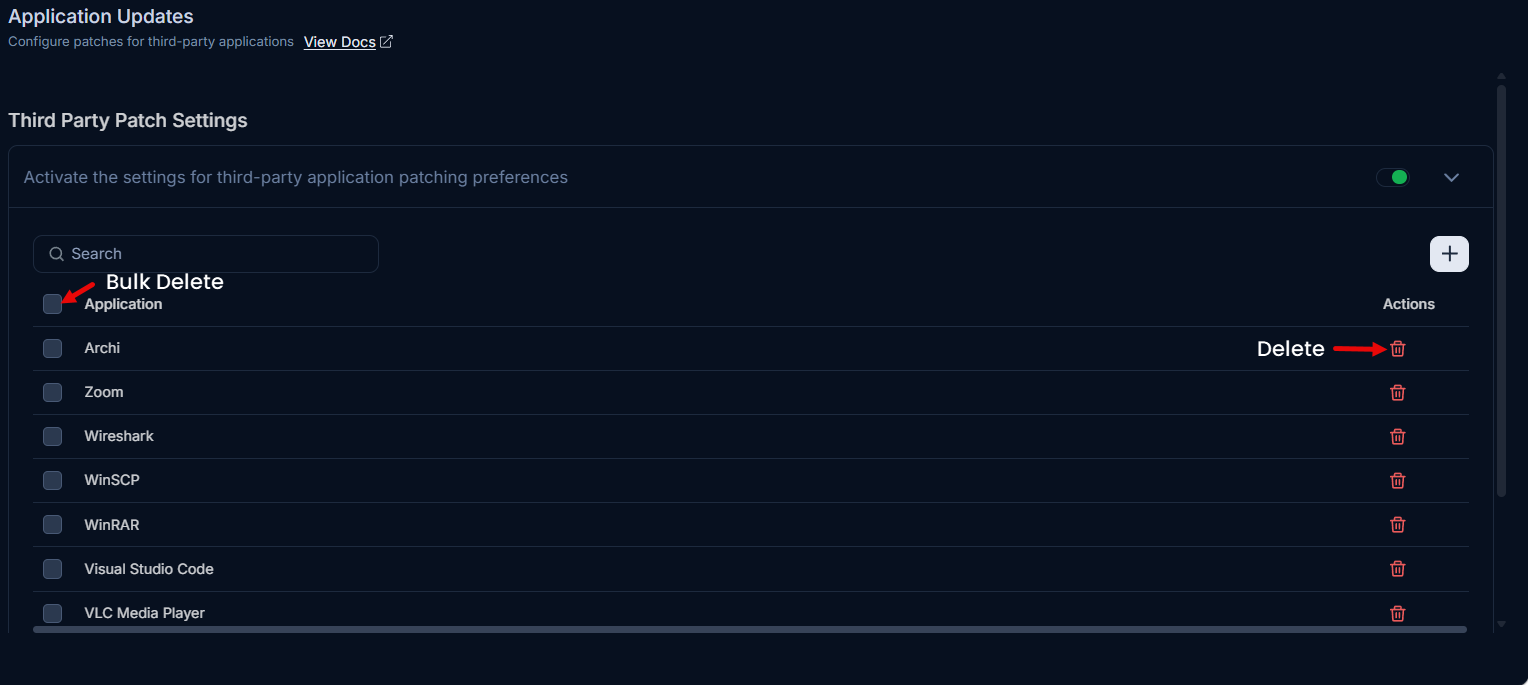
Once the applications are added, if required, you can also remove them by clicking the delete (trash) icon next to individual application or also use Bulk delete action to delelte multiple applications in one go.
- Third-party application patches installed at custom path locations are not supported.
- For Adobe Acrobat patches, only Continuous Track versions are supported.
- Notepad++ patching is supported only for versions 8.5.6 and above. Installing or detecting versions lower than 8.5.6 may result in patching issues due to version formatting discrepancies.
- The patch will not be deployed if the application is running; deployment will proceed only after the application is closed.