System Health Settings
System Health Settings in ServiceOps are crucial for assessing and categorizing the security posture of your managed endpoints. They allow administrators to define conditions for flagging endpoints as "Highly Vulnerable" or "Vulnerable" based on missing patches, aiding in prioritized remediation and a robust security environment.
To view and configure these settings, navigate to Admin > Patch Management > System Health Settings.
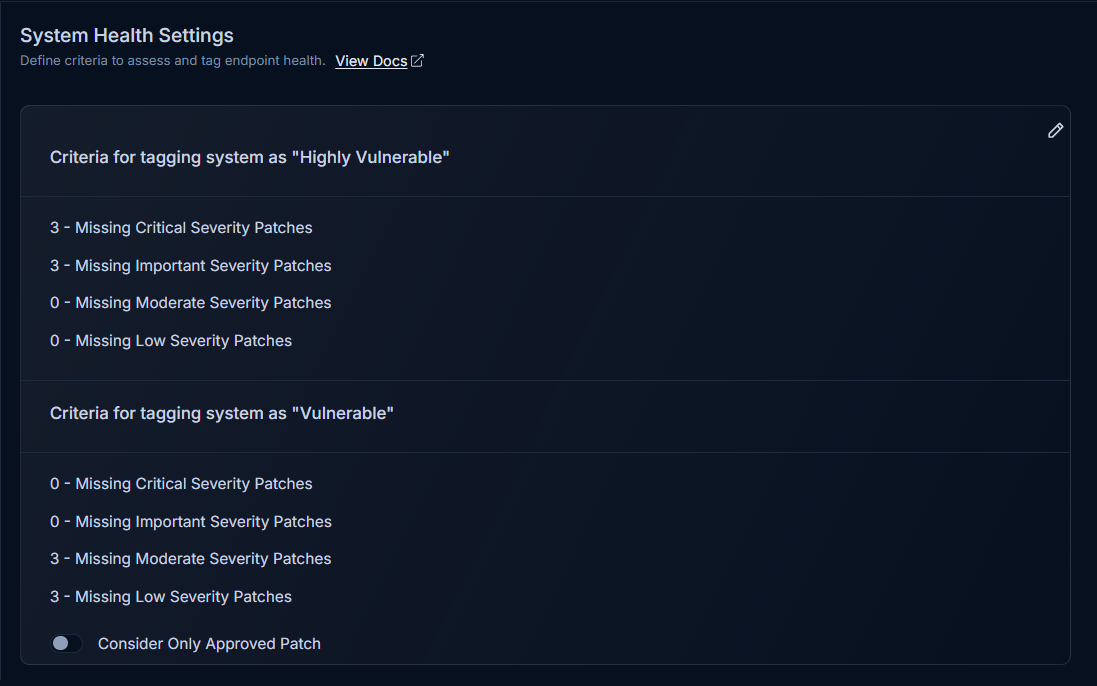
Configuring System Health Conditions
On the System Health Settings page, you can independently define the conditions for classifying endpoints as "Highly Vulnerable" and "Vulnerable".
Click the Edit button to enable modification of the fields.
For each vulnerability status (Highly Vulnerable and Vulnerable), you can set minimum thresholds for missing patches across four severity labels:
- Critical
- High
- Medium
- Low
note- You must enter a minimum number of missing patches for each severity label.
- No two severity labels within the same vulnerability status can have the same numerical count.
- Entering
0(zero) in a field indicates that there is no specific condition for that corresponding severity label.
How Vulnerability Status is Determined
A endpoint's vulnerability status is determined by comparing the number of its missing patches against the configured minimum values for each severity label.
- If a endpoint has a missing patch count that is equal to or exceeds the minimum value defined for a specific severity label, it is flagged with the corresponding health status.
- In cases where a endpoint satisfies the conditions for multiple severity labels, the system prioritizes the status based on a predefined hierarchy. Critical Patches have the highest priority, followed by High, Medium, and **Low severity patches, respectively. The label highest in this hierarchy will be assigned as the endpoint's health status.