Patch Repository
The Patch Repository page lets you manage patch database synchronization with the Motadata Central Patch Repository. You can configure the update schedule, notification recipients, proxy settings, patch categories, and OS coverage.
To view the Patch Repository page, navigate to Admin > Patch Management > Patch Administration > Patch Repository.
Last Sync Status
The Last Sync status tag appears persistently next to the Update Now button and reflects the current state of the patch repository sync. You do not need to refresh the page to see the latest status.
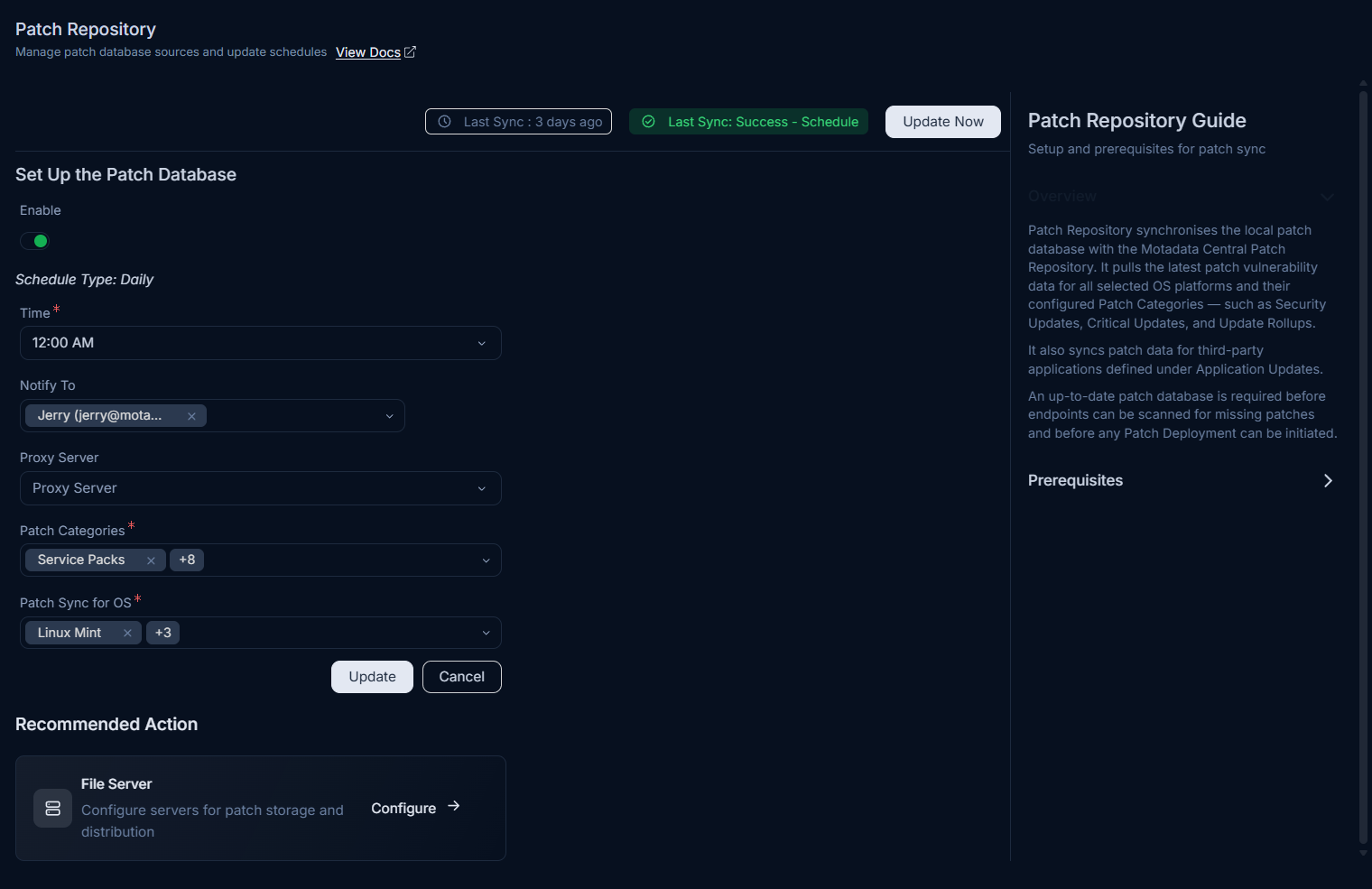
The tag covers all four sync scenarios:
| Status | Indicator | Description |
|---|---|---|
| Sync in process | Amber pill: Sync In Process | A sync is currently running. The Update Now button is disabled until the sync completes. |
| Scheduled sync succeeded | Green pill: Last Sync: Success - Schedule | The most recent scheduled sync completed without errors. |
| Manual sync succeeded | Green pill: Last Sync: Success - Manual | A manual sync triggered using Update Now completed without errors. |
| Sync failed | Red pill: Last Sync Failed - Schedule or Last Sync Failed - Manual | The most recent sync did not complete. Hover over the pill to see resolution guidance. |
A grey timestamp tag (for example, Last Sync: 8 hours ago) appears alongside the status pill. Hover over the timestamp to see the exact date and time of the last sync.
Sync In Process
When a sync is running, the page title displays (Process is running) and the status tag shows an amber Sync In Process pill.
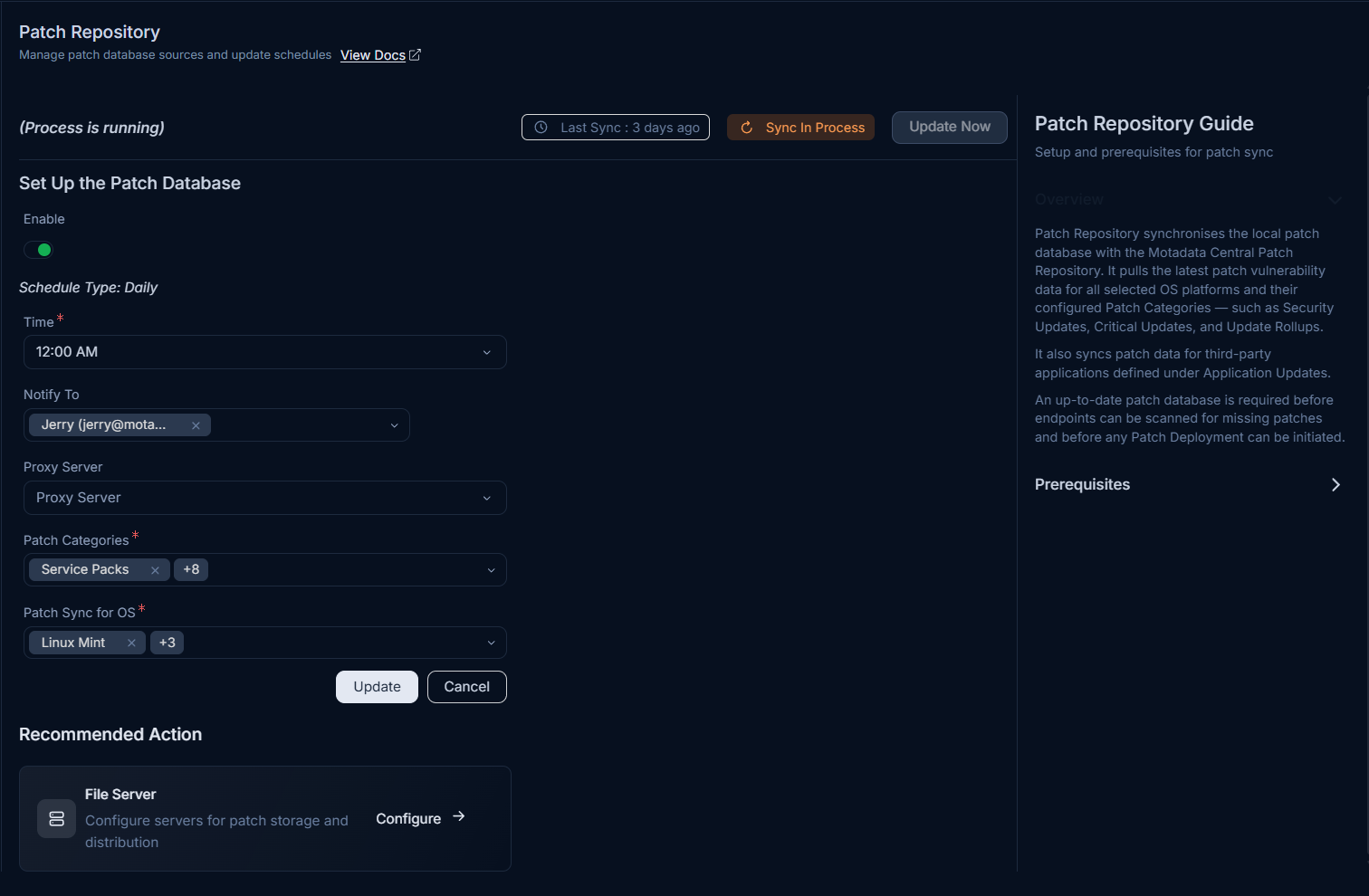
You can run only one sync instance at a time. The Update Now button is unavailable while a sync is in progress.
Failed Sync and Tooltip Guidance
When a sync fails, a red pill identifies the trigger type (Schedule or Manual). Hover over the red pill to view a tooltip with resolution steps for two failure scenarios.
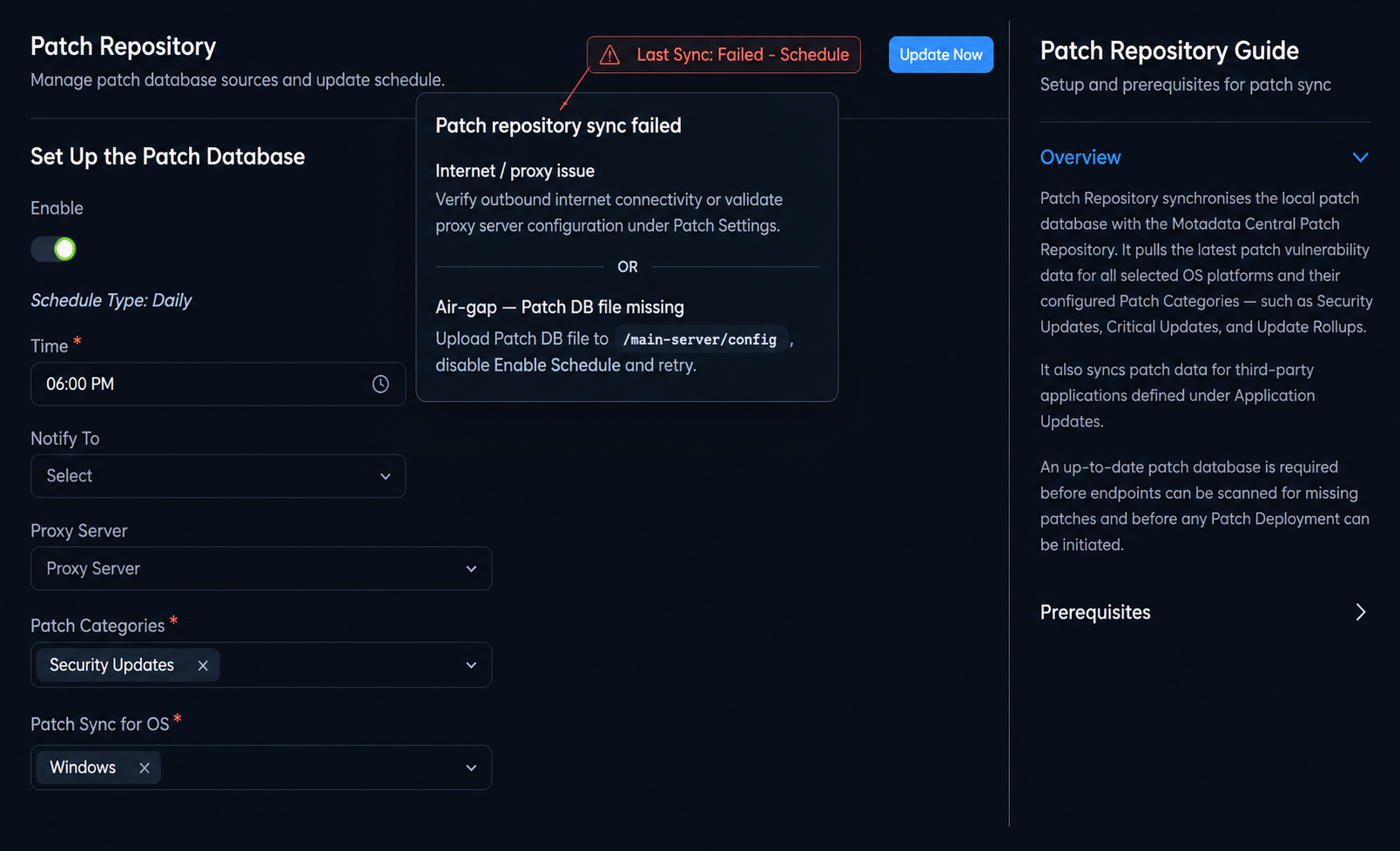
The tooltip provides the following guidance:
- Internet or proxy issue: Verify outbound internet connectivity, or validate the proxy server configuration under Patch Settings.
- Air-gap environment: Upload a fresh patch database file to the required server path, enable the schedule, and trigger the sync again.
Update the Patch Database
Click Update Now at the top-right of the page to trigger a manual synchronization immediately. The status tag updates to amber Sync In Process while the sync runs. Once complete, the tag updates to reflect the success or failure result.
To fetch SUSE Enterprise Linux patches, register your SUSE subscription codes in OS Vendor Patches before running a sync. SUSE patches do not appear in the patch database until at least one valid registration code is saved.
If Notify To is configured, the selected Technicians receive an email notification after the update completes. A daily patch sync summary report for all OS schedules is delivered every 24 hours.
Set Up the Patch Database
Use this section to configure how patch database updates are performed.
Configuration Fields
The following fields are available under Set Up the Patch Database.
| Field | Description |
|---|---|
| Enable Schedule | Enables automatic patch database synchronization on a daily schedule. |
| Schedule Type | The schedule runs daily. |
| Time | Select the time at which the daily schedule runs. This field is required. |
| Notify To | Select the Technicians to receive an email notification after the update completes. |
| Proxy Server | Select the proxy server or DMZ server to use for updating the patch database. |
| Patch Categories* | Select the patch categories to synchronize. You can select multiple categories. Note: During a Patch Scan, the server displays Definition Updates patches first. All other patches appear after the scan completes. |
| Patch Sync for OS* | Select the operating systems whose patches you want to synchronize. Supported options include: Mac (macOS 10 and above), Windows, Linux Ubuntu, Linux Mint, Linux CentOS, Linux Redhat, Linux openSUSE, Linux Suse, Linux Debian, Linux Oracle, Linux Pardus, Linux Rocky, and Linux Almas. |
* denotes required fields.
After configuring the required fields, click Update to save your changes. Click Cancel to discard them.
Recommended Action: Configure File Server
Patch downloads and deployments require a file server for patch storage and distribution. If you have not configured a file server, use the File Server recommendation card on this page to open the configuration flow.
For details, see File Server.