Change Types
A Change Type determines the kind of change being requested. It is another classification that helps technicians filter changes.
To view the Change Types page, navigate to Admin > Change Management > Change Types.
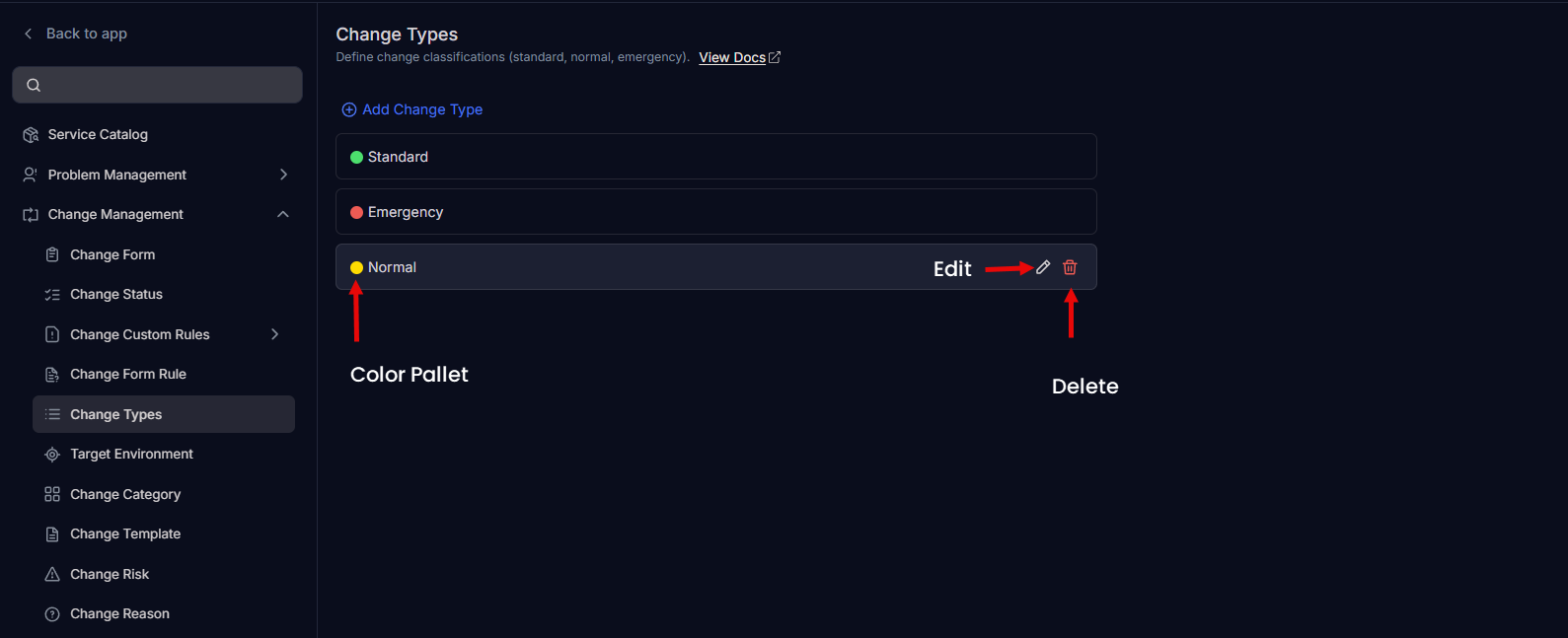
Here, you can view the default change types and add the custom change types. You can also edit type names and change their colors to match your organization’s theme.
The default change types are:
- Standard
- Emergency
- Normal
note
These default change types are available only for new installations.
Add Change Type
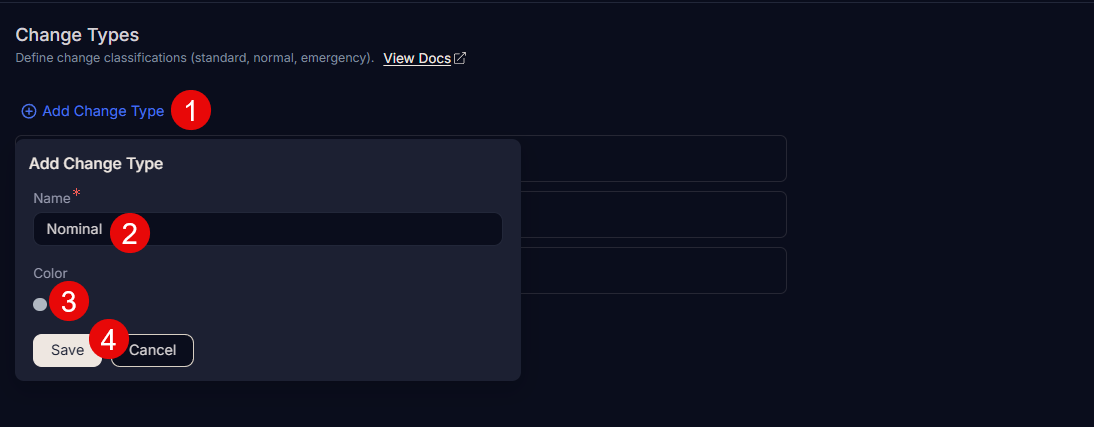
To add a change type:
- Click Add Change Type.
- Enter the change type Name.
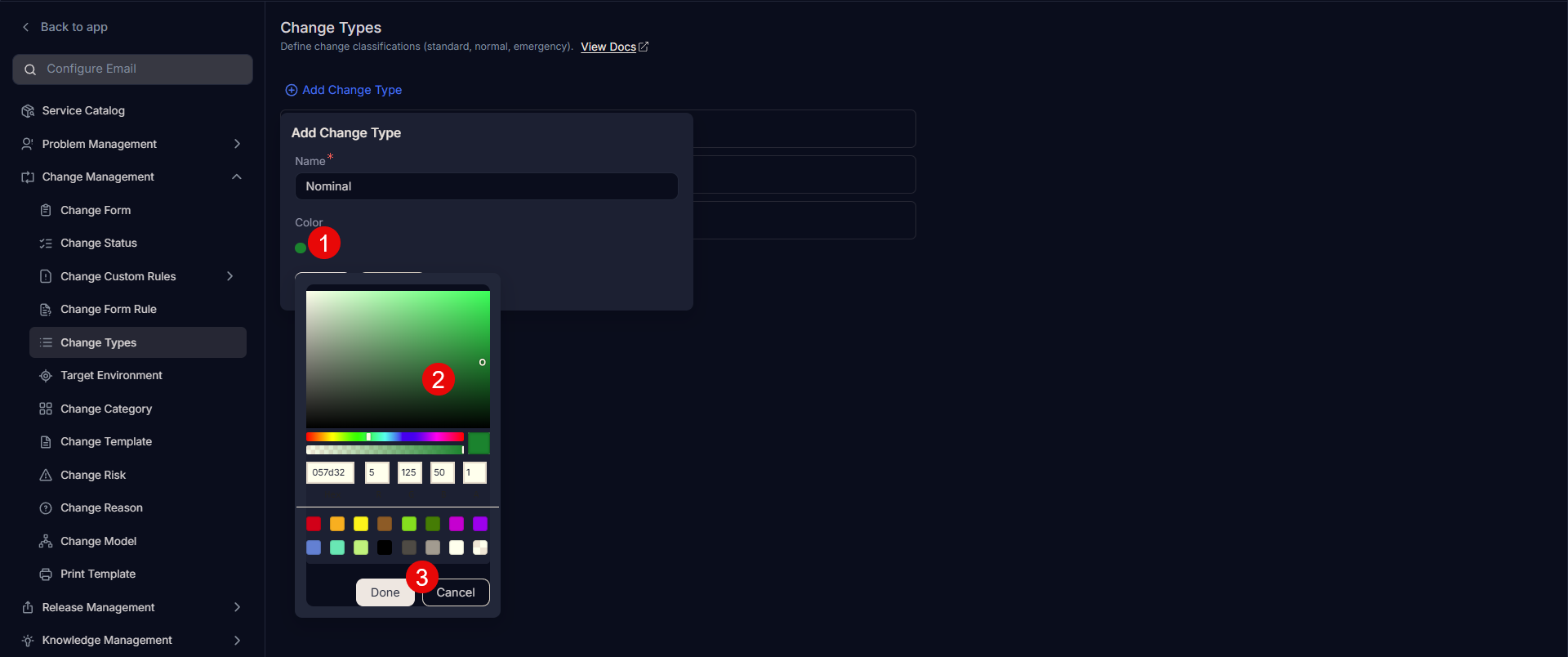
- Select a color, or enter a hexadecimal code by clicking the color palette icon.
- Click Save.
- After you add a change type, you can edit or delete the custom change type.