Change Risk
Change Risk shows the risk factors that could adversely affect a change. The system includes predefined risk levels by default that cannot be removed.
To view the Change Risk page, navigate to Admin > Change Management > Change Risk.
Here, you can do the following:
- View and edit default risks.
- Add and manage custom risks.
Add Change Risk
To add a custom change risk:
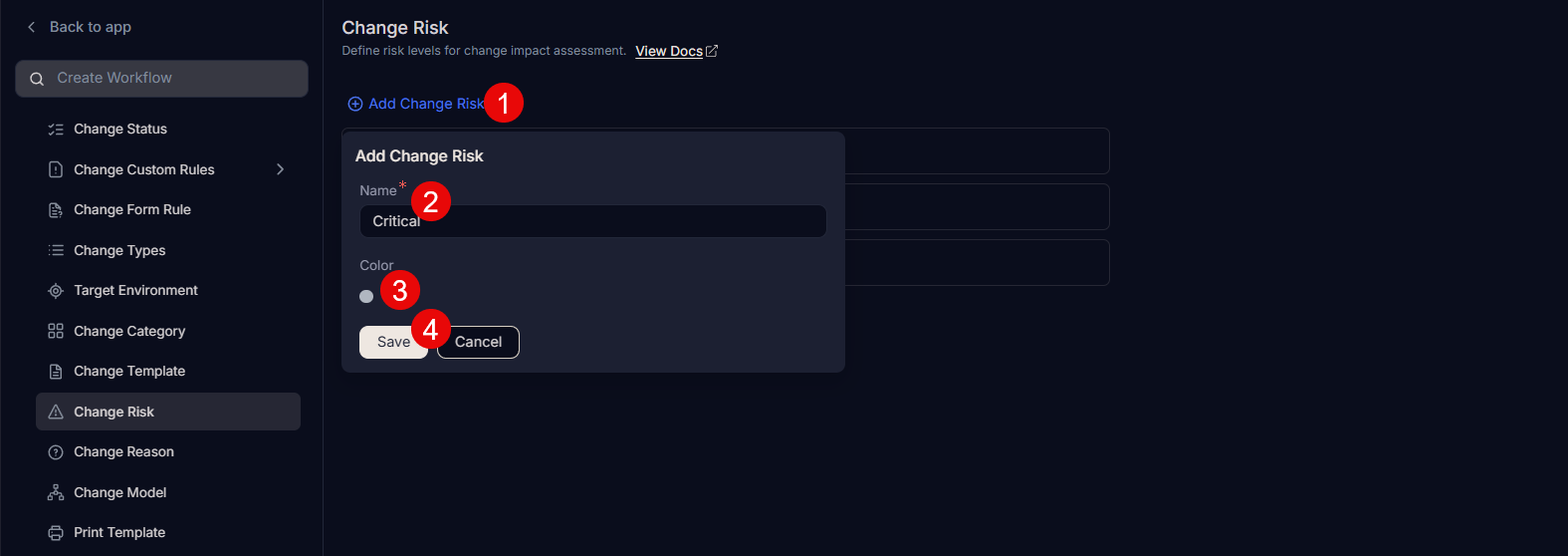
- Click Add Change Risk.
- Enter the Name of the risk.
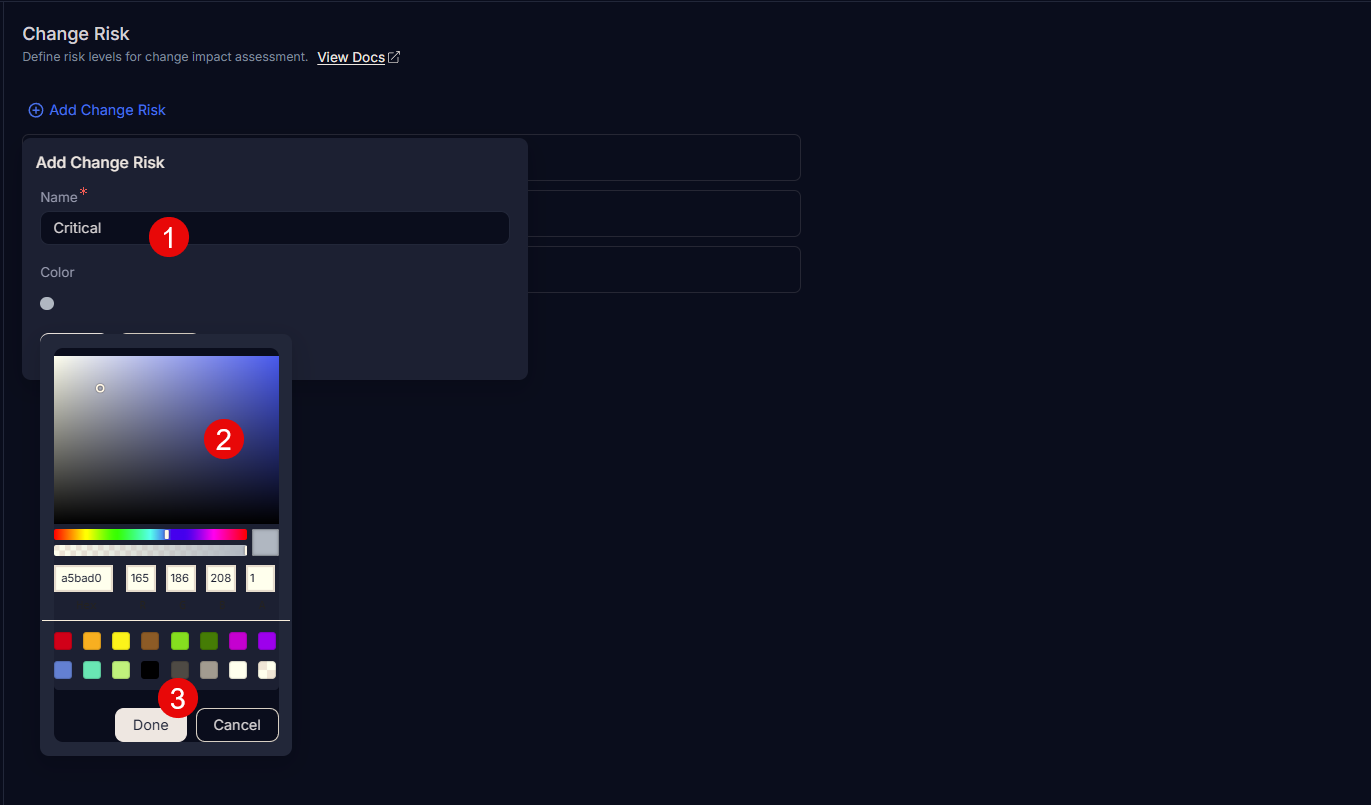
- Select a color, or enter the hexadecimal code by clicking the color palette icon.
- Click Save.
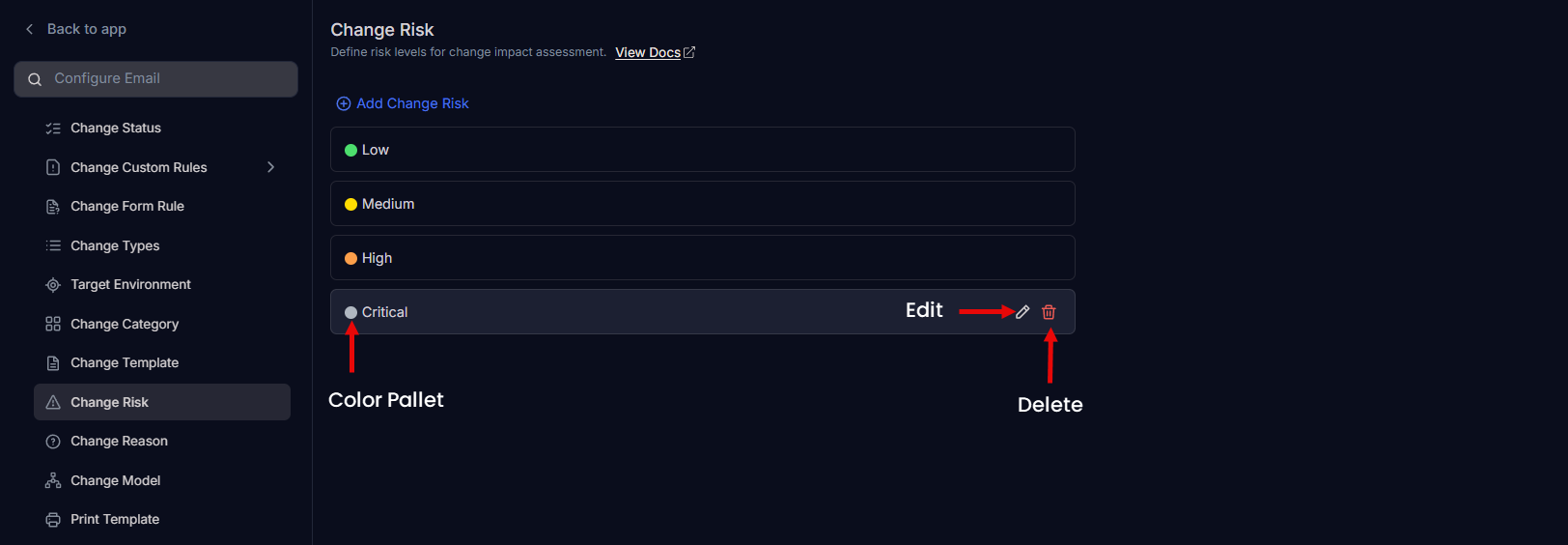
- Once added, you can edit or delete the custom risk. You can edit default risks, but you cannot delete them.