Standalone HA Deployment (3 Machines)
Configure Patroni-based HA on 3 machines and ServiceOps automatically recovers from a database failure without manual intervention.
In this layout, each application node co-locates the ServiceOps application and the PostgreSQL database on the same server. The Observer node runs HAProxy, ETCD, and the Application Observer.
Prerequisites
Before starting, confirm the following:
- Operating System: Ubuntu and RHEL
- PostgreSQL Version: 16 or 17
- 3 machines provisioned and reachable over the network
- ServiceOps installed on both APP + DB Node 1 and APP + DB Node 2 (follow the Standalone Installation Guide)
- Back up your database before starting any HA configuration step if you are working on an existing production environment. See the ServiceOps Application and Database Backup Procedure.
- Root or sudo access on all 3 machines
- Setup scripts extracted on their respective machines:
MotadataETCDSetupU24on the Observer machineMotadataPatroniSetupU24on both APP + DB machinesMotadataAppHASetupon the Observer machine
- Firewall ports open on each machine:
| Machine | Open Ports |
|---|---|
| Observer | 80 (Optional), 443, 2379, 2380, 5000, 7000 |
| APP + DB Node 1 and Node 2 | 80 (Optional), 443, 5432, 8008 |
Architecture Overview
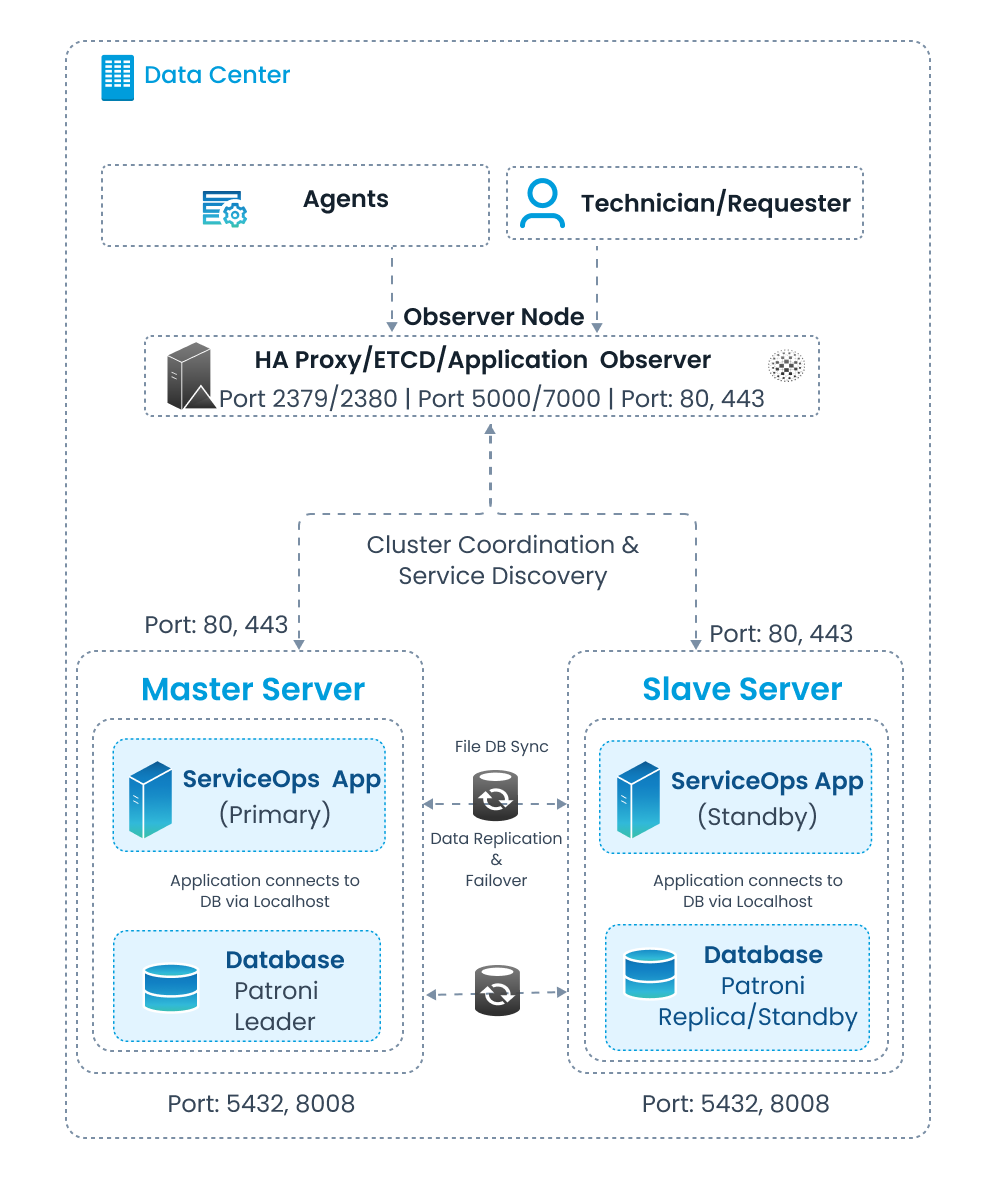
The 3-machine standalone layout assigns the following roles:
| Role | Description | Example IP |
|---|---|---|
| Observer / HAProxy / ETCD | Manages load balancing, cluster coordination, and failover | 172.16.13.42 |
| APP + DB Node 1 (Master) | Runs the active ServiceOps application and the Patroni Leader database | 172.16.12.171 |
| APP + DB Node 2 (Slave) | Runs the standby ServiceOps application and the Patroni Replica database | 172.16.12.177 |
Components and Roles
- Observer Node (HA Proxy/ETCD/Application Observer): Acts as the single entry point for all client traffic (Agents, Technicians, Requesters). HAProxy load-balances application traffic on ports
80(optional) and443, and routes database connections to the Patroni Leader through port5000and7000. ETCD (ports2379/2380) stores cluster state, maintains distributed consensus, and coordinates Patroni leader election. The Application Observer monitors both servers and triggers failover scripts when the Master becomes unavailable. - Master Server (ServiceOps App Primary + Patroni Leader Database): Active server handling all live application requests. The ServiceOps application connects to the co-located Patroni Leader database via localhost. Accessible from the Observer on ports
80(optional) and443; Patroni communicates on ports5432, and8008. - Slave Server (ServiceOps App Standby + Patroni Replica/Standby Database): Passive standby server kept in continuous sync with the Master and promoted automatically on failure. The ServiceOps application connects to the co-located Patroni Replica database via localhost. Port profile:
80/443for application traffic;5432, and8008for Patroni. - Patroni: Manages PostgreSQL high availability on both nodes. Continuously replicates the database from the Master (Leader) to the Slave (Replica) and automatically promotes the Slave to Leader if the Master fails.
- ETCD: Distributed key-value store used for cluster coordination, service discovery, and Patroni leader election between the Observer and both servers.
- File DB Sync: Synchronizes non-database files (attachments, patches, packages, logs) bidirectionally between Master and Slave, ensuring file-level consistency across both nodes.
Procedure
Step 1: Download Setup Files
Download the zip file containing all setup files from the Download Links page and extract it on all three machines before proceeding.
Step 2: Set Up the Observer (ETCD and HAProxy)
Run the following steps on the Observer machine (172.16.13.42).
Give
MotadataETCDSetupU24execute permissions and run it:chmod 777 MotadataETCDSetupU24
./MotadataETCDSetupU24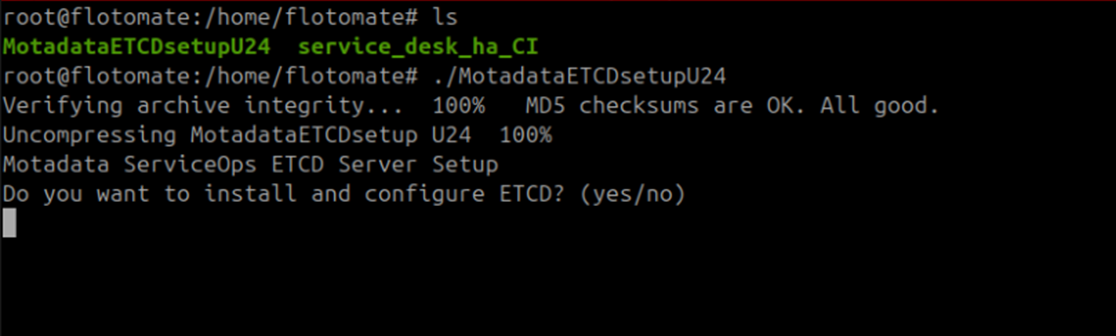
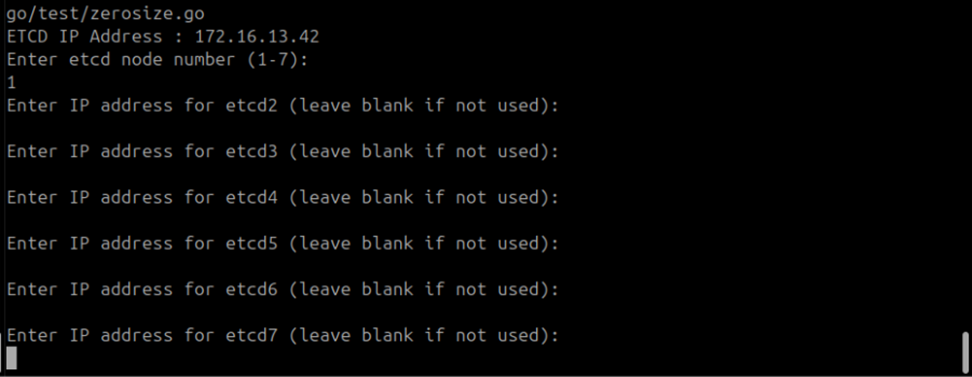
Type
yeswhen prompted to install and configure ETCD.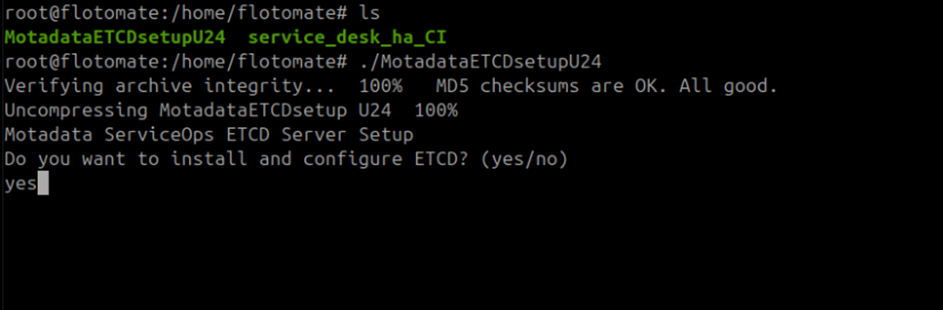
Enter
1when prompted for the ETCD node number. This setup uses a single ETCD node.Maximum ETCD Cluster NodesThis setup supports a maximum of 7 ETCD cluster nodes. Leave all additional node prompts blank for a single-node setup.
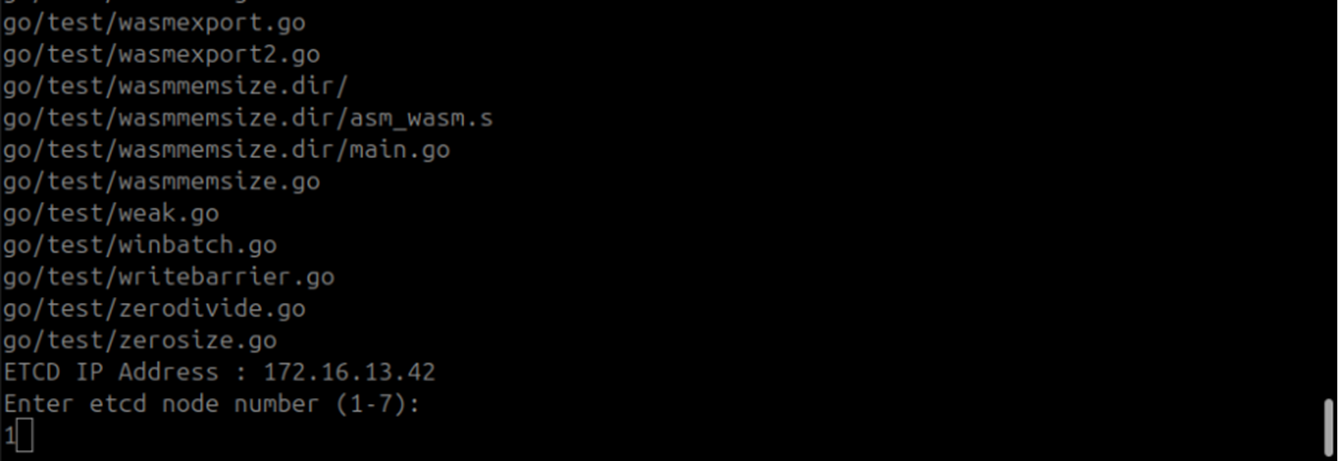
Leave all additional ETCD node prompts blank and press Enter.
Type
yeswhen prompted to install and configure HAProxy.
Enter the DB and APP IP addresses when prompted:
Prompt Value DB Node 1 IP 172.16.12.171DB Node 2 IP 172.16.12.177APP Node 1 IP 172.16.12.171APP Node 2 IP 172.16.12.177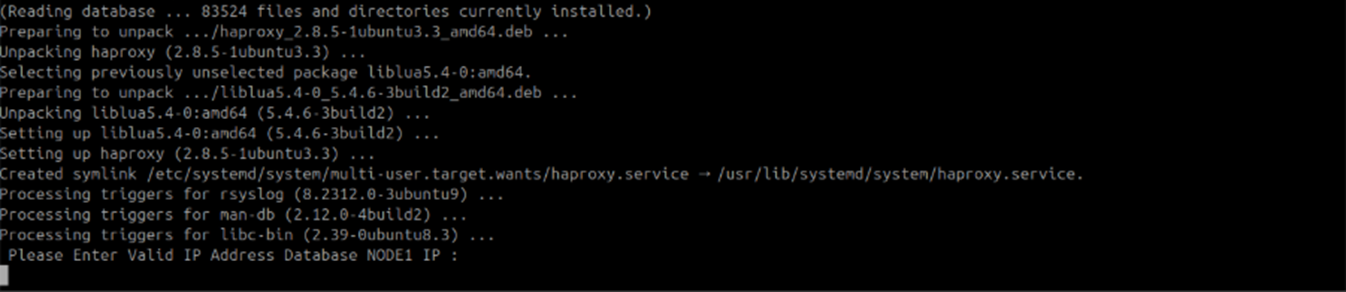
ETCD and HAProxy setup is complete.
Verify the HAProxy Configuration
Open /etc/haproxy/haproxy.cfg and confirm it matches this structure:
global
    maxconn 100

defaults
    log global
    mode tcp
    retries 2
    timeout client 30m
    timeout connect 4s
    timeout server 30m
    timeout check 5s

listen stats
    mode http
    bind *:7000
    stats enable
    stats uri /

listen postgres
    bind *:5000
    option httpchk
    http-check expect status 200
    default-server inter 3s fall 3 rise 2 on-marked-down shutdown-sessions
    server etcd1 172.16.12.171:5432 maxconn 100 check port 8008
    server etcd2 172.16.12.177:5432 maxconn 100 check port 8008

listen backend
    bind *:80
    balance roundrobin
    mode tcp
    option tcp-check
    server ubuntu1 172.16.12.171:80 check port 80
    server ubuntu2 172.16.12.177:80 check port 80
Verify ETCD Service Status
Check that the ETCD service is running before continuing:
systemctl status motadata_etcd
If the service is inactive, start it:
systemctl start motadata_etcd
Step 3: Configure the Master Database
Run the following steps on APP + DB Node 1 / Master (172.16.12.171).
Give
MotadataPatroniSetupU24execute permissions and run it:chmod 777 MotadataPatroniSetupU24
./MotadataPatroniSetupU24Enter
1when prompted to select Node 1 or Node 2.Enter the Slave IP address when prompted:
172.16.12.177.
Enter the ETCD IP address when prompted:
172.16.13.42.
Patroni setup on the Master node is complete.
Step 4: Configure the Slave Database
Run the following steps on APP + DB Node 2 / Slave (172.16.12.177).
- Give
MotadataPatroniSetupU24execute permissions and run it:chmod 777 MotadataPatroniSetupU24
./MotadataPatroniSetupU24 - Enter
2when prompted to select Node 1 or Node 2. - Enter the Master IP address when prompted:
172.16.12.171. - Enter the ETCD IP address when prompted:
172.16.13.42.
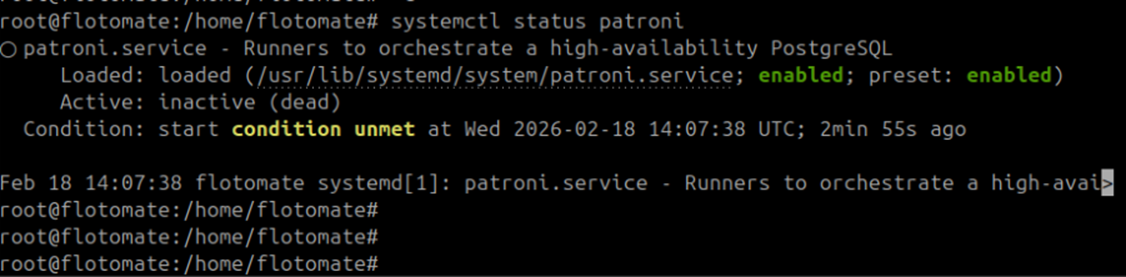
After setup, confirm the Patroni service on the Slave is inactive. If it shows active or running, stop it:
systemctl stop patroni
Do not continue to Step 5 until the Slave Patroni service is inactive.
Step 5: Configure the Master Application
Run the following steps on APP + DB Node 1 / Master (172.16.12.171).
Copy
MotadataPatroniHAMasterSlaveAppConfigfrom the Master/opt/HAfolder to the home directory.Give it execute permissions and run it:
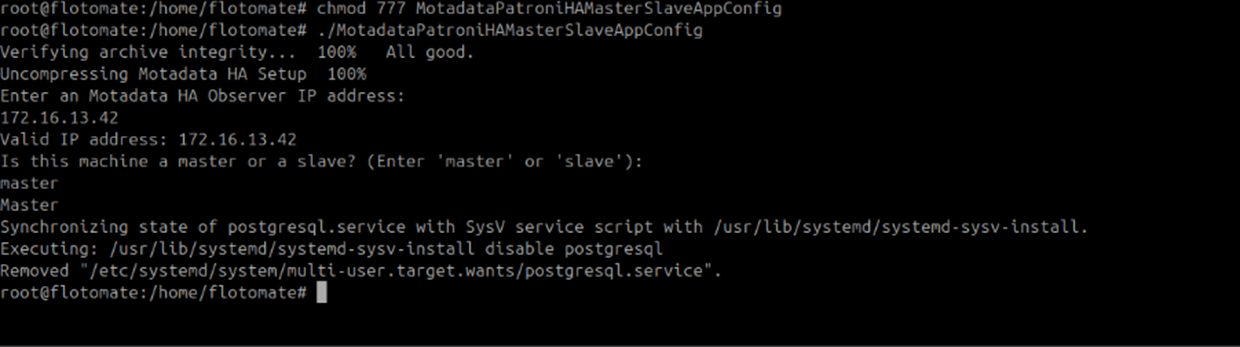
chmod 777 MotadataPatroniHAMasterSlaveAppConfig
./MotadataPatroniHAMasterSlaveAppConfig
Enter the Observer IP address when prompted:
172.16.13.42.
Enter
masterwhen asked for the machine role.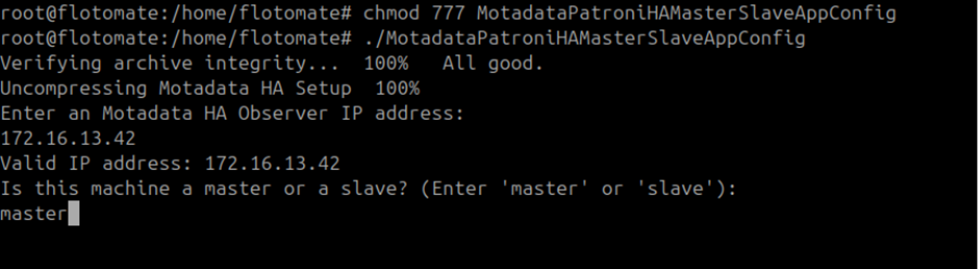
Master application configuration is complete.
Step 6: Configure the Slave Application
Run the following steps on APP + DB Node 2 / Slave (172.16.12.177).
Copy
MotadataPatroniHAMasterSlaveAppConfigfrom the Master/opt/HAfolder to the home directory on the Slave.Give it execute permissions and run it:
chmod 777 MotadataPatroniHAMasterSlaveAppConfig
./MotadataPatroniHAMasterSlaveAppConfig
Enter the Observer IP address when prompted:
172.16.13.42.Enter
slavewhen asked for the machine role.
Enter the Master application's DB password when prompted.
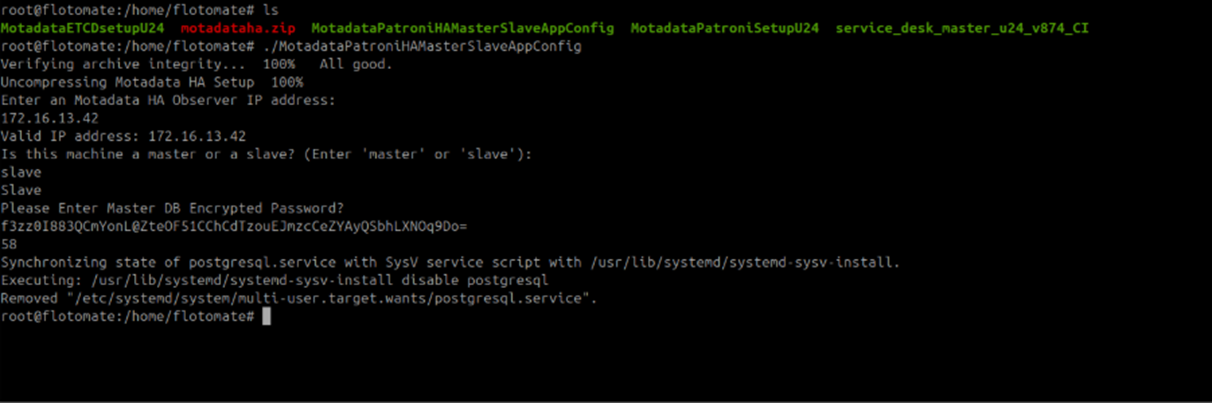
Copy the DB password directly from the Master. The password must be identical on both nodes.
Slave application configuration is complete.
Step 7: Run DB Configuration on the Master
Run the following steps on APP + DB Node 1 / Master (172.16.12.171).
Retrieve the application DB password:
cat /opt/flotomate/main-server/lib/boot-hosted-exec.confCopy
MotadataPatroniHADBConfigfrom/opt/HAto the home directory.Give it execute permissions and run it:
chmod 777 MotadataPatroniHADBConfig
./MotadataPatroniHADBConfig
Enter the DB password when prompted.
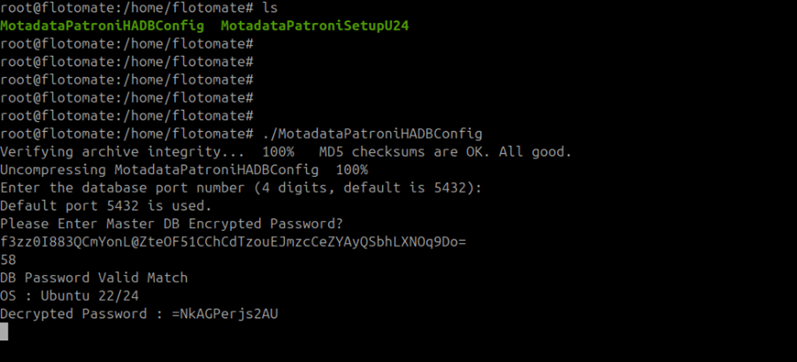
Enter
ywhen asked to reload and restart Patroni members. Perform this twice and if the version is given then press enter.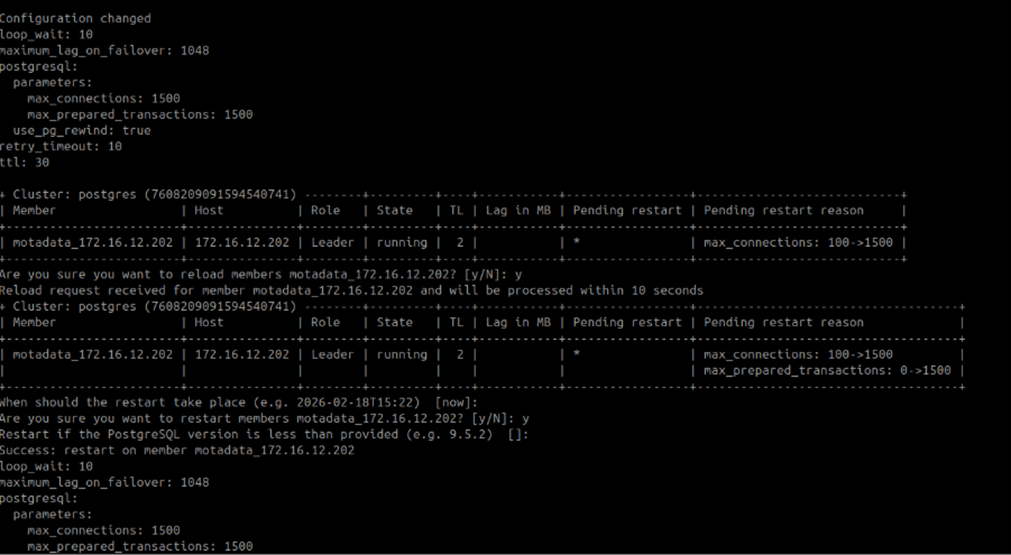
Master DB configuration is complete.
Step 8: Run DB Configuration on the Slave
Run the following steps on APP + DB Node 2 / Slave (172.16.12.177).
Run
MotadataPatroniHADBConfig:chmod 777 MotadataPatroniHADBConfig
./MotadataPatroniHADBConfigEnter the same DB password you used in Step 7.
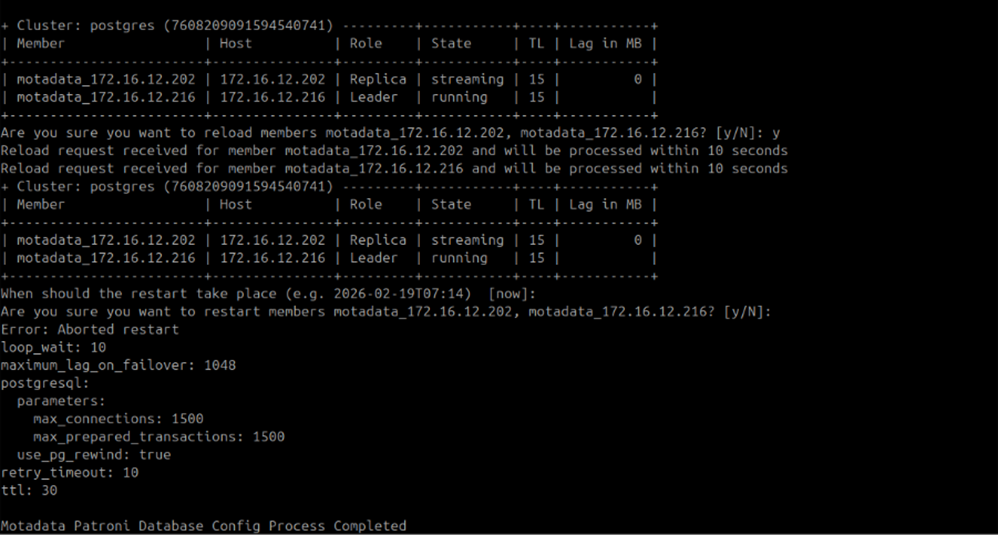
Slave DB configuration is complete.
Check the status of patroni service using the command:
systemctl status patroni
If an old HA configuration already exists, remove it after taking a backup:
rm -rf /opt/HA
Step 9: Configure the Application HA Observer
Run the following steps on the Observer machine (172.16.13.42).
Run this script as a normal user. Do not use root or sudo. The script will fail if run as root.
Give
MotadataAppHASetupexecute permissions and run it:chmod 777 MotadataAppHASetup
./MotadataAppHASetupPress Enter at every key-pair generation prompt until key generation completes.
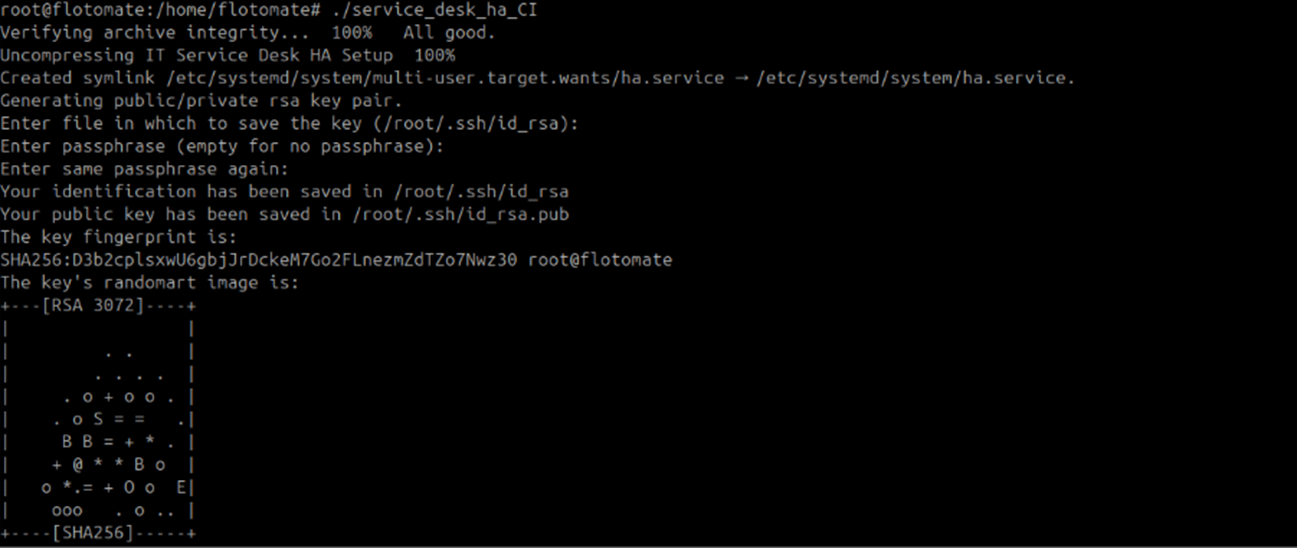
Enter the following values when prompted:
Prompt Value Username for SSH Common SSH username for both nodes Port for SSH SSH port (default: 22)Master Server IP 172.16.12.171Master Server Password Enter twice when prompted Slave Server IP 172.16.12.177Slave Server Password Enter twice when prompted 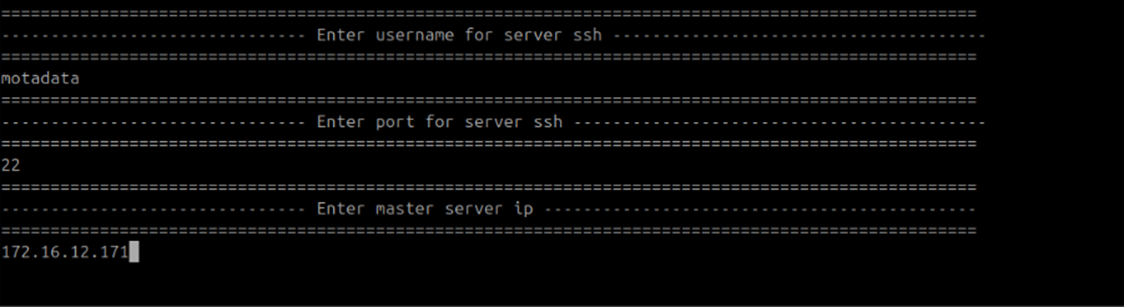
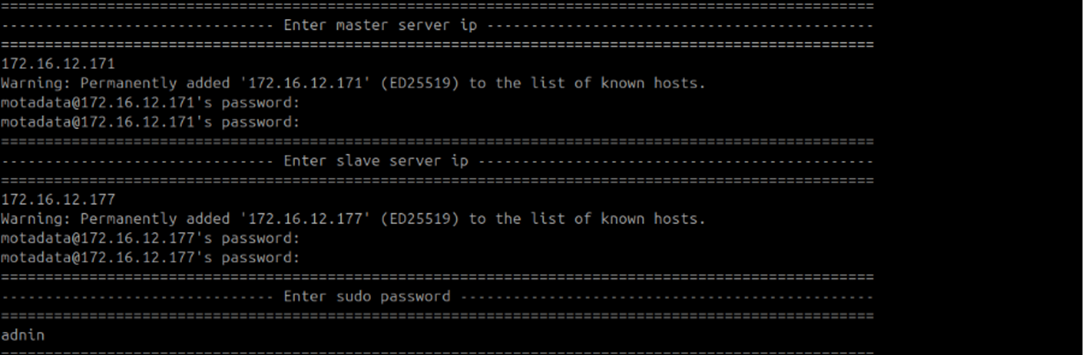
Press Enter twice at the second key-pair generation prompt.

Application HA Observer configuration is complete. Verify the setup by checking logs at /opt/HA/logs.
Troubleshooting
Use this section to diagnose common issues after completing the 3-machine standalone setup.
Nginx is active on the Slave after setup
Cause: Nginx started automatically during the Slave setup. An active Nginx service on the Slave causes routing conflicts with the Observer.
Fix: Stop Nginx on the Slave and verify all services are inactive before proceeding:
systemctl stop nginx
/opt/HA permission error during setup
Cause: The /opt/HA directory is owned by a different user than the one running the setup scripts.
Fix: Correct the ownership on the affected machine:
chown -R motadata:motadata /opt/HA
Machines cannot communicate with each other
Cause: One or more required firewall ports are blocked between machines.
Fix: Confirm the following ports are open between each machine pair:
| Source | Destination | Ports |
|---|---|---|
| Observer | APP + DB Node 1 and Node 2 | 80 (optional), 443 |
| Observer | APP + DB Node 1 and Node 2 | 5432, 8008 |
| APP + DB Node 1 (Master) | Observer | 2379, 2380, 5000 |
| APP + DB Node 2 (Slave) | Observer | 2379, 2380, 5000 |
| APP + DB Node 1 (Master) | APP + DB Node 2 (Slave) | 5432, 8008 |
Check both OS-level and network-level firewall rules on each machine.