Installation Guide for Patroni-Based HA Deployment
Patroni-based High Availability keeps ServiceOps running without interruption. Even when a server fails, ServiceOps automatically promotes a standby database to primary and reroutes all traffic through HAProxy without manual intervention.
This guide covers Patroni and ETCD-based HA configuration for ServiceOps. Use it when your environment uses Patroni-based installer packages.
Back up your database before starting any HA configuration step if you are working on an existing production environment. See the ServiceOps Application and Database Backup Procedure.
Back up your HAProxy configuration on the Observer machine from
/etc/haproxybefore making any changes.Once the patroni setup is configured and backup is taken, check the postgresql service status and stop if it is in active state. Do not attempt to start it manually else it will clash with the cluster. To stop the postgresql service use the below commands:
Ubuntu:
systemctl status postgresql
systemctl stop postgresql
Redhat
systemctl status postgresql-16 / systemctl status postgresql-17
systemctl stop postgresql-16 / systemctl stop postgresql-17
Pre-Configuration Steps
Complete these steps on all existing machines (DC Master, DC Slave, and DR Machine) after the database backup is done and before starting any Patroni setup activity.
Do not proceed with these steps until you have a verified database backup. These commands rename the database and change the PostgreSQL port, which cannot be undone automatically.
Ports Used in Patroni Setup
The table below lists all ports required across Patroni components. These apply to every HA architecture and are not specific to any single deployment layout.
| Communication Path | Ports | Direction |
|---|---|---|
| DB node to every other DB node | 5432, 8008 | Bi-directional |
| Application node to HAProxy | 5000 | Outbound from App |
| DB node to ETCD | 2379, 2380 | Outbound from DB |
| HAProxy stats | 7000 | Inbound to HAProxy |
Open these ports on the firewall of each machine before starting any Patroni setup activity.
Step 1: Rename the Database
Run the following command as the root user on each machine to rename the existing database:
sudo -u postgres psql -c "ALTER DATABASE flotoitsmdb RENAME TO oldflotodb;"
Step 2: Change the PostgreSQL Port
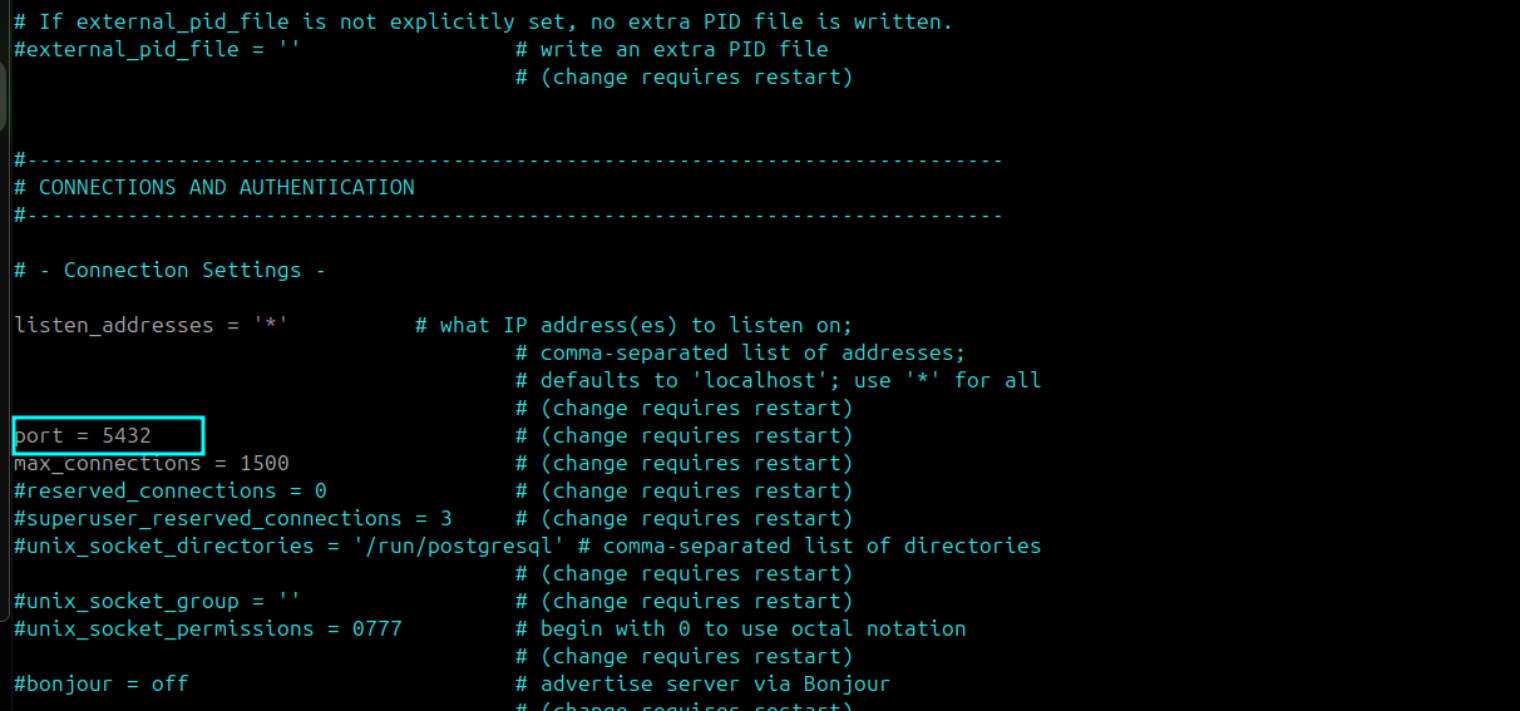
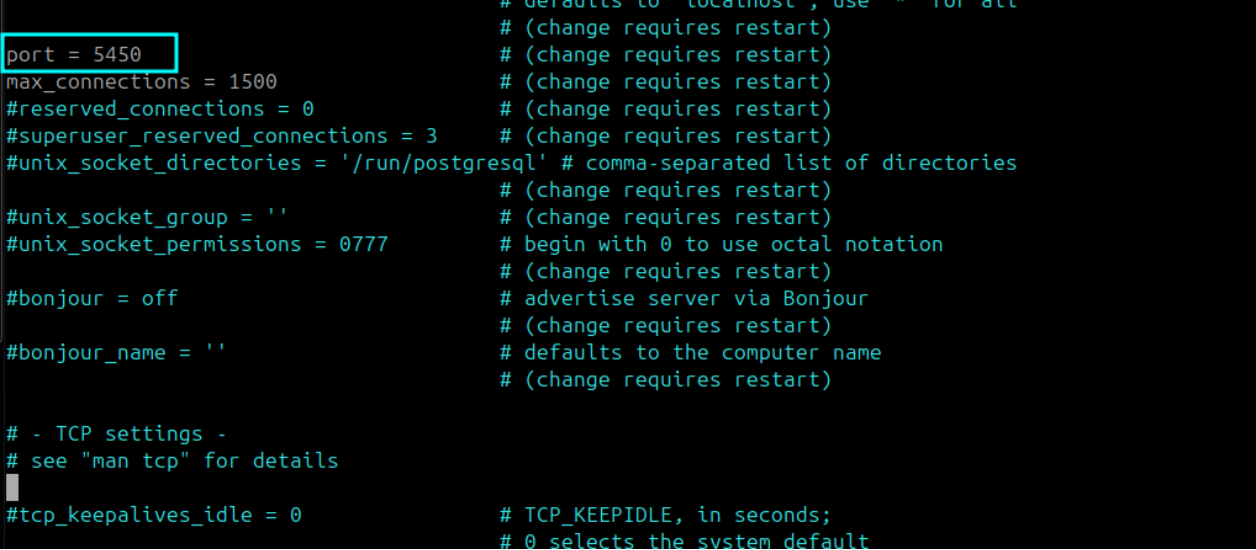
Change the default PostgreSQL port from 5432 to 5450 on each machine. Open postgresql.conf from the path that matches your operating system:
| Operating System | Path |
|---|---|
| Ubuntu | /etc/postgresql/17/main/postgresql.conf |
| Red Hat | /var/lib/pgsql/17/data/postgresql.conf |
In postgresql.conf, locate the port parameter and update it:
port = 5450
Repeat both steps on every machine before proceeding to Part 1.
Supported Platforms
This setup supports the following OS and PostgreSQL versions only:
- OS: Ubuntu and RHEL
- PostgreSQL: Version 17
How Does Patroni-Based High Availability Work?
Patroni manages the PostgreSQL Leader/Replica relationship between the Master and Slave database nodes. ETCD stores the cluster state and runs leader election. When the Master database fails, Patroni reads ETCD, promotes the Replica to Leader, and updates the cluster state automatically. HAProxy routes all database traffic to the current Patroni Leader using a health check on port 8008.
The Application Observer monitors the application tier separately and triggers failover scripts when it detects the Master application is unreachable. All nodes must communicate with each other over the network for this coordination to work.
Which Deployment Guide Do I Need?
Select the guide that matches your machine count and site topology.
Best Practices
Follow these recommendations to keep your Patroni-based HA environment stable and recoverable.
- Back up before every configuration change. Take a full database backup before running any HA setup script in a production environment. Restoring from backup is faster than debugging a failed configuration.
- Synchronize time across all nodes. ETCD relies on clock consistency for leader election. Run NTP on every machine and verify clocks are in sync before starting the setup.
- Use the same OS and PostgreSQL version on all nodes. Version drift between Master and Slave causes replication failures. Confirm all nodes run identical OS and PostgreSQL versions before proceeding.
- Verify firewall ports before running any installer. Blocked ports are the most common setup failure. Check all required ports are open at both the OS and network level before starting Step 1.
- Never start Patroni on the Slave manually before DB configuration runs. Patroni on the Slave must remain inactive until the DB configuration step activates it. Starting it early causes split-brain and data inconsistency.
- Run the Application HA Observer as a non-root user. The
MotadataAppHASetupandservice_desk_ha_CIscripts must run as a standard OS user. Root execution causes the scripts to fail silently. - Keep
/opt/HAowned by the same OS user on all nodes having sudo rights. Failover scripts write to this directory. Incorrect ownership prevents failover from executing. Use the user which is common in all machines and having sudo rights. You can change the ownership using the below command:- Syntax:
chown -R <username>:<username> /opt/HA - Example:
chown -R motadata:motadata /opt/HA
- Syntax:
- Monitor HAProxy stats after setup. The stats endpoint on port
7000shows which node is currently active. Check it after setup to confirm HAProxy is routing to the correct primary node. - Test failover after completing setup. Simulate a Master failure in a staging environment to confirm Patroni promotes the Slave and HAProxy reroutes traffic as expected. Do not assume failover works without testing it.
- Keep Nginx inactive on Slave application nodes. Nginx must not run on the Slave APP. An active Nginx service on the Slave causes routing conflicts with the Observer. Disable it after setup and verify it does not restart on reboot.