SNMP Community Check: Validate SNMP Access in ObserveOps
SNMP Community Check validates whether an SNMP credential profile grants access to one or more target devices in ObserveOps (formerly known as AIOps). Run it against a single IP address or an entire IP range before bulk device onboarding to confirm credentials are correct.
Prerequisites
- You must have the Admin or NOC role.
- The target device or range must have SNMP v1 or v2c enabled.
- A valid SNMP credential profile must be configured in ObserveOps, or you can create one directly from this screen.
- The Collector must have access to UDP port
161on the target devices.
How It Works
ObserveOps sends an SNMP GET request using the selected credential profile to each target IP. The platform evaluates the response to confirm authentication. Community strings are never exposed in output or audit logs.
Navigation
Go to Main Menu > Settings > Utility > SNMP Community Check.
The Community Checker screen has two tabs, Single IP Address and IP Range, letting you test one device or a range of devices in a single run.
Single IP Address Tab
Use this tab to validate credentials against one specific device.
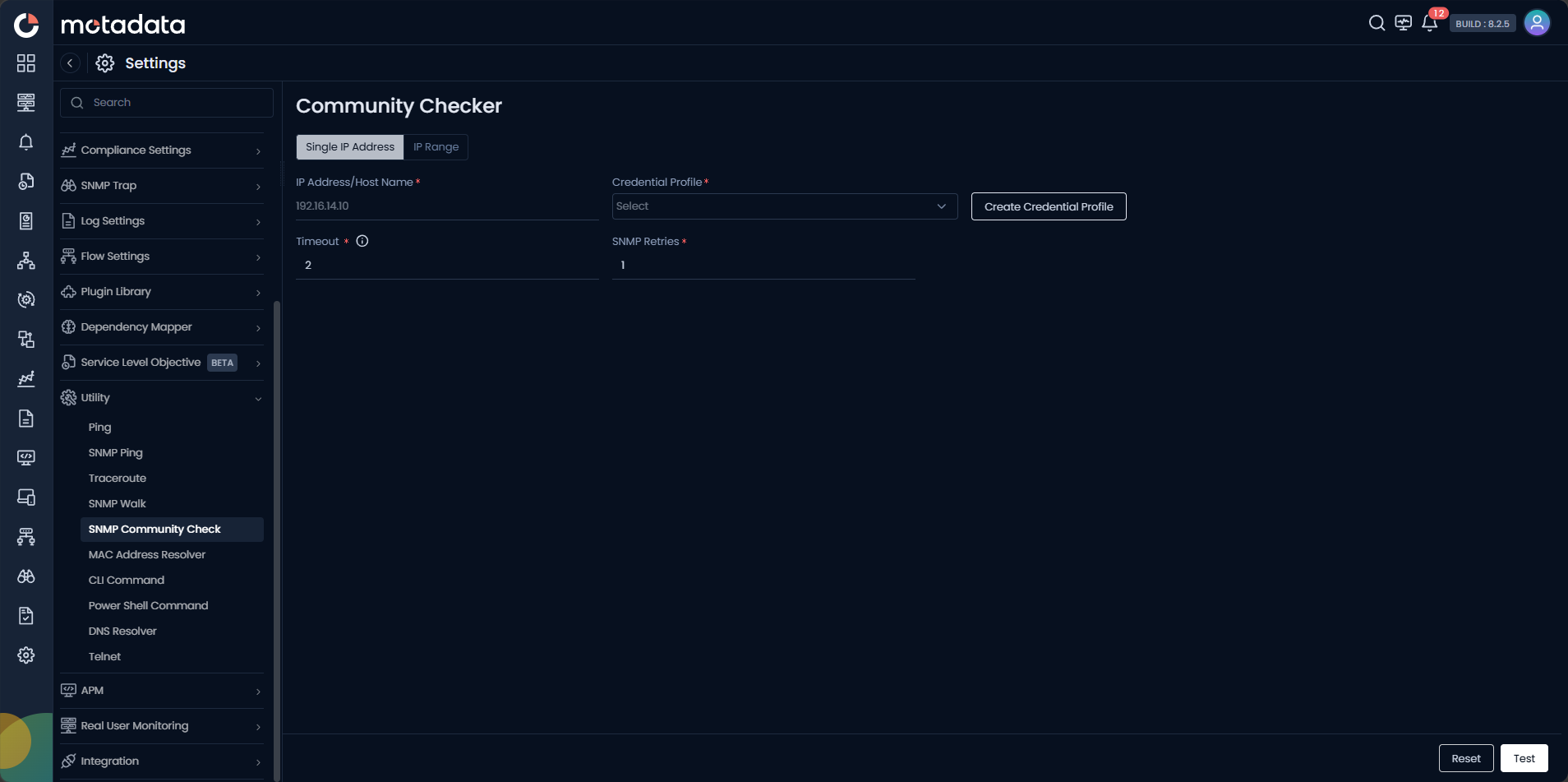
| Field | Description |
|---|---|
| IP Address / Host Name | Enter the IPv4 address or FQDN of the target device. |
| Credential Profile | Select the SNMP credential profile to validate. Click Create Credential Profile to create one inline. |
| Timeout | Set how long to wait for an SNMP response before marking the check as failed. |
| SNMP Retries | Set how many times to retry the SNMP request if no response is received. |
IP Range Tab
Use this tab to validate credentials across multiple devices in a subnet range.
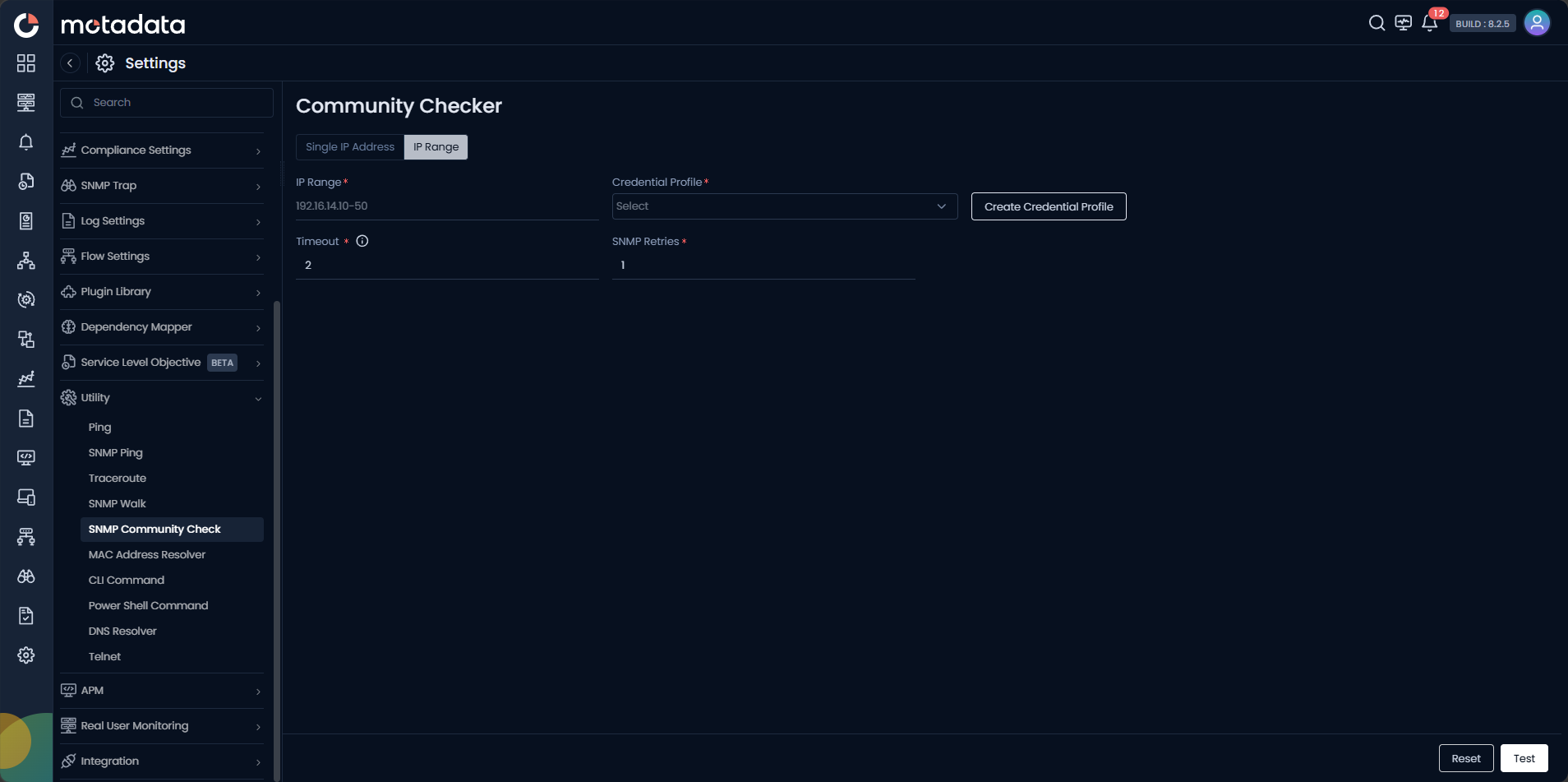
| Field | Description |
|---|---|
| IP Range | Enter the start and end IP addresses in the format 192.168.1.1-50. |
| Credential Profile | Select the SNMP credential profile to validate across the range. |
| Timeout | Set how long to wait per device before marking it as failed. |
| SNMP Retries | Set the retry count per device if no response is received. |
Click Test to start the check. Click Reset to clear the form.
Creating a Credential Profile
Click Create Credential Profile on either tab to open the credential dialog without leaving the screen.
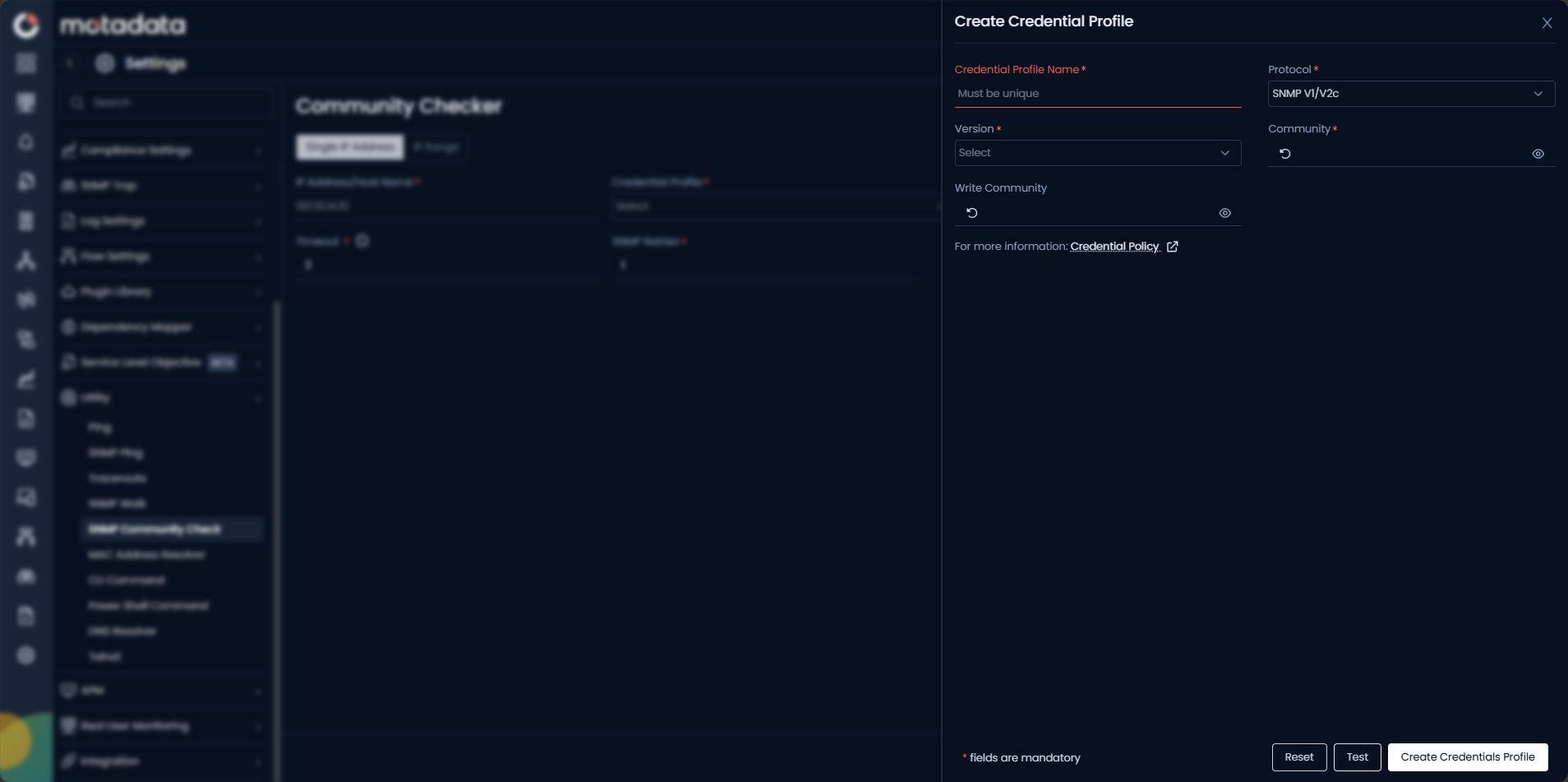
| Field | Description |
|---|---|
| Credential Profile Name | Enter a unique name to identify this profile. |
| Protocol | Select SNMP V1/V2c. |
| Version | Select v1 or v2c to match the device configuration. |
| Community | Enter the SNMP read community string. This value is never logged or shown in results. |
| Write Community | Enter the write community string, if applicable. |
Click Create Credentials Profile to save.
Community strings are never stored visibly by this utility. They remain masked in all output and audit logs. Treat them with the same sensitivity as passwords.
Example
Before onboarding 40 network switches from a new site, a network administrator opens Utility > SNMP Community Check, switches to the IP Range tab, enters the site subnet range, selects the site credential profile, and clicks Test. The result shows 38 devices responding and 2 failing. The administrator investigates the 2 failures and finds they use a different community string, confirming the issue before bulk discovery begins.
Troubleshooting
| Issue | Cause | Fix |
|---|---|---|
| Check returns failure for all devices | Extra whitespace in the community string, or wrong credential profile selected. | Copy the community string directly from a device configuration and verify the profile. |
| Check always times out | The Collector cannot reach UDP port 161 on the devices. | Confirm no firewall blocks SNMP traffic from the Collector to the target subnet. |
| IP Range returns partial results | Some devices in the range are offline or use different credentials. | Run Single IP Address checks on failed IPs to isolate the cause per device. |