Telnet: TCP Port Connectivity Test in ObserveOps
Telnet in ObserveOps (formerly known as AIOps) tests TCP connectivity to any port on a target device, directly from the assigned Collector. Use it to confirm whether a service port is open and reachable, without installing a Telnet client or opening a terminal.
Prerequisites
- You must have the Admin or NOC role.
- The target device must be reachable from the assigned Collector at the network level.
- An IPv4 address, IPv6 address, or resolvable hostname is required.
How It Works
ObserveOps initiates a TCP connection from the Collector to the specified port on the target device. It measures whether the connection succeeds and records the result. This tests TCP-layer reachability only. It does not send or receive application-layer data.
Navigation
Go to Main Menu > Settings > Utility > Telnet.
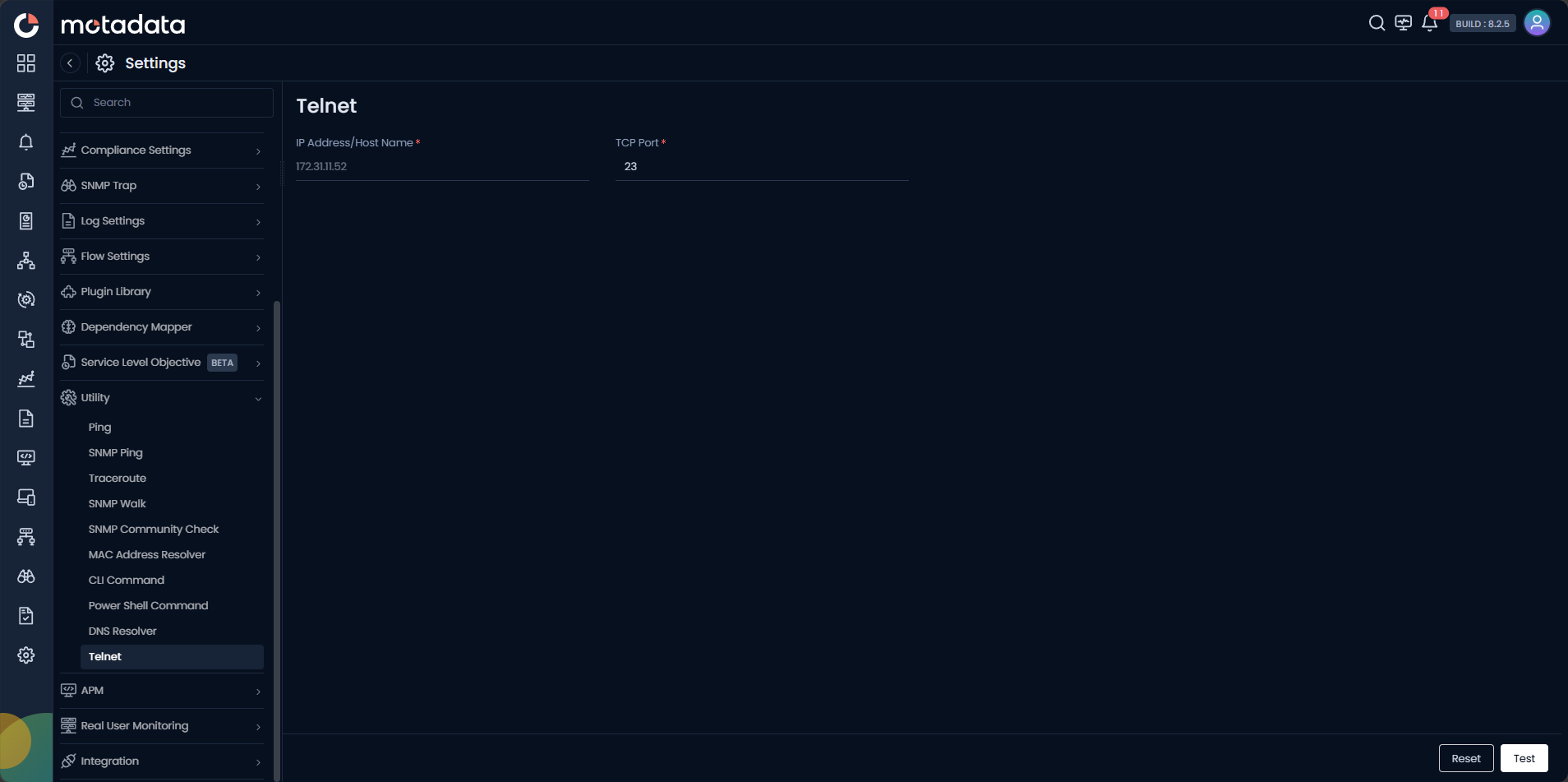
Running a TCP Port Test
| Field | Description |
|---|---|
| IP Address / Host Name | Enter the IPv4 address, IPv6 address, or FQDN of the target device. |
| TCP Port | Enter the TCP port number to test. Defaults to 23. Enter any port number, for example 22 for SSH or 443 for HTTPS. |
Click Test to start the test. Click Reset to clear the form.
Port closed and Timeout mean different things. Closed means the device actively refused the connection. The host is reachable but nothing is listening on that port. Timeout means no response was received. The host may be unreachable or the port is filtered by a firewall.
Common Ports to Test
| Port | Service |
|---|---|
22 | SSH |
23 | Telnet |
80 | HTTP |
443 | HTTPS |
3389 | RDP |
5985 | WinRM HTTP |
5986 | WinRM HTTPS |
Example
A monitoring engineer cannot connect to a new device via SSH. They open Utility > Telnet, enter the device IP and TCP port 22, and click Test. The result shows Closed. Because the port is reachable but refused, the engineer confirms SSH is not running on the device, not a firewall issue. They connect via the device console and enable the SSH service.
Troubleshooting
| Issue | Cause | Fix |
|---|---|---|
| Result shows Timeout but Ping succeeds | A firewall is filtering the specific port between the Collector and the device. | Check ACL rules on the path from the Collector for the specific port number. |
| Result shows Closed but the service is running | The service listens on a non-standard port, or it binds only to a specific interface. | Confirm the port number and interface the service listens on using a local check on the device. |
| Hostname does not resolve | DNS is not configured on the Collector host. | Enter the IP address directly instead of the hostname. |