DNS Resolver: Forward and Reverse Lookup in ObserveOps
DNS Resolver performs DNS lookups directly in ObserveOps (formerly known as AIOps), from the assigned Collector. Use it to verify hostname-to-IP mappings, diagnose DNS misconfiguration, and confirm that devices resolve correctly from the Collector's perspective.
Prerequisites
- You must have the Admin or NOC role.
- The Collector must have access to a DNS server, either configured locally or via the network.
- A valid hostname or IP address to resolve is required.
How It Works
ObserveOps sends a DNS query from the Collector to its configured DNS server. For a hostname input, it resolves to the corresponding IP address. For an IP address input, it resolves to the hostname via reverse lookup. Results reflect the DNS view from the Collector, which may differ from what the browser or management host resolves.
Navigation
Go to Main Menu > Settings > Utility > DNS Resolver.
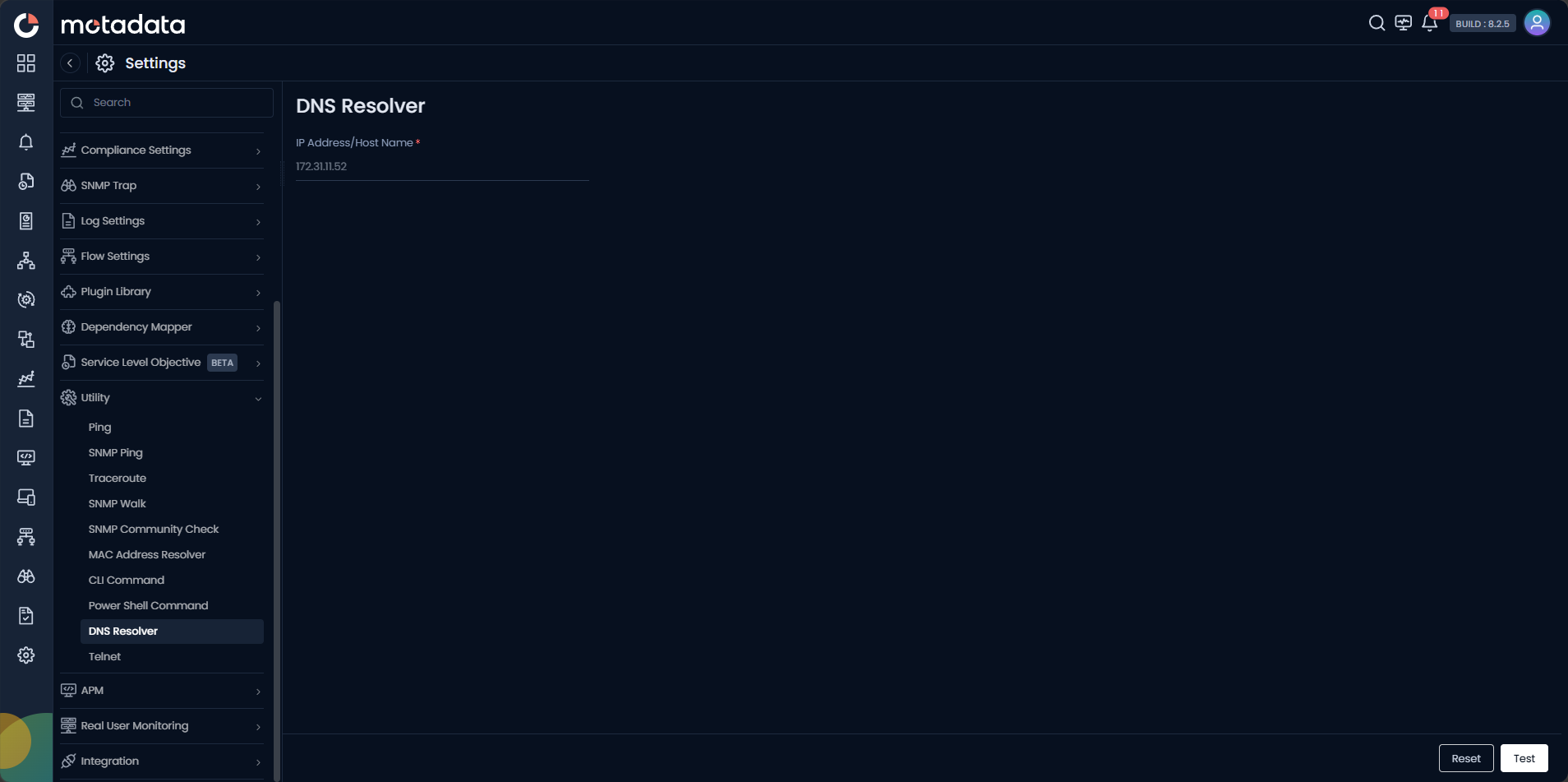
Running a DNS Lookup
| Field | Description |
|---|---|
| IP Address / Host Name | Enter a hostname for forward lookup (resolves to IP) or an IP address for reverse lookup (resolves to hostname). |
Click Test to run the lookup. Click Reset to clear the form.
If a device is reachable by IP but not by hostname, run DNS Resolver from the Collector assigned to that device's subnet. A failure here explains why hostname-based discovery may be failing for that device.
Example
A monitoring engineer adds a new device using its FQDN and discovery fails. They open Utility > DNS Resolver, enter the FQDN, and click Test. The result shows no record found. The engineer confirms the DNS A record has not been created yet and works with the DNS admin to add it before retrying discovery.
Troubleshooting
| Issue | Cause | Fix |
|---|---|---|
| Hostname returns no result | No A record exists in DNS for this hostname, or the Collector queries a DNS server that doesn't have the record. | Verify the A record exists in the authoritative DNS zone and check the Collector's DNS server configuration. |
| IP address returns no hostname | No PTR record exists for this IP in the reverse DNS zone. | Add a PTR record in the reverse DNS zone, or check with the DNS admin for the correct zone. |
| Lookup times out | The Collector cannot reach its configured DNS server. | Verify DNS server connectivity from the Collector host. |
| Resolved IP differs from expected | The DNS record points to a different IP than the device's actual address. | Update the DNS A record to match the correct IP, then retest. |