MAC Address Resolver: ARP Lookup Tool in ObserveOps
MAC Address Resolver performs ARP lookups directly in ObserveOps (formerly known as AIOps) to map IP addresses to MAC addresses. Use it during incident investigation to identify physical network interfaces without switching to an external tool.
Prerequisites
- You must have the Admin or NOC role.
- The target IP address must be in a subnet reachable from the Collector.
- A valid SNMP credential profile must be configured for the target device, or you can create one directly from this screen.
How It Works
ObserveOps queries the network device via SNMP using the selected credential profile to resolve an IP address to its corresponding MAC address. Results reflect the ARP and forwarding table state on the device at the moment of the query.
Navigation
Go to Main Menu > Settings > Utility > MAC Address Resolver.
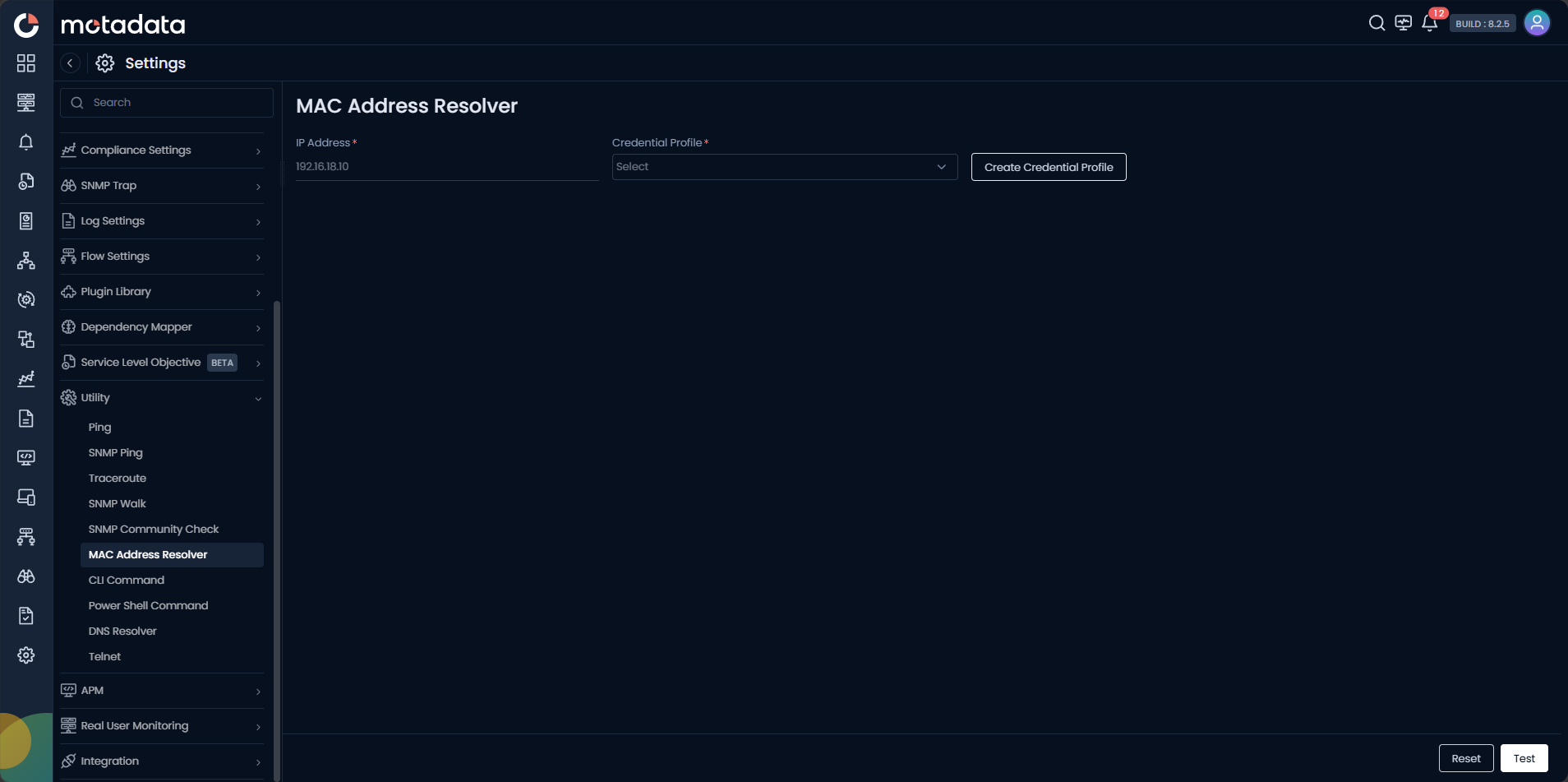
Running a MAC Address Lookup
| Field | Description |
|---|---|
| IP Address | Enter the IPv4 address of the target device to resolve its MAC address. |
| Credential Profile | Select the SNMP credential profile for the network device that holds the ARP table. Click Create Credential Profile to create one inline. |
Click Test to run the lookup. Click Reset to clear the form.
Creating a Credential Profile
Click Create Credential Profile to open the credential dialog without leaving the screen.
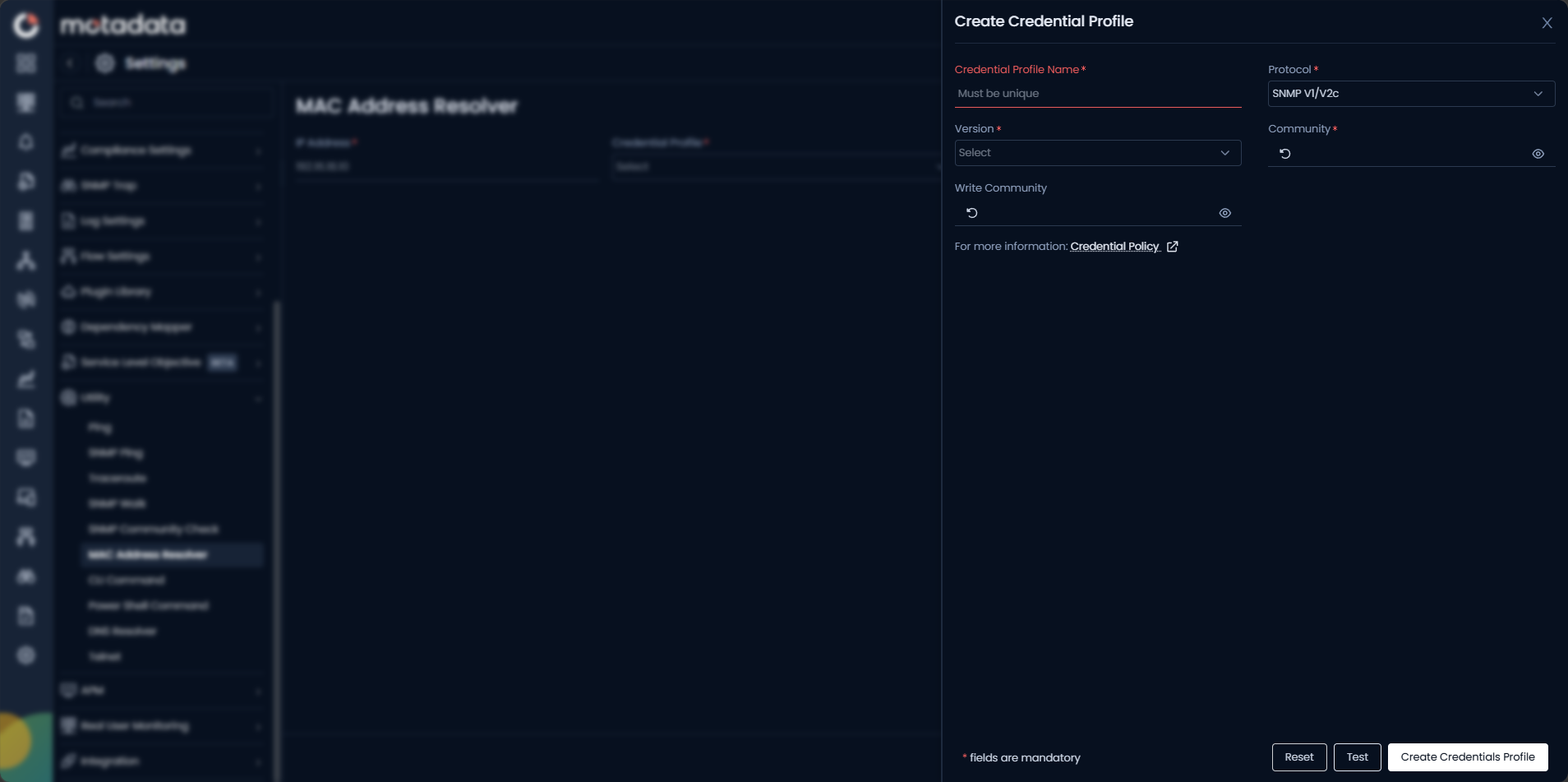
| Field | Description |
|---|---|
| Credential Profile Name | Enter a unique name to identify this profile. |
| Protocol | Select SNMP V1/V2c. |
| Version | Select v1 or v2c to match the network device configuration. |
| Community | Enter the read community string for the network device. |
| Write Community | Enter the write community string, if applicable. |
Click Create Credentials Profile to save.
If no ARP entry exists for the target IP, the result displays No ARP entry found. Run a Ping to the target IP first to refresh the ARP table on the network device, then retry the lookup.
Example
During a security investigation, a SOC analyst receives a report of suspicious traffic from IP 192.168.10.45. They open Utility > MAC Address Resolver, enter the IP, select the SNMP credential profile for the core switch, and click Test. The result returns the MAC address and interface, identifying the physical port where the device is connected.
Troubleshooting
| Issue | Cause | Fix |
|---|---|---|
| Result shows No ARP entry found | The ARP entry has expired, or the device is offline. | Run Ping to the target IP to refresh the ARP table, then retry the MAC lookup. |
| Authentication failure | The SNMP credential profile does not match the network device. | Verify the credential profile community string against the network device configuration. |
| Wrong MAC address returned | Multiple devices share the IP, or the ARP table has a stale entry. | Check the network device's ARP table directly to confirm the current mapping. |