Login Providers
This page enables to configure custom SSO providers. Motadata ServiceOps now supports custom Single Sign-On (SSO) Configuration with Darwinbox as an external login provider, enhancing flexibility in user authentication options.
note
- Currently, Darwinbox login provider is supported.
- To setup the SSO, clients must provide essential configuration keys, including the XOR Key and Secret Key.
To view the Login Providers, navigate to the Admin > Users > Custom SSO Configuration > Login Providers tab and the following page appears.
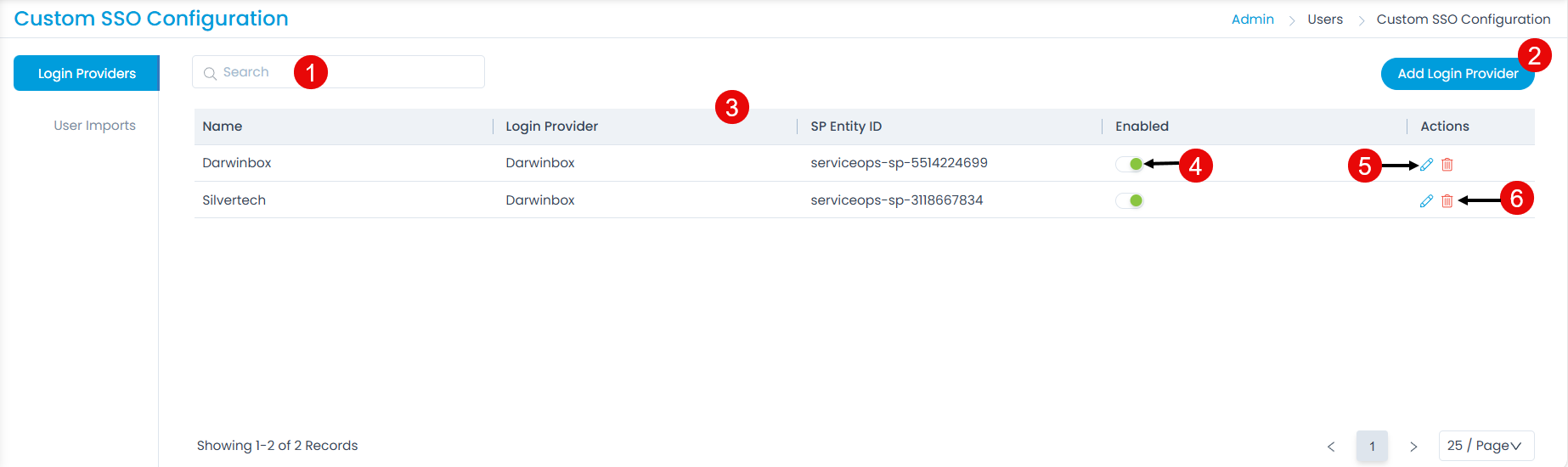
Here, you can do the following operations:
- Search: You can search for the required login provider using keywords.
- Add Login Provider: You can add a new login provider.
- Grid View: You can view the list of login providers and their details in the grid.
- Enabled: You can enable or disable the login providers. By default, they are enabled.
- Edit: You can edit the login provider.
- Delete: You can delete the login provider if no longer required.
Adding Login Providers
To add a login provider,
- Click the Add Login Provider button and the below popup window appears.
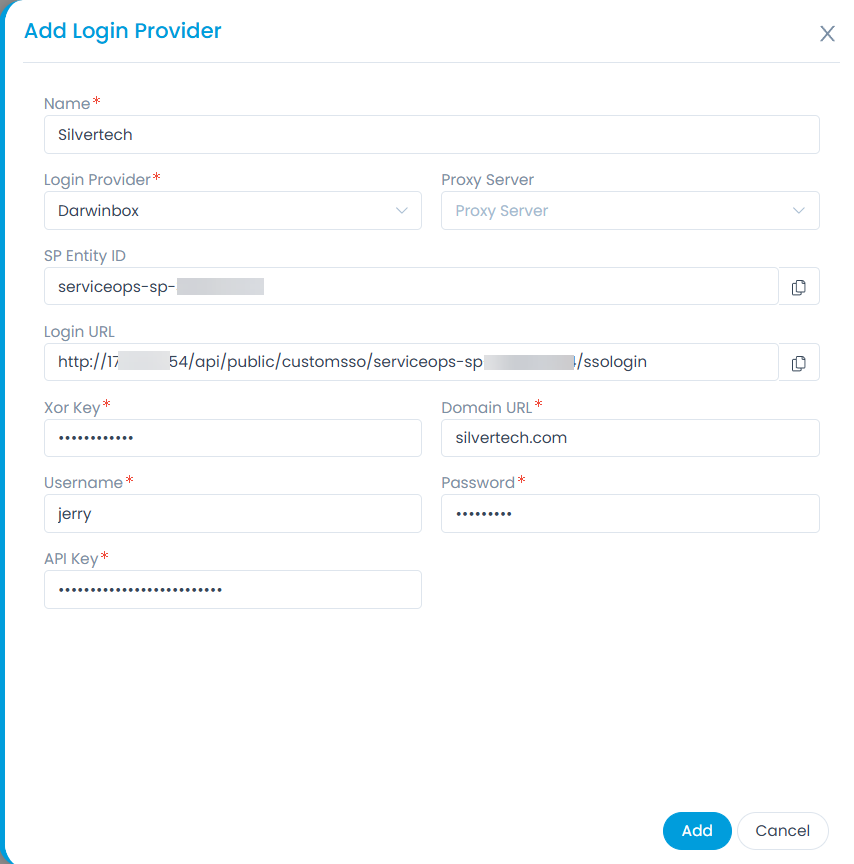
- Enter the following details:
- Name: Enter a unique name for the login provider.
- Login Provider: Select the Login Provider. Currently Darwinbox is supported.
- Proxy Server: Select the proxy server you want to use for Internet.
- SP Entity ID: Its a unique identifier. You need to copy and paste this in the client Darwinbox's account.
- Login URL: Copy and paste the login URL in the client app. For Darwinbox the login url will end with ? character. For example: http://172.16.11.154/api/public/customsso/serviceops-sp-3118667834/ssologin?
- Xor Key: Enter the Xorkey received from the client using Darwinbox.
- Domain URL: Enter the Domain URL of the client.
- Username: Enter the username.
- Password: Enter the password.
- API Key: Enter the API Key received from the client using Darwinbox.
- Once done, click Add.