Iterative Logic - Loop Node
This section explores iterative logic, focusing on the Loop node as a powerful flow control mechanism within your workflows. You will learn how the Loop node enables repeated execution of actions for each record in a collection, offering an invaluable tool for automating tasks that involve processing lists of items.
Loop Node
The Loop node enables iterative execution of actions or logic within a workflow for each record in a list.
Purpose: To automate repetitive tasks over collections of data. This eliminates manual iteration and enhances efficiency.
Key Configuration:
- Loop for Each Record: This sub-node is designed to iterate through a collection of items, executing a predefined set of actions for each one.
- Get Records: This node is used to fetch a list of records from the selected module. For example, a list of Requests whose status is Resolved, or a list of overdue tickets.
- Actions: Configures one or more actions or other flow logic nodes to execute for each item in the selected list. These actions are performed sequentially for every record.
- Execution Flow: The loop processes each record one by one, performing all configured actions for the current item before moving to the next. The loop exits, and the workflow proceeds, only when all records in the list have been processed.
- Loop for Each Record: This sub-node is designed to iterate through a collection of items, executing a predefined set of actions for each one.
Example Use Case 1: Sending Reminder Emails for Overdue Requests
Scenario: Automatically send reminder emails to assignees of overdue service requests.
Configuration:
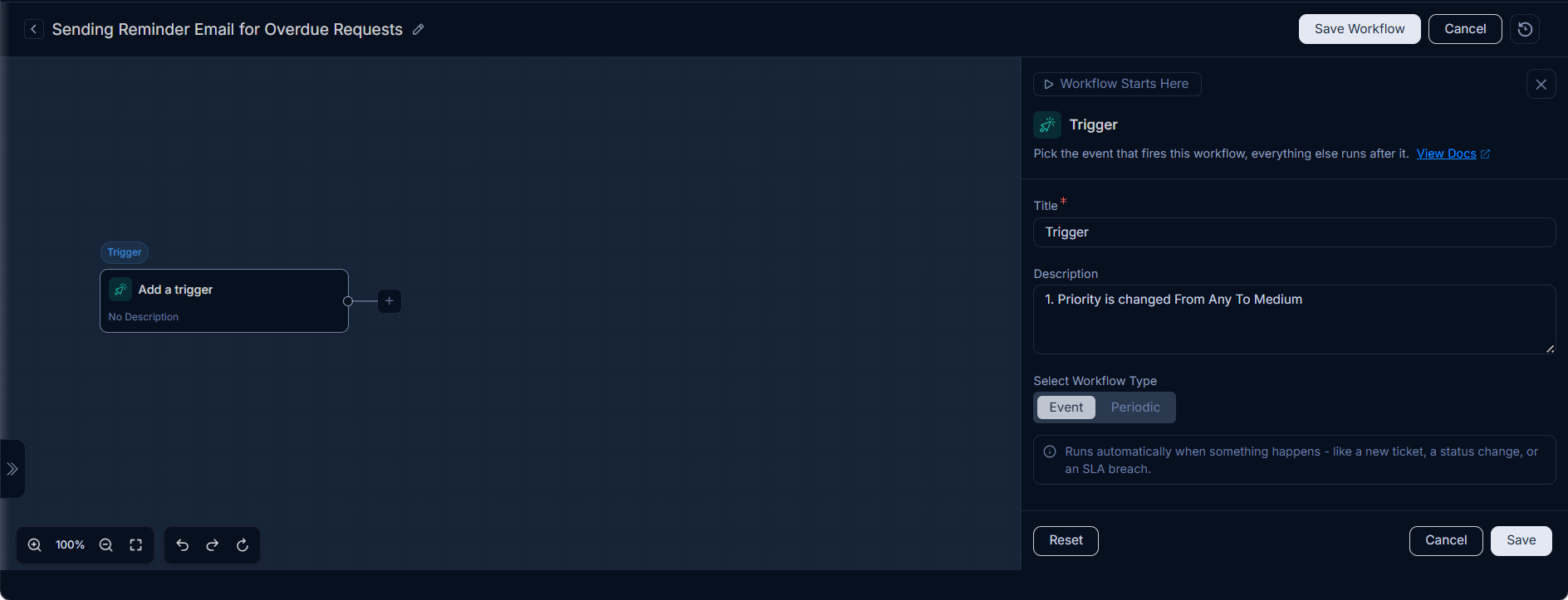
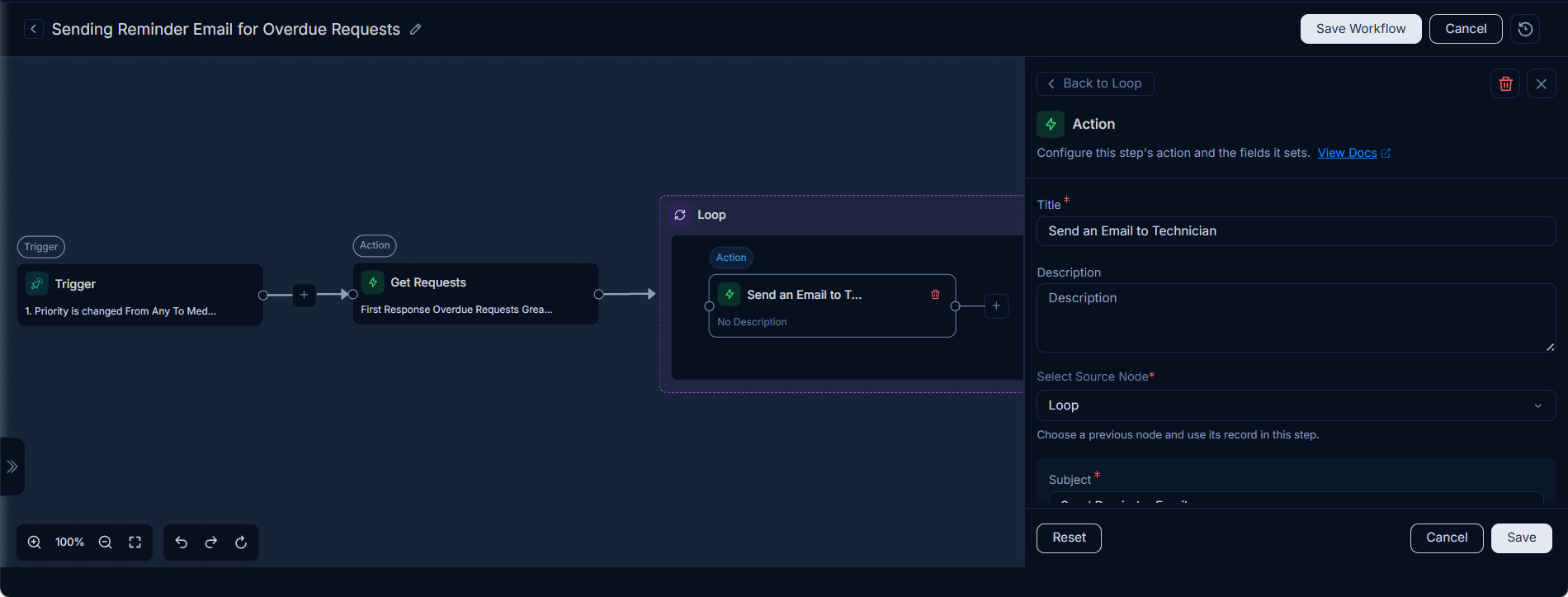
- Workflow Trigger: An event, such as a "Priority change" (e.g., from Any to Medium).
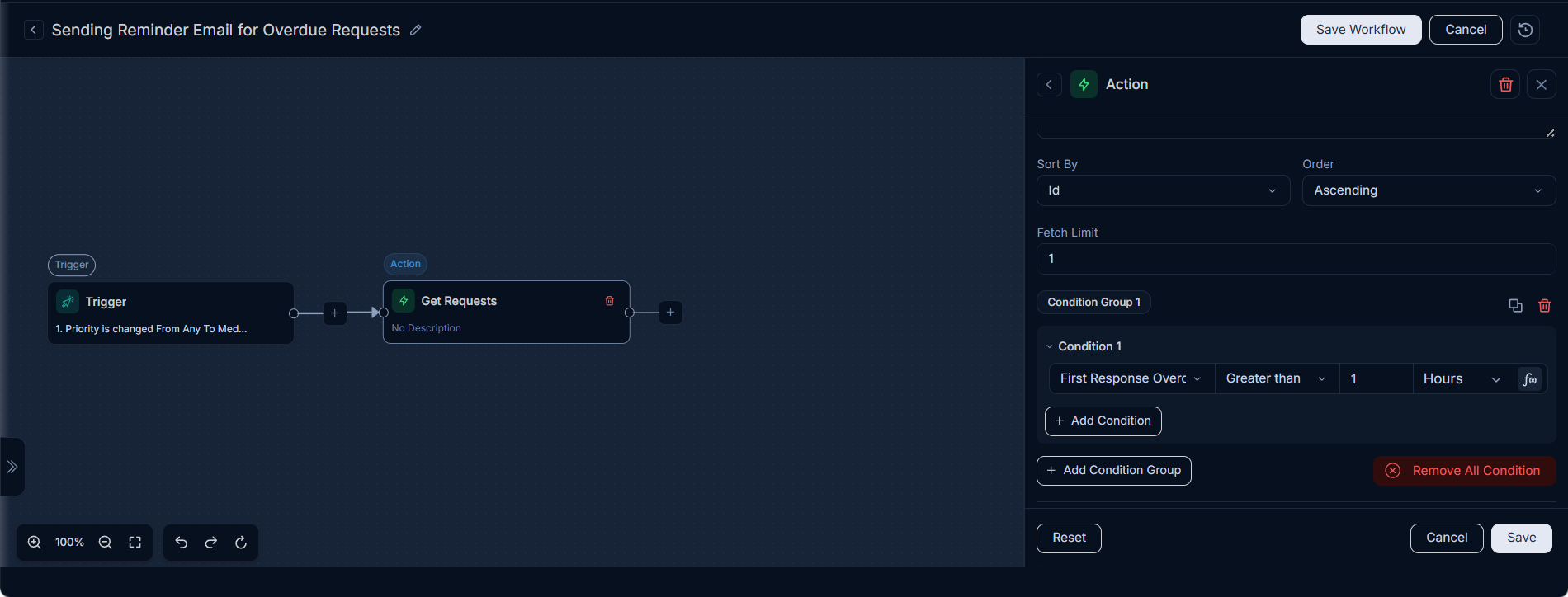
- Previous Node (Get Requests): This node retrieves a list of overdue requests, providing the iterable output for the Loop node.
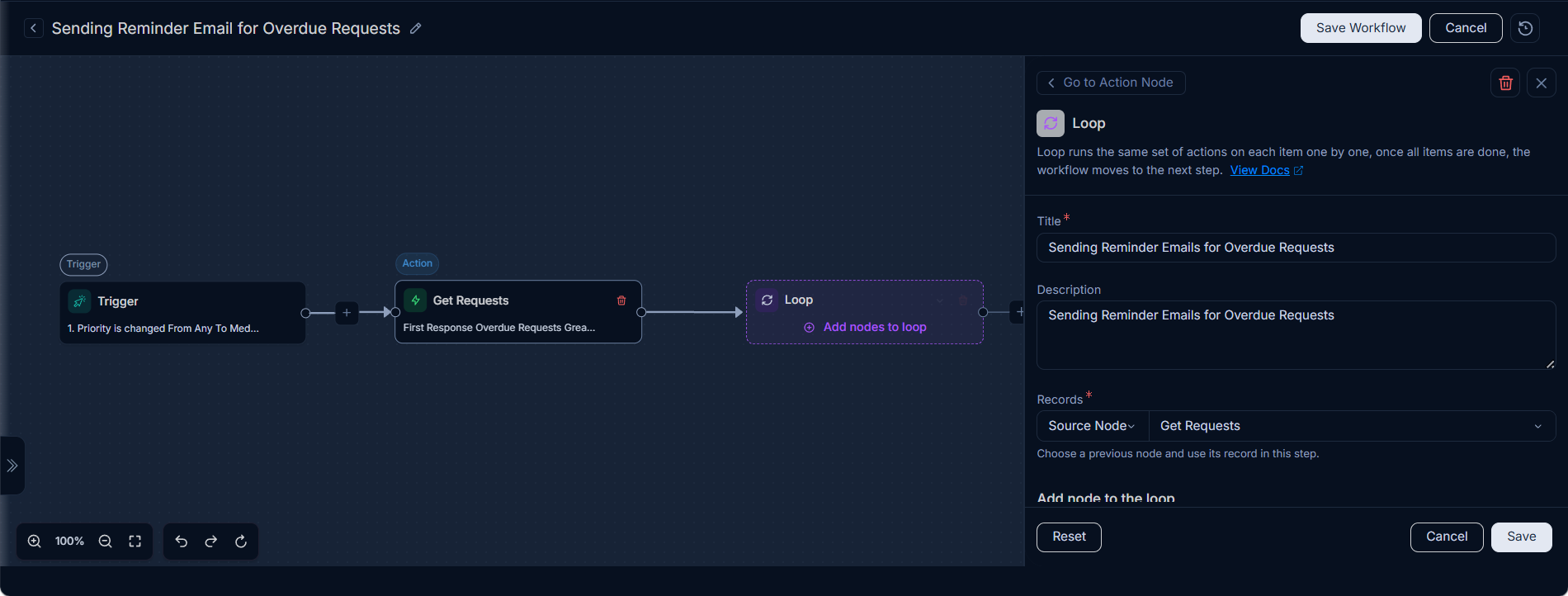
- Loop Node Name: "Sending Reminder Emails for Overdue Requests."
- Records: The list of overdue requests obtained from the "Get Requests" node.
- Actions inside Loop: Send an email to the assignee of each overdue request.
How it Works
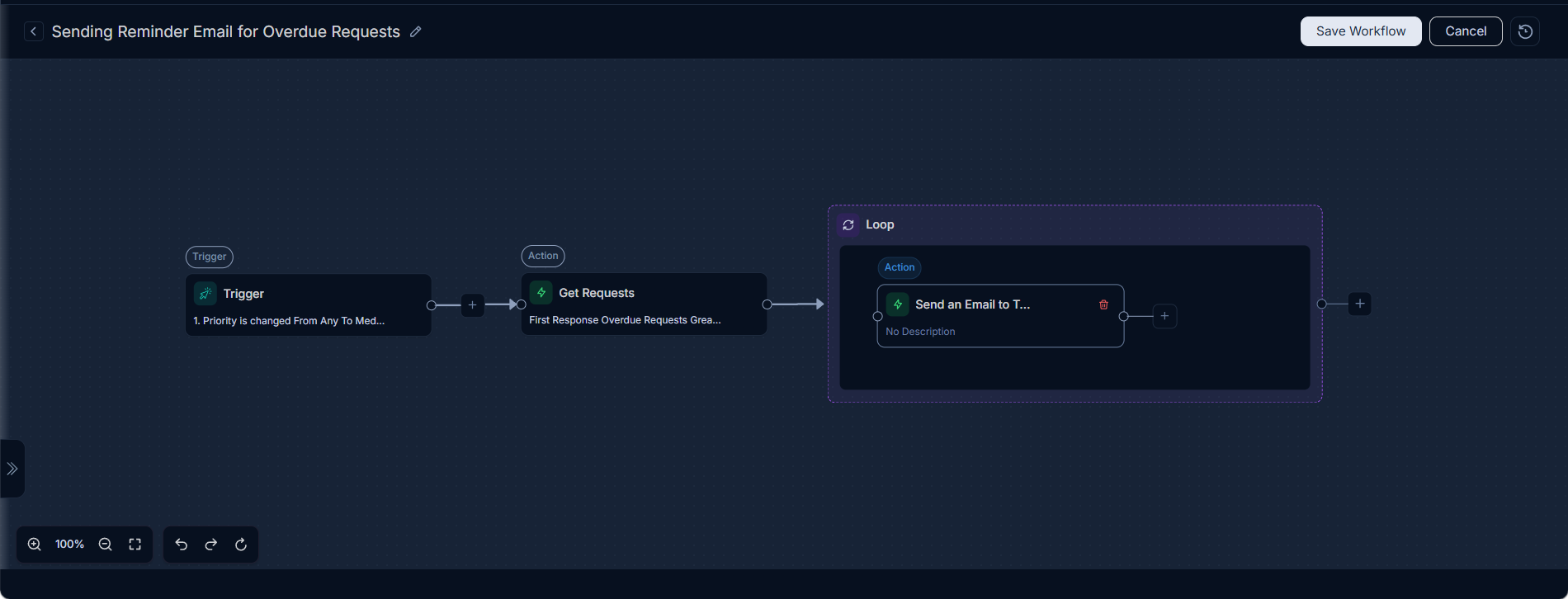
As illustrated in the workflow configuration, the process begins with a trigger (e.g., when a request's priority changes). This trigger then activates a "Get Requests" node, which identifies and collects all currently overdue service requests.
The Loop node then takes this list of overdue requests and processes each one individually. For every request in the list, the workflow executes a configured action, such as sending a reminder email to the assigned technician.
The audit trail confirms that an email was successfully sent to the technician for an overdue request (e.g.,
INC-2). This iterative process ensures that all overdue requests are addressed systematically without manual intervention.