Dynamic Data Handling with References
References enable workflow actions to dynamically access and utilize real-time data for conditional logic, record selection, field value assignment, and recipient determination. This is crucial for building complex, interconnected automations that adapt to evolving conditions across modules by using dynamic pointers to retrieve data from previous outputs or existing records.
Where References are Used:
References provide powerful capabilities across various workflow components:
Conditional Logic (IF/ELSE and Branch Nodes): Use references to define dynamic conditions that control workflow execution. For example, you can reference the priority of an incoming ticket to route it to different branches.
- Example Use Case (Condition): The image below demonstrates using a reference (
Trigger > priorityId > id) within anIF/ELSEnode to dynamically evaluate a condition.
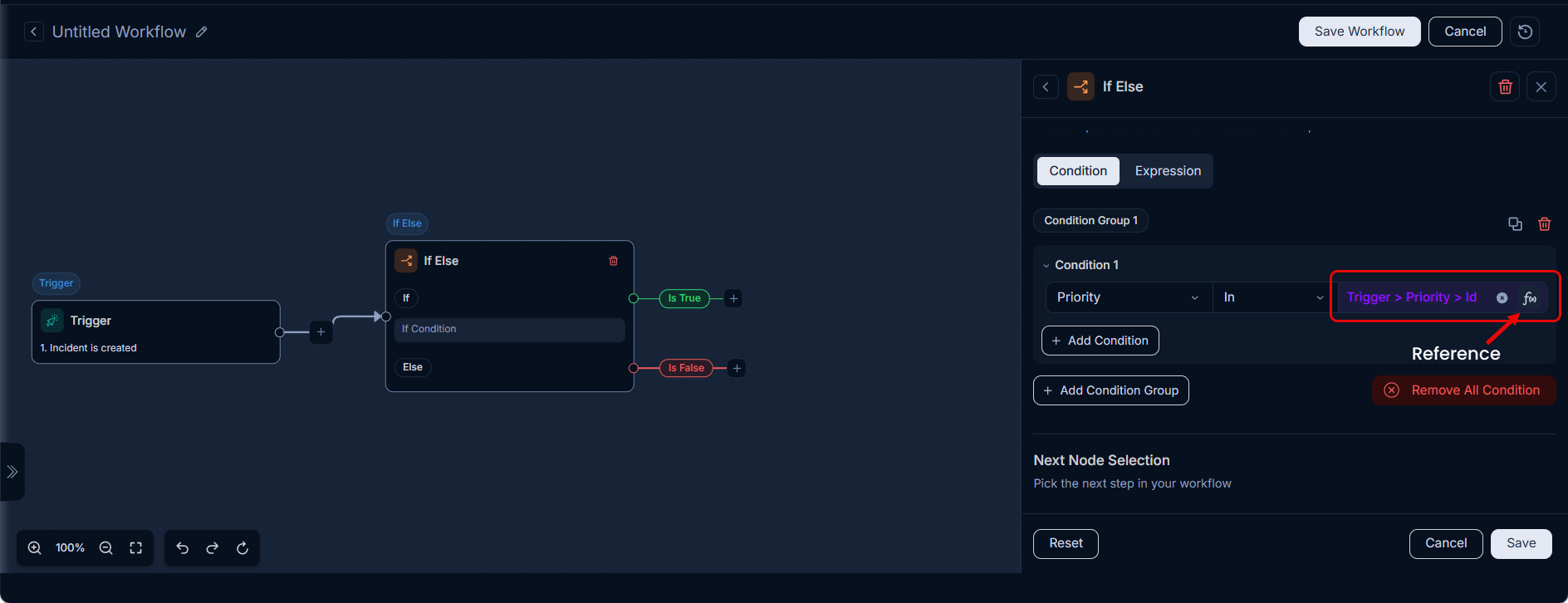
- Example Use Case (Condition): The image below demonstrates using a reference (
Actions (Perform Dynamic Value Assignment): Assign values to fields dynamically by pulling data from previous node outputs or the triggering event. This ensures that actions operate on the most current and relevant information.
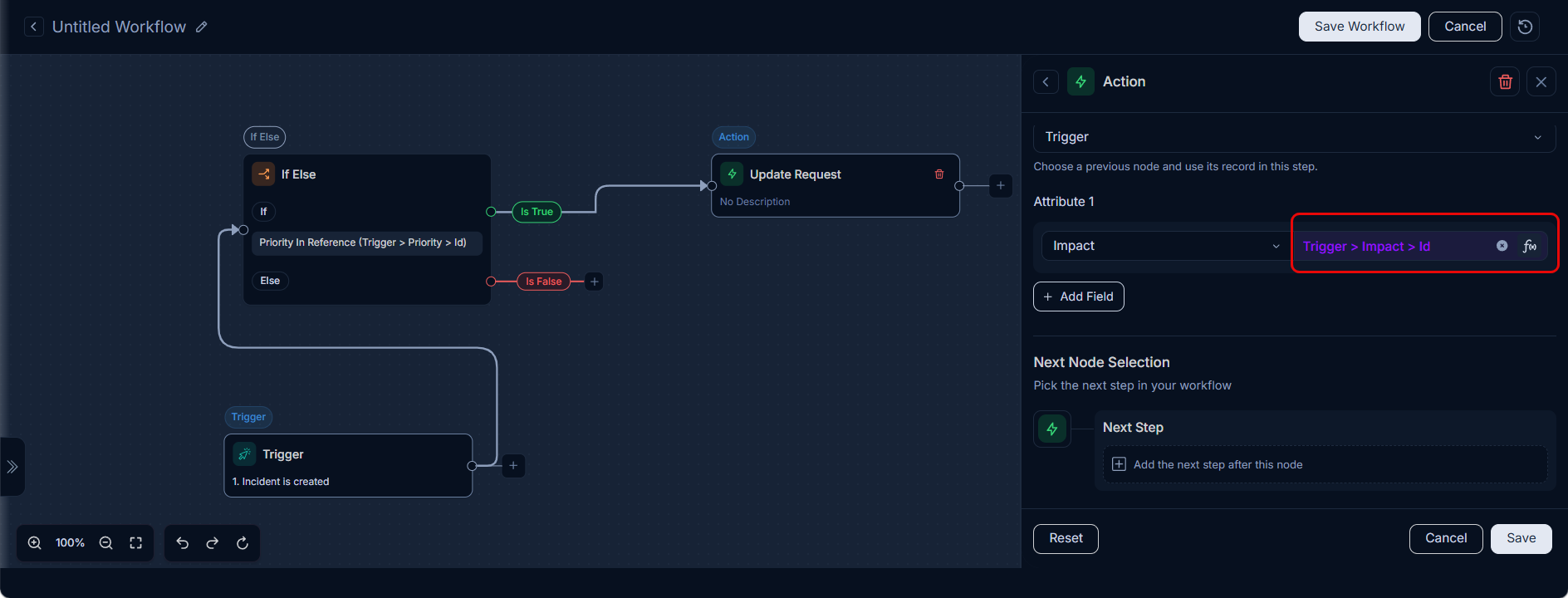
- Use Case Example: If a Major Incident is created with a priority of "High", the workflow should automatically create a Problem record with the same priority, subject, and requester as that of the incident. Also, set the values for the mandatory Problem fields like
Known Error,Due By, andNature of Problem.
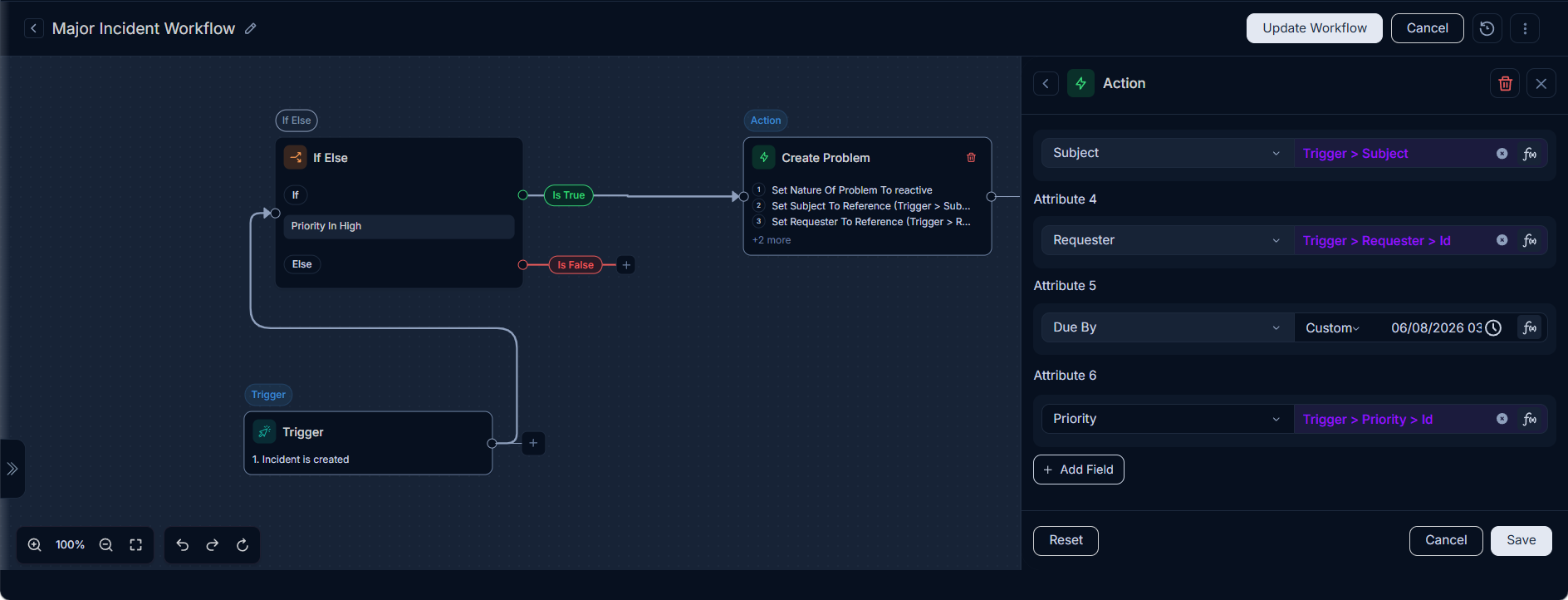
- Use Case Example: If a Major Incident is created with a priority of "High", the workflow should automatically create a Problem record with the same priority, subject, and requester as that of the incident. Also, set the values for the mandatory Problem fields like
Reference Selection in Loop Node: Specify which records an action should apply to, typically by referencing records created or retrieved in earlier workflow steps, including within the
Loopnode.- Use Case Example (Loop Node): The image below demonstrates how to select a reference from a
Get Requestsnode (e.g.,Get Requests > ccEmailSet) to define the records that will be processed within aLoopnode.
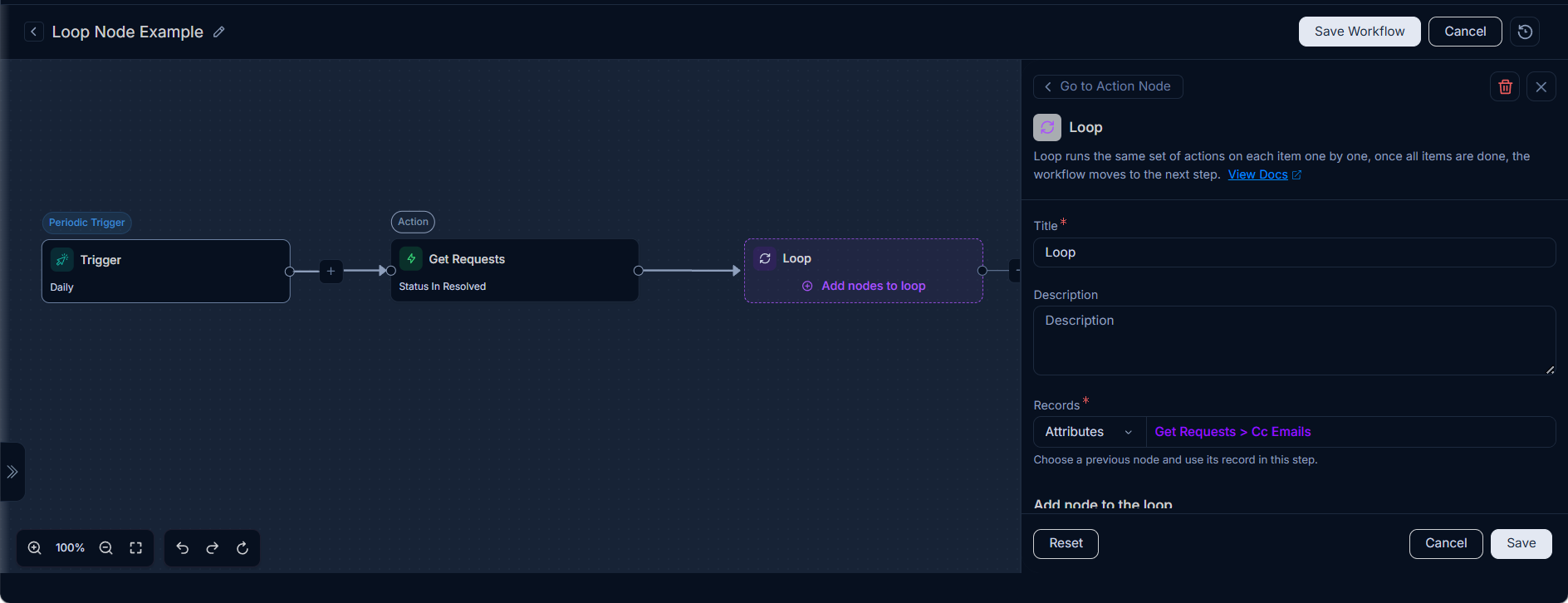
- Use Case Example (Loop Node): The image below demonstrates how to select a reference from a
Practical Applications:
References enable a wide array of automation scenarios:
- Cross-Module Automation: Automatically create a
Problemrecord when a high-priorityIncidentis logged, and then relate the two records using their respective IDs. - Dynamic Notifications: Send personalized notifications to the
Requester,Assigned Technician, orDepartment Headbased on the context of the incident or service request. - Automated Assignments: Implement smart assignment logic that automatically assigns
RequestsorProblemsto technicians or groups based on predefined criteria and dynamic inputs. - Data Synchronization: Update fields in one record based on changes or data from another related record.
By understanding and effectively utilizing references, administrators can design sophisticated, adaptable, and highly efficient workflows that significantly enhance IT service delivery and operational efficiency.