SMS Notification
Edit SMS templates and placeholders so recipients get concise, action-ready alerts.
The SMS notification tab enables you to view and edit the default SMS templates based on your requirements. These templates are used to send automatic responses to recipients when an event is triggered. You can also activate or deactivate templates that you don't need.
SMS Notifications are available only for the Request, Problem, Change, and Release modules.
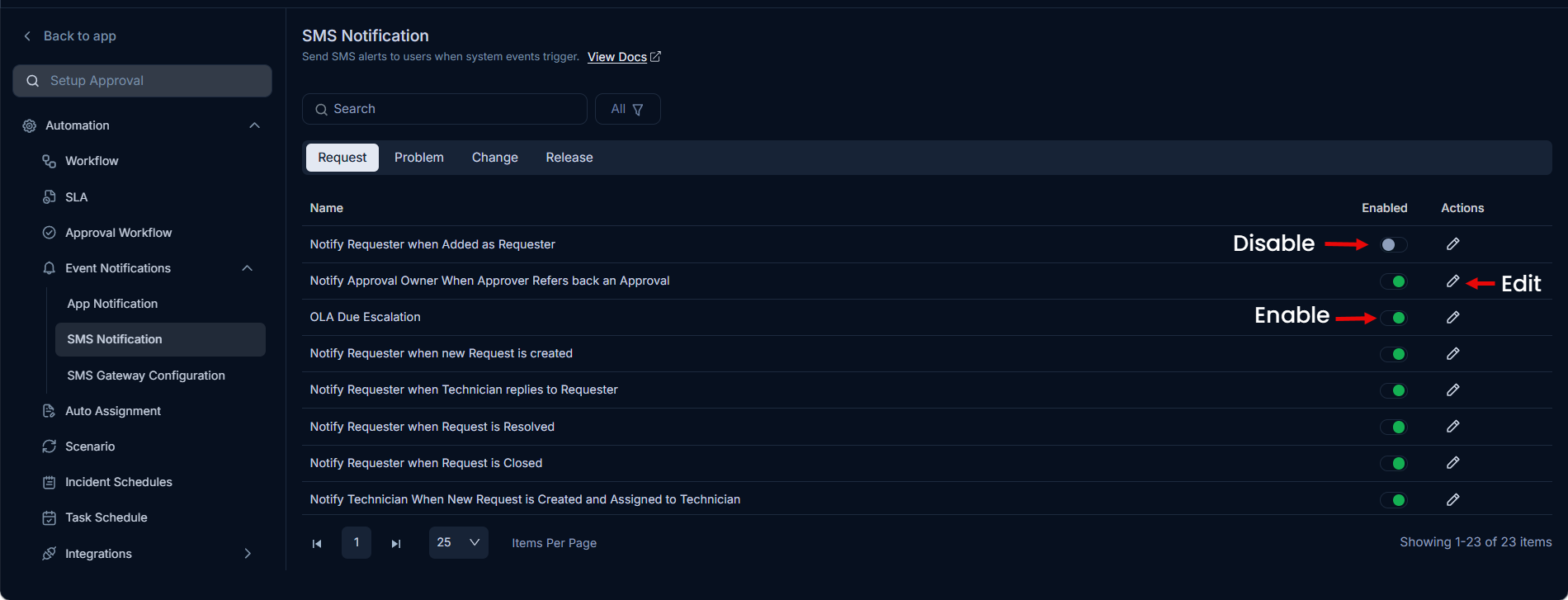
You can do the following:
- Filter the templates based on their status.
- Manage SMS template content.
- Enable or disable SMS templates.
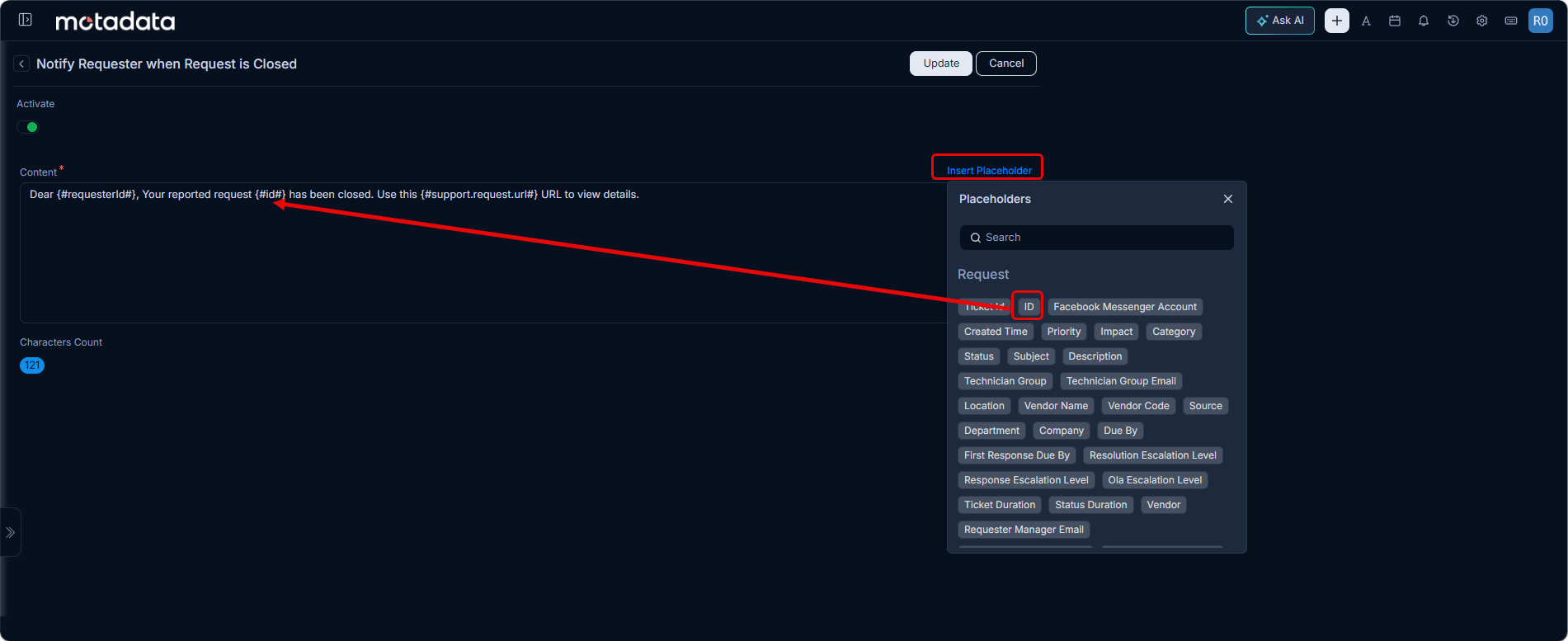
- Insert placeholders in the content to display the specific text instead of generic text.
Using Placeholders
By default, all the templates include placeholders to provide request-specific information. You can also add more based on recommendations from technicians. A subject line is not required for SMS templates.
To add or remove a placeholder, edit the desired template, and use the Insert Placeholder link.
You can only use the placeholders available in the list and cannot create new ones.