List Page
Find, filter, and manage approval workflows across modules from a single place.
The list page displays all approvals for the Request, Problem, Change, Release, Asset, Asset Movement, Knowledge, and Purchase modules.
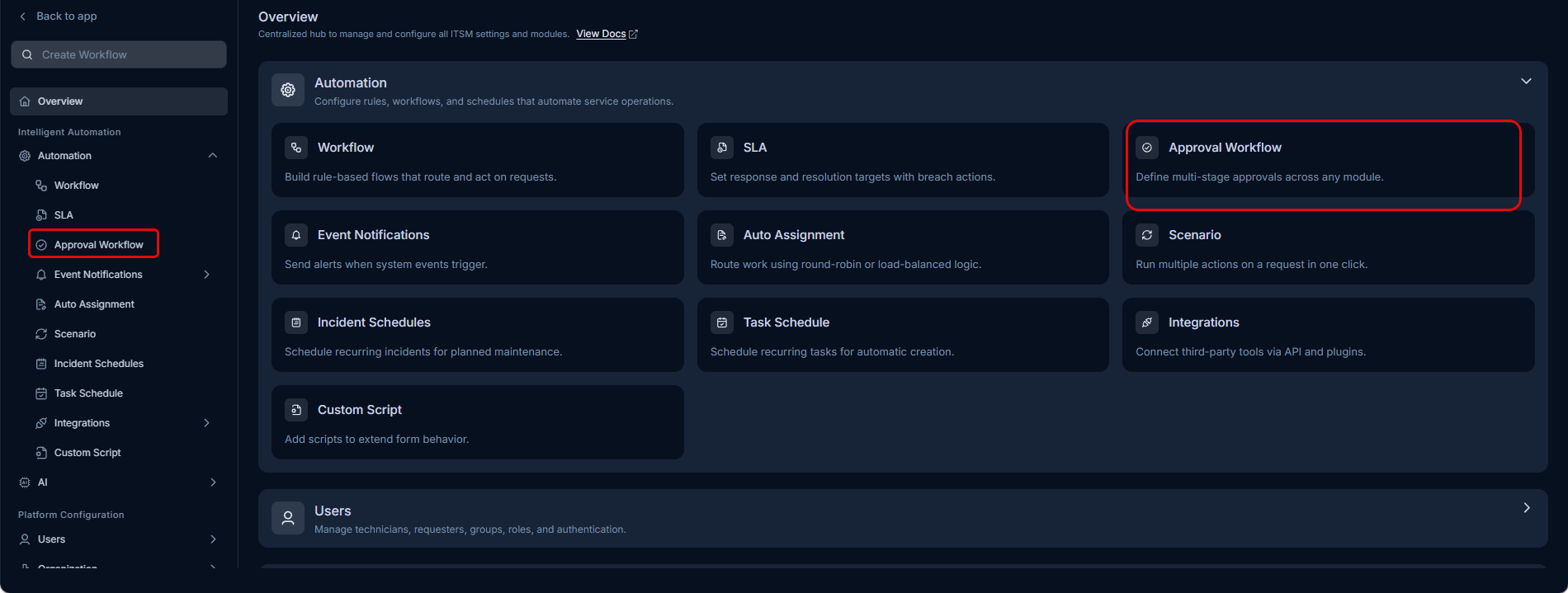
To view the approval workflows list page, navigate to Admin > Automation > Approval Workflow.
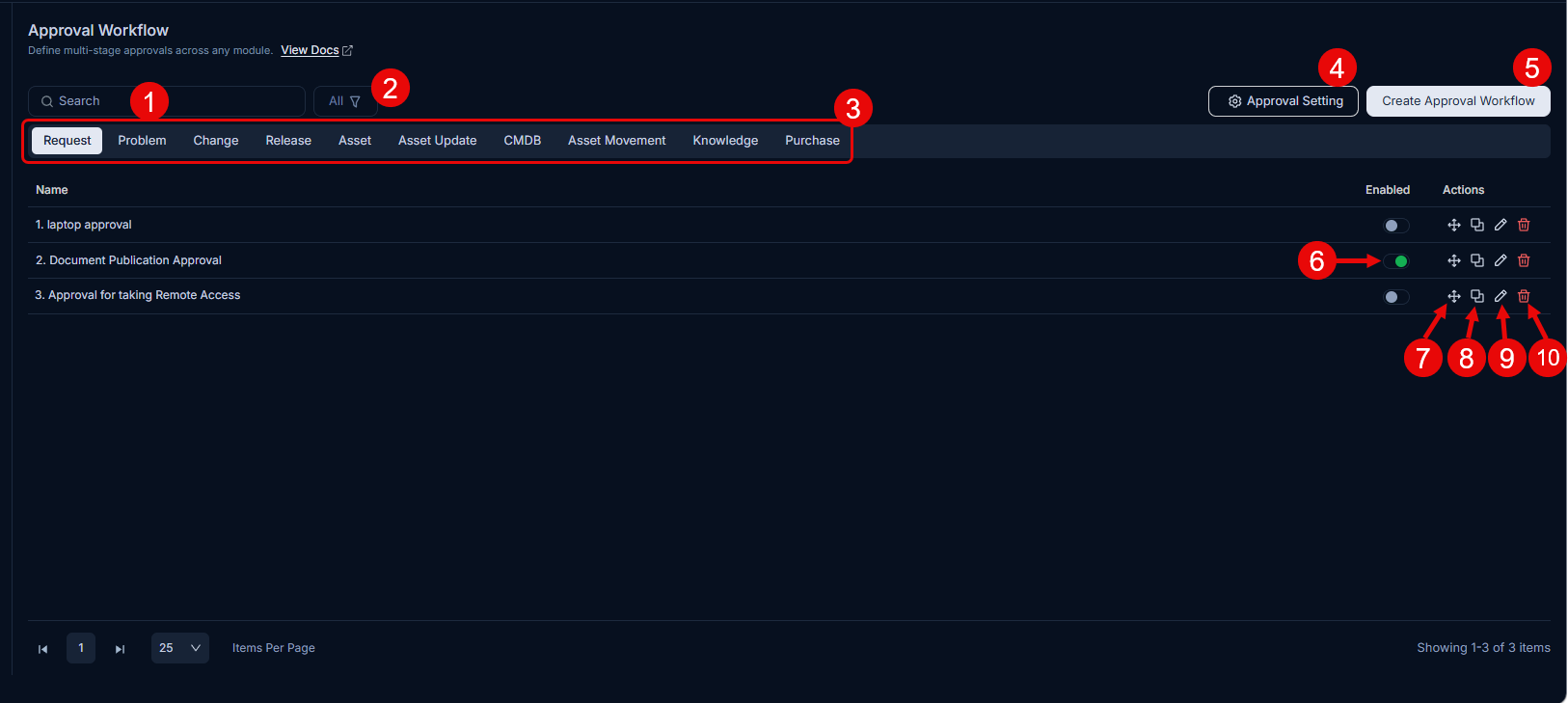
The list page provides the following features:
Search: Search workflows using keywords across all modules. You can view results by clicking the relevant tabs.
Filter: You can filter the approval workflows list by clicking the desired option. The following filters are available:
Filter Records Displayed All Displays all approval workflows regardless of their status, including both enabled and disabled workflows. Enabled Displays only those approval workflows that are currently active and will be evaluated when a request, problem, change, release, asset, knowledge, or purchase record meets the workflow conditions. Disabled Displays only those approval workflows that have been deactivated and will not be applied to any records until re-enabled. Modules: Select a module to view its workflows.
Approval Settings: View and configure approval settings.
Create Approval Workflow: Create a new approval workflow.
Enable/Disable: Enable workflows you want to use, and disable those you do not. By default, new workflows are in theEnabled state.
Change Priority: Change a workflow’s priority. Workflows execute in priority order.
Duplicate: Use an existing workflow to create a new one. This helps you modify a workflow without affecting the original.
Edit: Edit an existing workflow to make changes. This page is the same as the create page.
Delete: Delete the workflow if it is no longer required.