Approval Settings
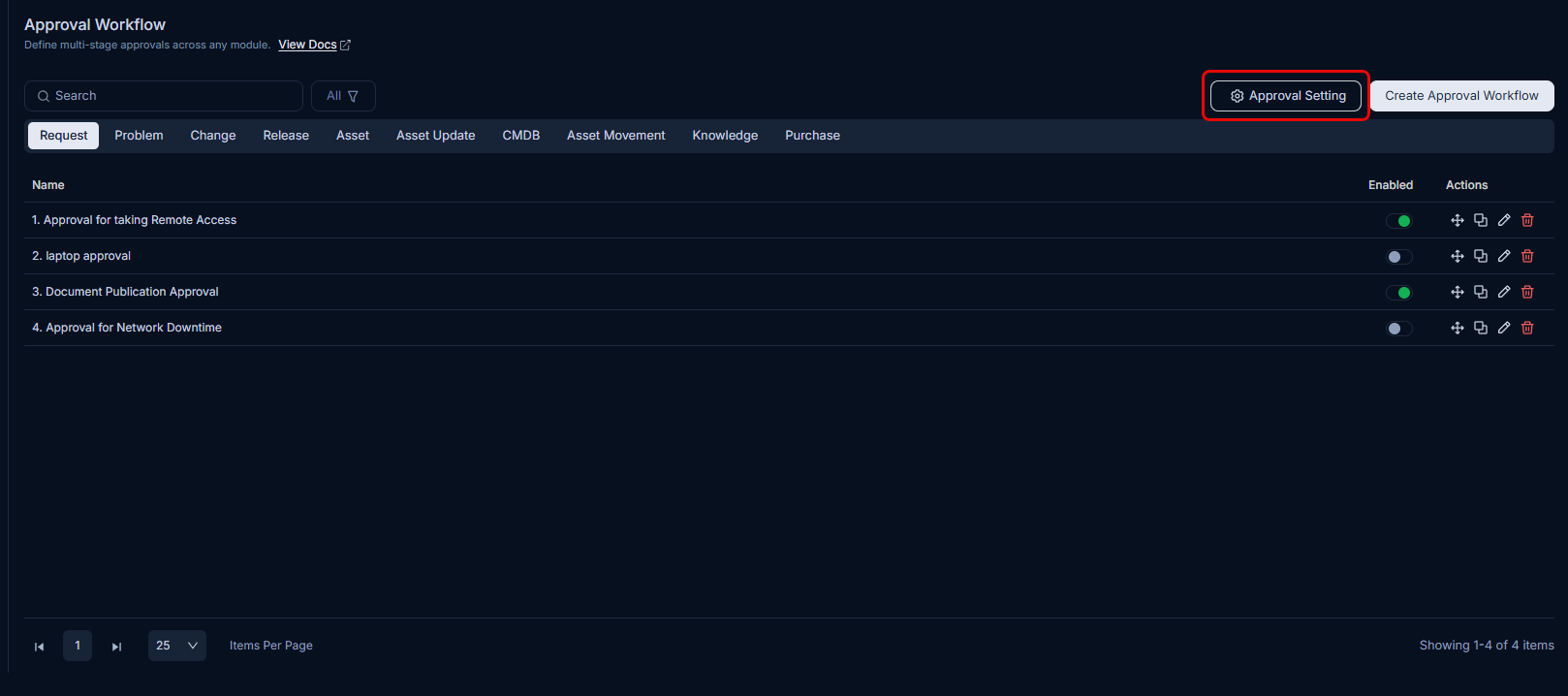
Approval settings apply globally to all approvals across modules. This means the settings apply regardless of the module, ticket, or approval request type. You can manage these settings from the list page.
| Parameter | Description |
|---|---|
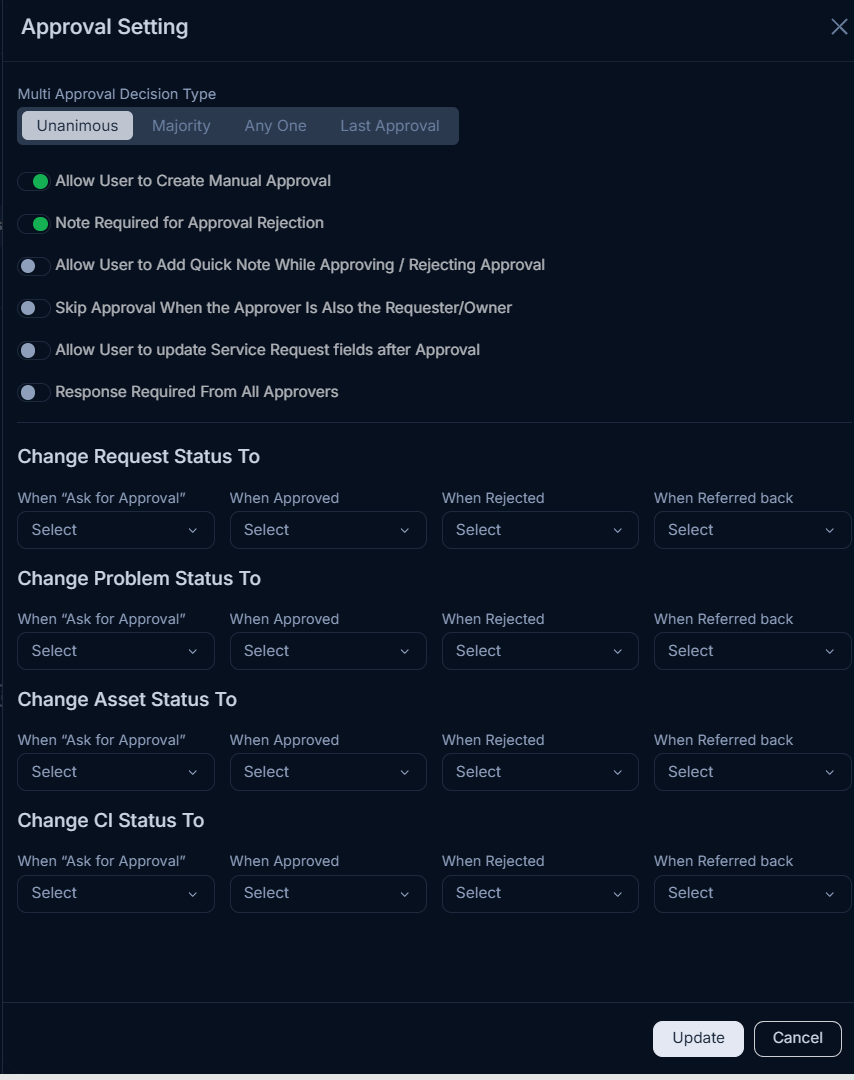
| Multi Approval Decision Type | When there are multiple approval workflows available for a ticket, the decision or the final status of the ticket depends on the number of approvals that need to be accepted. The options are: - Unanimous: All the approvals should be received. - Majority: More than 50% of approvals should be received. - Any one: Any one approval is sufficient. - Last Approval: The approval is approved, rejected, or referred back based on the last (latest) approval received. |
| Allow User to Create Manual Approval | Activate if you want to allow the user to create an approval request manually. If enabled, you can create an approval from the ticket's details page. If disabled, when you click Ask For Approval on the details page, the system automatically applies the appropriate approval workflow. |
| Note Required for Approval Rejection | Enable this setting to require the approver to add a note when rejecting the approval. |
| Allow User to Add Quick Note While Approving/Rejecting Approval | Activate if you want the user to add a note while approving or rejecting the approval. |
| Skip Approval In Case Requester Is Also The Approver/Owner | Enable this setting to handle the case where the Requester or Owner is also an Approver. By default, it is disabled. When enabled and triggered, the system creates the approval stage and automatically marks it as Pre-approved rather than removing it from the workflow. Stage numbering and order are preserved, the skipped stage appears in the approval history with the status Pre-approved, and the audit trail records: "System set Approval Status to Pre-approved because the requester and approver are the same user." This behavior applies across Request, Problem, Change, Release, and Asset modules. |
| Allow User to update Service Request fields after Approval | Enable this setting to allow users to update Service Request custom fields after approval is received. By default, it is disabled. |
| Response Required From All Approvers | Enable to allow the user to wait for all the approvers' responses before setting the Approval status based on the Approval type. If enabled, you can select a decision type to determine how responses from all approvers are collected and handled. If disabled, even if one response is received, the system will set the approval status based on its type (approved, rejected, or referred back). By default, it is disabled. Note: The approval response is ignored if the Approval is deleted or ignored. |
| Change Request Status To | Define the request status to be changed as per the stages of the approval workflow. |
| Change Problem Status To | Define the problem status to be changed as per the stages of the approval workflow. |
| Change Asset Status To | Define the asset status to be changed as per the stages of the approval workflow. |
| Change CI Status To | Define the CI status to be changed as per the stages of the approval workflow. |
Once all the settings are configured, click Update.