CI Group
Organize and manage your Configuration Items (CIs) efficiently by categorizing them into logical groups, enhancing searchability and technician workflow.
Motadata allows you to categorize configuration items (CIs) in the CMDB into groups. Groups are a convenient way to differentiate CIs based on certain similarities.
Some of the benefits of using CI Groups are:
- CI groups help technicians manage CIs in the configuration management database(CMDB). For Example, if a technician is responsible for a CI group called "Data Center CIs", they can easily search for the CIs by group name.
To view the CI Groups page, navigate to Admin > CMDB > CI Group. The list page appears.
List Page
The list page displays the CI groups that have already been created. You can also search and view the details of the CI groups.
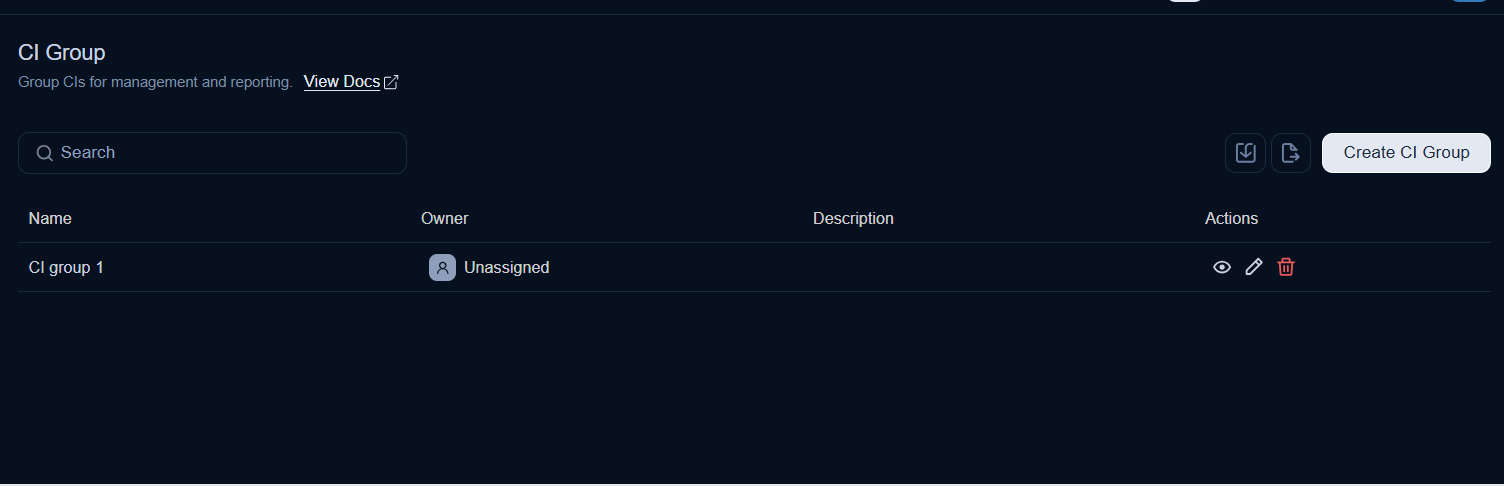
- Search: Search for a CI group using keywords.
- Import: Import a list of CI groups in bulk.
- Create CI Group: Create a CI group.
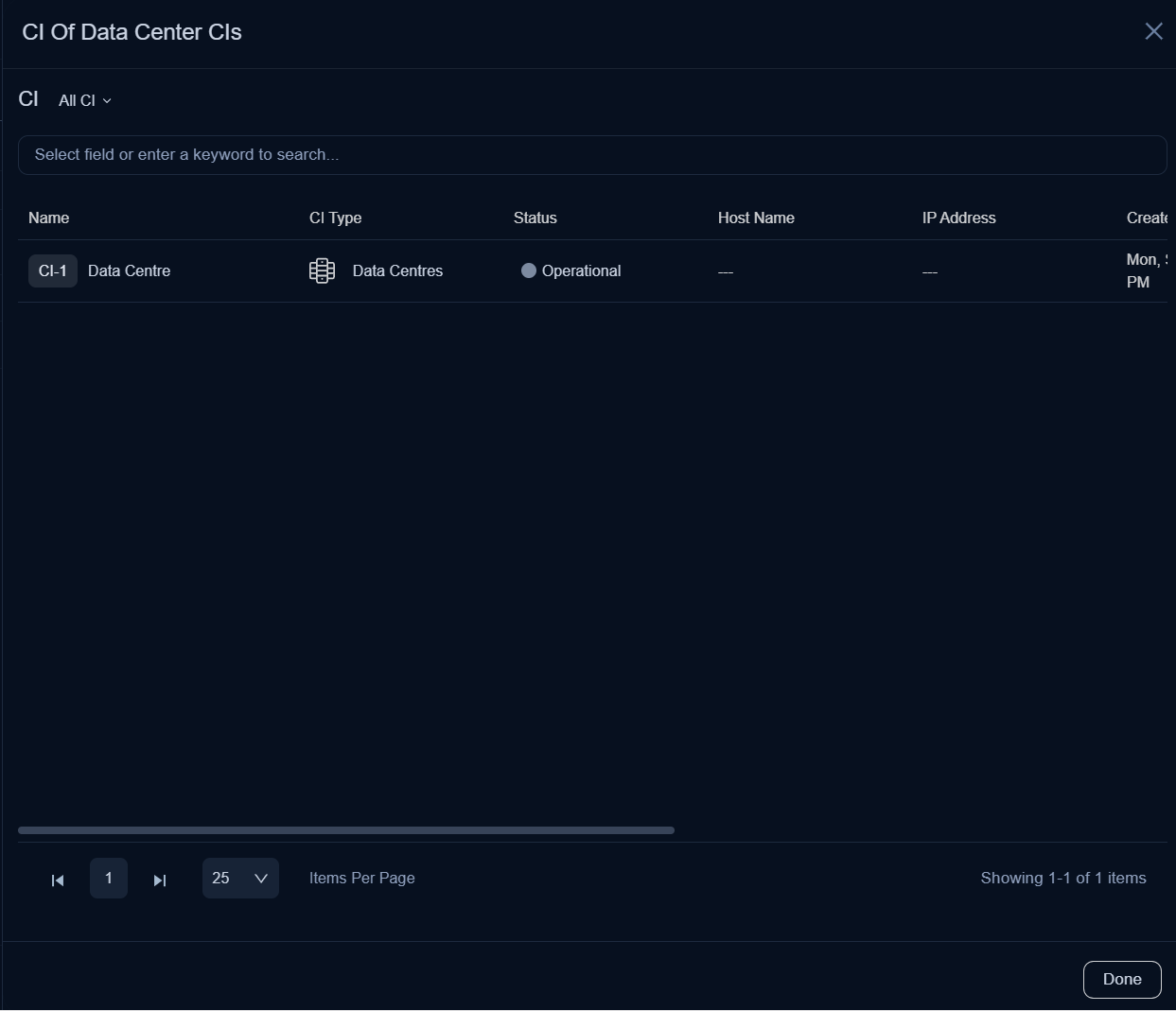
- View CI: View the CIs associated with the group by clicking on the eye icon. For example, in the following figure, you can view the list of CIs belonging to the Data Center CIs group. Further on clicking the CI, you can view its details.
- Edit: Edit the details of the CI group.
- Delete: Delete the CI group when it is no longer required.
Add CI Group
To add a CI group:
- Click the Create CI Group button in the top-right corner of the page. A popup window appears.
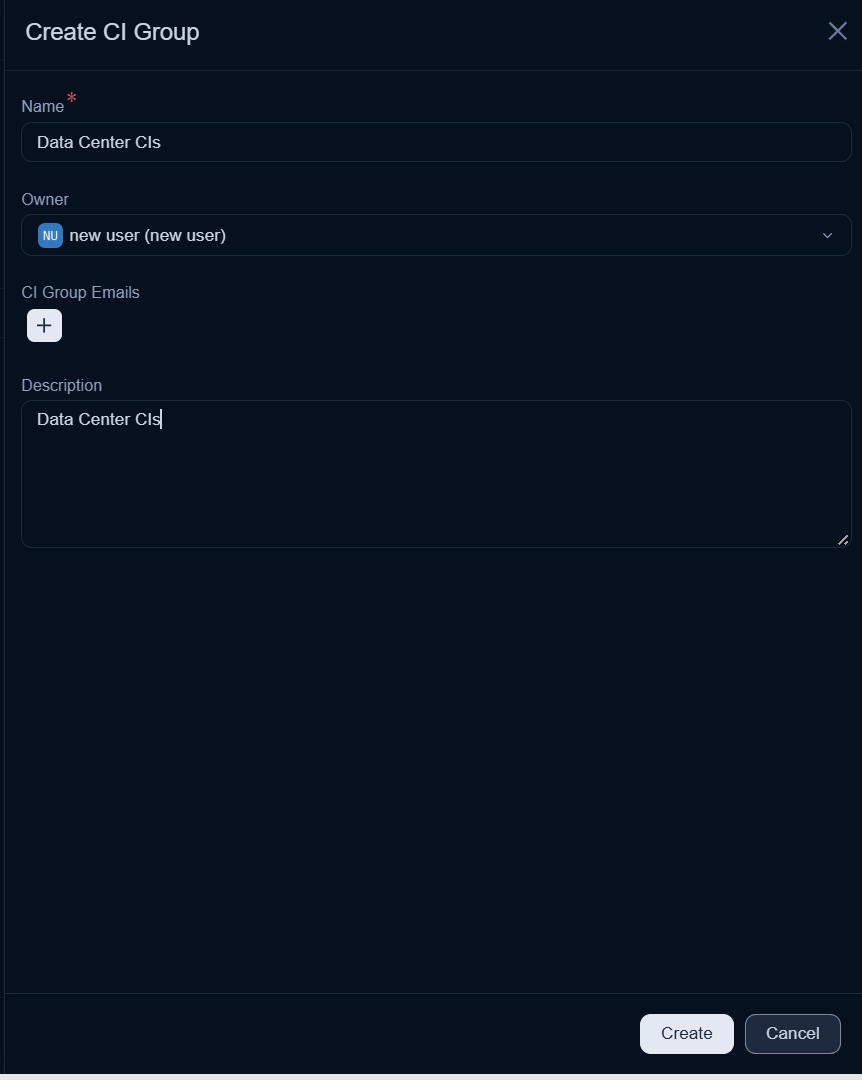
- Enter the following details:
- Name: Enter the name of the CI group.
- Owner: Select the owner of the CI group from the technicians list.
- CI Group Emails: Add the email addresses of the users who should receive notifications related to this group.
- Description: Enter a short description of the CI group.
- Once done, click Create. The CI group is added to the list page. You can now associate CIs with this group from the CI list page or the respective CI details page.
Import CI Group
To import CI groups,
- Click the Import button. The CI Group Batches page appears.
- Click the Import Batch button.
- Select the Import File Type as CSV or Excel.
- Select the Date Format from the dropdown.
- Select the file to upload. If you do not have a file, click Click here to download the sample CSV file, fill in the required details, and upload it.
- Click Next.
- Map the fields as required and click Save Batch.
- The CI Group Batches page displays the status of the import along with details such as processing time, total records, success records, and failed records.