CI Custom Rules
Enforce organizational compliance and control changes to Configuration Item (CI) attributes by defining custom rules, ensuring proper approvals and documentation.
Custom rules help you to enforce your organization’s compliance when processing a CI. Using these rules, you can ensure that any change to CI attributes is supported by appropriate comments or notes. For example, hardware or software changes should not be applied by all users.
To view the CI Custom Rules page, navigate to the Admin > CMDB > CI Custom Rules page, and then select the Asset/CI tab.
The following are the predefined Manual Update rules, which are violated when a manual update is enabled and performed for the components listed below:
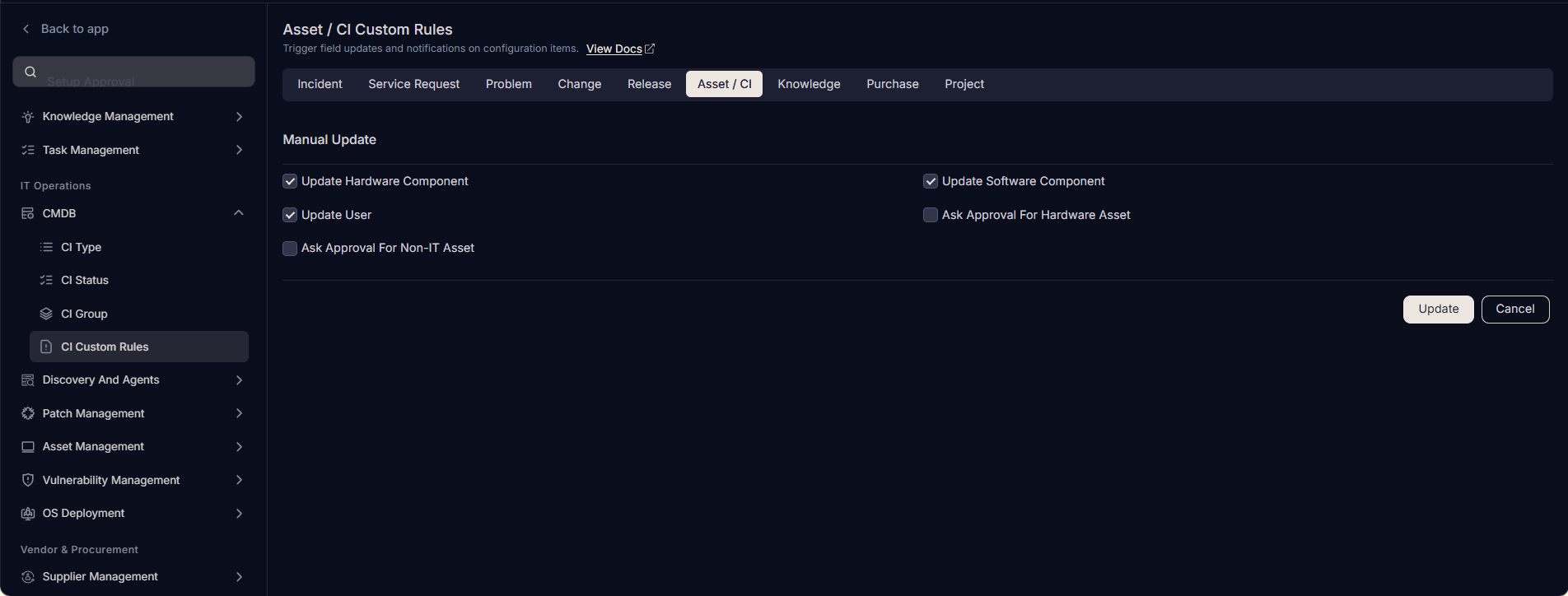
- Update Hardware Component: Whether to allow manual updating of Hardware components.
- Update Software Component: Whether to allow manual updating of Software components.
- Update User: Whether to allow manual updating of Users.
- Ask Approval for Hardware Asset (Only for Assets): Whether to allow manual updates to hardware asset fields only after receiving approval from an approver.
- Ask Approval for Non-IT Asset (Only for Assets): Whether to allow manual updates to Non-IT asset fields only after receiving approval from an approver.