Upgrade Guide for RedHat OS
Ensures your ServiceOps environment remains secure and supported by running on an up-to-date operating system.
This guide provides step-by-step instructions to upgrade the RedHat operating system from version 9.2 to 9.6 on your ServiceOps server.
- This upgrade is for a minor version only (within RHEL 9.x).
- Ensure all prerequisites are met before initiating the upgrade to avoid data loss or service disruption.
Prerequisites
- Internet connection: Required for connecting to RedHat repositories and downloading packages.
- Active RedHat subscription: Needed to access RedHat repositories and perform the upgrade.
Pre-Upgrade Checklist
Do NOT start the OS upgrade unless the following backups are completed:
- Snapshot backup of ServiceOps server VM.
- Full database backup stored in a separate location.
- Complete backup of ServiceOps application folders.
Procedure
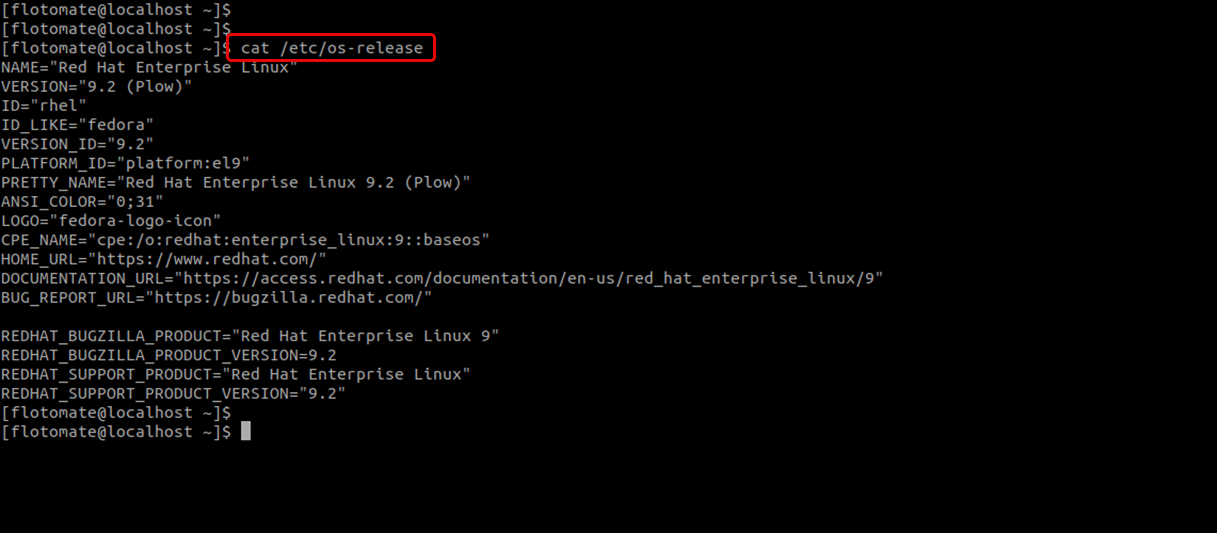
1. Verify Current OS Version
Run the following command to check your current OS version:
cat /etc/os-release
2. Check Current Release Set
Use the subscription manager to see if a specific release is already set:
sudo subscription-manager release

3. List Available Minor Versions
If a release is not set, list available minor versions:
subscription-manager release --list
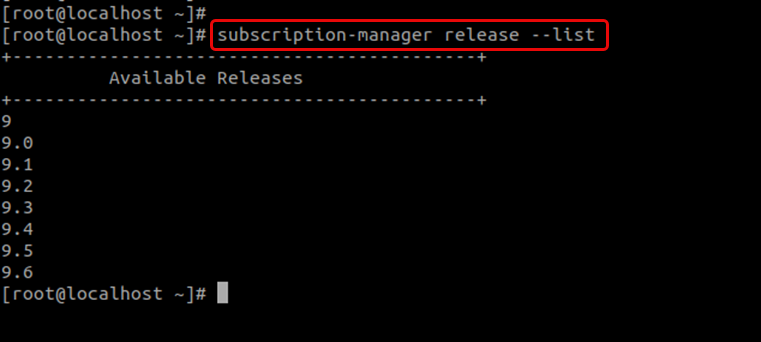
Look for the desired version (for example, 9.6) in the output.
4. Set Target Release Version
Set the release version to the desired minor version using:
Syntax: sudo subscription-manager release --set VERSION
Example: sudo subscription-manager release --set 9.6

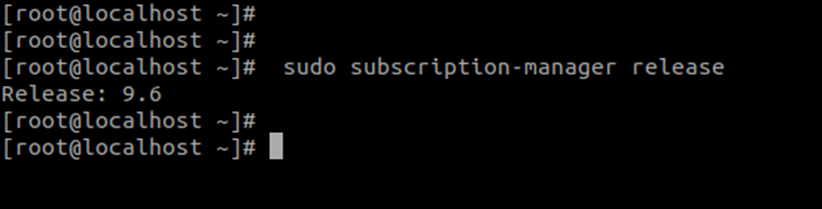
5. Verify Release Setting
Confirm that the release is now set to 9.6:
sudo subscription-manager release
6. Start the Upgrade
Run the following command to start upgrading your OS packages:
dnf update
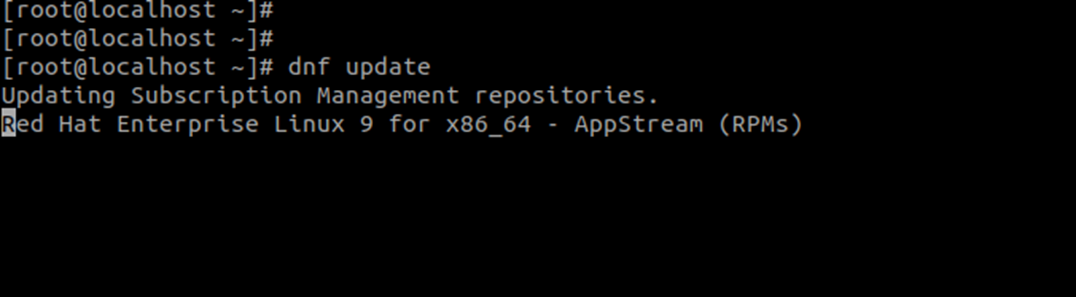
This may take some time depending on your Internet speed and system performance.
When prompted, type y and press Enter to continue.

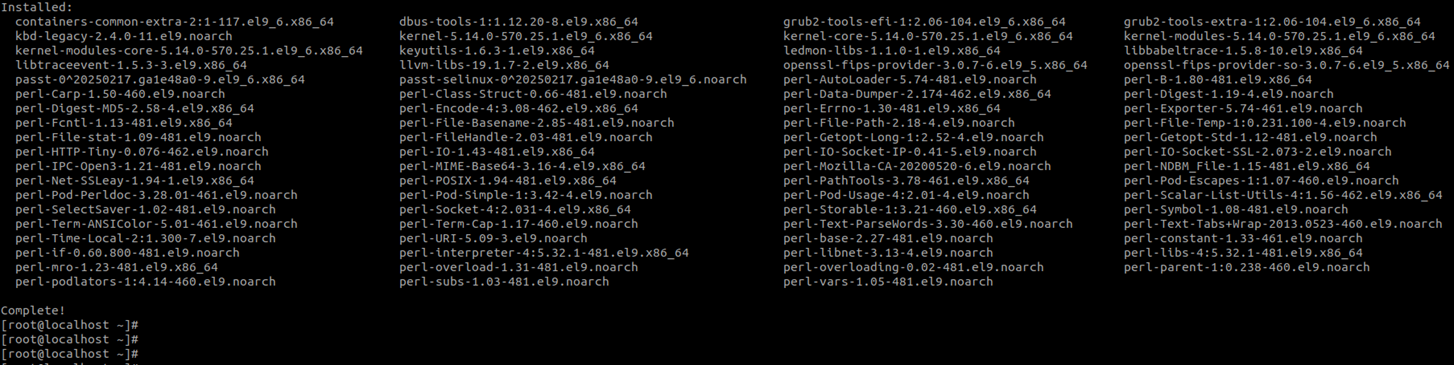
The following screen appears:
7. Post-Upgrade Verification
After completion, verify that the upgrade was successful:
cat /etc/os-release
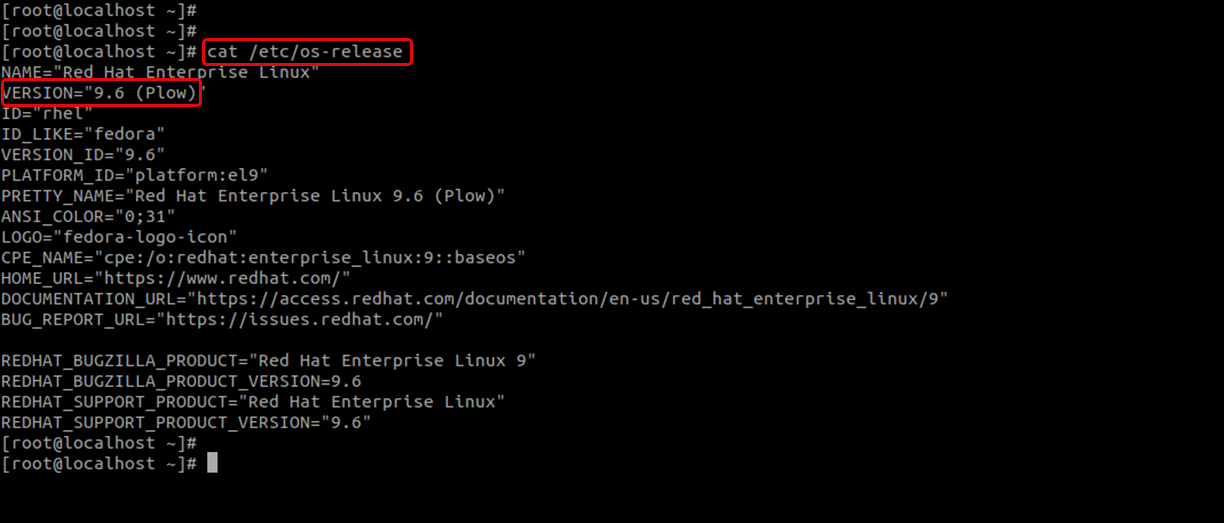
Ensure it now reflects 9.6.
8. Post-Upgrade Checklist
- Verify that all critical services are running.
- Check application logs for any anomalies.
- Test that the ServiceOps application and database are fully operational.
The upgrade from RedHat 9.2 to 9.6 is now complete.