How to Get DELL Credentials
This document outlines the steps to obtain Dell API credentials required for integrating warranty lookup functionality for Dell hardware assets within ServiceOps.
Procedure:
To fetch the API Credentials, follow the steps below:
- Open the techdirect.dell.com website. Register and login to it. You should have a DELL account.
- Once signed-in, navigate to the APIs section.
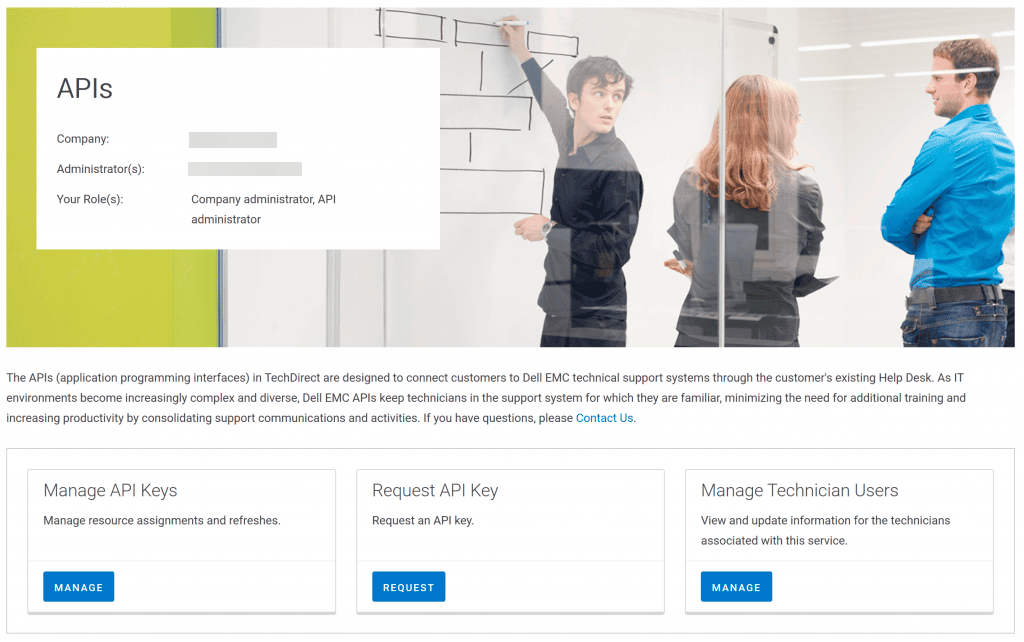
- Request API Key and you will get the details as shown below.
Client ID

Client Secret

- Once you have received the credentials, navigate to the Warranty Sync page and enter the Client ID and Client Secret in the required configuration.