SLO Penalty Profile
Overview
The SLO Penalty Profile allows organizations to associate financial consequences with breach of service-level commitments. By linking monetary contract values with SLO performance thresholds, you can quantify penalties incurred due to service degradation.
This functionality enables teams to track penalty liabilities, simulate contractual impacts of poor performance, and ensure accountability through structured thresholds.
Key Features of the Penalty Profile
- Attach monetary penalty logic to SLOs
- Define multiple slab conditions with bounds and penalty percentages
- Automatically calculate penalty amount based on SLO achievement
- Track used count of profiles across SLOs
Navigation
To access the SLO Penalty Profile, go to Settings, select SLO, and click on Penalty Profile.
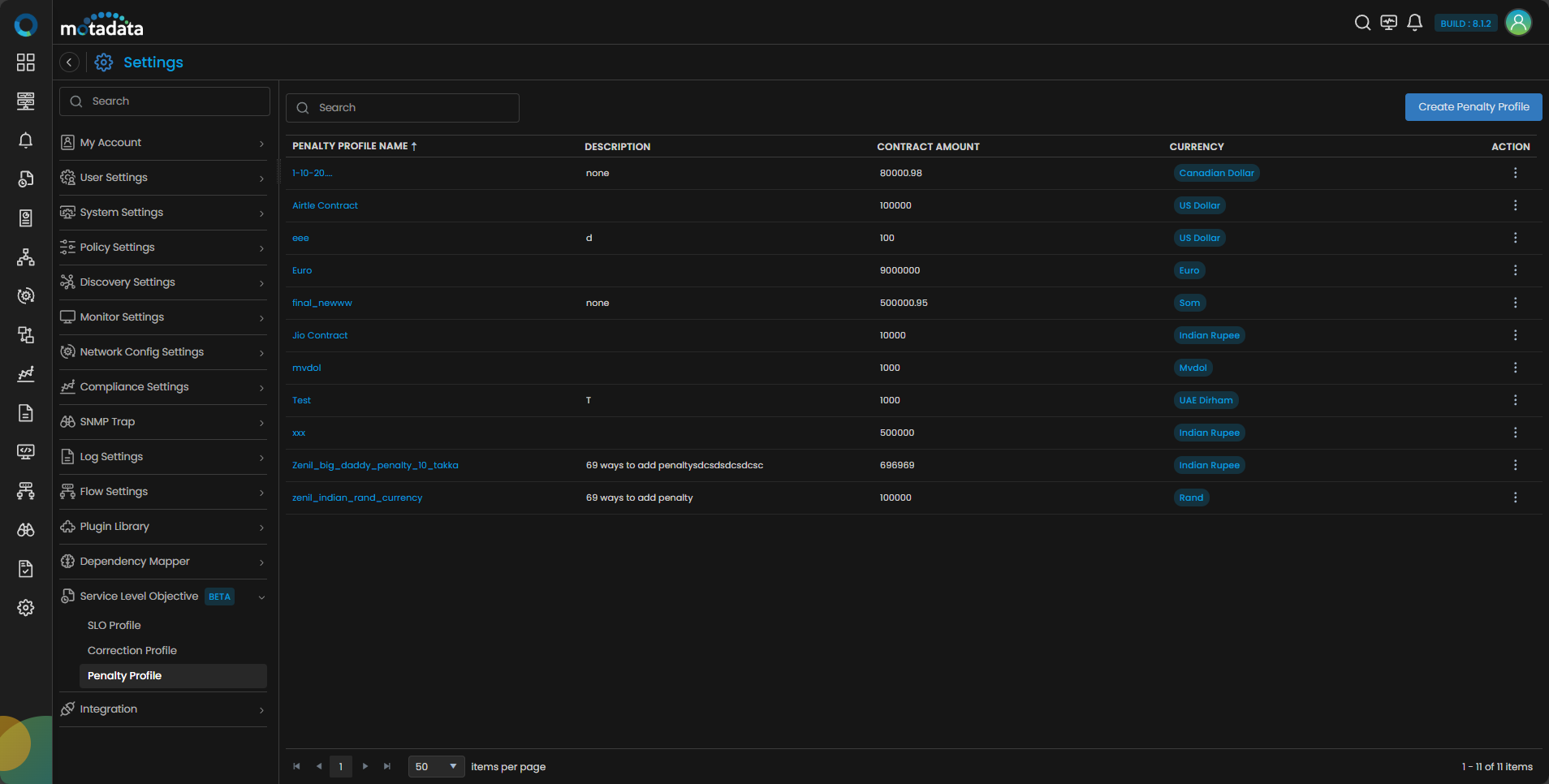
Penalty Profile Grid Details
The Penalty Profile screen displays a grid containing all existing profiles with the following fields:
| Field | Description |
|---|---|
| Penalty Profile Name | The unique name assigned to the penalty profile. Clickable to open the read‑only details side panel. |
| Description | Displays description you have input during the configuration. |
| Contract Amount | Total contractual value against which penalties are calculated. |
| Currency | The currency in which the contract amount and penalty calculations are defined (e.g., ₹ Indian Rupee). |
| Action Menu | Provides options to edit the description or delete the penalty profile. |
A penalty profile cannot be deleted if it's attached to any active SLO.
A search bar is available on the top left, while Create Penalty Profile button appear on the top right.
Create a Penalty Profile
Click on the Create Penalty Profile button. A side panel will appear with the following fields:
| Field | Description |
|---|---|
| Penalty Profile Name | Provide a unique name to identify the penalty profile. |
| Description | Add a short description for context or notes. |
| Contract Amount | Enter the full contract value associated with the SLO. |
| Currency | Select the currency applicable to this contract. Example: ₹ Indian Rupee. |
| SLO Upper Bound | Enter the upper SLO achievement threshold (e.g., 99%). |
| SLO Lower Bound | Enter the lower bound (e.g., 95%). |
| Penalty % | Specify the penalty percentage applicable when achievement falls in this range. |
You can add up to 10 conditions per penalty profile.
Click Reset to clear all configured fields.
Click Create Penalty Profile to save and create the penalty profile.
Once created, the profile appears in the main grid with details populated.
Attach Penalty Profile
Once the penalty profile is created, you need to apply it to the relevant SLOs. For that navigate to the SLO option from the main menu and select the SLO to which you want to apply the penalty.
Penalty only applies on SLO cycle which is completed. i.e., Breached and/ or OK.
Select the SLO History tab and you will see the Attach Penalty Profile icon in the top right hand side corner of the screen.
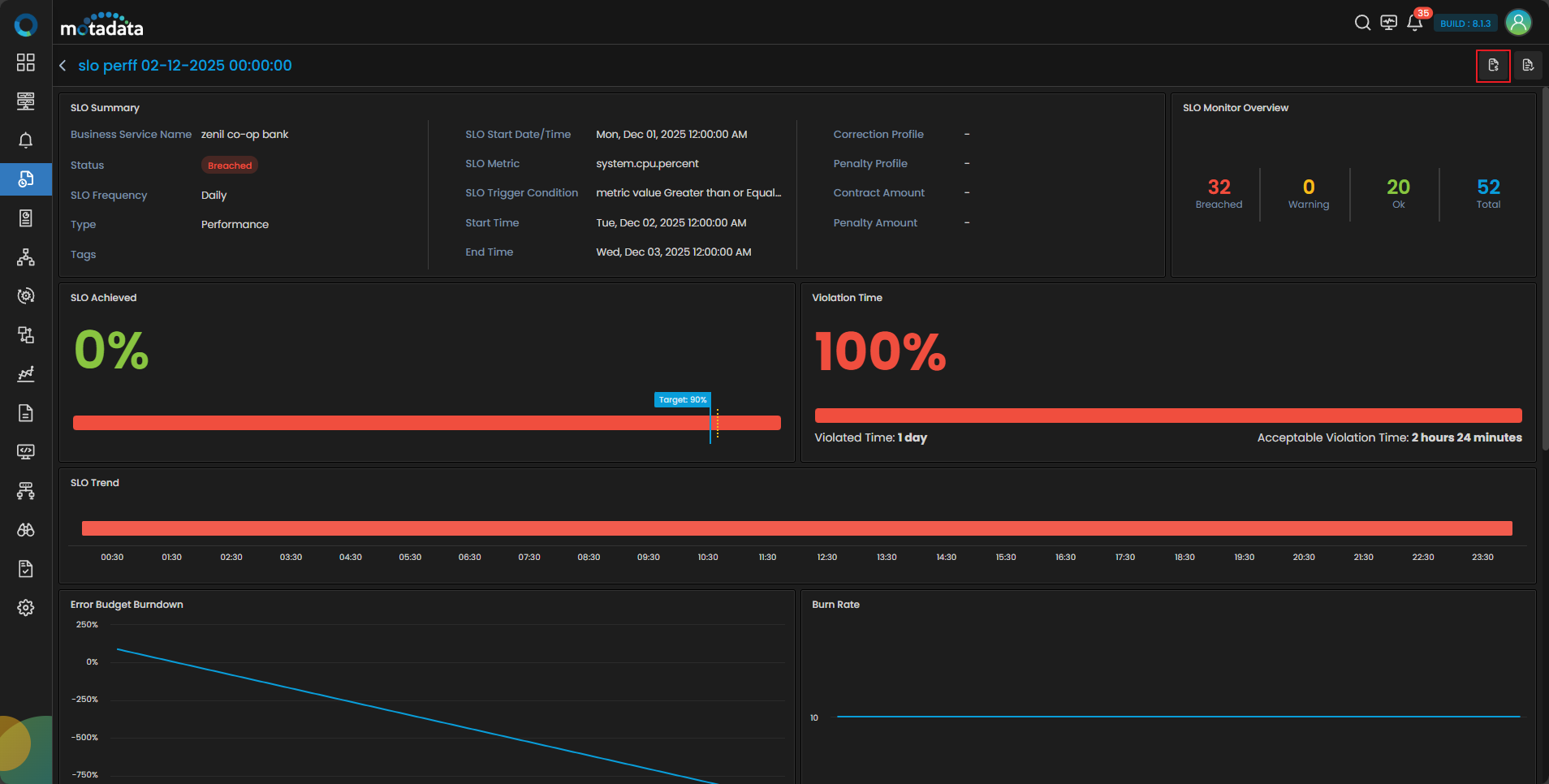
You can link a profile from the Penalty Profile drop-down or create a new one to link.
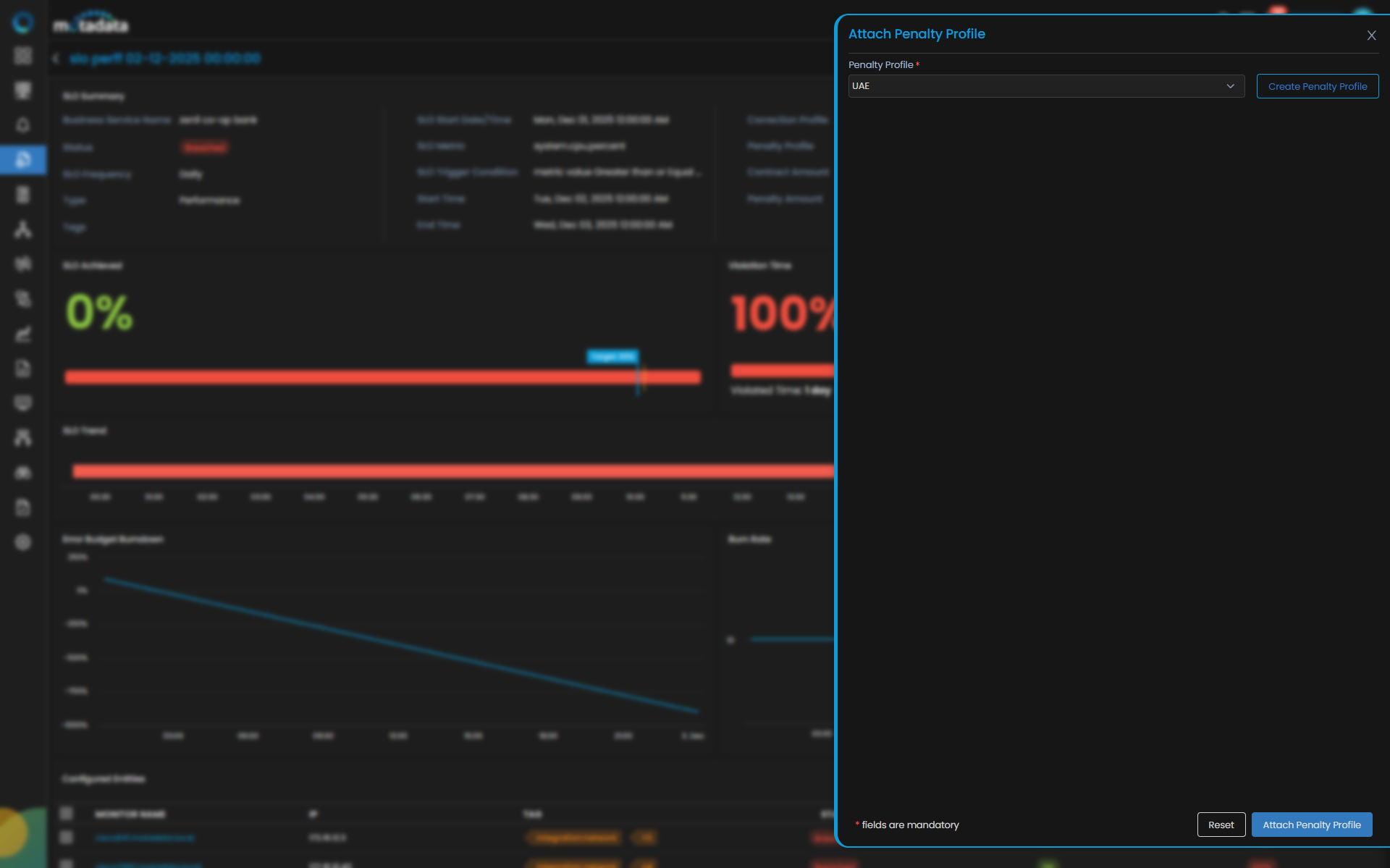
Clicking the Attach Penalty Profile button, the penalty profile gets applied on the particular SLO.
Once penalty profile is attached, the SLO Summary widget will immediately update with:
- Penalty Profile
- Contract Amount
- Penalty Amount
This provides instant financial visibility into the impact of SLO underperformance.
Use Case
To understand how penalty profiles function, let’s take an example of a Government Department of Digital Services (GDS).
Scenario
GDS hires a service provider, XYZ organization, to maintain continuous availability for an online citizen portal.
The contractual SLO commits:
- Target Availability: 99%
- Contract Amount: ₹1,00,00,000 per year
- Penalty Structure:
- If SLO Achieved is between 80%–89% → Penalty 2%
- If SLO Achieved is between 70%–79% → Penalty 5%
- If SLO Achieved is below 70% → Penalty 7%
XYZ’s system faced outages during the month, and the SLO Achieved dropped to 60%.
Let’s see how this looks in multi-time evaluation.
Monthly SLO Timeline (Availability)
| Monitor | T1 | T2 | T3 | T4 | T5 | Achieved % |
|---|---|---|---|---|---|---|
| Portals‑App‑01 | UP | UP | Down | UP | UP | 80% |
| Portals‑DB‑01 | UP | UP | UP | UP | UP | 100% |
| Portals‑API‑01 | UP | Down | Down | UP | UP | 60% |
| Overall SLO | OK | Breached | Breached | OK | OK | 60% |
Without penalty profile, the SLO simply displays 60% Achieved and Breached.
After attaching the penalty profile:
- Achievement 60% falls under the Below 70% slab
- Penalty % = 7%
- Contract Amount = ₹1,00,00,000
Penalty Calculation
Penalty Amount = Contract Amount × Penalty %
= 1,00,00,000 × 7%
= ₹7,00,000
The SLO Summary widget updates as:
| Metric | Value |
|---|---|
| Penalty Profile | Govt‑Portal‑Penalty‑2025 |
| Contract Amount | ₹1,00,00,000 |
| Penalty Amount | ₹7,00,000 |
Thus the Penalty Profiles are especially valuable in government contracts, regulated industries, and high‑availability systems, where minor deviations can have measurable financial consequences.