SLO Metrics & Calculations
This document provides an in-depth explanation of the core metrics used in Service Level Objectives (SLOs) within Motadata ObserveOps (formerly known as AIOps). These metrics are critical for understanding service health, performance violations, and maintaining reliability against expected thresholds.
SLO Evaluation Frequency Windows
Let's just have a quick recap on SLO Evaluation Frequency.
| Frequency | Evaluation Window | Evaluation Interval |
|---|---|---|
| Daily | 00:00 to 23:59 of the same day | Every 15 min |
| Weekly | 00:00 of start day to 23:59 of 7th day from the start date | Every 30 min |
| Monthly | 00:00 of the 1st day to 23:59 of the 30th day from the start date | Every 1 Hr |
| Quarterly | 00:00 of 1st day to 23:59 of 90th day from the start date | Every 1 Hr |
Card View
The card view displays the bird eye view to the SLO and you get the below mentioned information.
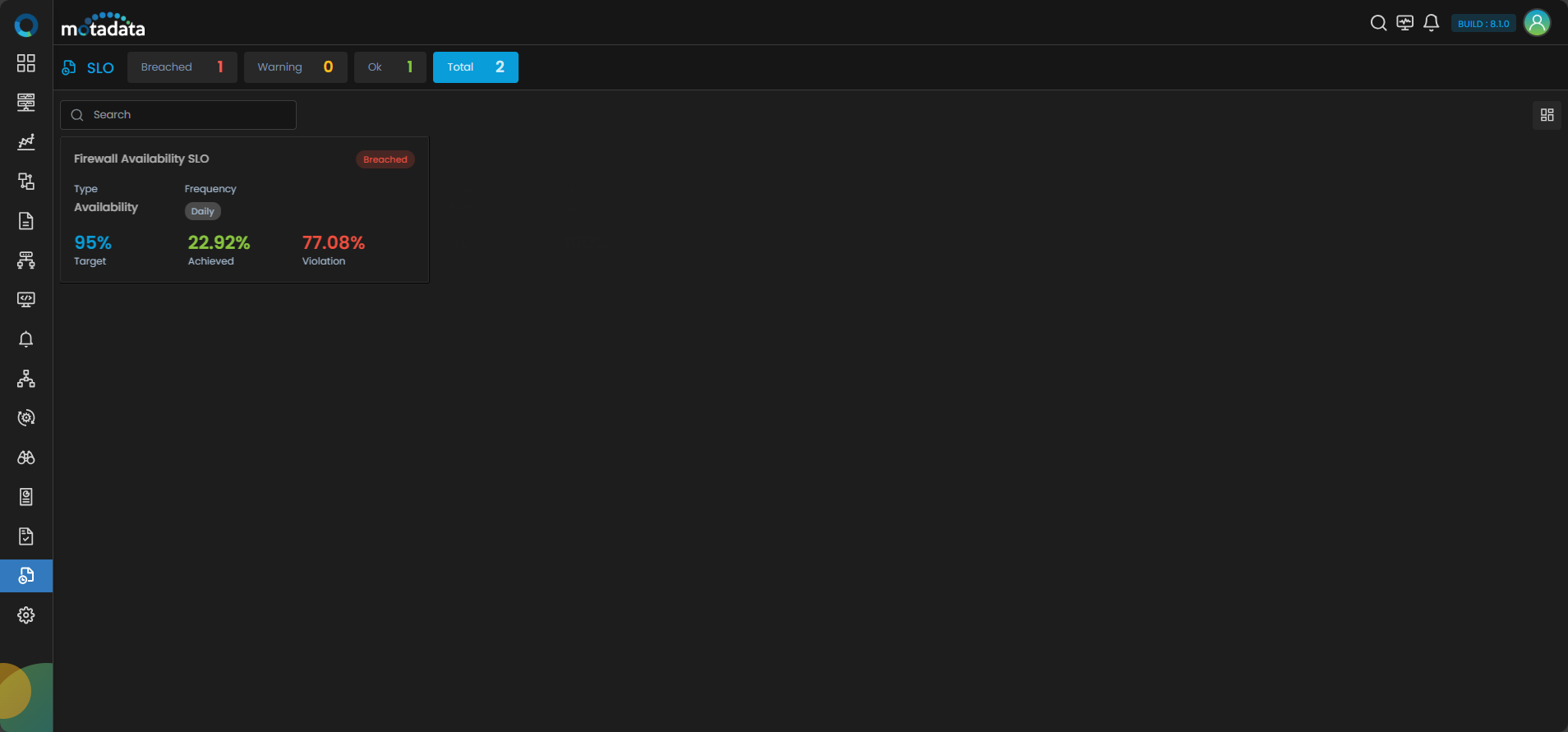
| Metric | Value |
|---|---|
| Target | 95% |
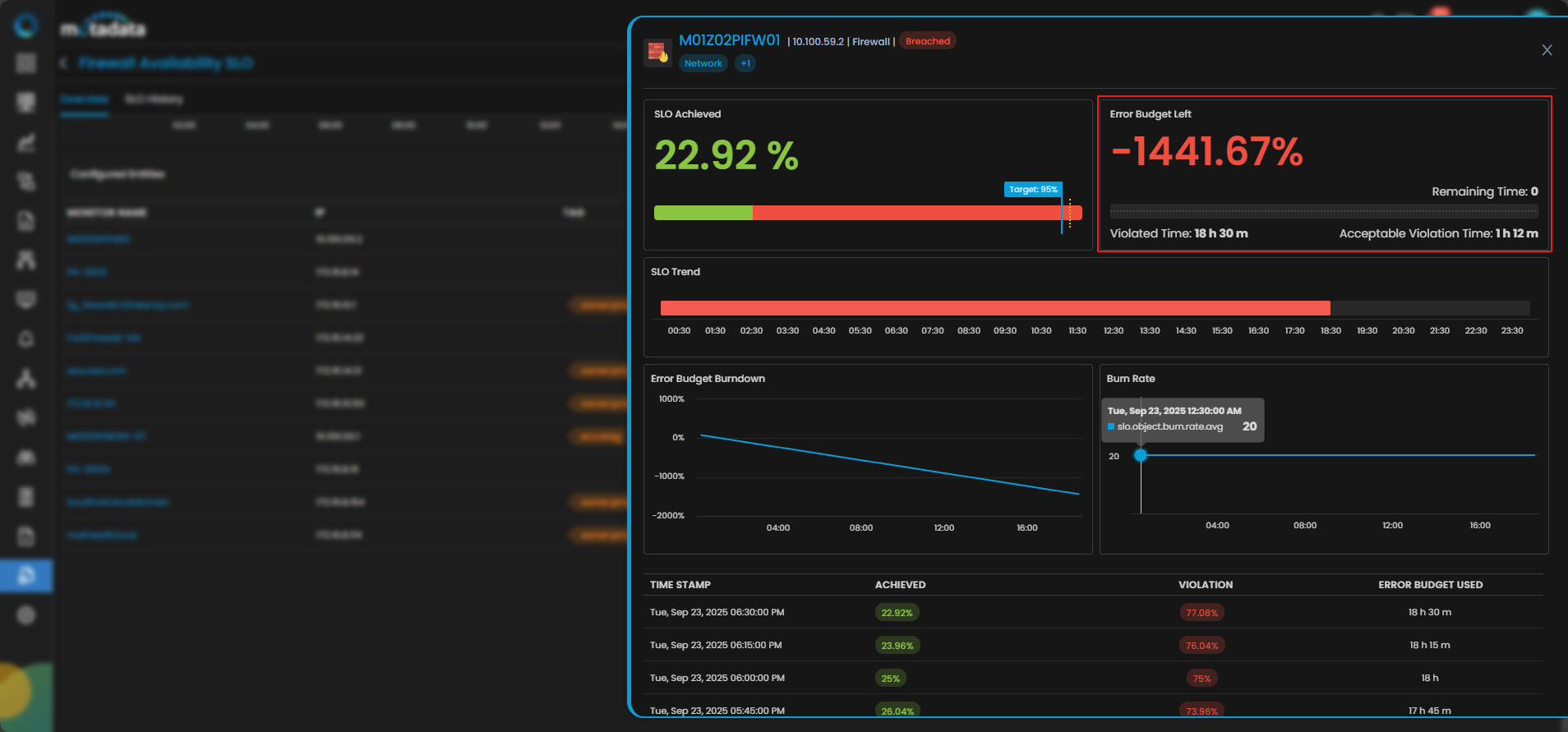
| Achieved | 22.92% |
| Violation | 77.08% |
| Status | Breached |
You can also toggle between views and filter using Breached, Warning, OK, or Total.
Overall Monitor Distribution
Clicking the card you are drilled down to the Overview tab where you get overview for the service.
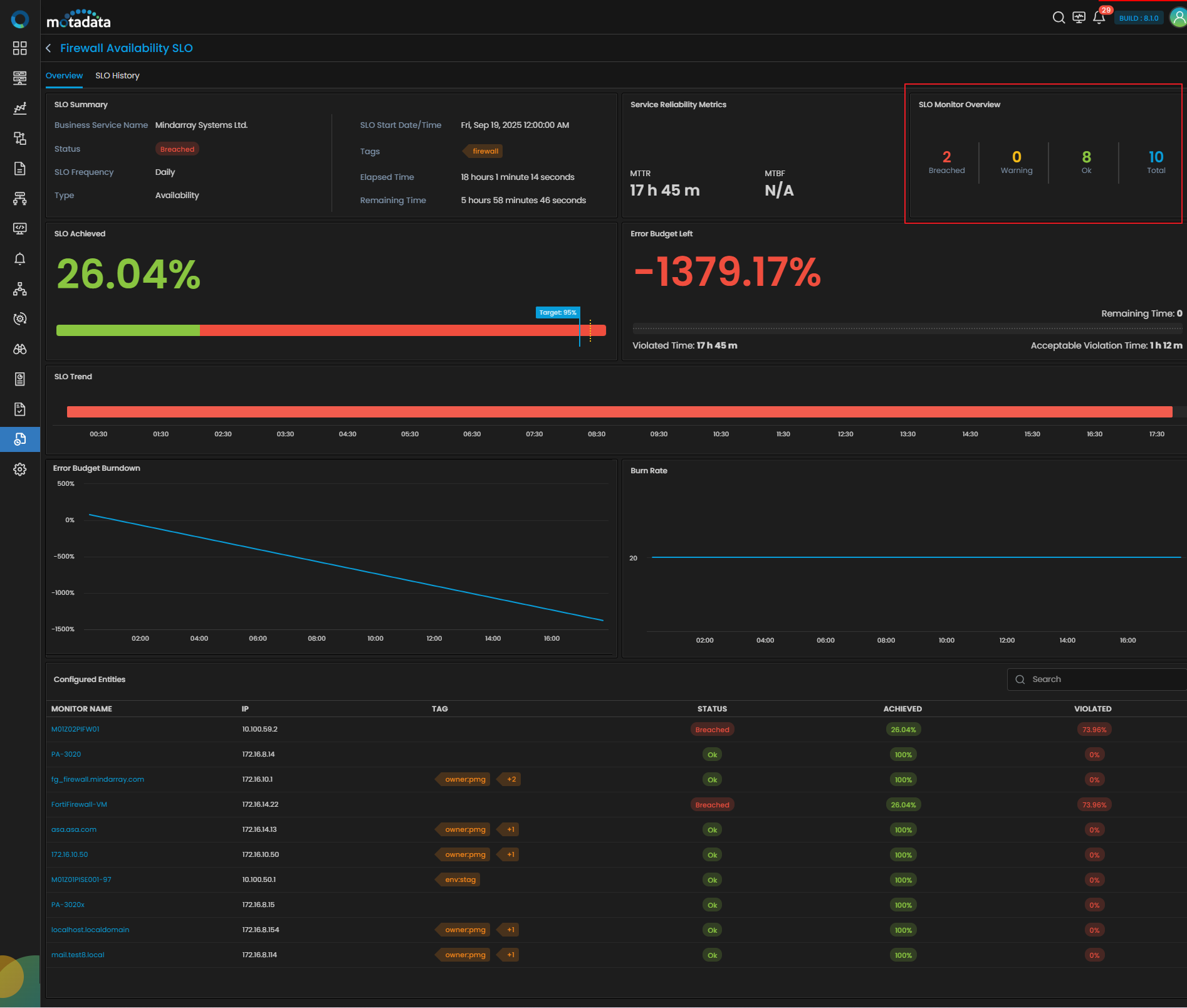
As displayed in the above image, only 2 out of 10 monitors have violated their thresholds and fall under the Breached category.
| Status | Count |
|---|---|
| Breached | 2 |
| Warning | 0 |
| OK | 8 |
| Total | 10 |
Also, you can observe the configured monitors' grid with details at the bottom of the screen. That displays only the monitor M01Z02PIFW01 caused the SLO breach.
MTTR (Mean Time To Recovery)
Formula
MTTR = T_violation_all / downincidentCount
Where:
T_violation_all: Total downtimedownincidentCount: Number of incidents
Purpose
Measures the average time taken to resolve each incident.
Example
- T_violation_all: 18h 30m
- Incident Count: 1 (Continuous outage)
MTTR = 18.5 / 1 = 18h 30m
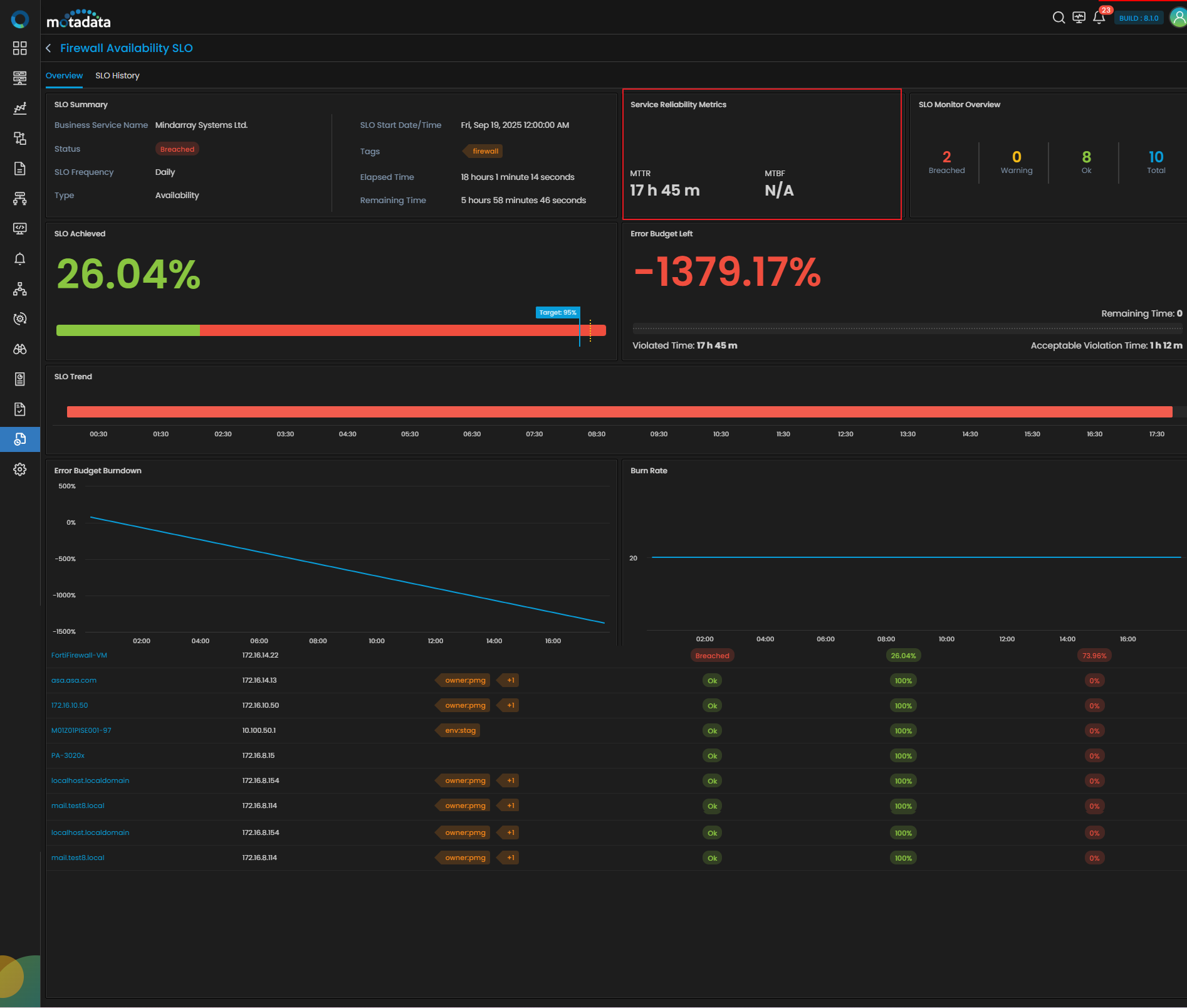
Service Reliability Metrics section on the Overview tab
MTBF (Mean Time Between Failures)
Formula
MTBF = (T_total_all - T_violation_all) / downincidentCount
Where:
T_total_all: Total time monitoredT_violation_all: Total time in violationdownincidentCount: Number of incidents
Purpose
Shows how long the system ran without a failure, on average.
Example (not shown)
Since the example only had 1 continuous violation, MTBF = N/A.
SLO Achieved (%)
Formula
SLO Achieved (%) = ((T_total - T_violation) / T_total) * 100
Where:
T_total: Total monitoring time during the evaluation windowT_violation: Time during which SLO was violated
Purpose
Reflects the percentage of time the service remained within acceptable performance levels.
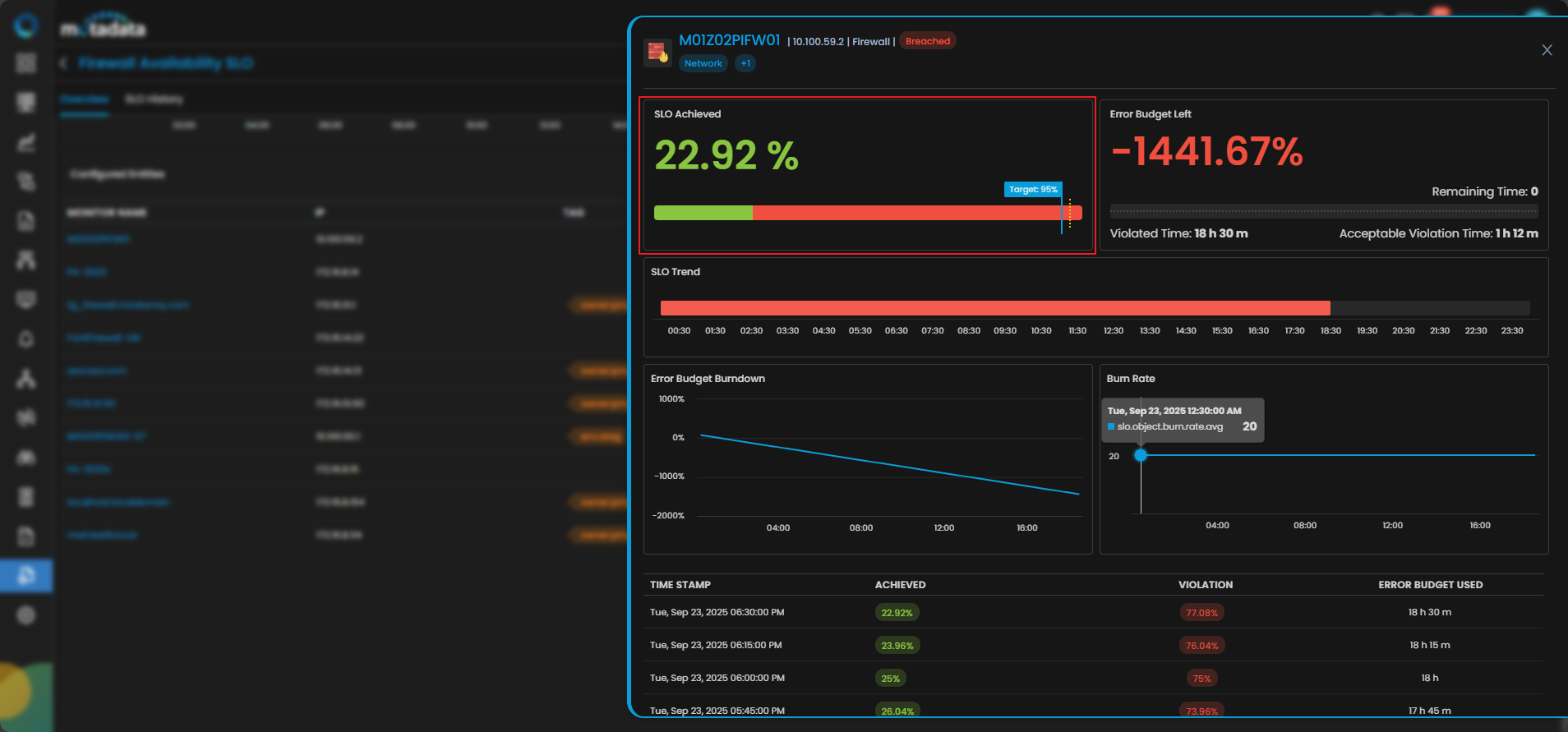
Example (from Firewall SLO)
In the walkthrough example:
- Total Monitoring Time (T_total): 24 hours
- Violation Time (T_violation): 18h 30m
- SLO Achieved: 22.92%
SLO Achieved = ((24 - 18.5) / 24) * 100 = 22.92%
The green progress bar represents the Achieved % (22.92%) and the blue marker shows the Target (95%).
Error Budget Left (%)
Formula
Error Budget Left (%) = ((T_allowed - T_violation) / T_allowed) * 100
Where:
T_allowed: Error budget (e.g., 5% of daily time)T_violation: Actual time the service was in violation
Purpose
Indicates how much of the error budget remains. If this reaches zero or goes negative, the SLO is considered Breached.
Example (from Firewall SLO)
- Acceptable Violation Time: 1h 12m (T_allowed)
- Violated Time: 18h 30m
Error Budget Left = ((1.2 - 18.5) / 1.2) * 100 = -1441.67%
The red bar under the SLO Trend section confirms the service has exceeded its violation time drastically that represents the SLO is Degraded.
Burn Rate (Elapsed Time-Based)
Formula
Burn Rate = (violations_so_far / time_elapsed) / (total_error_budget / total_cycle_duration)
Where:
violations_so_far: Total violation durationtime_elapsed: Time since the cycle begantotal_error_budget: Allowable error timetotal_cycle_duration: Full evaluation window (e.g., 24h for Daily SLO)
Purpose
Indicates how fast you’re consuming the error budget.
Example (from Firewall SLO)
- Violation Time: 18h 30m
- Time Elapsed: 18h 30m
- Error Budget: 1h 12m
- Cycle Duration: 24h
Burn Rate = (18.5 / 18.5) / (1.2 / 24) = 1 / 0.05 = 20
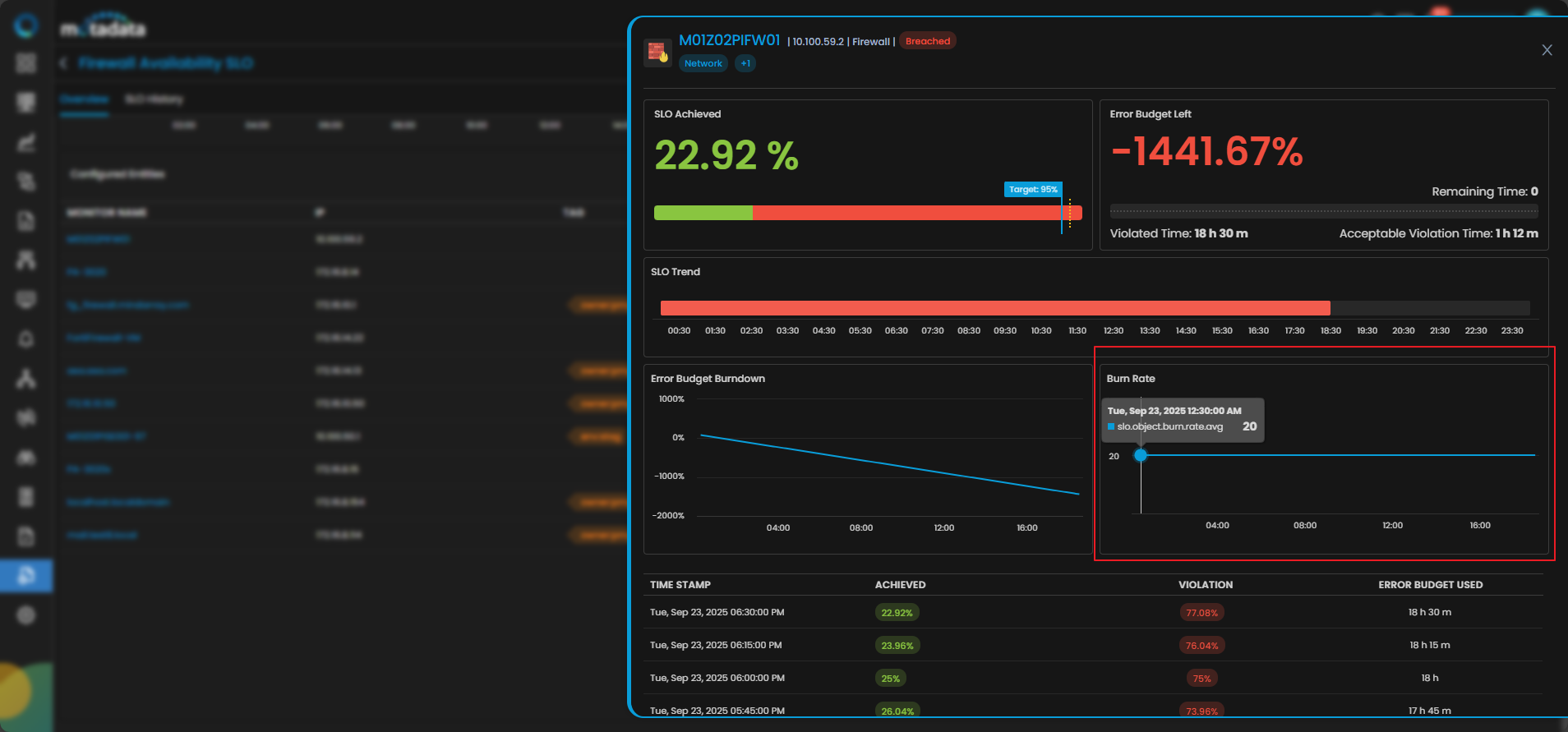
As displayed above the Burn Rate graph shows value of 20, indicating extremely fast error consumption.
SLO History Tab
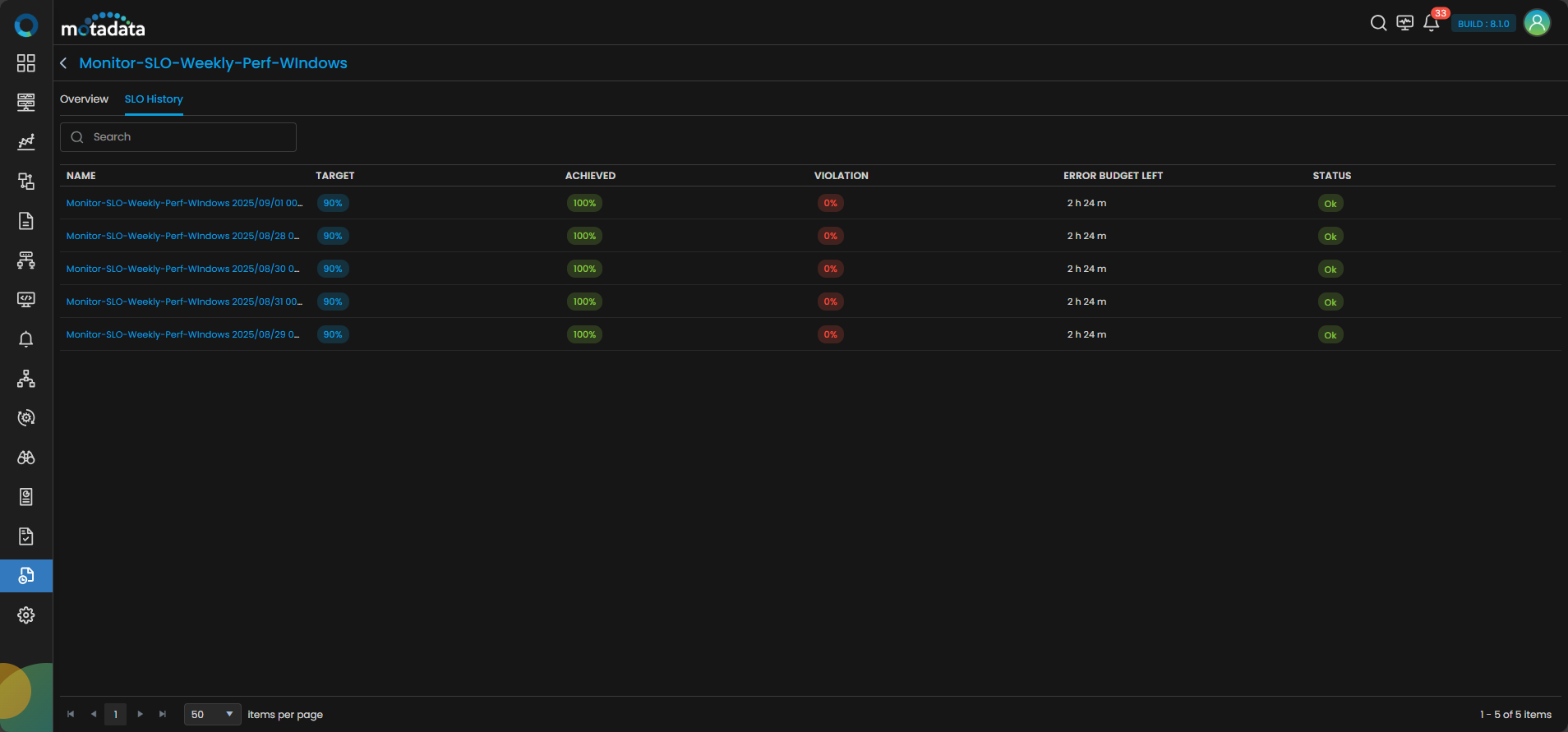
This tab helps understand compliance over multiple days.
Key Takeaways
- SLO Achieved shows how close you're to the goal.
- Error Budget Left tracks remaining safe time.
- Burn Rate forecasts future risk based on consumption speed.
- MTTR / MTBF benchmark your recovery and uptime reliability.
These metrics empower teams to move from reactive fixes to proactive reliability engineering.