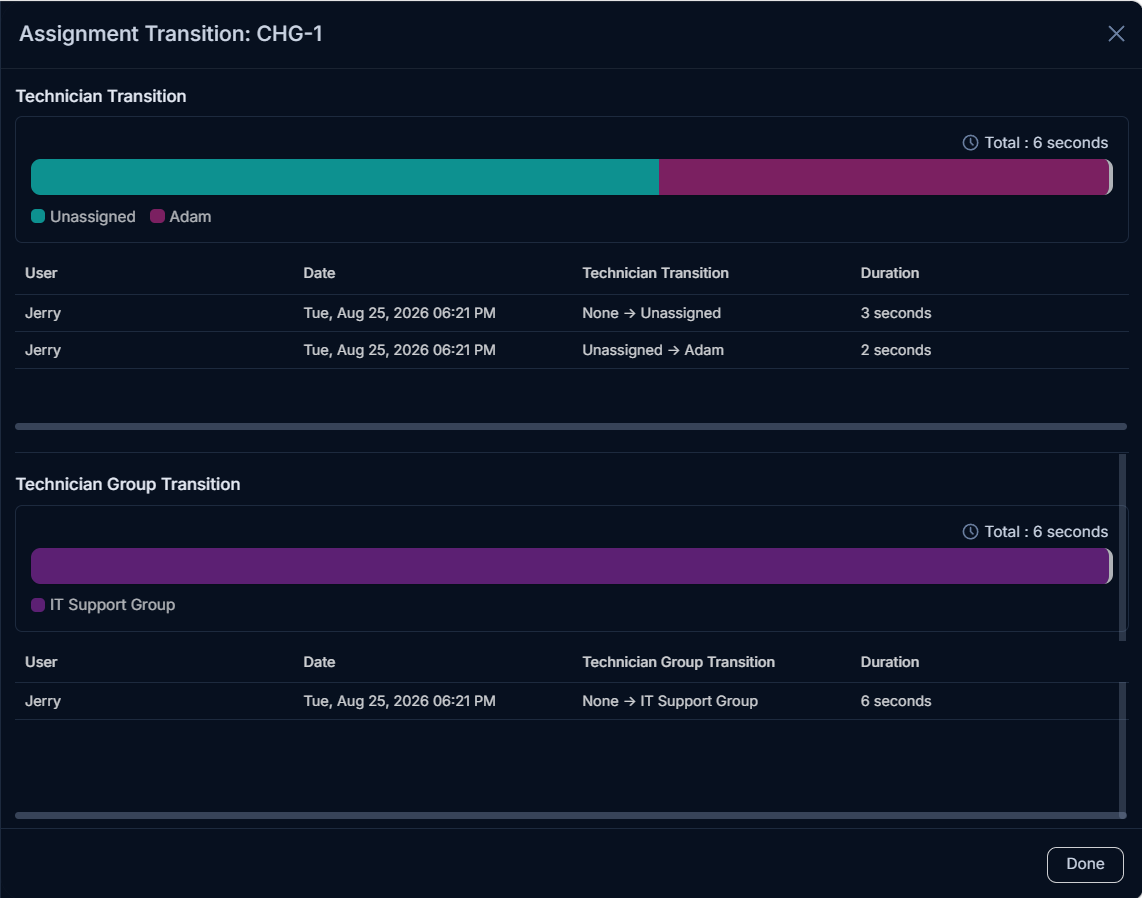
Status and Assignment Transition
You can view a pictorial updation of the stages in the Status and Assignment Transition.
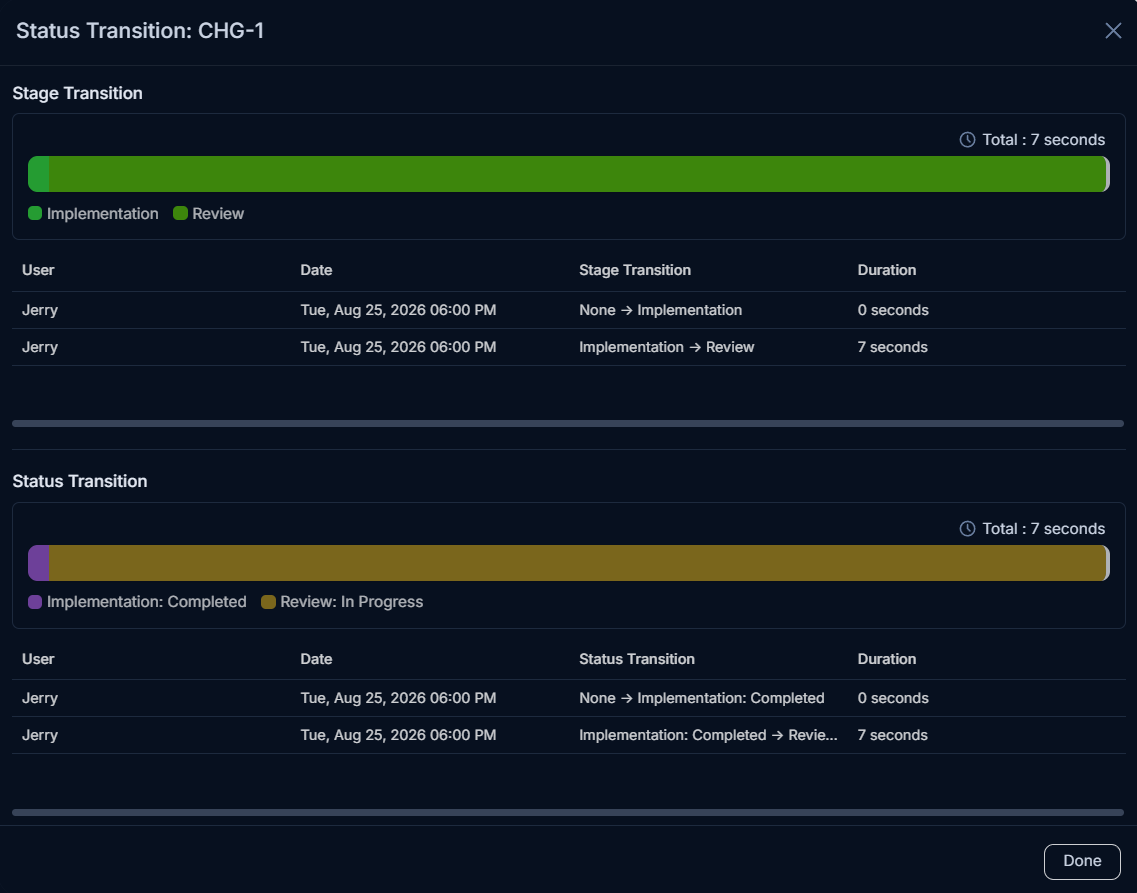
Status Transition
For each change, the progress is recorded pictorially and displayed. For example, When a change is raised, the status of the change is OPEN. But as soon as the technician starts working on it, gradually the status changes to In progress or Pending.
Here, the below image shows the Transition, which took place from status OPEN to In progress. Also, the time taken for prior as well as the current status is also displayed.
Assignment Transition
Once the change is opened and assigned to a Technician or Technician Group, this flow starts. The Assignment Transition shows the process of assigning the change from one Technician or Technician Group to other. Additionally, the information such as duration of work on the particular change is also displayed to know the exact utilized time.