Collaboration
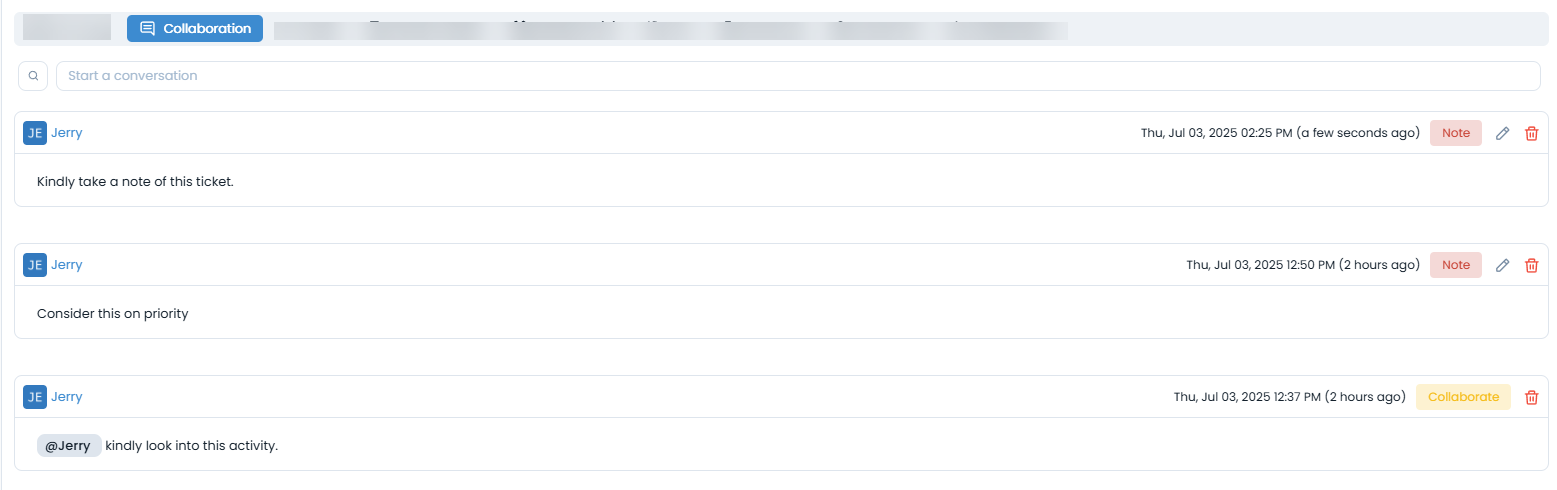
The Collaboration section allows users to communicate and record notes related to a specific record. It includes options to start conversations, tag users, and maintain internal notes-all in one place.
This tab can be disabled using the Change Form Rule. If disabled, you can only view the existing collaborations and notes.

At the top of the Collaboration panel, you’ll find the Start a Conversation button. Clicking this opens two options:
Collaborate: For posting messages and tagging relevant users.
Note: For adding internal notes related to the record.
Below these options, a searchable list displays all existing collaboration entries-making it easy to track past conversations or notes.
Available Options
Collaborate:
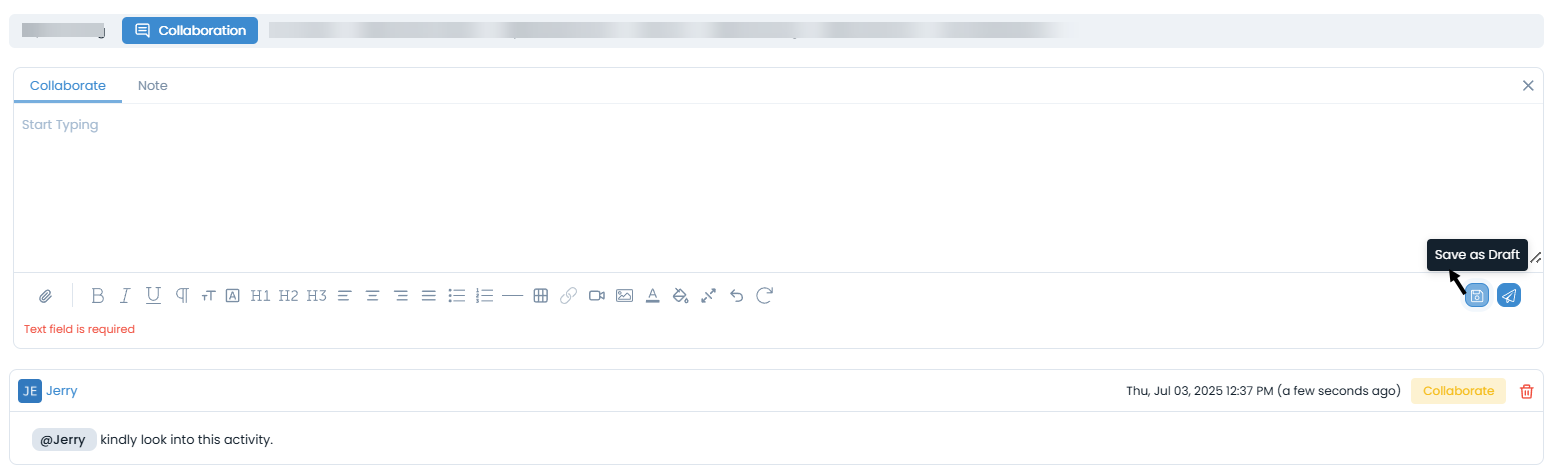
Select this option to initiate a discussion. You can enter your message and tag specific users using "@mention". Once created, collaborative messages cannot be edited, but they can be deleted by the author. Also, you can save it as a draft.
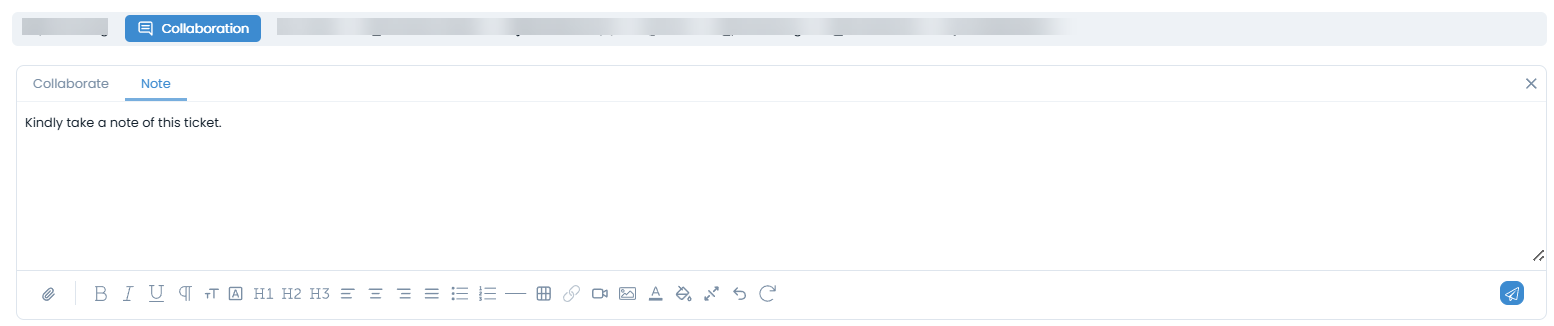
Note: Use this to record important information for internal reference. Notes can be both edited and deleted after creation, offering more flexibility.
Additional Functionalities
Search: Locate specific conversations or notes using keywords.
Conversation History: View a list of all collaborations and notes associated with the record for easy context.