Custom Runbook
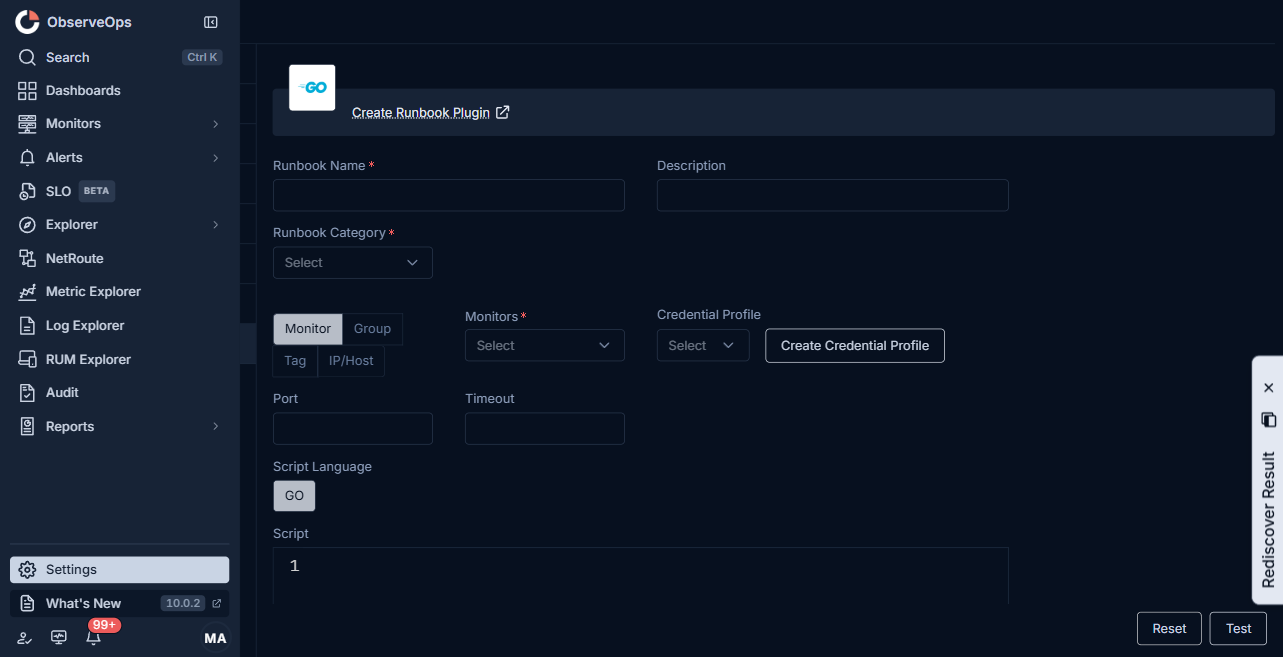
A Custom runbook runs a GO or Python script directly on the ObserveOps agent that polls the monitor, with no fixed protocol binding. Use it when none of the typed runbooks fit, for example when the task combines multiple protocols, calls a cloud SDK, or shells out to a local binary.
When to Use
- The task does not fit SSH, Telnet, Powershell, SNMP, Trace Route, Database, or HTTP alone.
- The script needs to call a cloud provider SDK (AWS, Azure, GCP, Office 365, VMware vCenter).
- The script needs to orchestrate several steps in one run.
- The task is a messaging integration (Google Chat, Telegram, WhatsApp, Teams webhook).
Fields
| Field | What to enter |
|---|---|
| Runbook Name | A short, unique name. |
| Description | One line on what the runbook returns or does. |
| Runbook Category | Diagnostics, Performance Monitoring, Troubleshooting, System Management, Log Collection, Network Config, or Integration. |
| Monitor | Pick by Group, Tag, IP/Host, or Monitors. |
| Credential Profile | Optional. If the script needs secrets, point it at a credential profile and read the fields from the script context. |
| Port | Optional. Use only when the script connects on a specific port. |
| Timeout | Seconds to wait before marking the run Failed. |
| Script Language | GO or Python. |
| Script | The script the agent executes. There is no separate parsing script; return values are emitted by the script itself. |
| Add Variable | Prompts the user for a value at run time. Reference it as $$$variable.name$$$ in the script. |
note
Custom runbooks run inside the ObserveOps agent process on the server that polls the monitor. The script runs with the agent's permissions. Keep the script idempotent for fix tasks, and do not log secrets.
Steps
- Open Settings > Plugin Library > Runbook and click Create Runbook Plugin.
- Pick Custom from the top menu.
- Fill in the fields above.
- Click Test to run the script once against the chosen monitor.
- Review the output. Adjust the script until the return values are correct.
- Click Save.