Ping — ICMP Network Reachability Test in ObserveOps
Ping lets you test ICMP reachability for any monitored device directly from ObserveOps , without leaving the platform. You get instant reachability confirmation executed from the assigned Collector, so results reflect actual network conditions rather than browser-side connectivity.
Prerequisites
- You must have the Admin or NOC role.
- The target device must be reachable from the assigned Collector.
- An IPv4 address, IPv6 address, or resolvable hostname is required.
How It Works
ObserveOps sends ICMP echo requests from the assigned Collector or Probe to the target device. Your browser triggers the test — the Collector sends the packets. Results return to the platform in real time and ObserveOps logs every execution automatically in the Audit Trail.
Navigation
Go to Main Menu > Settings > Utility > Ping.
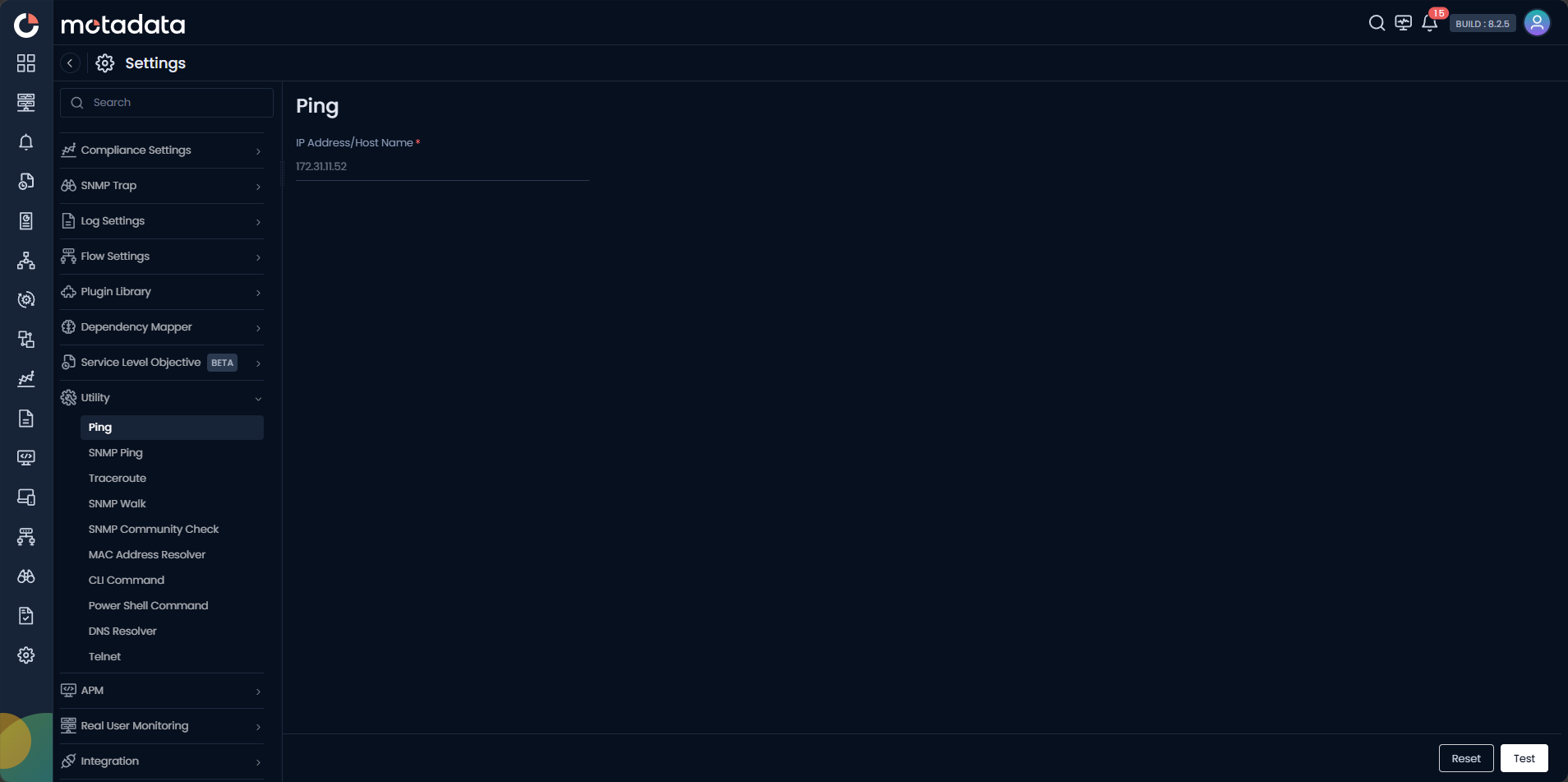
Running a Ping Test
| Field | Description |
|---|---|
| IP Address / Host Name | Enter the IPv4 address, IPv6 address, or fully qualified domain name of the target device. |
Click Test to run the ping. Click Reset to clear the form.
If the device does not respond, run Traceroute next to identify exactly where in the network path packets are being dropped.
Example
A NOC engineer receives an alert that a core switch is unreachable. They open Utility > Ping, enter the switch IP, and click Test. The result confirms the device is not responding to ICMP. The engineer escalates immediately with evidence rather than guessing.