Update Endpoint
Update an endpoint's tags, trigger a scan, or deploy missing patches directly from the Endpoint Details page. All actions are available without leaving the endpoint record.
Update Tags
You can update the tags assigned to an endpoint from the Endpoint Details page.

Open the endpoint's details page, click the Tags field, and add or remove tags as needed. Tags save automatically.
For full details on all fields available on the Endpoint Details page, see Endpoint Details Page.
Scan Now
Scan Now triggers an immediate patch and vulnerability scan on the endpoint without waiting for the next scheduled cycle.

Click Scan Now on the Endpoint Details page. ServiceOps runs both scans in parallel and updates the endpoint record when complete.
Deploy Missing Patch
Deploy Missing Patch sends all outstanding approved patches to the endpoint in one action.
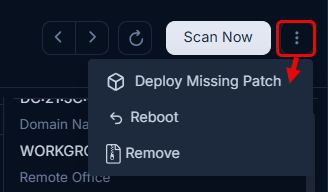
To deploy missing patches:
- Click the More Options icon and select Deploy Missing Patch.
- A confirmation dialog appears. Click Yes to continue or No to cancel.
- The Create Patch Deployment page opens.
- Enter the deployment details and click Publish.
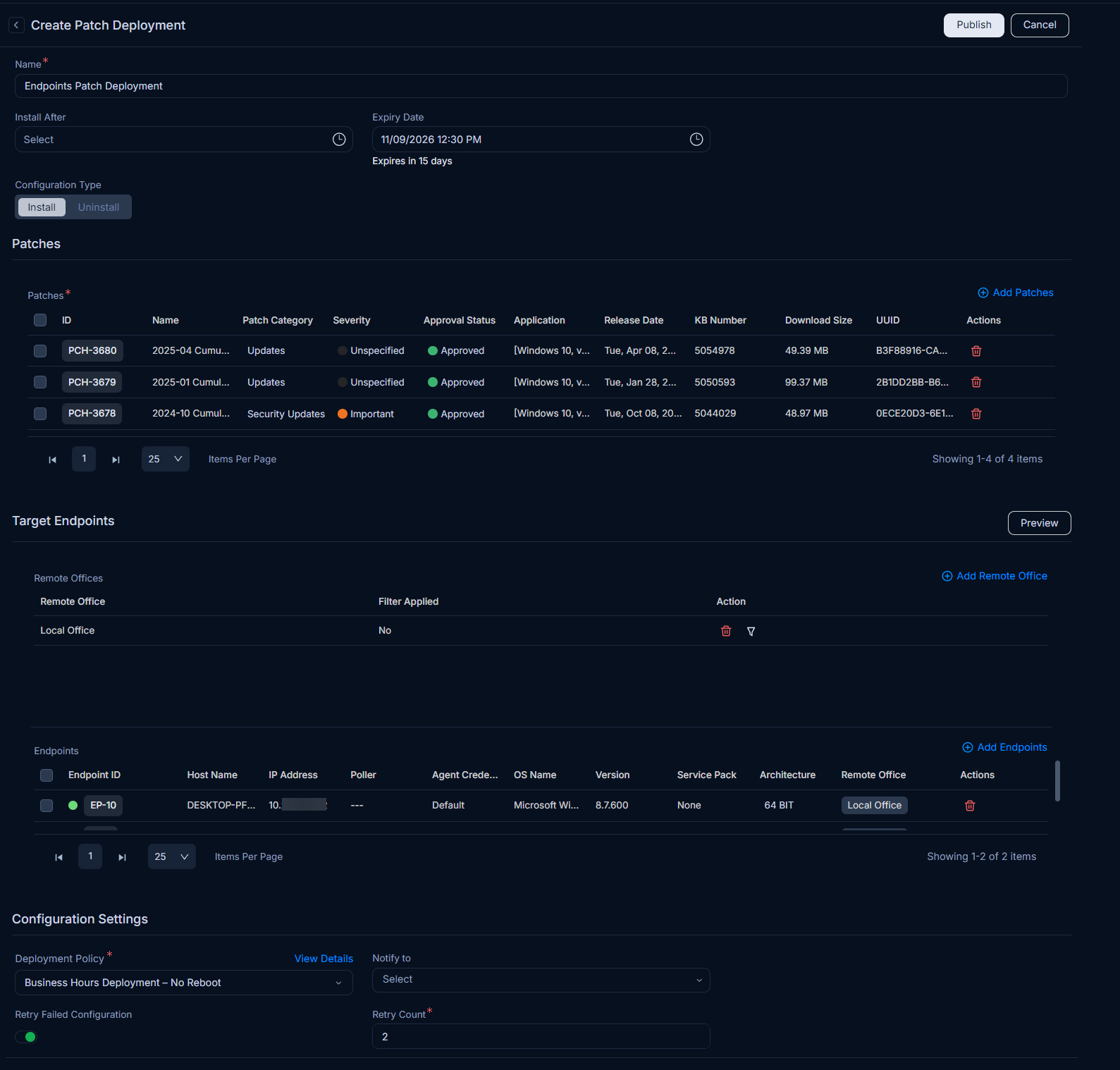
Only approved patches are included in the deployment. Pending or declined patches are excluded.