Motadata ServiceOps Release Version 8.7.7
Release Date: September 23, 2026
What's New?
Problem Management
Print Template Support for Problem Management
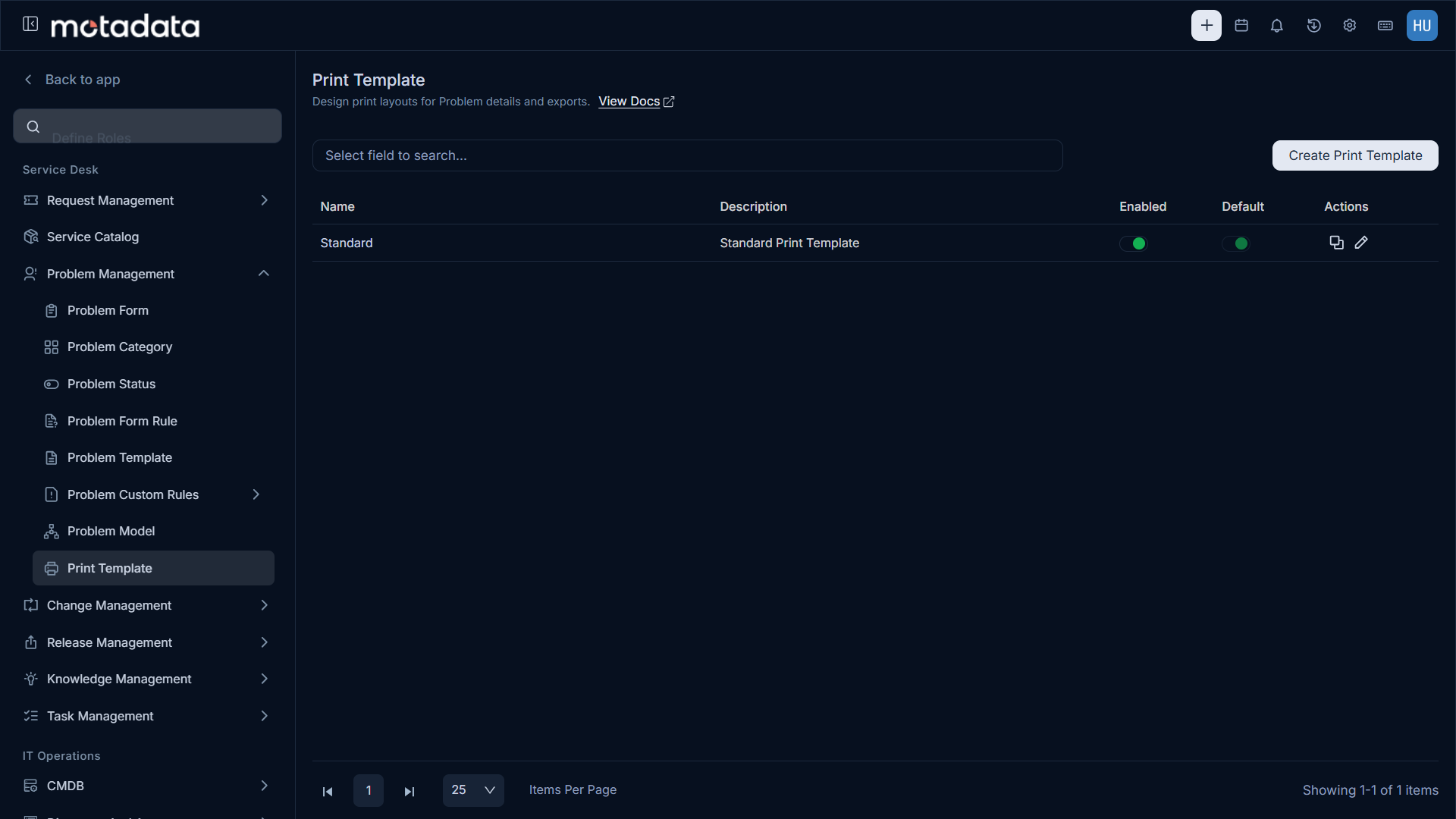
Problem records now support customizable Print Templates. You can create multiple templates, set one as default, and print Problem records using placeholders for system fields, custom fields, and organization details.
Templates can be managed from Admin > Problem Management > Print Template, using a familiar editor and placeholder system, the same one already used for Request and Change templates.
Patch Management
Unified Execution Status for Deployments
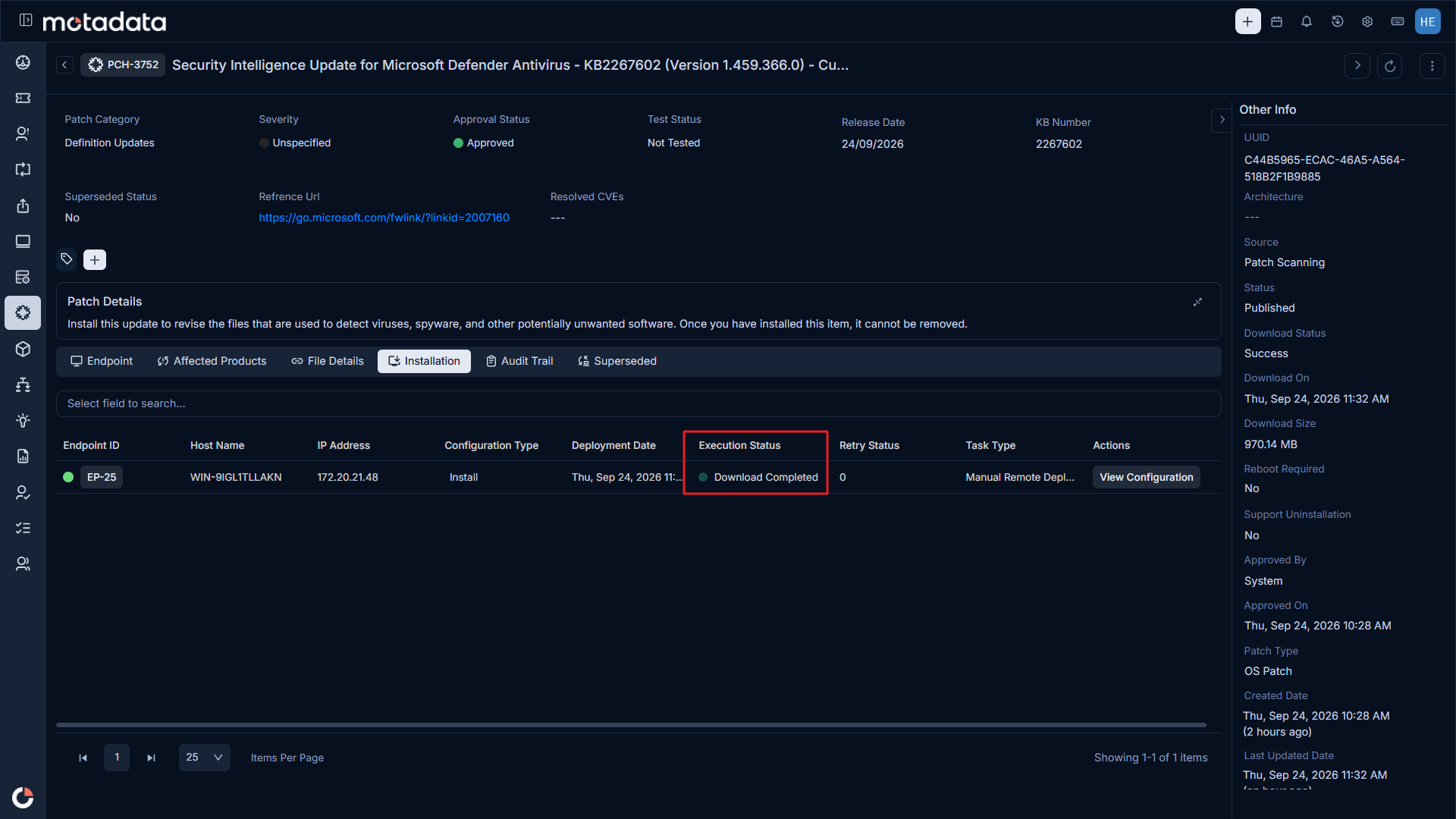
Tracking a patch deployment is now simpler. A single Execution Status now replaces the Download Status and Installation Status columns, giving you one clear view of what's happening on each endpoint. At a glance, you can see whether a patch is downloading, on its way to the endpoint, installing, or complete.
You can find Execution Status on the Installation tab of Patch, Package, and Registry deployment requests, as well as in Asset Configuration, reports, and dashboards.
Control Microsoft Office Updates When Office Is in Use
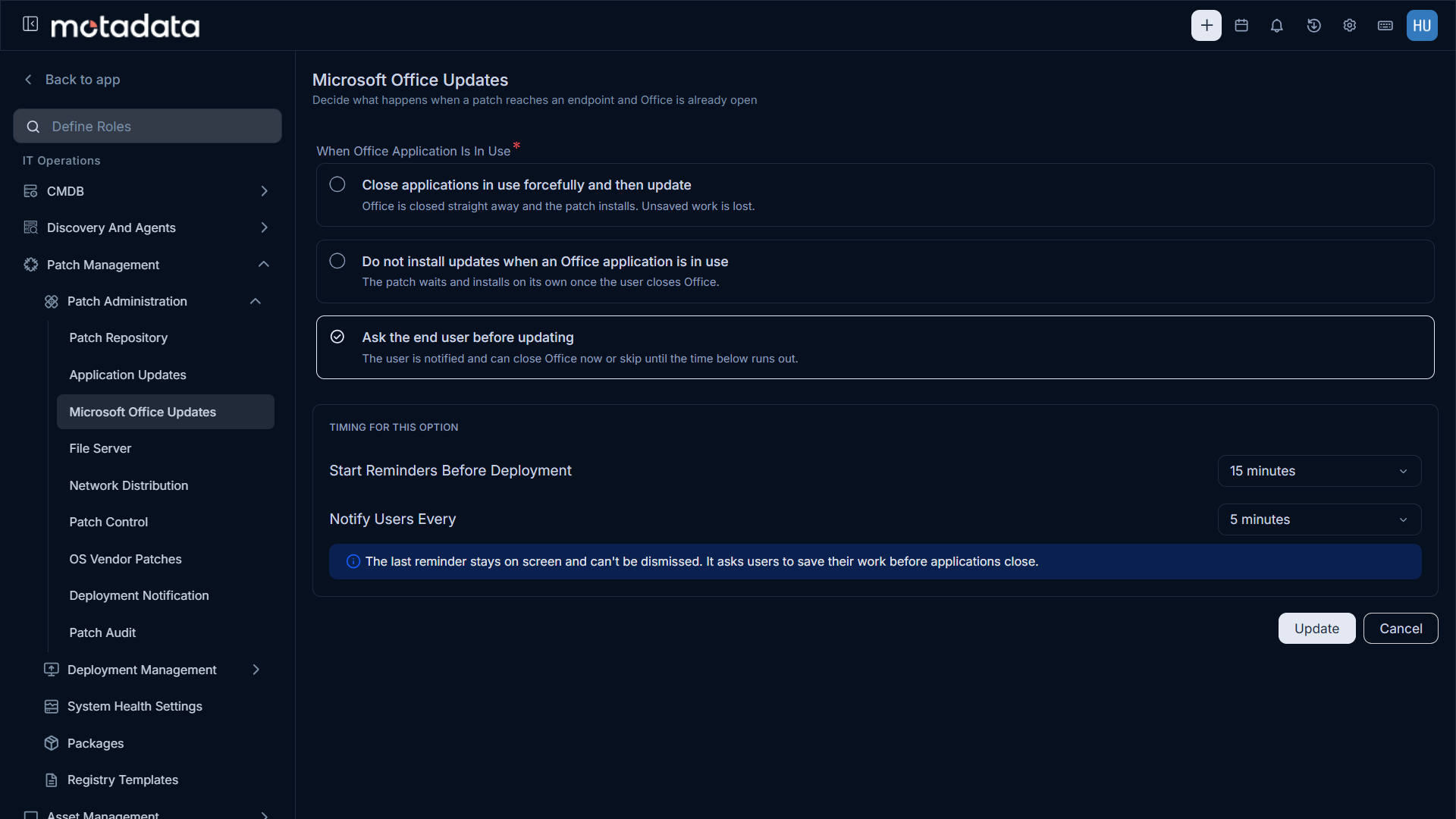
You can now choose how patches install when Microsoft Office is open on an endpoint, keeping updates on schedule while protecting your users' work. Configure this under Admin > Patch Management > Patch Administration > Microsoft Office Updates.
You can close Office and install the patch immediately, or wait until the user closes Office. You can also send users reminders at the timing you set, so they can save their work before the update.
Discovery and Agents
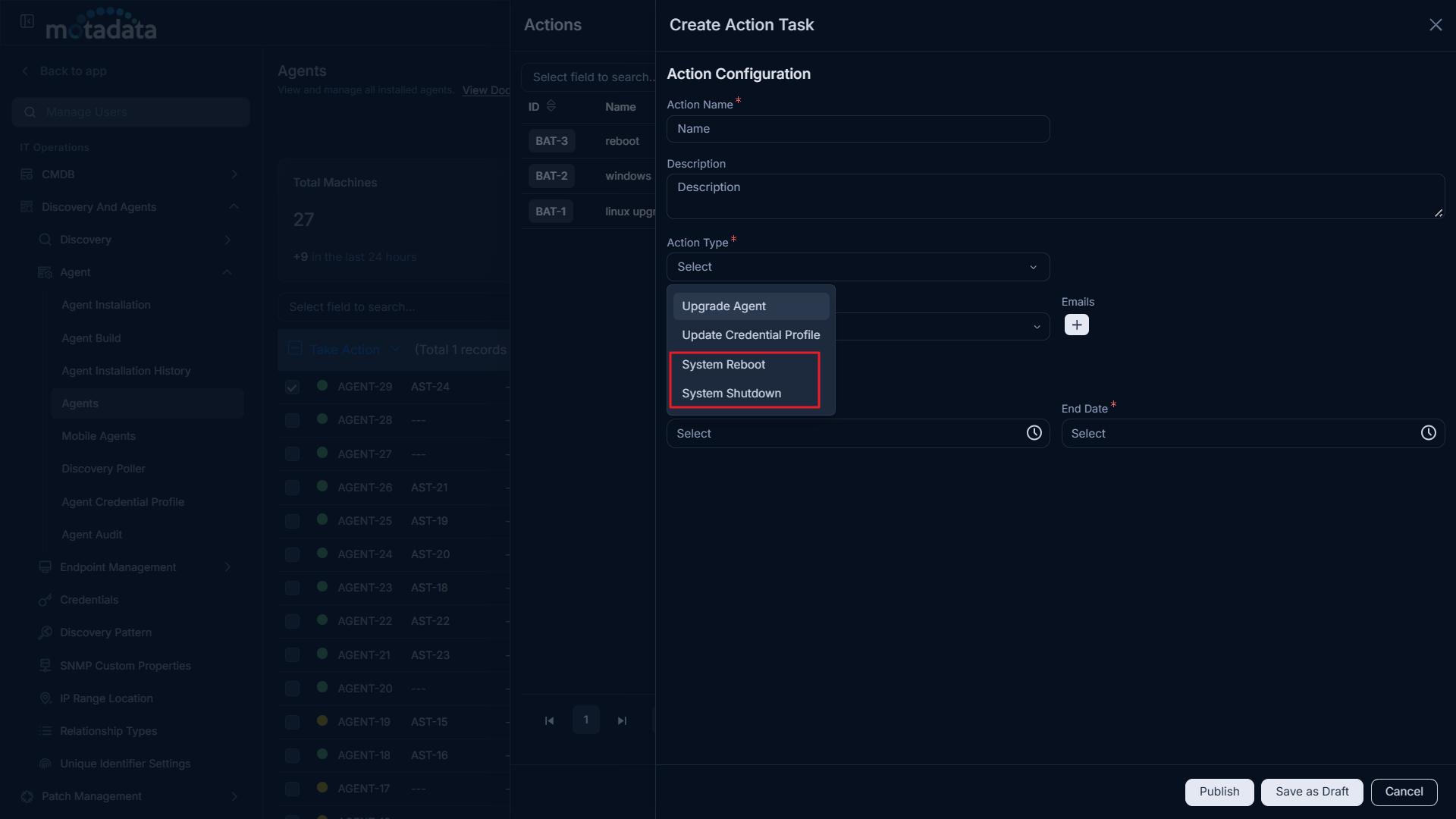
System Reboot and System Shutdown Actions
You can now restart or power off endpoints directly from ServiceOps using two new action types: System Reboot and System Shutdown. You can schedule them, decide how much control end users have, and track the outcome of each task. To create one, go to Admin > Discovery And Agents > Agent > Agents > Actions, click +, and select System Reboot or System Shutdown as the Action Type.
You can run the task at the next user logout or at the scheduled time without prompting. You can also notify users with a custom message and let them skip or postpone the task within the limits you set. The Actions panel shows the status of every task and the number of agents where it succeeded or failed.
The Agent Actions section has been renamed to Actions, since it now includes system-level actions.
Workflow and Automation
Enable and Disable Announcement Action Nodes
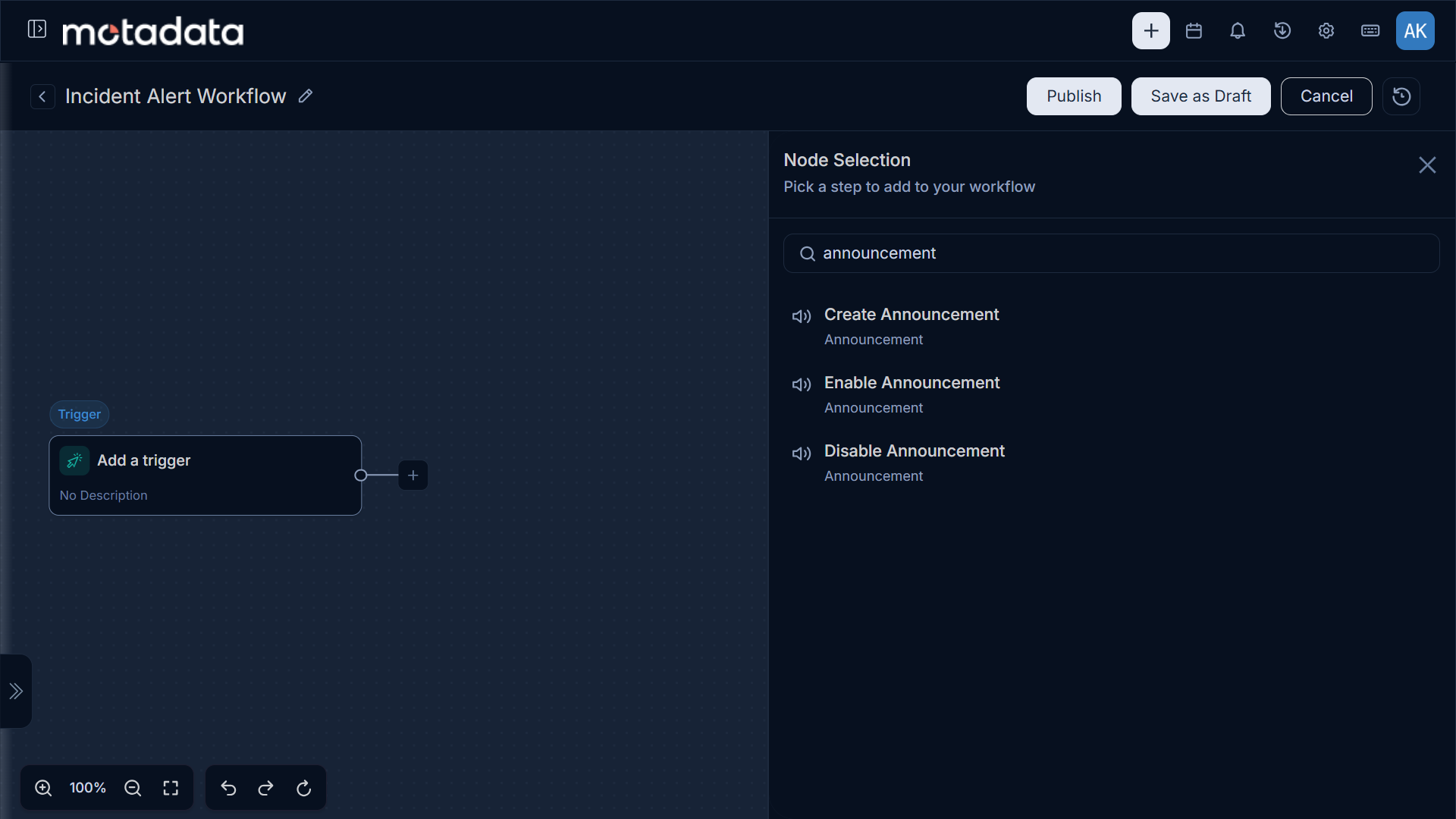
Workflow Automation now includes Enable Announcement and Disable Announcement action nodes, giving you complete lifecycle control over announcements you create through workflows. You can automatically turn an announcement on or off as part of your workflow execution, so it stays in sync with the actual status of the incident, change, or event it's tied to.
Both nodes support two ways of targeting an announcement: select one directly from a searchable dropdown, or reference the output of an earlier Create Announcement node in the same workflow, so the correct announcement is resolved automatically at runtime.
This means workflows can now create an announcement when an incident starts and automatically disable it the moment the incident is resolved, with no manual steps in between.
Admin and Configuration
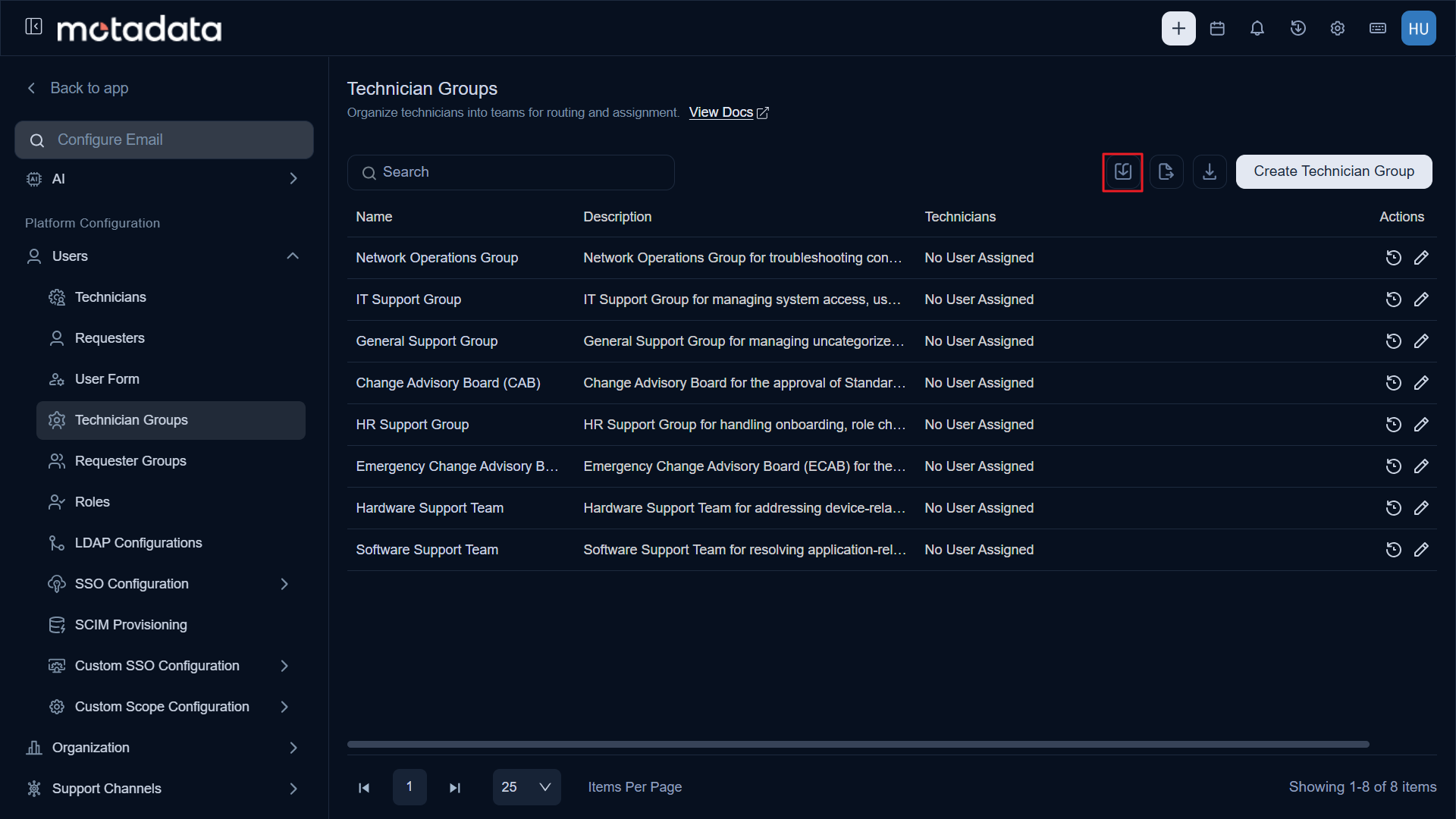
Bulk Import for Requester, Technician, and Asset/CI Groups
Requester Groups, Technician Groups, and Asset/CI Groups now support Bulk Import using Excel or CSV templates, letting you create and update groups along with their member mappings in a single operation.
Members are resolved automatically by email address or logon name, and importing an existing group name updates that group to match the file.
New URL and Currency Field Types
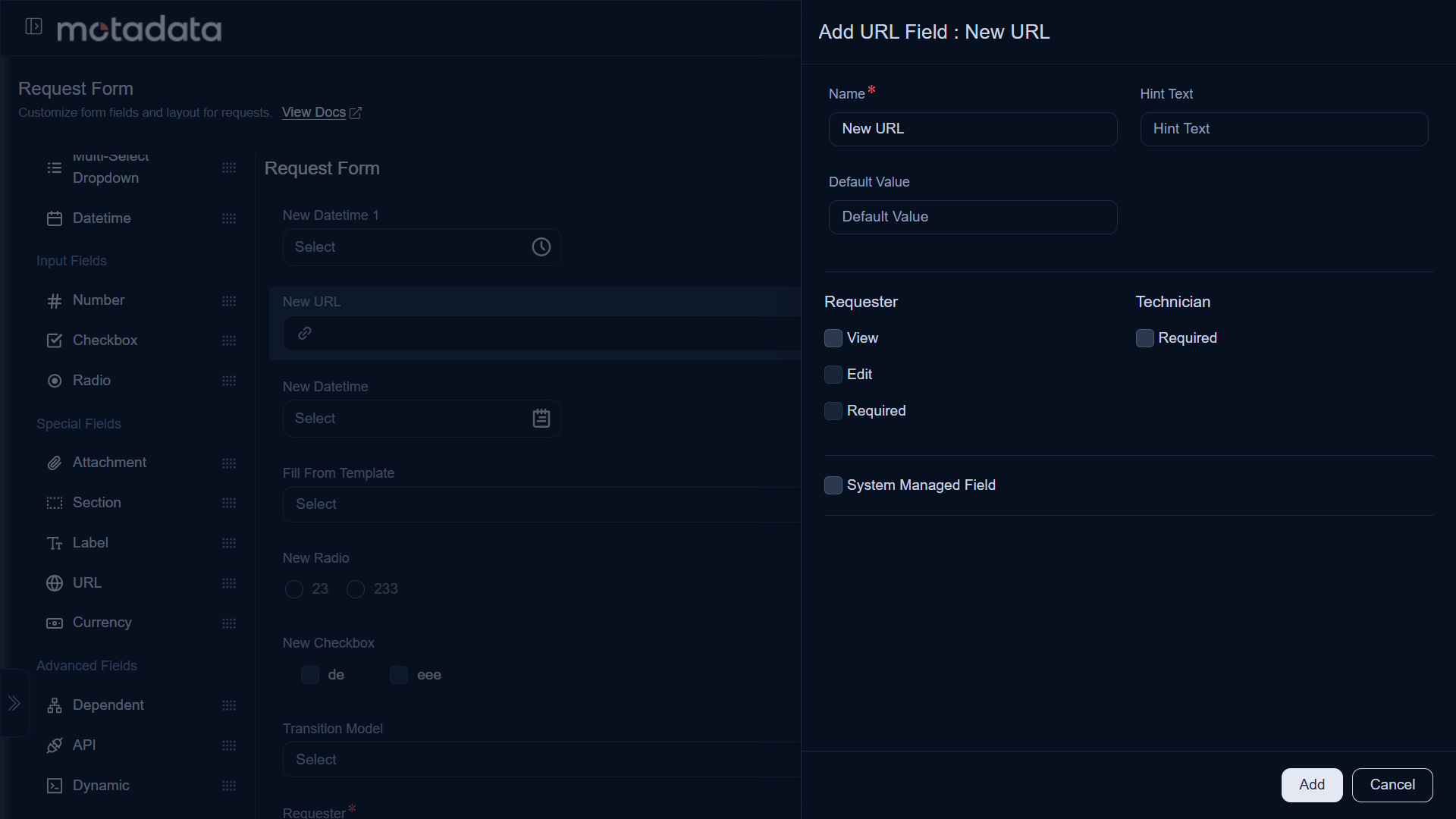
Custom Fields now support two new types: URL and Currency, giving you dedicated validation and formatting instead of relying on generic Text or Number fields.
- The URL field validates entries as proper web addresses and displays them as clickable links on record details.
- The Currency field lets you select a specific currency per field, with configurable minimum and maximum value limits and automatic symbol and formatting based on the selected currency. Both fields are available across Request, Problem, Change, Release, Task, Project, and Service Catalog forms, as well as Asset, CI, Vendor, Product, Contract, Purchase, Company, and User custom fields, and support column selection and filtering.
Font Family Configuration
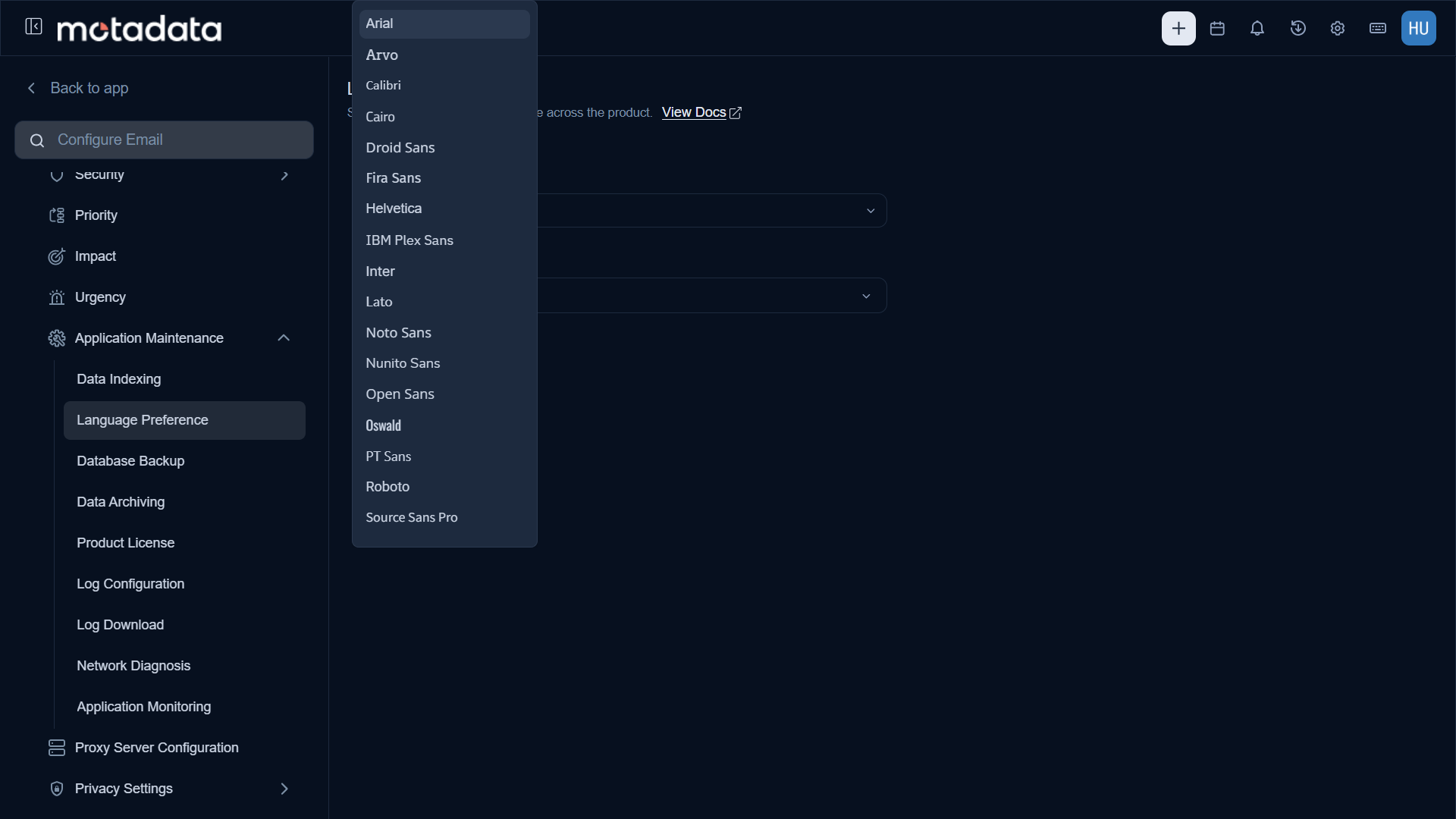
Font Family is now configurable alongside Language Preference, giving you control over the application's typography for branding, readability, or localization needs.
Administrators can set the default Font Family under Settings > Language Preference, which applies across the application based on the selected language. End users can also set their own preference under Profile > Preference, so their interface reflects their personal choice.
A wide range of font families is available, including Open Sans, Roboto, Lato, Arial, Helvetica, Inter, Noto Sans, and others, covering common branding and localization needs.
Support Channels
Selective Ticket Creation for Incoming Email Servers
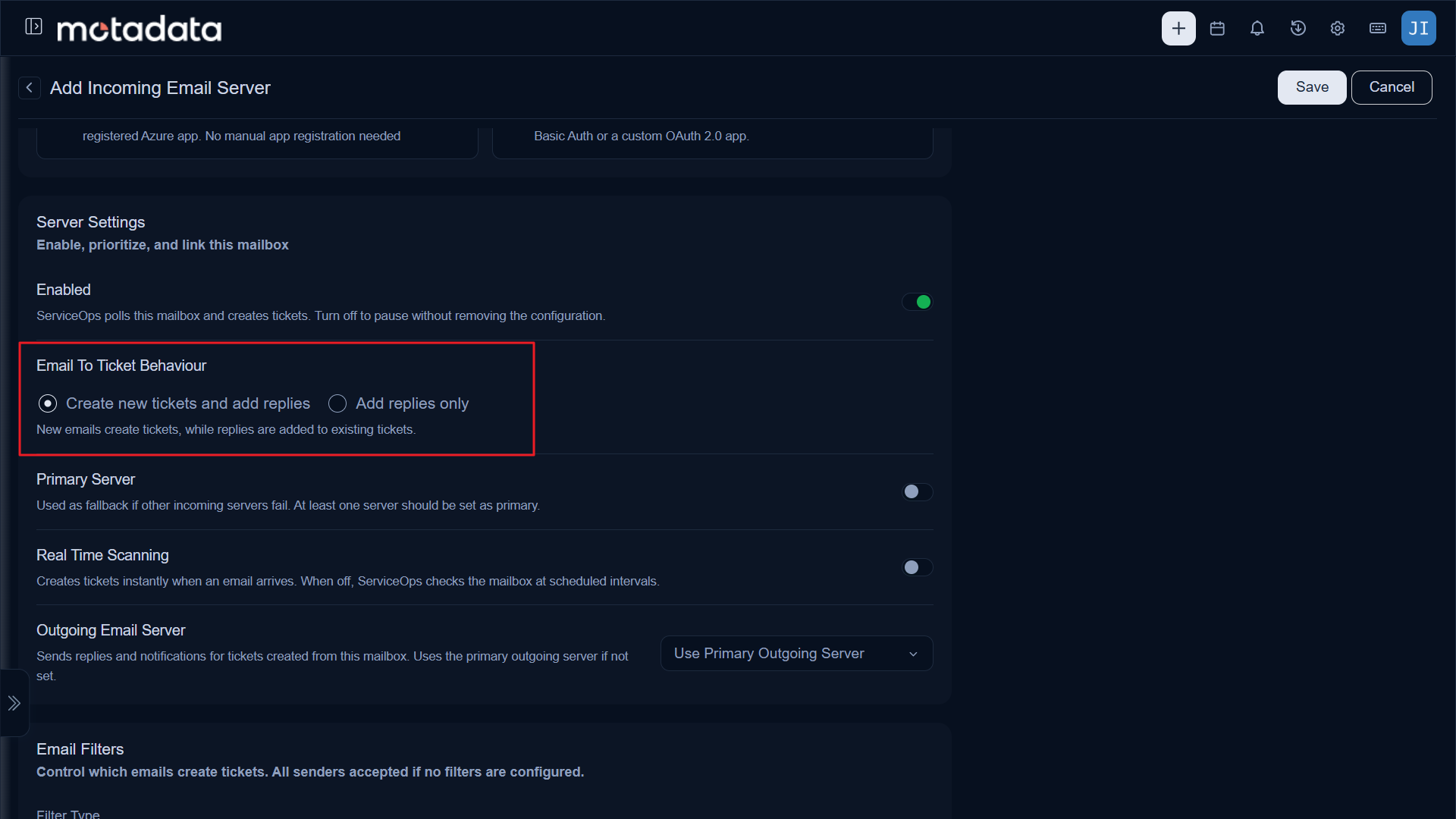
Each Incoming Email Server now includes an Email To Ticket Behaviour setting with two modes:
- Create new tickets and add replies
- Add replies only This lets you set up dedicated mailboxes that only sync replies to existing tickets, without creating new tickets from unmatched emails, while your other mailboxes continue to work as before.
Both modes keep reply synchronization active, so existing tickets stay updated regardless of which option you choose. This is useful for mailboxes meant purely for ongoing ticket communication, where you don't want every new email creating a fresh ticket.