Motadata ServiceOps Release Version 8.7.4.03
Release Date: June 16, 2026
What's New?
Form Rules
Bulk Enable for Form Rules
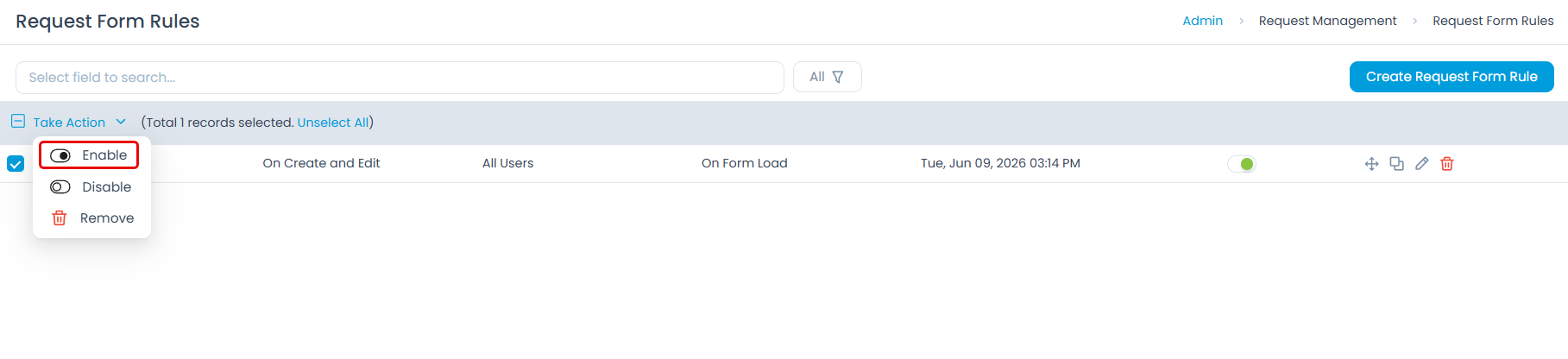
Form Rules now support a bulk Enable action from the list view. Administrators can select multiple rules and enable them in a single action, complementing the existing bulk disable capability.
Task Management
Checklist Tab Available for Tasks Across All Modules
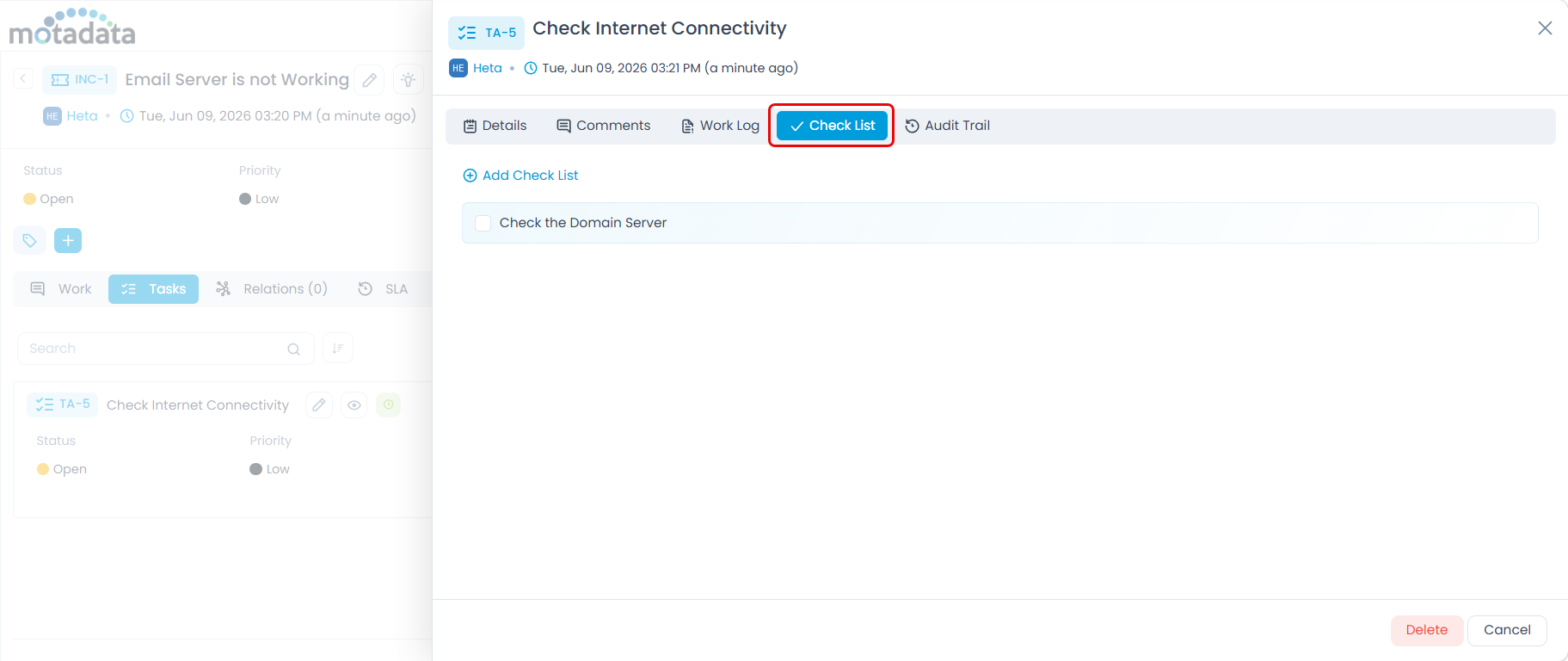
The Checklist tab is now available for Tasks across Request, Problem, Change, and Release modules in Motadata ServiceOps, including individual standalone tasks. Technicians can manage checklist items on tasks regardless of the module the task belongs to.
Asset Management
Relationship Quick-View from the Linked Events Tab
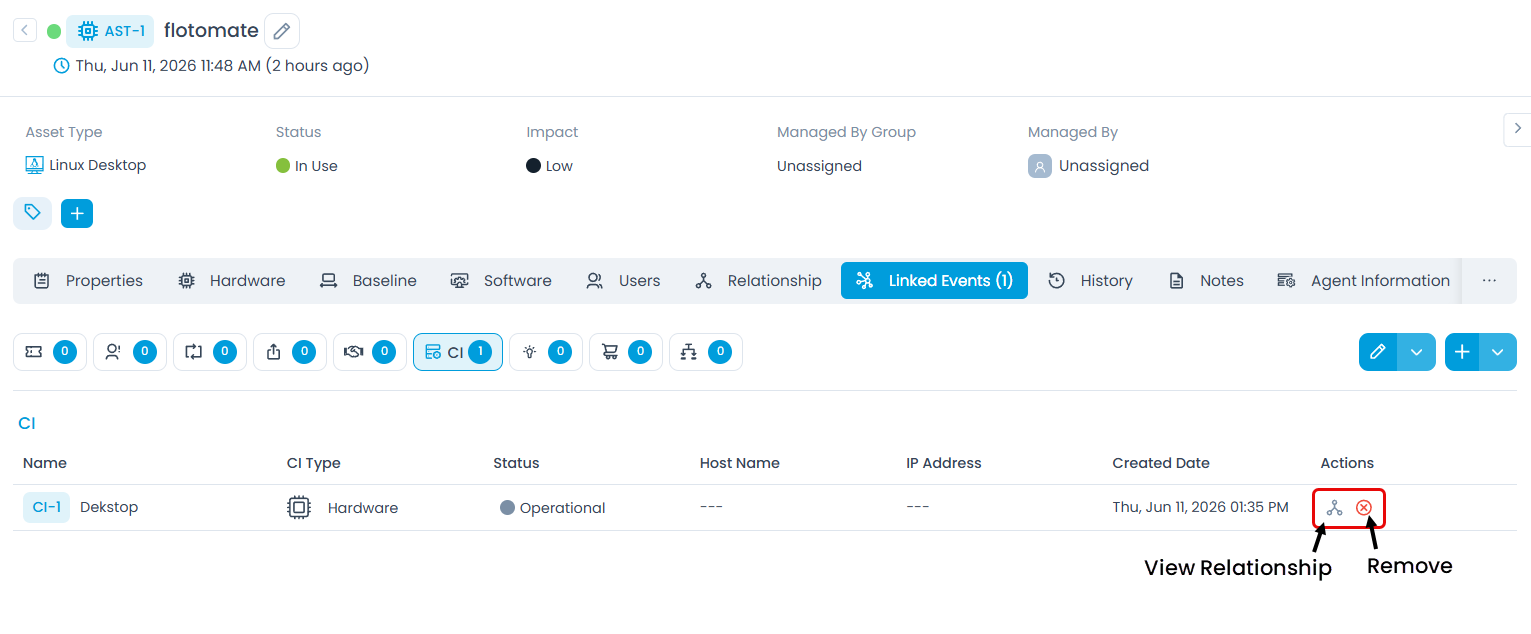
A View Relationship icon is now available in the Actions column of related Asset and CI rows in the Linked Events tab of any record. Clicking the icon opens the existing topology graph centered on that Asset or CI, allowing technicians to trace dependency chains and assess impact without navigating away from the current record. The icon appears only on Asset and CI rows and is visible to users with View Asset or View CI permission.
Support for Warranty, Audit Date, and Manufacturer Fields in Asset Management
Warranty Start Date, Warranty Expiration Date, Audit Date, and Manufacturer (Hardware Assets only) fields are now available across multiple areas in Asset Management:
- Asset Creation Form: Hardware assets display all four fields. Non-IT assets display Warranty Start Date and Warranty Expiration Date.
- Asset Bulk Update: All four fields are available for bulk edits on Hardware assets. Blank fields do not overwrite existing values on selected assets.
- Asset Form Rules: The new fields are available as conditions and actions.
- Asset CRUD API: The fields are supported via
warrantyStartDate,warrantyExpirationDate,auditDate, andmanufacturerNameparameters. - Dashboards: The fields are added as conditions for hardware asset types in custom dashboard widgets and KPI configurations
Automated Removal Actions for Prohibited Software Rules
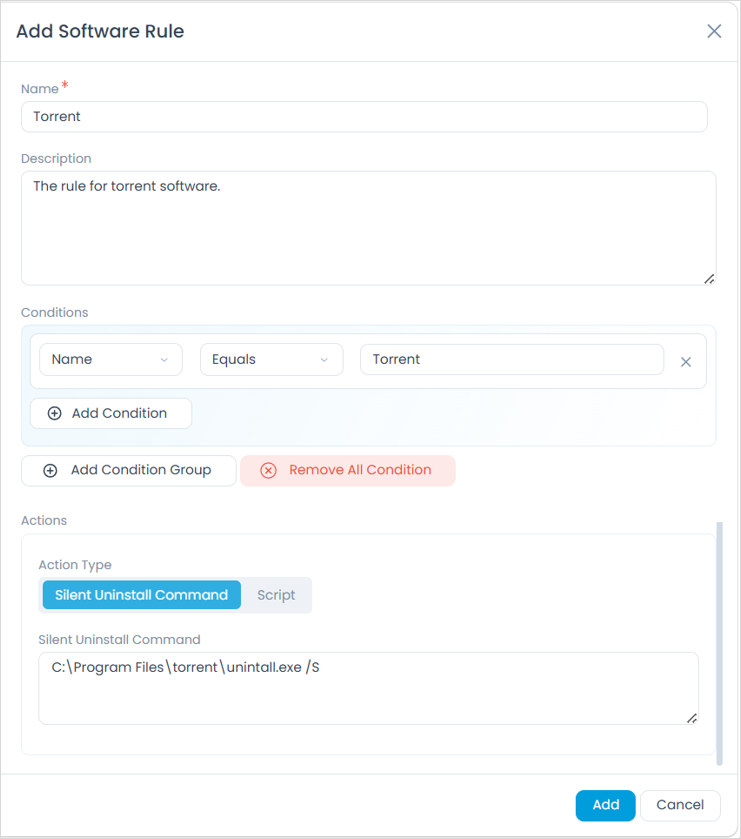
Prohibited Software Rules now include an Actions section where admins can configure how detected software is removed. The existing Silent Uninstall Command is now available directly in the rule, and a new Script action lets admins upload a script for software removal. Both action types are also supported in the Auto Uninstallation Policy panel.
Unix and macOS Support for Prohibited Software Uninstallation
Prohibited Software Rules now support automated software uninstallation on Unix and macOS endpoints, extending enforcement beyond Windows to cover mixed-OS environments. Admins can configure uninstall actions for prohibited software detected on these platforms directly from the existing Prohibited Software Rules configuration.
Patch Management
Discovery and Patch Management Support for Alma Linux 9.8/10.2 and Rocky Linux 9.8/10.2
Asset Discovery and Patch Management now support Alma Linux 9.8, Alma Linux 10.2, Rocky Linux 9.8, and Rocky Linux 10.2.
Automation
Custom User Fields Now Available in Workflow Automation Reference Fields
Custom fields configured for user reference entities are now available in Workflow Automation conditions, attribute field mappings, and expressions. The following modules and reference entities are supported:
| Module | Supported Reference Entities |
|---|---|
| Request | Assignee, Requester |
| Problem | Assignee, Requester |
| Change | Assignee, Requester, Change Manager, Change Implementer, Change Reviewer |
| Release | Assignee, Requester, Release Engineer, Release Manager, QA Manager, Release Reviewer |
| Asset | Managed By, Used By |
| CMDB | Managed By, Used By |
Admin and Configuration
Email Server Health Monitoring
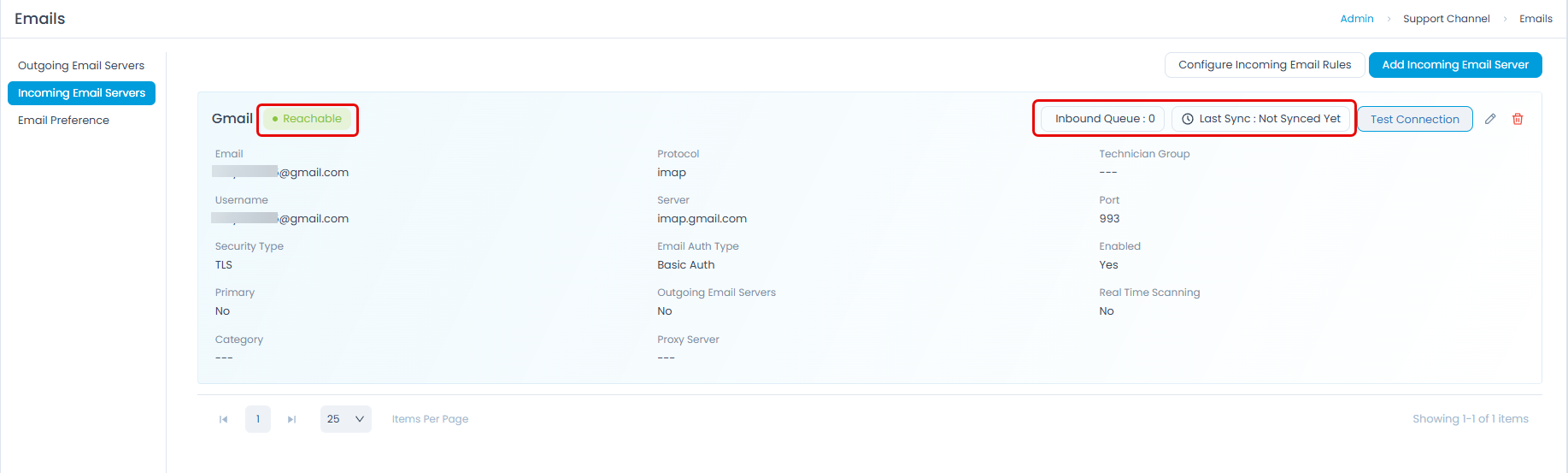
Administrators can now monitor the health of configured email servers directly from the Admin > Support Channels > Emails server list pages. Each incoming email server card displays a real-time status indicator (Reachable or Unreachable), the Last Sync Time of the most recent polling cycle, and an Inbound Queue count showing emails pending processing.
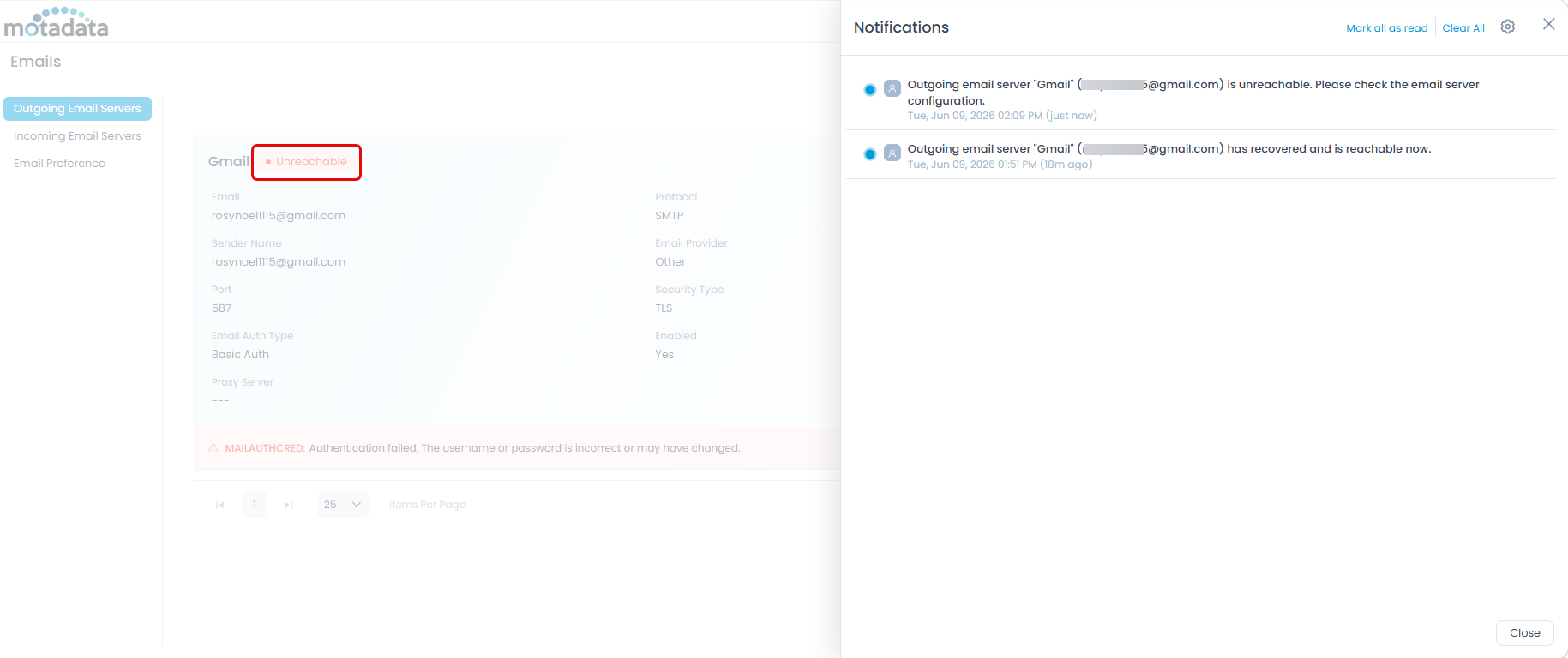
Outgoing email server cards show connection status. When any email server (incoming or outgoing) transitions to Unreachable, an inline error message appears on the card, click the link in the error message to view the error details. An in-app notification is also sent to the Super Admin and all users with the Manage Support Channels permission enabled. Recovery notifications are generated when a server returns to Reachable status.
The Port field also auto-populates based on the selected Protocol and Security Type combination, reducing manual entry errors during server setup.
WhatsApp Template Support for Notifications Beyond the 24-Hour Window
Motadata ServiceOps now supports Meta-approved WhatsApp Message Templates, enabling reliable notification delivery outside the 24-hour customer service window. When a template is configured for a notification event, ServiceOps sends it with dynamic variables (ticket ID, status, assignee) resolved from the ticket context. If no template is configured, free-form messages continue as before. Supported across all modules via Admin > Automation > Event Notification and Workflow > Notification > WhatsApp Notification.