Motadata ServiceOps Release Version 8.7.4.01
Release Date: May 06, 2026
What's New?
Service Request Management
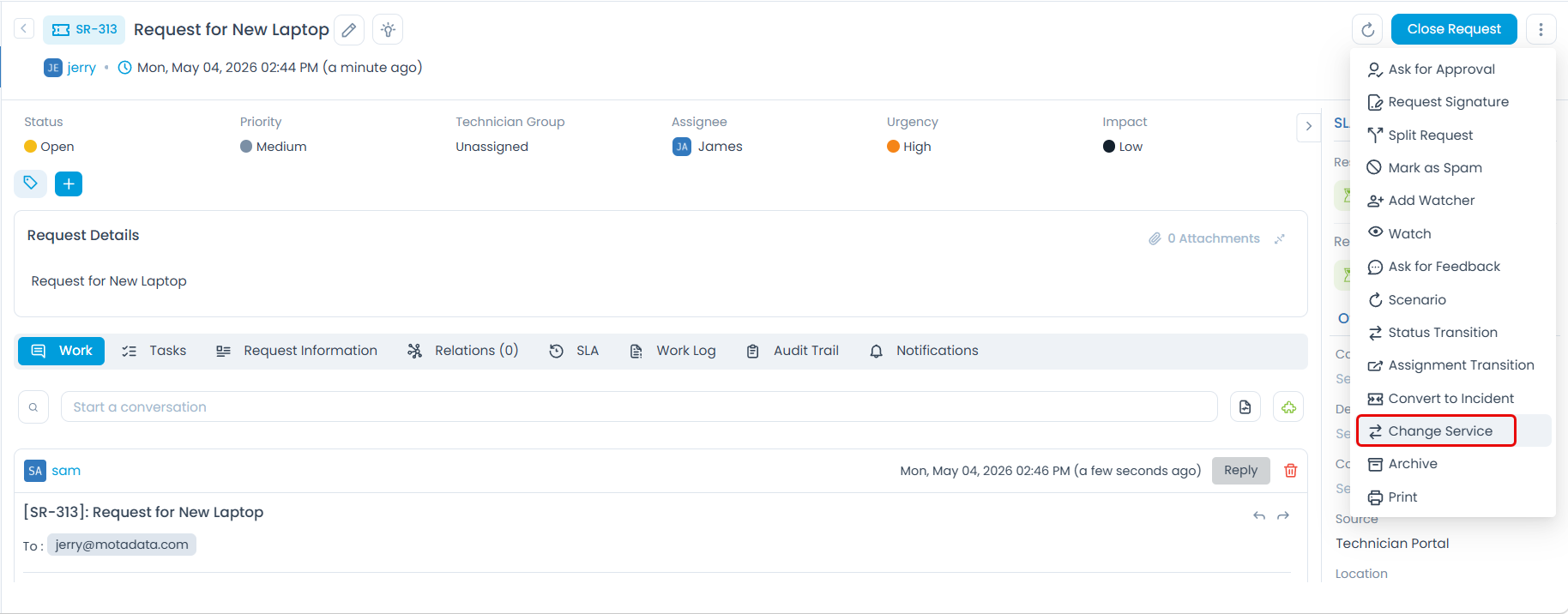
Technicians can now convert a Service Request into a different catalog item directly from the ticket using Change Service option, with common fields auto-populated and a side-by-side form view for filling in unique fields.
Change Management
Rollout Plan Dates Support in Change Planning Rules
Rollout Plan Dates can now be configured as a mandatory field in Change custom Planning Rules, ensuring rollout scheduling details are captured during the planning stage.
Patch Management
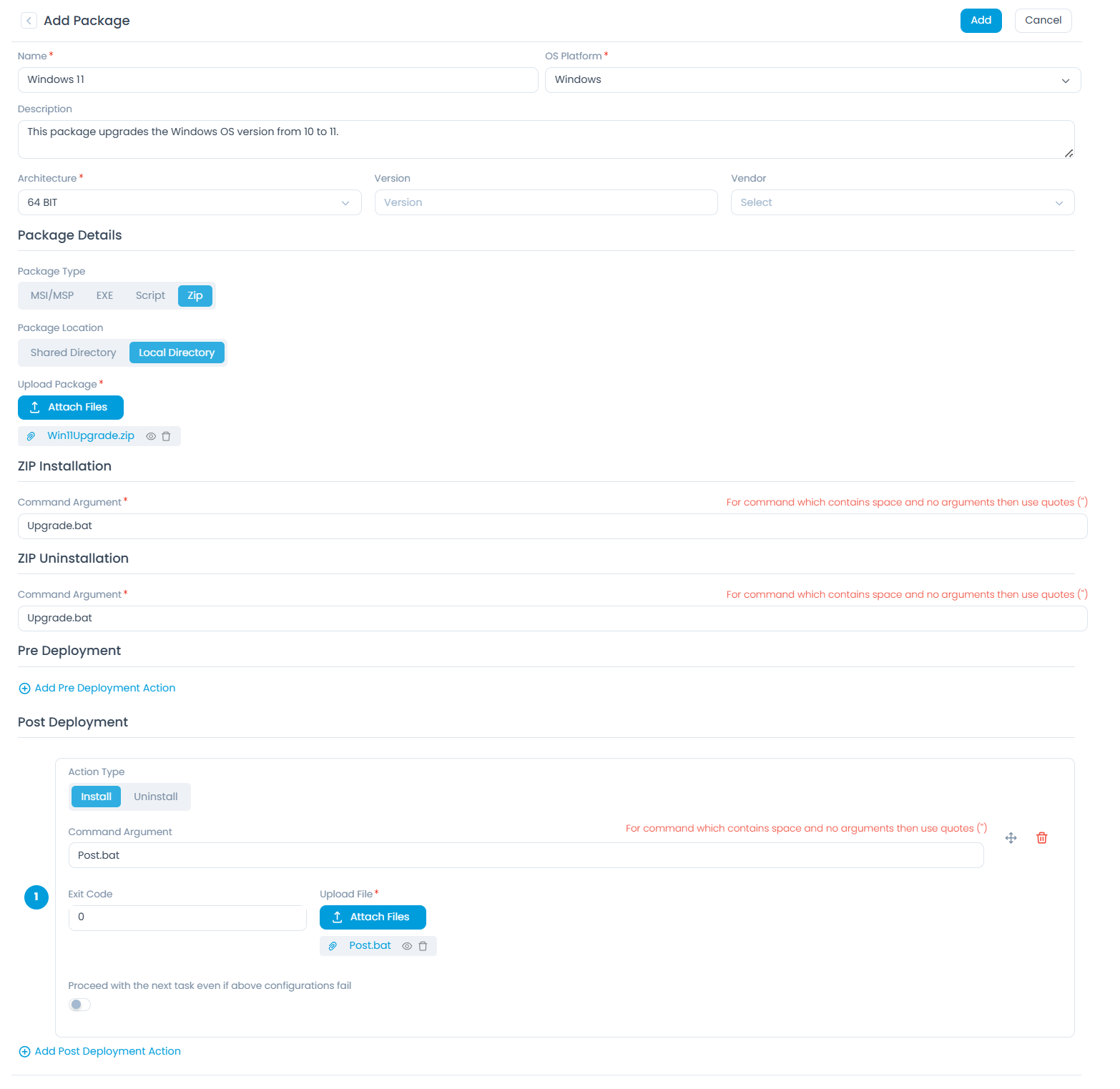
IT Administrators can now upload OS upgrade packages (ISO + script) greater than 5 GB through Package Management, with automatic pre-deployment compatibility checks and post-deployment version validation.
Asset Management
- Salvage value in depreciation configuration can now be set as a percentage of the purchase cost, in addition to a fixed amount, at both the Product Catalog and individual Asset level.
Contract Management
Attachment Field Support in Contract Custom Fields
Contract Custom Fields now support an Attachment field type, enabling file uploads directly within the Contract form.
Event Notifications and Templates
New Placeholder Option in Event Notifications, Print Templates, and Workflows
Administrators can now enrich Event Notifications, Print Templates, and Workflow email actions with three new dynamic placeholders:
- Asset and CI Details: Insert dynamic Asset Details and CI Details tables with full control over which fields appear and their order.
- Worklog: Include Worklog entries from a Request ticket as a structured table showing technician activity.
- Merge Requests: Display merged ticket details for the Request module, showing both Primary and Secondary tickets with their merge type clearly identified.
- Task Details: Include configurable task information in Print Templates.
Automation – Workflow Enhancements
- PUT, PATCH, and DELETE Method Support in Run Webhook
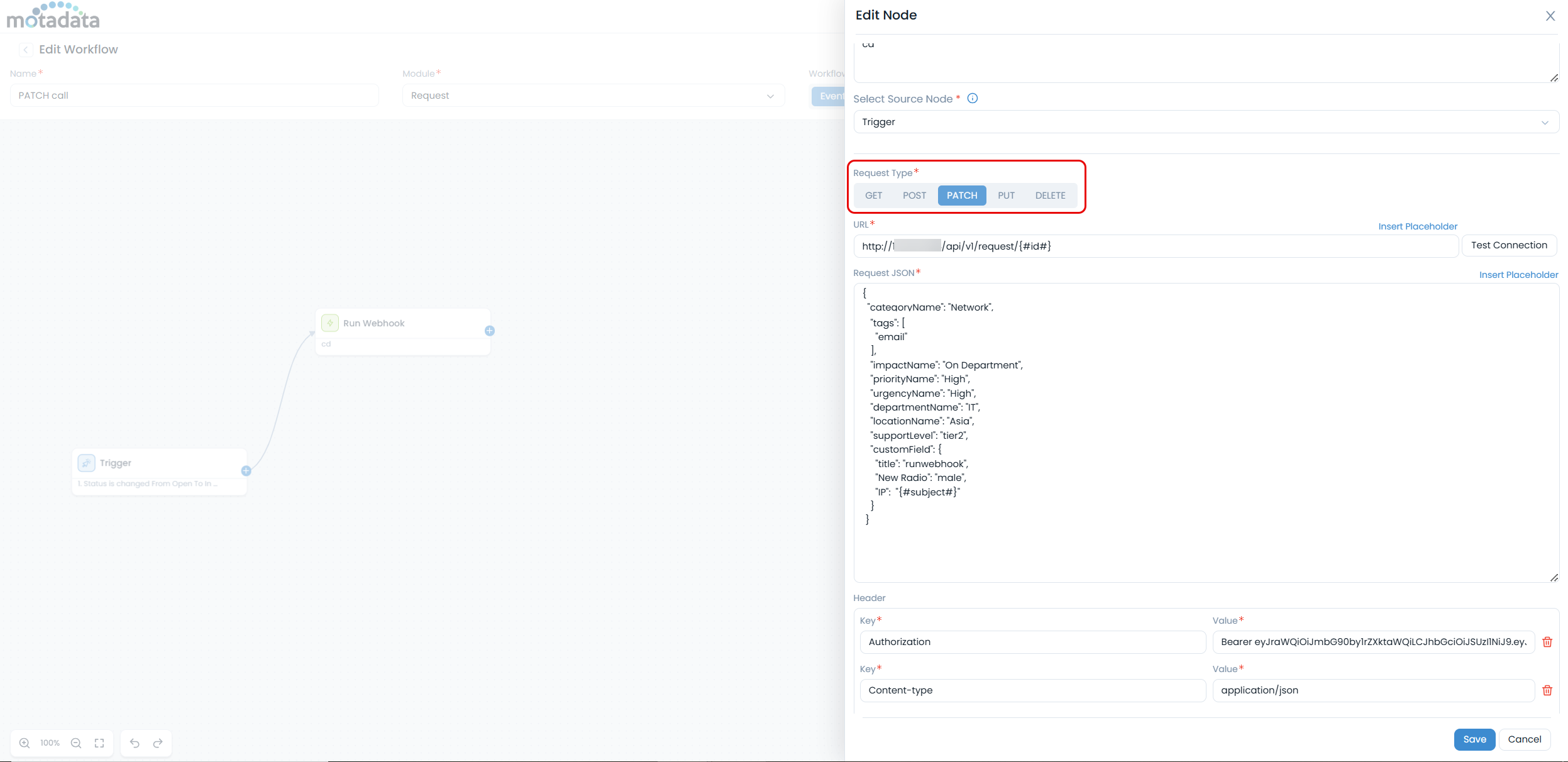
The Run Webhook workflow action now supports the following HTTP methods, enabling workflows to update, modify, and delete data in external systems:
PUT: Updates the entire resource with the new data. Use case: Update User Record in HR System on Offboarding When a technician closes an offboarding Service Request, a workflow automatically sends a PUT request to the HR or identity management system with the full updated user record, including status, departure date, and department. This ensures the external system accurately reflects the offboarding completion without a separate manual update. Example configuration:
- Module: Request
- Trigger: Service Request is closed
- HTTP Method: PUT
- URL: https://api.hr-system.com/users/{#RequesterId#}
- Request JSON: { "status": "offboarded", "departure_date": "{#ResolvedDate#}", "department": "{#Department#}" }
PATCH: Updates specific fields of the resource. Use case: Sync Ticket Priority to an External Monitoring Tool When a high-priority incident is raised or escalated in ServiceOps, a workflow automatically sends a PATCH request to an external monitoring tool (such as PagerDuty or Datadog) to update the linked alert's severity. This keeps external tools in sync with ServiceOps without any manual intervention from the technician. Example configuration:
- Module: Request
- Trigger: Priority is changed to Urgent
- HTTP Method: PATCH
- URL: https://api.monitoring-tool.com/alerts/{#AlertId#}
- Request JSON: { "severity": "{#Priority#}" }
DELETE: Deletes the resource. Use case: Remove Temporary Access After Change Request Closure When a Change request for temporary system or firewall access is resolved, a workflow automatically sends a DELETE request to the access management system to revoke the temporary access entry. This eliminates orphaned permissions and reduces security risk without requiring manual cleanup from the IT team. Example configuration:
- Module: Change
- Trigger: Change Request is resolved
- HTTP Method: DELETE
- URL: https://api.access-management.com/temporary-access/{#ChangeId#}
Task Management
Support for Bulk Actions in the Task Module
Technicians can now perform bulk actions on tasks from the Task List view, simplifying task management.
API Integration
Solution and Diagnosis Support in Request V1 APIs
Request V1 APIs now support Solution and Diagnosis fields, allowing these details to be retrieved, added, or updated through the GET, POST, and PATCH request APIs.
Miscellaneous
User Filter in Operation Audit
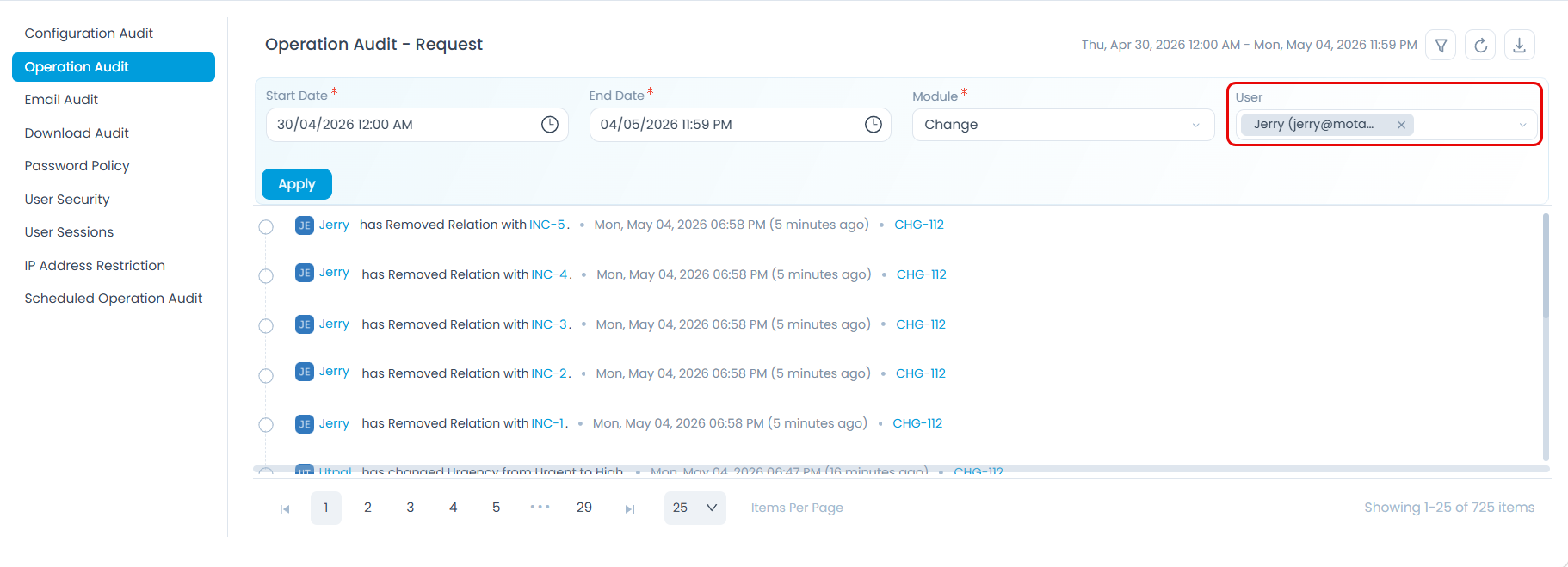
A searchable multi-select User filter is now available in Operation Audit, allowing administrators to view audit logs for actions performed by specific users while excluding system-generated entries.
Enhanced Monthly and CRON-Based Scheduler Support
The scheduler now supports Monthly schedules based on weekday occurrences and CRON expressions, enabling more flexible and precise task scheduling.
Support for Special Characters in Email Addresses
ServiceOps now supports additional special characters in email addresses across the platform, ensuring accurate validation, storage, and display in forms, notifications, workflows, reports, dashboards, and APIs.
Custom Prefix Support Across Problem, Change, and Release Modules
Administrators can now configure default category prefixes, starting numbers, and minimum-digit settings for the Problem, Change, and Release modules, ensuring consistent prefix management across modules.