Live Trail in ObserveOps
The Live Trail gives you a real-time stream of every log arriving in ObserveOps. Use it to confirm your log sources are sending data, verify that timestamps are being extracted correctly, and check what's flowing through the system before you build or adjust pipelines.
How It Works
The Live Trail streams logs as they arrive. ObserveOps extracts the timestamp from each log automatically. For logs that do not contain a timestamp or contain it in an obsolete format, ObserveOps uses the ingestion time as the timestamp.
Access the Live Trail
Go to Settings > Observability Pipeline > Log Pipeline, then click Live Trail to expand the section.
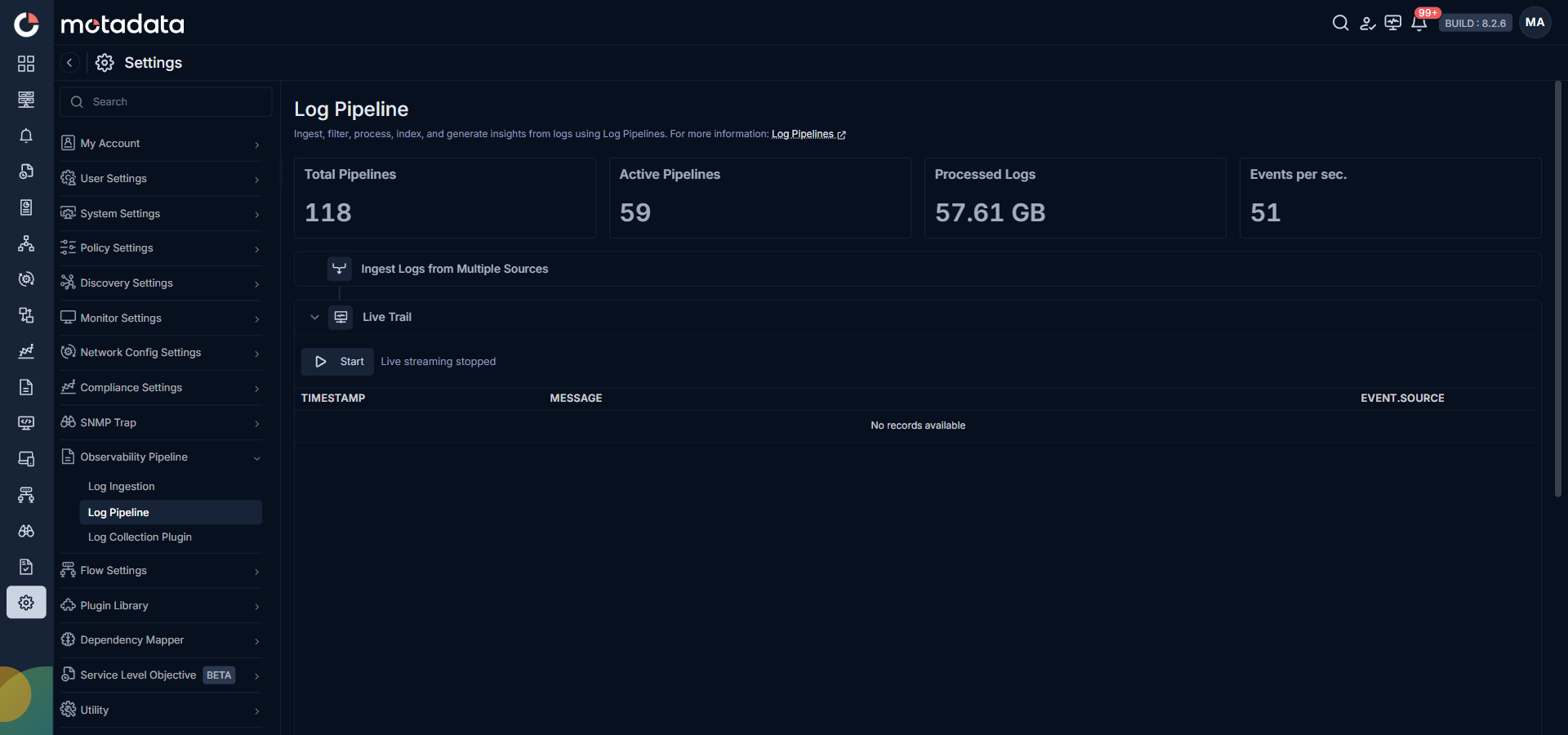
Click Start to begin streaming. The stream shows logs as they arrive.
For enhanced feature of the live trail navigate to Log Explorer > Start Live Trail.
What You See
Each row in the Live Trail shows three columns:
| Column | Description |
|---|---|
| TIMESTAMP | The timestamp extracted from the log. When extraction fails, this shows the ingestion time. |
| MESSAGE | The full log message as it arrived. |
| EVENT SOURCE | The source that sent this log. |