Create a Log Forwarder in ObserveOps
A log forwarder sends a copy of ingested logs to an external destination over TCP or UDP. You configure the destination, apply source filters to choose which logs to forward, and pick the format for outgoing logs.
Prerequisites
- The destination IP and port are reachable from the ObserveOps server.
Create a Log Forwarder
Go to Settings > Observability Pipeline > Log Pipeline, click Forward Logs to Custom Destinations to expand the section, then click Create Log Forwarder.
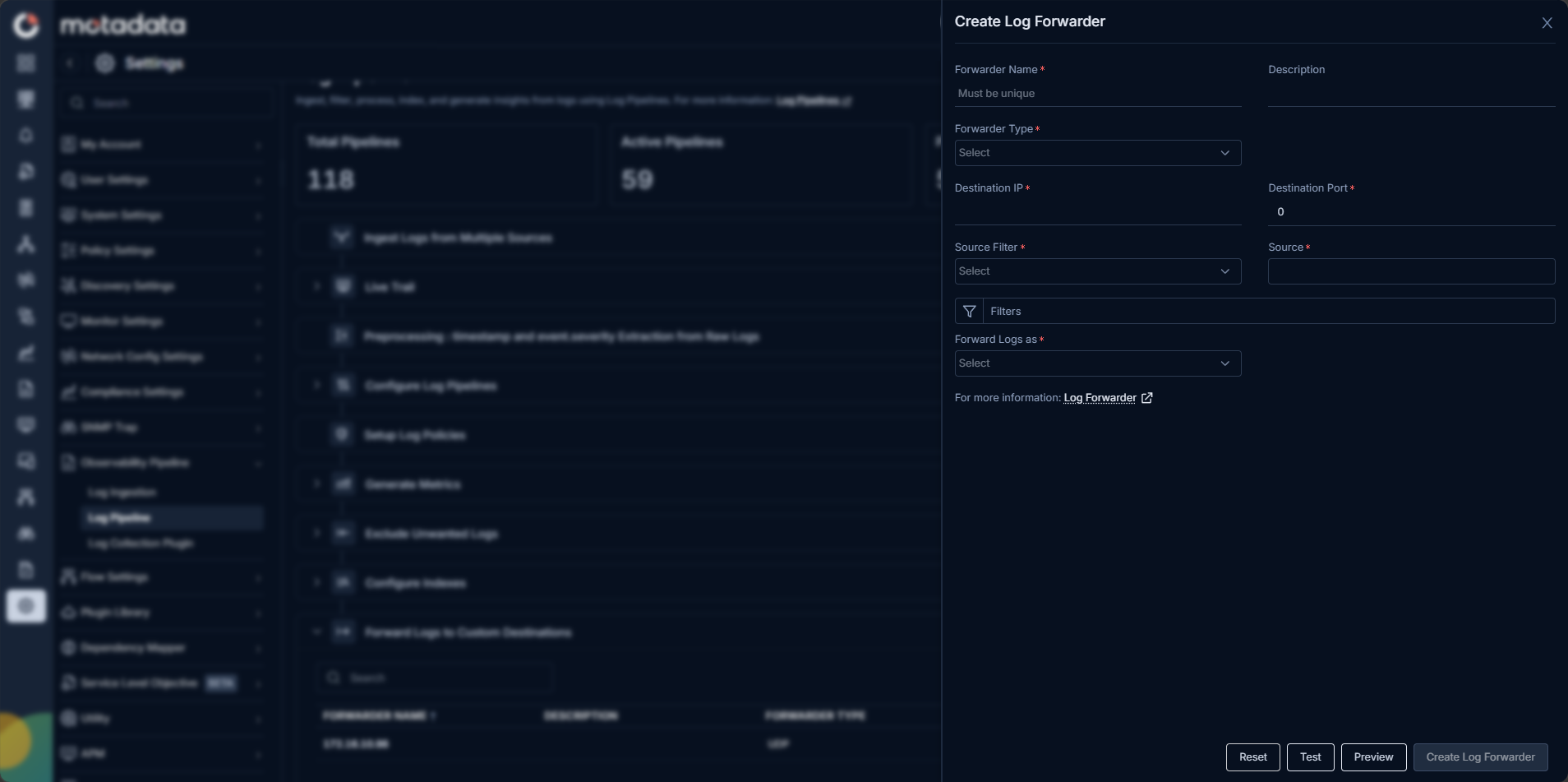
Fill in the form:
| Field | Description |
|---|---|
| Forwarder Name | A unique name for this forwarder. Must be unique across all forwarders. |
| Description | Optional. Describe the destination or purpose of this forwarder. |
| Forwarder Type | Select Syslog-TCP or Syslog-UDP. TCP provides reliable delivery with connection confirmation. UDP provides low-overhead forwarding for high-volume streams. |
| Destination IP | The IP address of the external system to forward logs to |
| Destination Port | The port the external system is listening on. Default is 0 — enter the correct port for your destination. |
| Source Filter | Select a source filter type to control which log sources this forwarder applies to |
| Source | Depending on your Source Filter selection, choose an IP, host type, or group |
| Filters | Optional. Set a Pre-filter condition to forward only logs matching specific criteria. |
| Forward Logs as | Choose JSON or Raw Logs based on what the destination system expects |
After filling in the fields, click Test. For Syslog-TCP, ObserveOps tests the port and IP configuration. For Syslog-UDP, ObserveOps performs a ping check to the destination.
Click Preview to see a sample of the logs that would be forwarded with the current configuration. The preview covers the last 30 minutes by default.
When the test succeeds, click Create Log Forwarder to save.
Click Reset to clear the form and start over.
Configure Pre-filters
Use Pre-filters to forward only the logs that match specific conditions, instead of forwarding everything from the selected source.
The Pre-filter builder supports up to 3 groups. Each group supports up to 3 criteria.
| Setting | Description |
|---|---|
| Groups Matching | Controls the relationship between groups. ALL requires every group's criteria to match. ANY requires at least one group to match. |
| Group Matching | Controls whether matching logs are included (forwarded) or excluded (not forwarded). |
| Criteria Matching | Controls the relationship within a single group. All requires every criterion to match. Any requires only one criterion to match. |
| Counter | The metric or field to evaluate. Options vary by forwarder type. |
| Operator | The comparison to apply: equals, contains, greater than, less than, and others. |
| Value | The value to compare against using the selected operator. |
Click Add New Group to add another criteria group.
-->