Poller Service for SaaS Deployment
Discover and manage your on-premises assets from your ServiceOps SaaS instance by deploying the Poller Service within your local network.
This guide is for IT Administrators of a ServiceOps SaaS instance who need to discover and monitor assets located within their organization's private network.
What is the Poller Service?
The Poller Service is a lightweight software component that you install within your local network to discover assets behind a firewall. It acts as a local proxy, running scans on your subnets to find and collect data from your devices, and then securely transmitting that information back to your central ServiceOps SaaS instance.
This is the standard and most secure method for a SaaS-based ServiceOps platform to gain visibility into your on-premises IT environment, allowing for comprehensive asset discovery without exposing devices directly to the internet or requiring complex firewall rules.
Architecture for SaaS Deployment
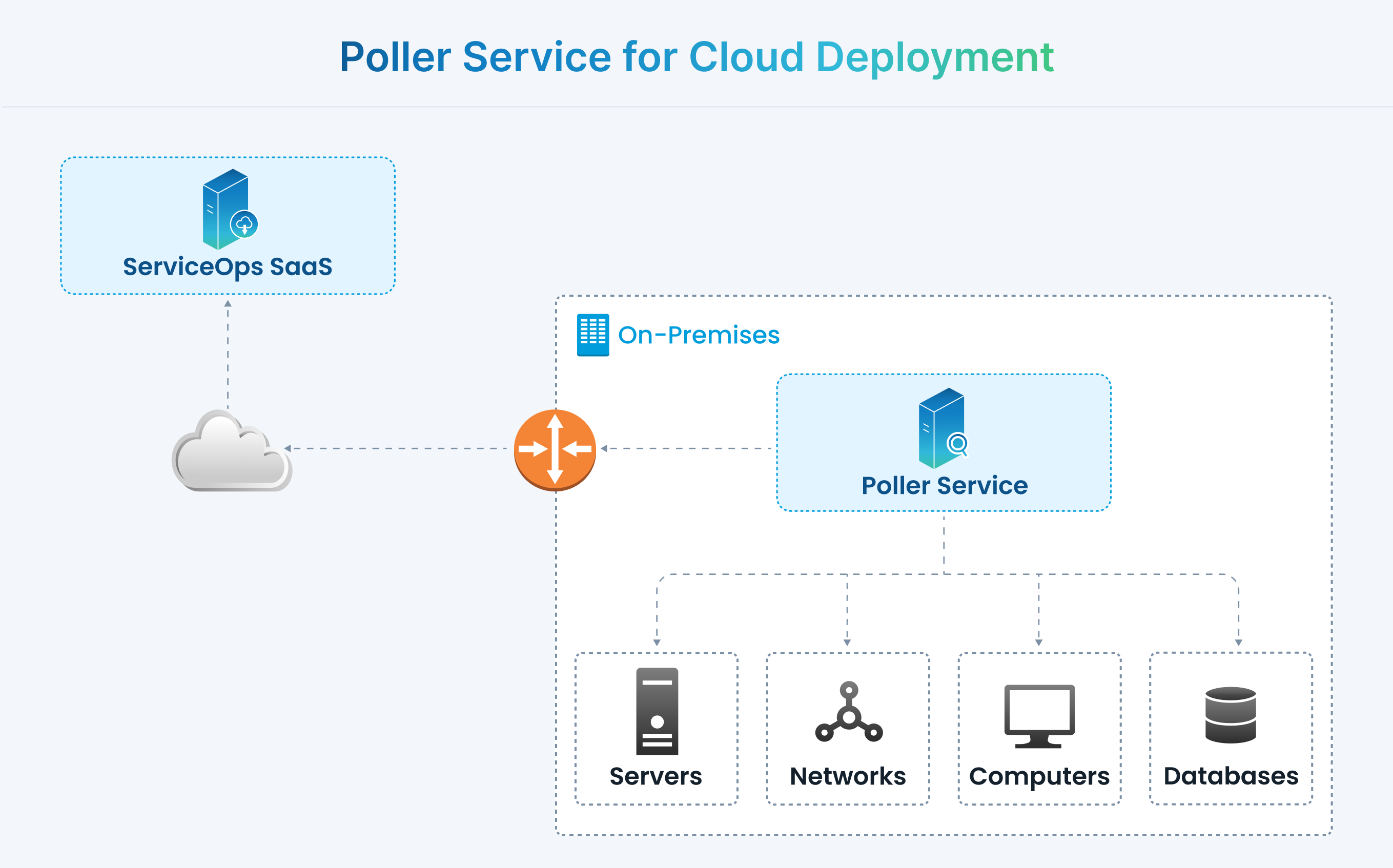
In a cloud-based architecture, the Poller service is installed within your local network (behind the firewall). It discovers local assets and sends the collected data securely over the internet to your ServiceOps cloud instance.
Key Capabilities
- Multi-Platform Discovery: Identifies a wide range of devices, including Windows, Linux, SNMP-enabled hardware, and VMware environments.
- Agentless & Agent-based Scanning: Provides the flexibility to discover assets with or without an agent installed.
- Secure Communication: Securely sends discovered asset data to your SaaS instance using an activation code and secure authentication key.
Installation Guides
To install the Poller Service on a machine within your local network, please follow the detailed step-by-step instructions available in our On-Premises Installation section. The process is identical for both on-premises and SaaS deployments.
- For Windows: Windows Poller Installation