Pre-Switchover Checklist – Data Synchronization Validation
This guide provides critical validation steps to ensure data consistency between your primary and disaster recovery sites, preventing data loss and ensuring a seamless failover.
Before initiating the switchover from the Primary Data Center (DC) to the Disaster Recovery (DR) site, it is critical to validate that application data is synchronized across both environments. The following steps should be performed:
1. Validate Ticket Count in Database
Connect to the PostgreSQL database on both DC and DR servers.
Run the following query to fetch the total number of tickets in the system:
SELECT COUNT(*) FROM apolo.request;
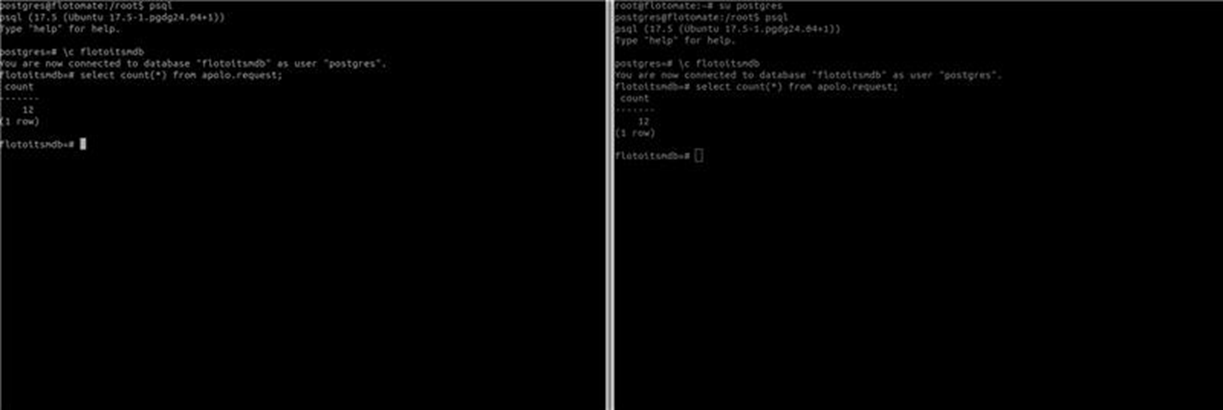
Confirm that both DC and DR databases reflect the same ticket count. For example, if DC shows 12 tickets, the DR must also display 12 tickets.
2. Cross-Check via ServiceOps Application
Log in to the ServiceOps application from the DC portal.
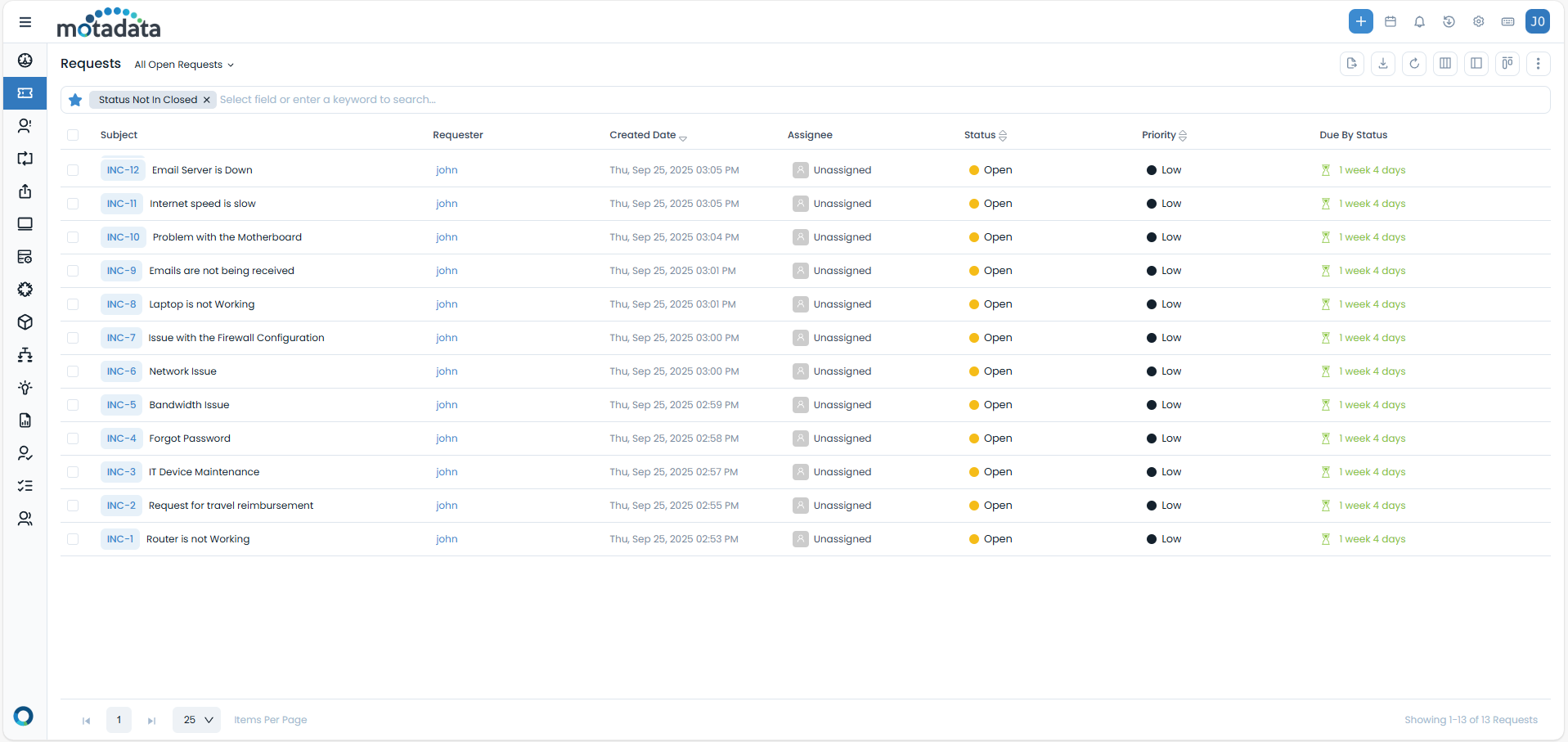
Navigate to Requests > All Open Requests and verify the total number of tickets listed.
Ensure that the number displayed in the portal (e.g., 12 tickets) matches the count fetched from the database.
3. Validate Synchronization on New Ticket Creation
Create a new request/ticket from the ServiceOps application (e.g., ticket INC-13).
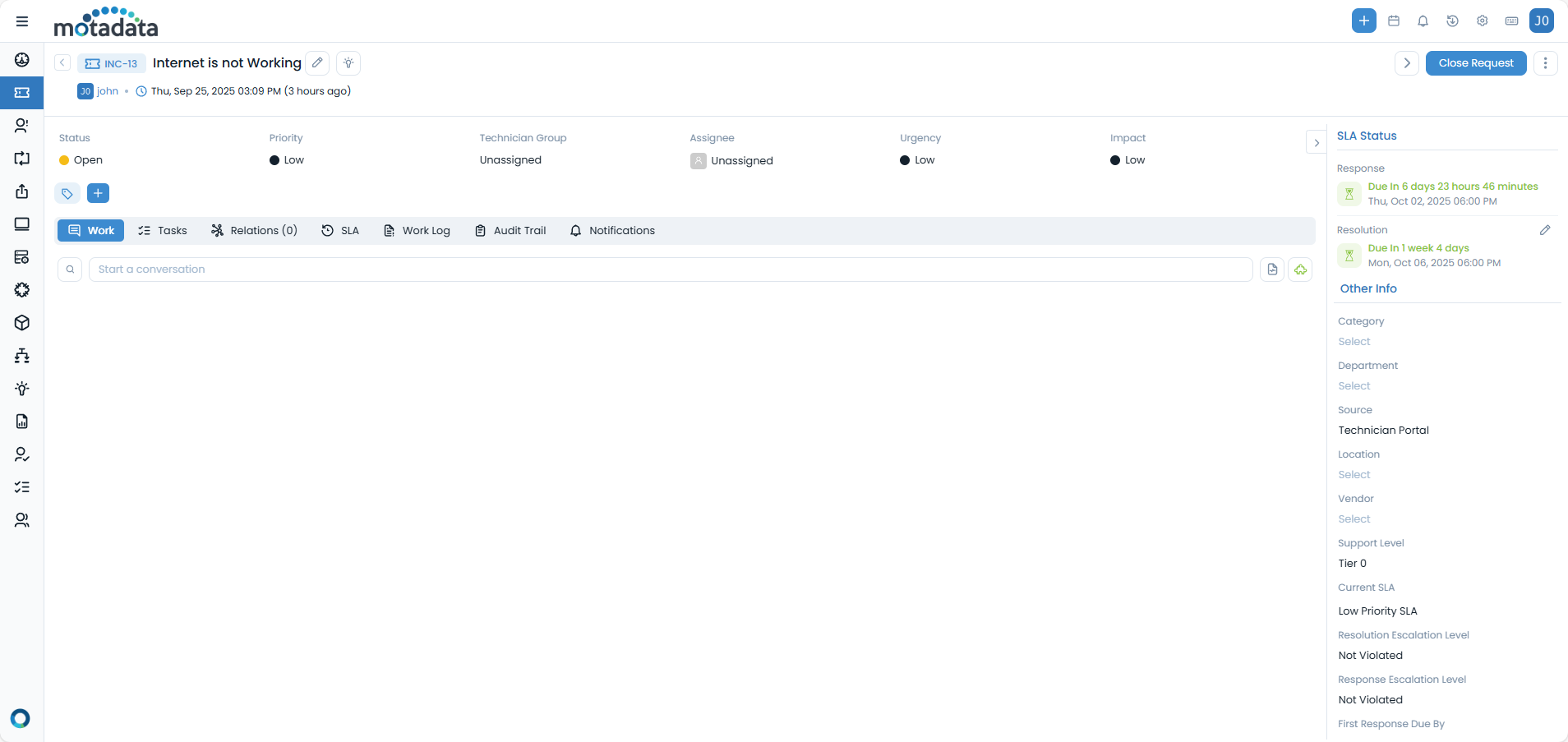
Verify the following:
- The new ticket is immediately visible in the DC portal.
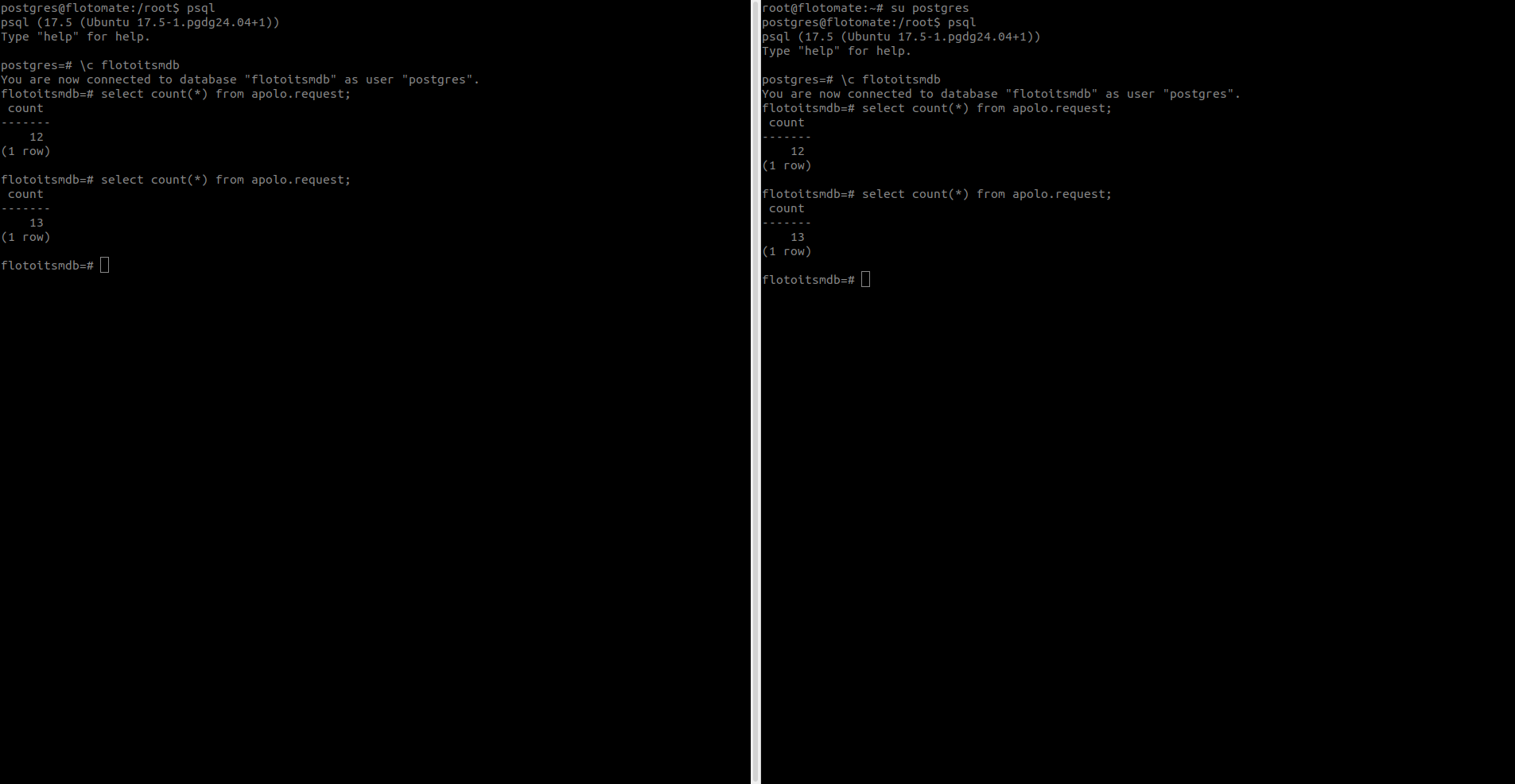
- Running the SQL count query again in both DC and DR databases should now show 13 tickets.
- Confirm that the new ticket is also available in the DR database and visible in the DR portal.
4. Verify IP Address & Connectivity
Ensure you are validating against the correct servers by checking the IP addresses of the DC and DR systems (ip a).
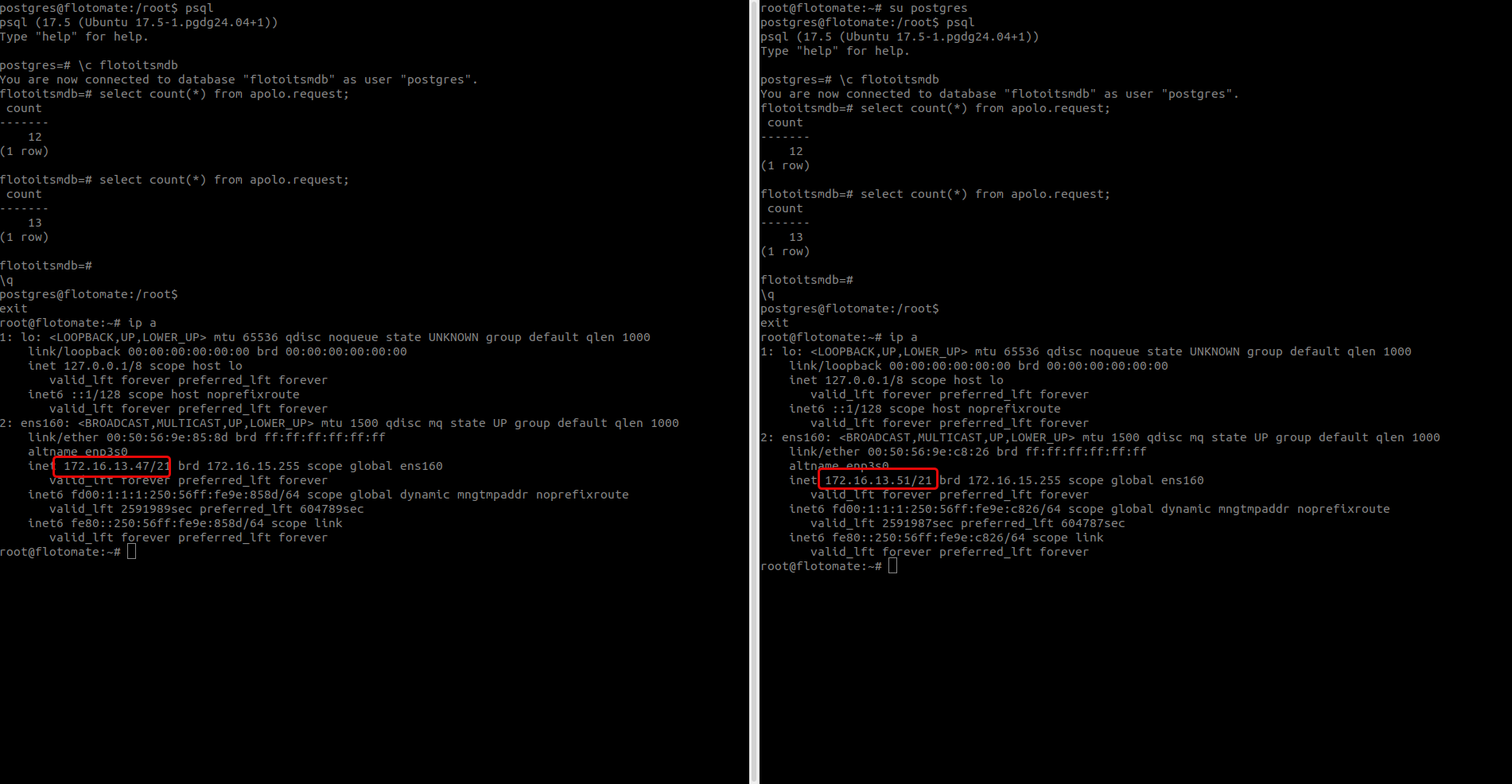
Document the IPs of both DC and DR servers as part of the validation record for audit purposes.
✅ Switchover should only proceed once ticket counts and data consistency are confirmed across DC and DR servers at both the database and application level.