POST Create a Conversation
URL: http://{{server-url}}/api/v1/change/1/conversation
You can create a conversation (collaborate and note) within a change request by calling the above endpoint with the ticket ID.
You need the following key-values:
Header
| Key | Description |
|---|---|
| Authorization | Bearer/API Key {access token obtained after authorization} |
Body
{
    "conversationType": "collaborate",
    "details": "<p>This is an internal note about the request progress.</p>",
    "subject": "Empty Details Test"
},
{
    "conversationType": "note",
    "details": "<p>This is an internal note about the request progress.</p>",
   "subject": "Progress Update",
   "conversationState": "published"
  }
Example (Request & Response)
Request
curl --location 'http://172.16.11.160/api/v1/change/1/conversation' \
--header 'Authorization: Apikey cuhEo6Av4WD6sShZ%40oyNkwV7KPlzyNjGMfyzwJO88JSMA3tkyrSmpl60iJIayOHvAHA9n' \
--header 'Content-Type: application/json' \
--data '
{
    "conversationType": "collaborate",
    "details": "<p>This is an internal note about the request progress.</p>",
    "subject": "Empty Details Test"
}
Response
{
    "id": 1,
    "conversationType": "collaborate",
    "details": "<p>This is an internal note about the request progress.</p>",
    "createdByName": "Heta",
    "createdByEmail": "heta.mehta@motadata.com",
    "createdTime": "Thu, Jul 17, 2025 03:16 pm",
    "updatedTime": "Thu, Jul 17, 2025 03:16 pm",
    "subject": "Empty Details Test",
    "conversationState": "published",
    "updatable": false,
    "deletable": true,
    "fileAttachments": []
}
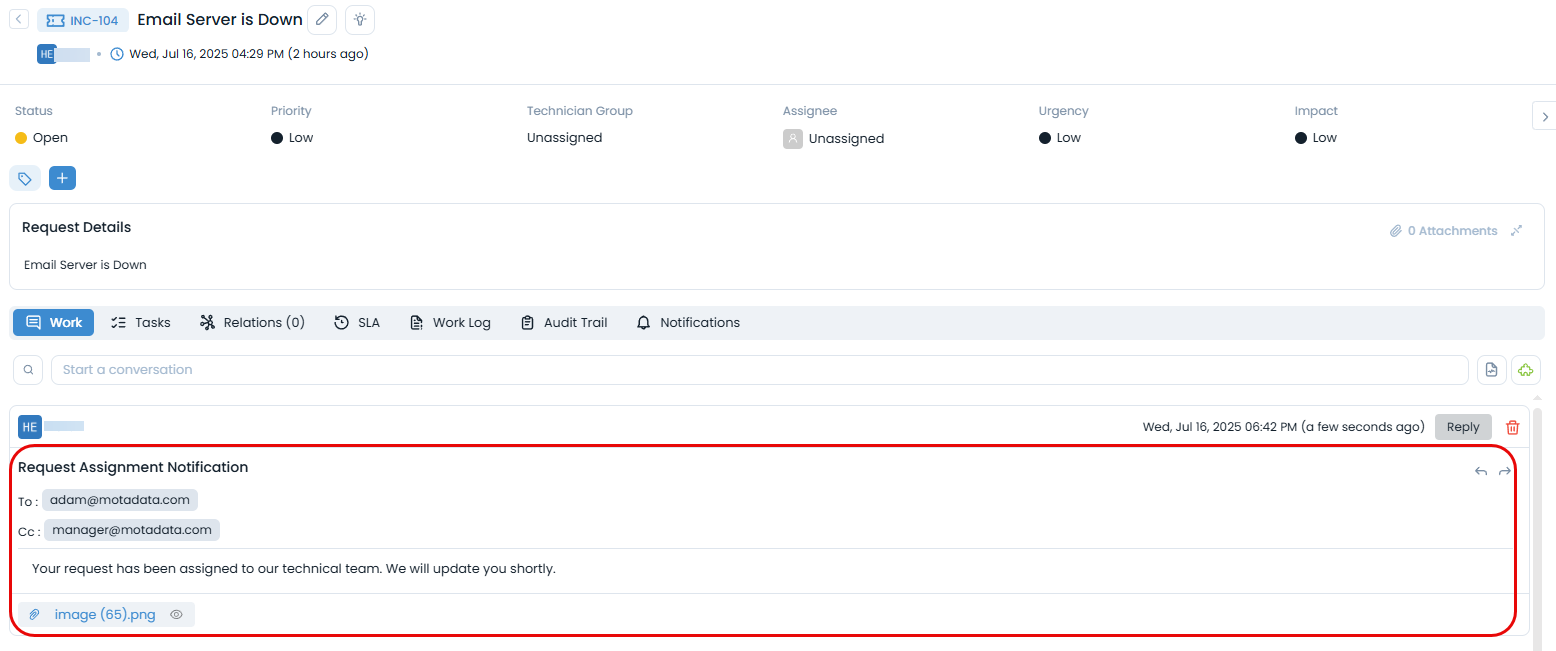
The conversation will be created as shown below: