Quick Start for Technicians
Log in, get oriented, and start solving problems-fast.
Welcome to ServiceOps! This guide will help you get started with the essential features you'll use as a technician. We'll cover how to log in, navigate your dashboard, and understand your core tasks.
Logging In
To begin, you need to sign in to the ServiceOps Portal with the credentials provided by your administrator.
- Navigate to the ServiceOps URL provided by your organization.
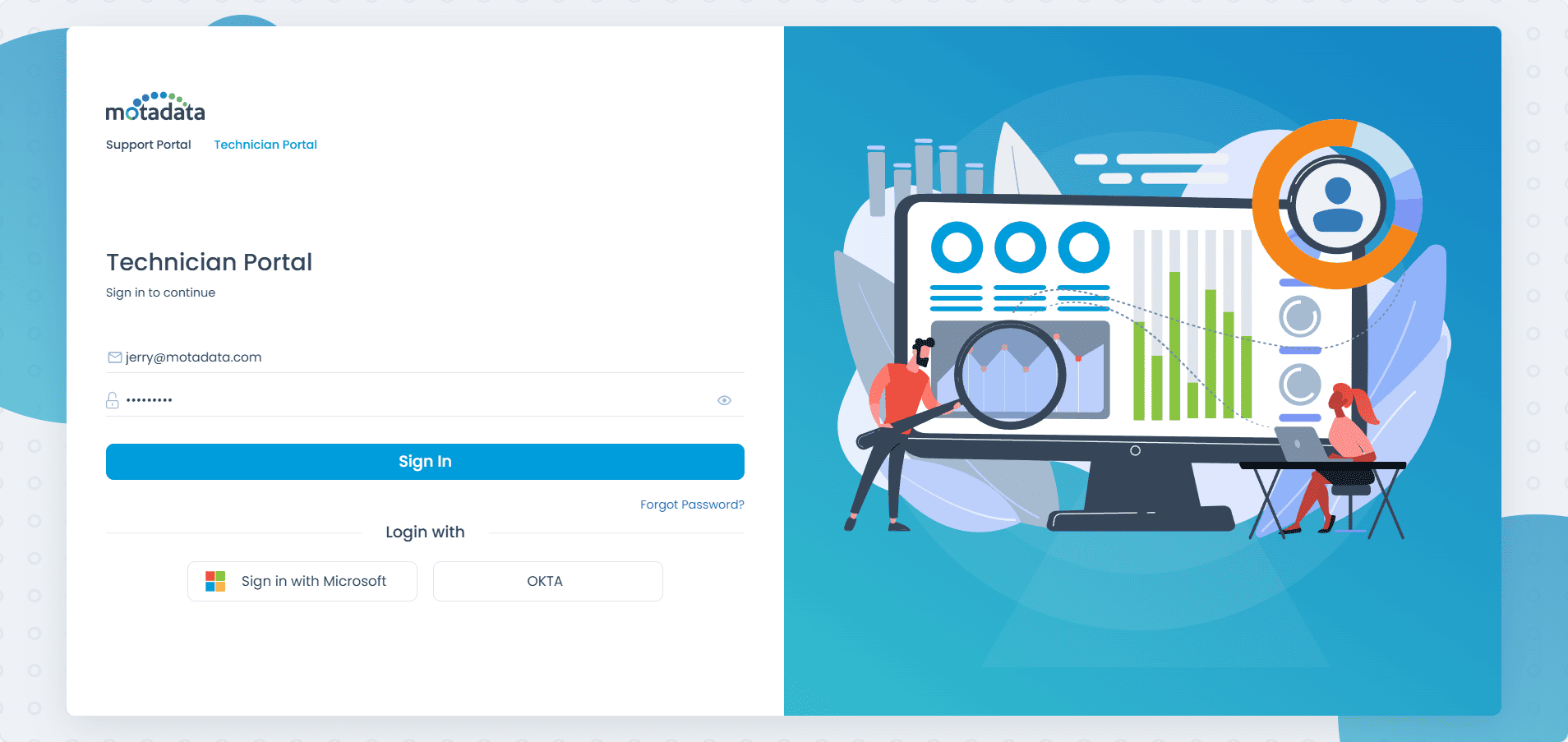
- Enter your registered email address and password.
- Click Sign-in.
If you ever forget your password, you can use the Forgot Password link on the login page to receive a reset link to your registered email.
Navigating the Dashboard
The dashboard is the first screen you'll see after logging in. It gives you a complete overview of the requests and tasks assigned to you.
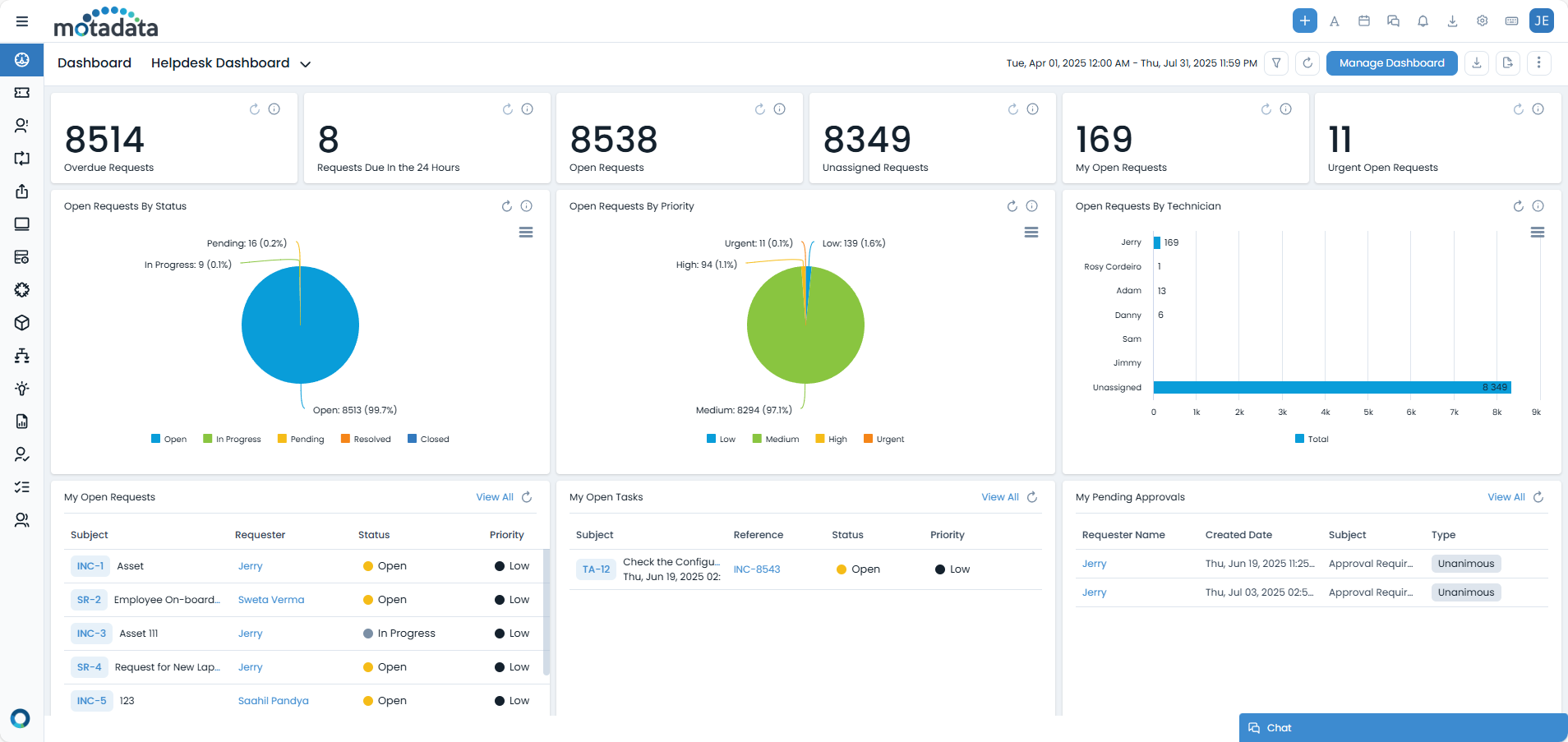
Here are the key areas of your user interface:
- Main Menu: On the left side of the screen is the main navigation menu. Here you can access all the modules available to you, such as Request Management, Problem Management, Asset Management, and more.
- Create New Button: Located in the top navigation bar, this button allows you to quickly create a new item, such as an Incident, Service Request, Change, or a new Asset.
- Dashboard View: The central part of the screen is your dashboard. It displays key metrics and lists, such as overdue requests, currently open tickets, and unassigned requests. You can often customize this view to suit your workflow.
- Notifications: A bell icon in the top bar shows you real-time notifications about ticket updates, assignments, and escalations.
- Calendar: The calendar icon displays a view of requests and tasks that are due within a selected time range, helping you plan your work.
- User Profile: Clicking your name or profile icon in the top-right corner allows you to edit your profile details and sign out.
Your Core Tasks
As a technician, your primary role extends across several key ITSM processes. Here’s a brief overview of your typical responsibilities:
- Managing Tickets: Your main duty is to handle incidents and service requests. This involves picking up tickets from the queue, investigating the issue, communicating with the user, documenting your work in notes, and resolving the ticket according to its SLA. Key actions include assigning tickets, adding detailed notes, updating statuses, and ensuring SLA compliance. For more details, refer to Request Management.
- Investigating Problems: For recurring incidents, you'll participate in root cause analysis. Your goal is to identify the underlying problem and contribute to a permanent solution to prevent future tickets. This often involves linking multiple incidents to a single problem record and working towards a permanent fix. For more information, see Problem Management.
- Implementing Changes: You will be assigned tasks related to implementing IT changes. This involves following a structured workflow to deploy new services, applications, or infrastructure while minimizing business disruption. This includes participating in change planning, approval, implementation, and review stages. Learn more in Change Management.
- Managing Releases: Technicians play a crucial role in the release process, ensuring that new services, applications, and updates are deployed smoothly and efficiently, minimizing disruption. Refer to Release Management for more information.
- Participating in Projects: You may be assigned to projects that involve a series of planned activities. Your role will be to complete assigned project tasks and milestones on schedule, and update your progress regularly. For more details, refer to Project Management.
- Managing Assets and CIs: As you work on tickets, you will interact with various hardware, software, and other Configuration Items (CIs). A key task is to ensure the information in the CMDB for these items is accurate and up-to-date, including viewing asset details, updating CI statuses, and associating assets with tickets. Detailed guidance is available in Asset Management and CMDB Management.
- Contributing to the Knowledge Base: After resolving a ticket, it is best practice to document the solution in a knowledge base article. This helps other technicians and enables end-users to resolve common issues themselves. Learn about creating and managing articles in Knowledge Management.
- Handling Purchases: Technicians may be involved in the procurement process, from raising purchase requests for new hardware or software to tracking their delivery and deployment. See Purchase Management for details.
- Managing Contracts: Technicians might need to track and manage IT-related contracts, such as software licenses or hardware warranties, to ensure compliance and timely renewals. More information is available in Contract Management.
- Deploying Packages: You may be responsible for deploying software packages to end-user devices or servers, ensuring that applications are installed correctly and securely. Learn more in Package Management.
- Applying Patches: A critical task for technicians is to apply security patches and updates to systems and applications to protect against vulnerabilities and maintain system stability. Refer to [Patch Management](./
Related Topics
- Core ITSM Modules:
- Request Management (for comprehensive guide on handling incidents and service requests)
- Problem Management (for identifying and resolving root causes of recurring issues)
- Change Management (for managing planned changes to IT services and infrastructure)
- Release Management (for managing the deployment of new services and updates)
- Asset & Knowledge Management:
- Asset Management (for managing hardware, software, and other Configuration Items)
- Knowledge Management (for creating and utilizing knowledge articles)
- Contract Management (for tracking and managing IT-related contracts)
- Software & Security Management:
- Package Management (for deploying software packages)
- Patch Management (for applying security patches and updates)
- Work & Team Management:
- Project Management (for participating in and managing project-related tasks)
- Task Management (for managing individual tasks and activities)
- Approval Management (for handling and delegating approvals)