Adding Other Devices for Monitoring
Overview
In order to monitor devices that fall under the “Other” category in Motadata AIOps, you need to initiate a discovery using one of the supported discovery types. These include IBM Tape Library and Ping-based discoveries. This document will guide you through the step-by-step process of adding such devices for monitoring.
The overall workflow involves creating a discovery profile by selecting the appropriate device type, providing IP details, and assigning the necessary credential profiles and groups. Once the discovery is executed, the discovered devices can be provisioned as Monitors in the system. These monitors will then be actively polled, and alerts will be generated based on collected performance data.
- IBM Tape Library
- Ping
Adding IBM Tape Library Devices
Motadata AIOps supports SNMP-based discovery of IBM Tape Library devices.
1. Create Discovery Profile
Navigation
Go to Menu. Select Settings  . After that, go to Discovery Settings
  and select Discovery Profile. Choose the Other tab and select IBM Tape Library.
A new screen is shown with required fields.
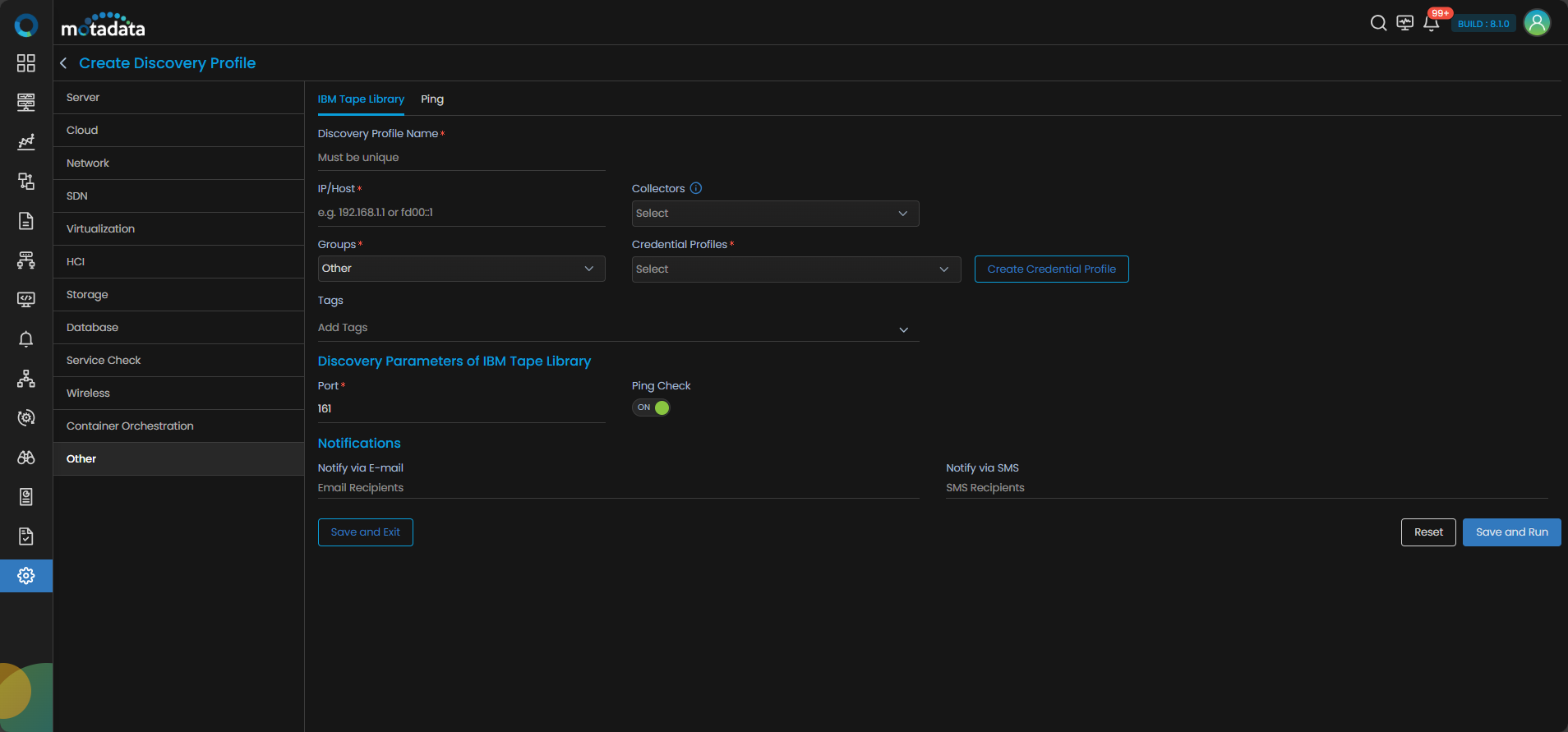
Discovery Profile Parameters
| Field | Description |
|---|---|
| Discovery Profile Name | Give a unique name to this discovery profile. |
| IP/Host | Enter the IP address of the IBM Tape Library (e.g. 192.168.1.1 or fd00::1). |
| Collectors | Select one or more collectors to be used for this discovery run. |
| Groups | Select the group under which this monitor should be categorized. |
| Credential Profiles | Select an SNMP credential profile with the correct version and community. You can also create one using the Create Credential Profile button. |
| Tags | Assign tags to organize the monitor. |
| Port | Default SNMP port is 161. You may change it if needed. |
| Ping Check | Enable or disable ping check before discovery begins. If ON, the device must respond to ping to be discovered. |
| Notify Team | The system allows notifying users about new service discovery through e-mail, handle, user name, and user profiles:
|
Select Save and Run to execute the discovery immediately. Alternatively, choose Save and Exit to store the profile without running it now.
Adding Devices Using Ping Discovery
The Ping discovery option allows you to scan networks using basic ICMP checks. This is helpful when you want to identify active devices without requiring credentials.
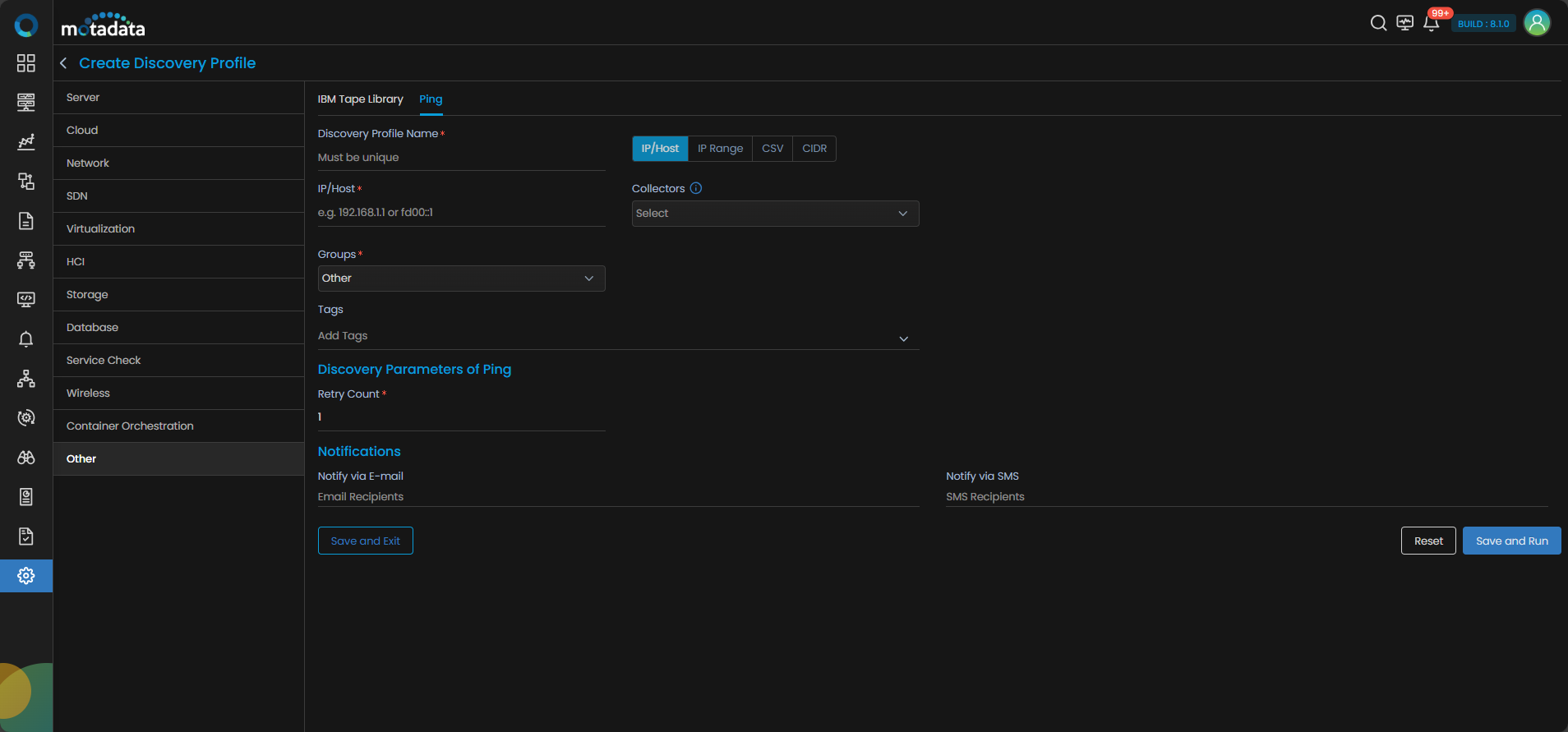
- IP/Host
- IP Range
- CSV
- CIDR
Using IP/Host
Use this method when you want to ping a single IP or hostname.
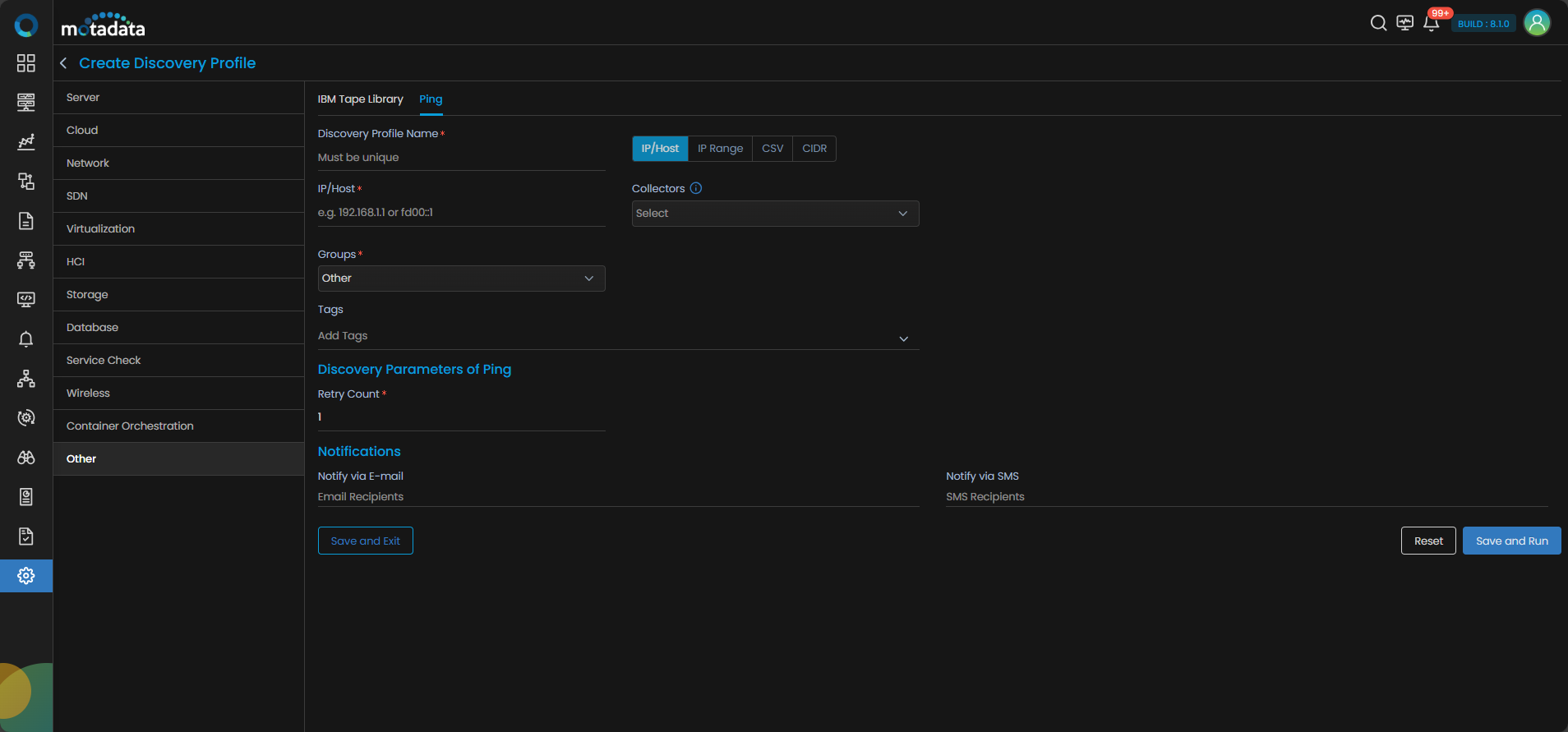
| Field | Description |
|---|---|
| Discovery Profile Name | Enter a unique name for this ping discovery. |
| IP/Host | Single IP address or hostname to ping (e.g. 192.168.1.1). |
| Collectors | Select one or more collectors to be used for this discovery run. |
| Groups | Select the group where this device will be added. |
| Tags | Assign tags to organize the monitor. |
| Retry Count | Number of retry attempts in case of timeout. Default is 1. |
| Notify Team | The system allows notifying users about new service discovery through e-mail, handle, user name, and user profiles:
|
Click Save and Run to begin discovery.
Using IP Range
Use this option to scan a continuous range of IPs.
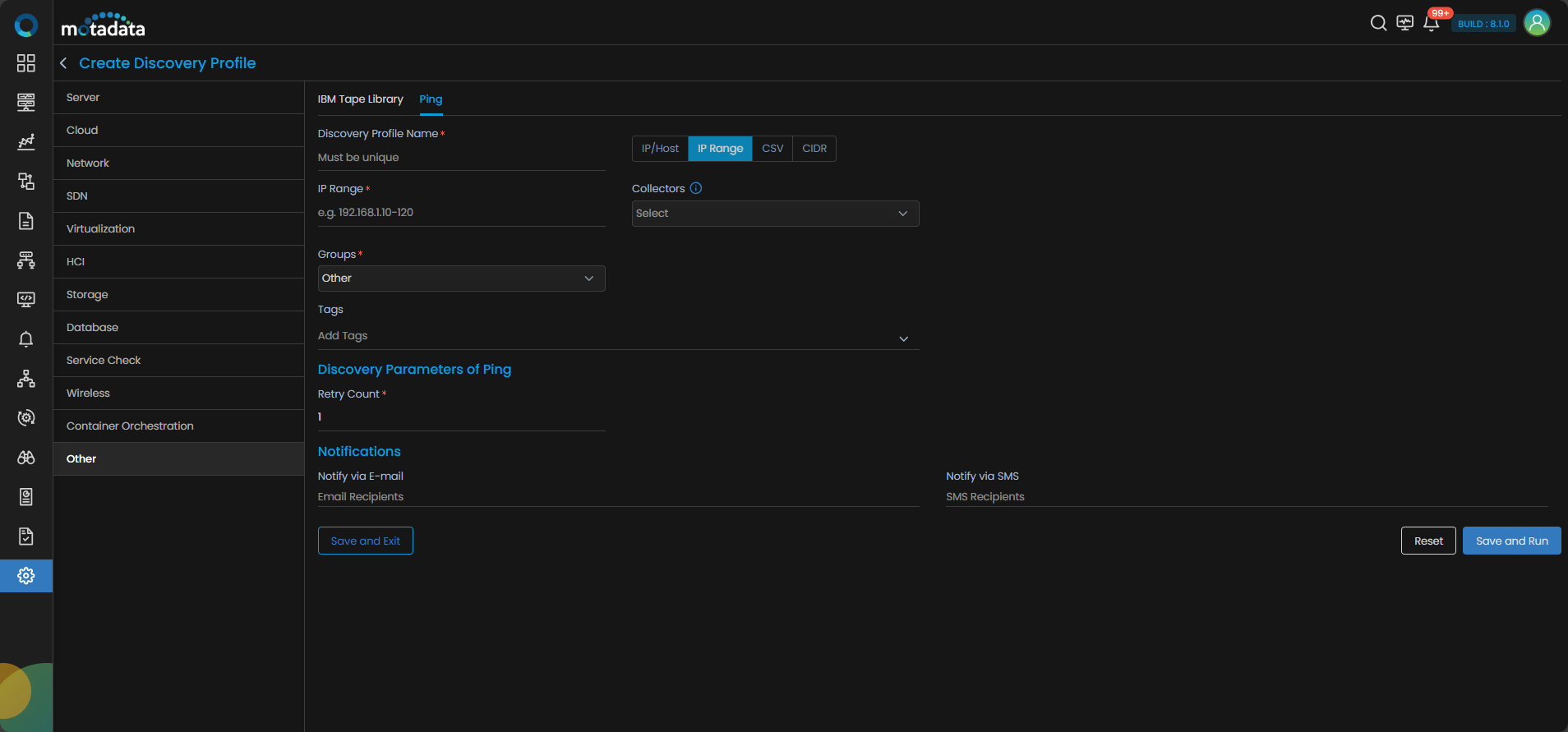
| Field | Description |
|---|---|
| Discovery Profile Name | Provide a name for the ping discovery. |
| IP Range | Provide IP address range to discover. |
| Collectors | Select one or more collectors to be used for this discovery run. |
| Groups | Assign the discovered devices to a group. |
| Tags | Assign tags to organize the monitor. |
| Retry Count | Define retry attempts for ping. |
| Notify Team | The system allows notifying users about new service discovery through e-mail, handle, user name, and user profiles:
|
Click Save and Run to begin discovery.
Using CSV Upload
For this discovery you need to upload a CSV file containing the list of IPs or hostnames.
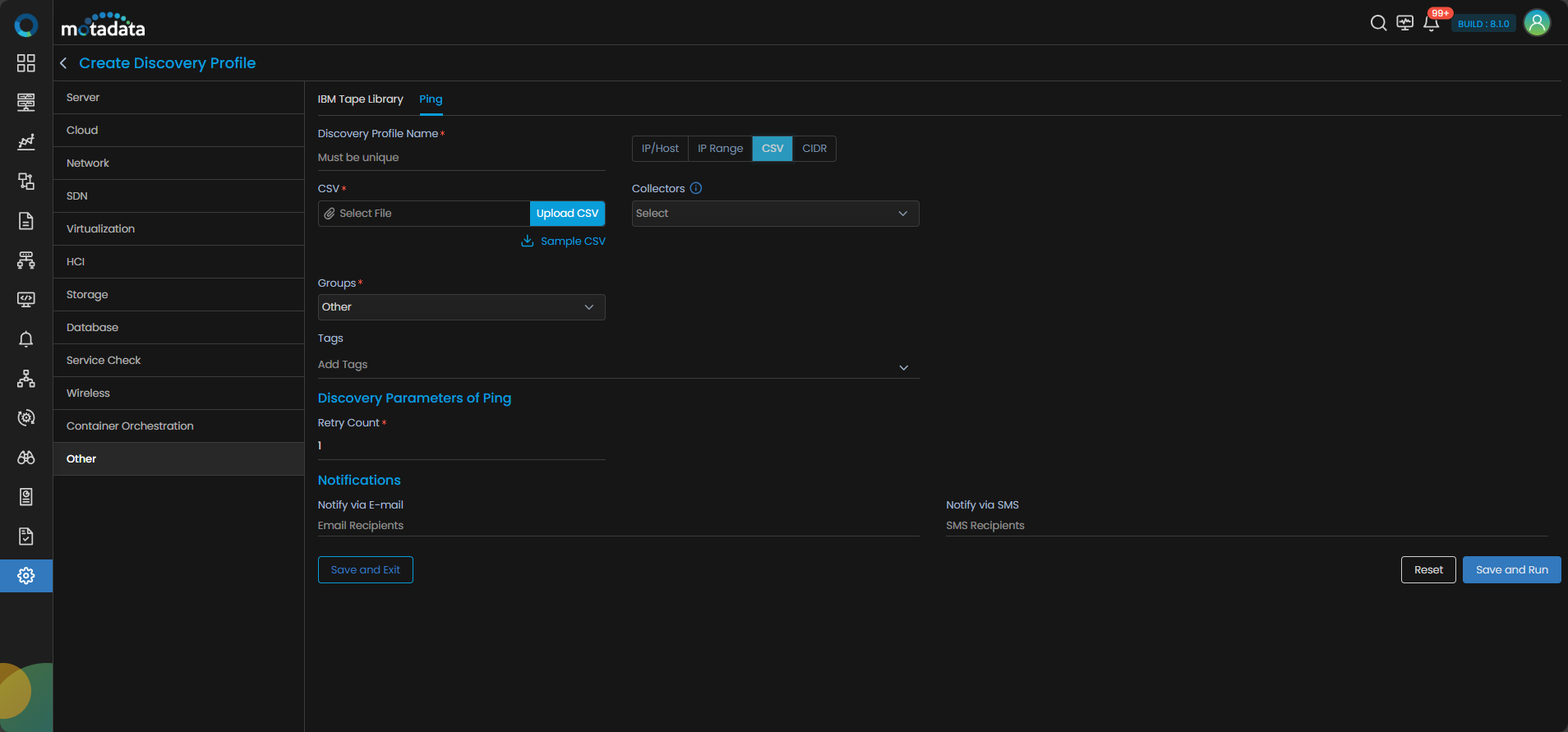
| Field | Description |
|---|---|
| Discovery Profile Name | Give a name to the discovery profile. |
| CSV | Upload a file with a list of IPs or hostnames. Use "Sample CSV" to download format and edit it with required hostnames, then upload it. |
| Collectors | Select one or more collectors to be used for this discovery run. |
| Groups | Assign to an appropriate group. |
| Tags | Assign tags to organize the monitor. |
| Retry Count | Number of retries for unreachable hosts. |
| Notify Team | The system allows notifying users about new service discovery through e-mail, handle, user name, and user profiles:
|
Click Save and Run after uploading the file.
Using CIDR Format
Use this method to define a subnet using CIDR notation.
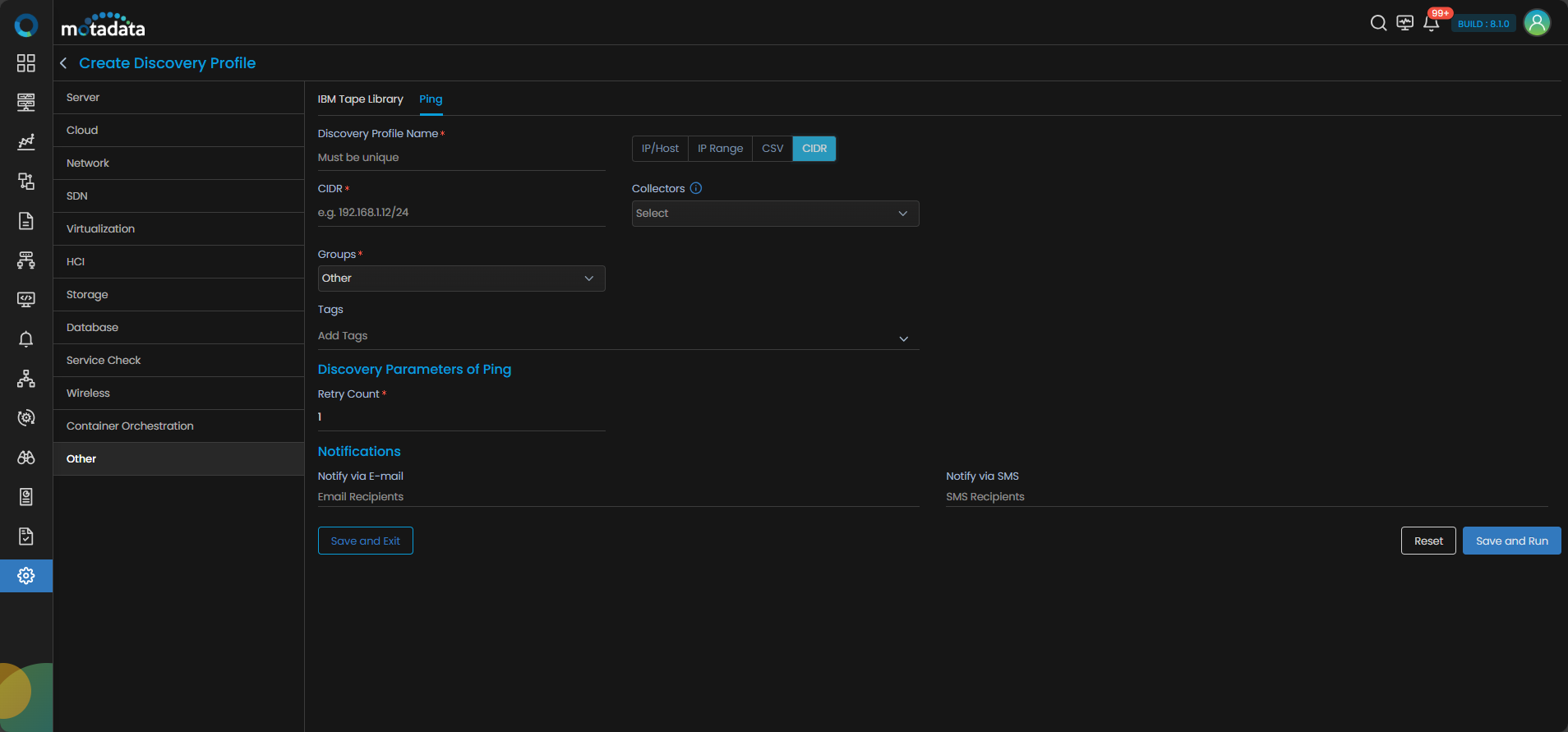
| Field | Description |
|---|---|
| Discovery Profile Name | Enter the name for the discovery configuration. |
| CIDR | Provide CIDR allocation to discover. |
| Groups | Group assignment for discovered devices. |
| Tags | Assign tags to organize the monitor. |
| Retry Count | How many times to retry on failure. |
| Notify Team | The system allows notifying users about new service discovery through e-mail, handle, user name, and user profiles:
|
Select Save and Run to discover devices in the subnet.