POST Create a Conversation
URL: http://{{server-url}}/api/v1/request/104/conversation
You can create a conversation within a Request or Service Request by calling the above endpoint with the ticket ID.
You need the following key-values:
Header
| Key | Description |
|---|---|
| Authorization | Bearer/API Key {access token obtained after authorization} |
Body
// {
//   // Example 1: Create Note Conversation (Success)
//   {
//     "conversationType": "Note",
//     "details": "<p>This is an internal note about the request progress.</p>",
//     "subject": "Progress Update",
//     "conversationState": "published"
//   }
// Example 2: Create Reply with Email Notification (Success)
// {
//     "conversationType": "requestor_to_technician",
//     "details": "<p>Your request has been assigned to our technical team. We will update you shortly.</p>",
//     "subject": "Request Assignment Notification",
//     "conversationState": "published",
//     "emailIds": [
//         "requester@company.com"
//     ],
//     "ccEmailIds": [
//         "manager@company.com"
//     ]
// }
//  Example 3: Create Conversation Failure - Empty Details
//  {
//     "conversationType": "collaborate",
//     "details": "<p>This is an internal note about the request progress.</p>",
//     "subject": "Empty Details Test"
//   }
// }
// Example 4 Reply Technician To Requester
//
{
    "conversationType": "technician_to_requester",
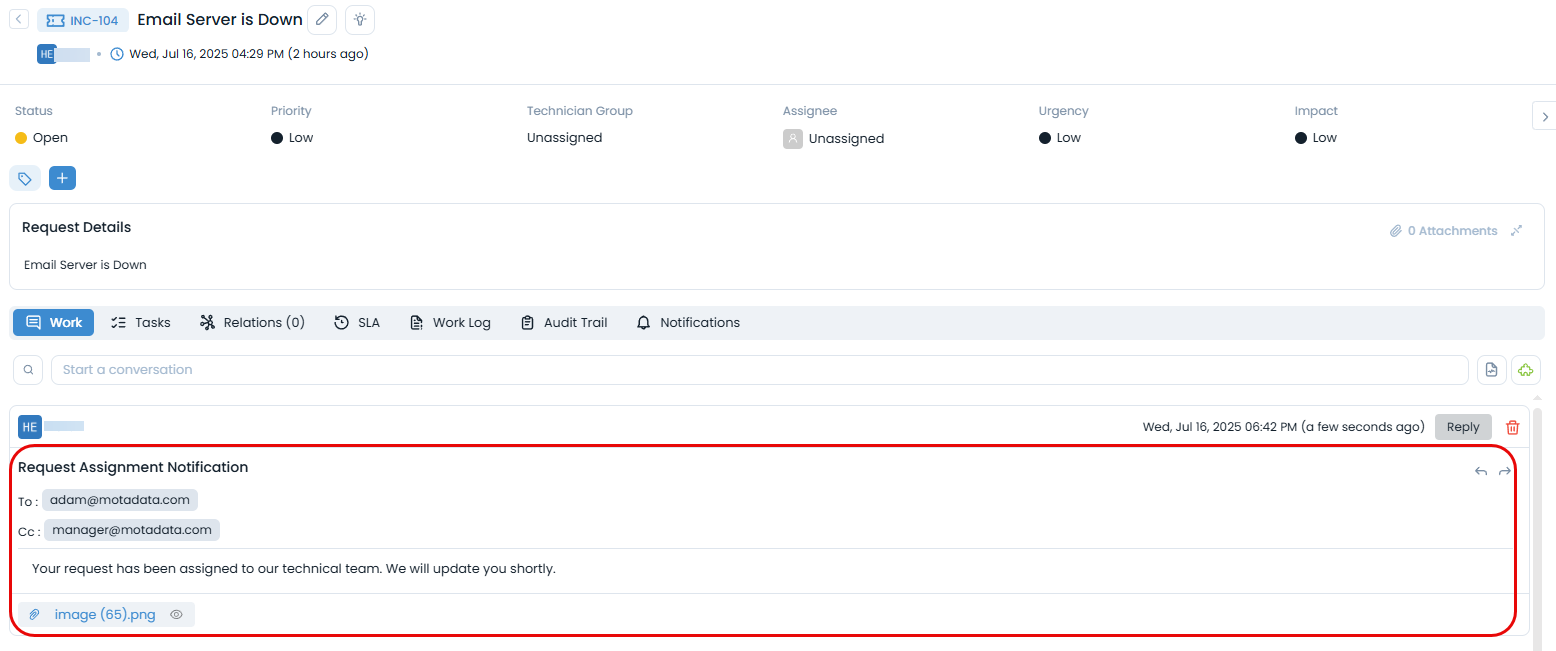
    "details": "<p>Your request has been assigned to our technical team. We will update you shortly.</p>",
    "subject": "Request Assignment Notification",
    "conversationState": "published",
    "emailIds": [
        "adam@motadata.com"
    ],
    "ccEmailIds": [
        "manager@motadata.com"
    ],
    "fileAttachments":[
        {
             "refFileName": "e6d8bed7-bef8-49b3-b4b1-c217e29f2d1d",
             "realName": "image (65).png"
        }
    ]
}
note
To upload an attachment along with conversation, first upload the attachment using the Upload Attachment API and then use its response in the body of this API.
Example (Request & Response)
Request
curl --location 'http://172.16.11.160/api/v1/request/104/conversation' \
--header 'Authorization: Apikey cnvwSGGPRGPVXApR%40RxLdhBMktQ4RLjxhf36qzfwql3i3Ao7zPDaJKLF1Ty5ZT3aFi0Z%2B' \
--header 'Content-Type: application/json' \
--data-raw '
{
    "conversationType": "technician_to_requester",
    "details": "<p>Your request has been assigned to our technical team. We will update you shortly.</p>",
    "subject": "Request Assignment Notification",
    "conversationState": "published",
    "emailIds": [
        "adam@motadata.com"
    ],
    "ccEmailIds": [
        "manager@motadata.com"
    ],
    "fileAttachments":[
        {
             "refFileName": "e6d8bed7-bef8-49b3-b4b1-c217e29f2d1d",
             "realName": "image (65).png"
        }
    ]
}
Response
{
    "id": 9,
    "conversationType": "technician_to_requester",
    "details": "<p>Your request has been assigned to our technical team. We will update you shortly.</p>",
    "createdByName": "Heta",
    "createdByEmail": "heta.mehta@motadata.com",
    "createdTime": "Wed, Jul 16, 2025 06:42 pm",
    "updatedTime": "Wed, Jul 16, 2025 06:42 pm",
    "subject": "Request Assignment Notification",
    "conversationState": "published",
    "emailIds": [
        "adam@motadata.com"
    ],
    "ccEmailIds": [
        "manager@motadata.com"
    ],
    "updatable": false,
    "deletable": true,
    "fileAttachments": [
        {
            "refFileName": "e6d8bed7-bef8-49b3-b4b1-c217e29f2d1d",
            "realName": "image (65).png"
        }
    ]
}
The conversation will be created as shown below: