The Contract Lifecycle
The contract lifecycle is the end-to-end process of managing a contract from its creation to its renewal or termination. ServiceOps automates and simplifies each stage to ensure nothing falls through the cracks.
A well-managed lifecycle maximizes the value of your agreements, minimizes risk, and ensures that key stakeholders are always informed.
Stages of the Lifecycle
The lifecycle of a contract in ServiceOps is a structured process designed to maximize value and minimize risk. Each stage is managed within the system to ensure compliance and visibility from initiation to conclusion.
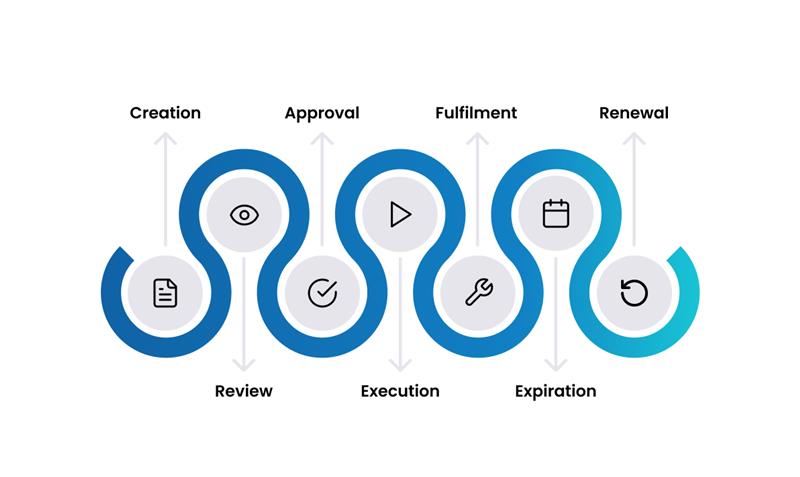
1. Creation
This is the initial stage where a new contract is drafted and its foundational details are recorded in the system. All key details are entered, including the vendor, type, cost, and responsible owner. The start and end dates that will govern the lifecycle are defined, and the contract document and any supporting files are attached.
2. Review
Once created, the contract undergoes a review process to ensure its terms are fair, compliant, and aligned with business goals. Key stakeholders, such as legal and finance teams, examine the contract's terms and conditions. Any necessary revisions or negotiations are handled during this stage, and ServiceOps can track versions and comments to facilitate collaboration.
3. Approval
After the review is complete, the contract is submitted for formal approval. If an approval process is configured, the contract is automatically routed to the designated approvers. Approvers are notified and can approve or reject the contract directly within ServiceOps, and an approval record is kept for audit purposes.
4. Execution
Upon approval, the contract is executed and becomes legally binding. The contract is signed by all parties, and its status in ServiceOps transitions to Active once its start date is reached, signaling that its terms are now in effect.
5. Fulfillment
During this stage, the promises of the contract are delivered, and compliance is monitored. This is the main operational phase. The contract can be linked to requests, assets, and purchase orders, while performance is tracked against the contract's terms and Service Level Agreements (SLAs). The system also sends Automated Alerts for key dates and milestones, not just expiry.
6. Expiration
As the contract approaches its end date, ServiceOps provides tools to manage the transition. The system automatically sends email notifications (Automated Reminders) to the contract owner when the contract is approaching its expiration date. You can configure how far in advance these reminders are sent (e.g., 90, 60, and 30 days before expiry) to give stakeholders ample time for review. If no action is taken, the contract's status automatically changes to Expired once the end date passes.
7. Renewal
Based on the contract's performance and ongoing business needs, a decision is made on whether to renew it. If renewed, a new contract can be created, often cloning details from the original to save time. The lifecycle begins again with the new contract document.
Lifecycle Automation Features
- Automatic Status Changes: The system automatically transitions a contract's status from
Not Yet StartedtoActivetoExpiredbased on the system date, eliminating the need for manual updates. - Expiry Reminders: The notification engine is the key to proactive management, ensuring you never get caught by surprise by an auto-renewing subscription or a lapse in a critical support agreement.
- Hierarchical Status Updates: When a parent contract is cancelled or expires, the system can automatically apply the same status to all its child contracts, ensuring consistency in complex agreements.
- Full Audit Trail: Every action performed on a contract-from creation and edits to status changes and notifications-is logged in a detailed audit trail for full accountability and compliance.